The best Shopify Inbox alternative for a store whose main channel is WhatsApp is WhatFlow WhatsApp Business API. It runs on Meta's official WhatsApp Cloud API and gives you a shared team inbox with assignment, filters, labels and canned replies, with no seat fees. It has a Free plan with every feature included, so you can run it next to Shopify Inbox before deciding anything.
Shopify Inbox is free and good at what it does. But its App Store listing doesn't mention WhatsApp, and in a lot of markets that's where your customers already are. Below are seven alternatives that give you WhatsApp plus a place for your team to work it, checked on their Shopify App Store listings and pricing pages on November 18, 2026.
Why do stores look for Shopify Inbox alternatives?
Shopify Inbox is rated 4.5 from 5,820 reviews and costs nothing. As of November 2026, its listing covers live chat on your online store, email chat, file uploads, an AI sales associate that answers shopper questions from your catalog and policies, sign-in with Shop for personalised replies, and chat assignment.
The reasons stores add or replace it are about channels and team workflow, not quality:
Channel focus. The listing names Shopify Admin and Online Store as the platforms. WhatsApp isn't mentioned, and neither are Instagram or Messenger.
The conversation ends when the tab closes. Live chat works while the shopper is on your site. A WhatsApp chat stays on their phone, so you can reply after they've left and they'll still see it. If that trade-off is new to you, read WhatsApp vs website live chat.
Team detail. Chat assignment is listed, but the listing doesn't describe queues, labels or multi-agent workflows in depth.
So the real question usually isn't "what replaces Shopify Inbox?" It's "where does my team answer WhatsApp?" Some of the apps below replace Inbox completely. Others sit next to it.
What should a WhatsApp team inbox have?
Say you run a skincare store with three people on support. A customer messages at 11pm asking whether the vitamin C serum is safe with retinol, another wants to change a delivery address, and a third is replying to their COD confirmation. By morning, you need those three chats split between three people without anyone answering twice. That's the job. For it, I'd look for:
Assignment and a "Mine" view, so each agent sees their own queue.
Labels or tags like Pre-sale, Address change and COD.
Canned replies for the ten questions you get every day.
The Shopify order beside the chat, or at least a fast way to find it.
Templates to follow up once the 24-hour customer service window has closed.
Pricing that doesn't punish hiring. Check whether each new agent adds a seat fee.
Shopify Inbox alternatives compared
Ratings and prices are from each app's Shopify App Store listing, checked November 18, 2026. Meta's WhatsApp message charges are extra on every app that sends WhatsApp messages.
App
Best for
Starting price
Shopify App Store rating (Nov 2026)
WhatsApp official API?
WhatFlow WhatsApp Business API
WhatsApp-first support teams of any size
Free plan; paid from $4.99/month
5.0 (85 ratings)
Yes, Meta WhatsApp Cloud API
Tidio
Website live chat plus an AI bot, with WhatsApp in the same inbox
Free; paid from $29/month
4.8 (1,360)
WhatsApp included, per pricing page
Gorgias
A full ticketing helpdesk across many channels
$10/month
4.3 (709)
WhatsApp on all helpdesk plans, per help center
Zoko
Selling and support inside WhatsApp
$49.99/month
4.9 (479)
Yes, per its pricing page
Spur
WhatsApp, Instagram and live chat with an AI agent
$39/month
5.0 (118)
Yes, per its listing
Wati
Larger teams running AI and drip campaigns
$69/month
3.7 (121)
Yes, per its pricing page
Shopify Messaging
WhatsApp marketing campaigns from Shopify
Free to install
4.8 (4,873)
WhatsApp Business Account via Meta Embedded Signup
Shopify Inbox (for reference)
Free on-site live chat with an AI sales associate
Free
4.5 (5,820)
WhatsApp not mentioned on listing
1. WhatFlow WhatsApp Business API
Who it's for: Shopify stores where WhatsApp is the main support and sales channel, whether two people answer chats or fifty.
WhatFlow runs on the official Meta WhatsApp Cloud API, connected through Meta Embedded Signup in Shopify admin. People still sometimes think of WhatFlow as the small-shop app, because our older Chat Automation app came first. The Business API app is built for teams: green-tick-eligible profiles through Meta, a proper team inbox, and Shopify Flow for automation at scale.
Standout features:
Assignment queues, filters, labels, custom attributes and canned responses, with no seat fees. Add your whole team on the Free plan.
Live catalog sharing from the inbox, so an agent can send the exact product a customer asked about.
Order updates, COD confirmation, cart recovery and broadcasts from the same app, so replies land where your team already works.
Native Shopify Flow triggers and actions, and an MCP connector that lets Claude, ChatGPT or Cursor draft replies for a person to approve.
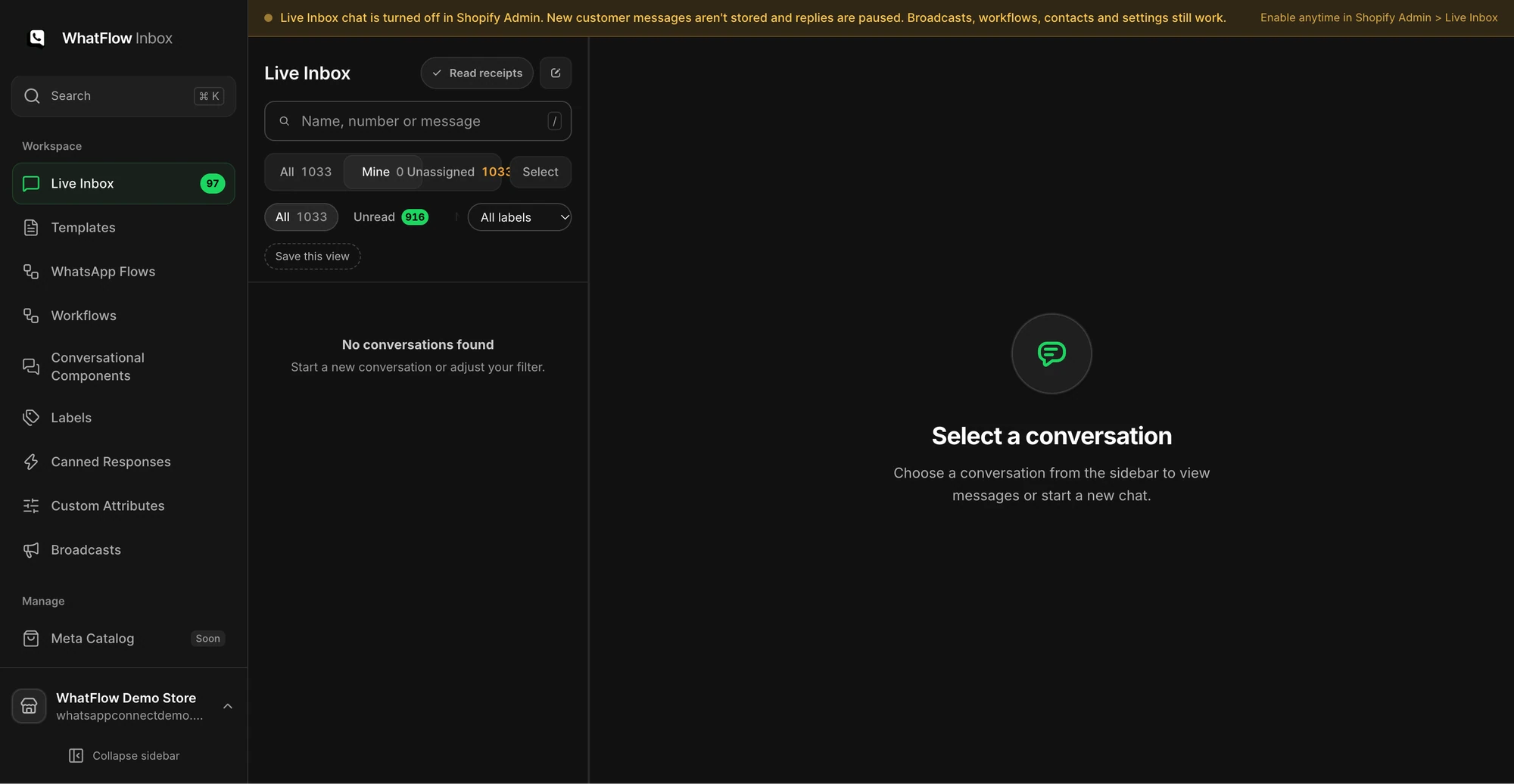
The Mine queue in the WhatFlow team inbox on our demo store, currently empty.
Pricing and rating (November 2026): a Free plan and paid plans from $4.99/month, every feature on every plan, 7-day trial on paid plans. See WhatFlow pricing. Meta's message charges pass through at zero markup. Rated 5.0/5 from 85 ratings (checked November 24, 2026).
Honest limitation: WhatFlow is WhatsApp only. It won't run your website live chat widget or your email queue, so many stores keep Shopify Inbox for on-site chat alongside it. Full comparison: WhatFlow vs Shopify Inbox.
2. Tidio
Who it's for: stores that want website live chat and an AI chatbot first, with WhatsApp handled in the same place.
Tidio combines live chat, the Lyro AI chatbot and Flows automation. Its listing describes one inbox for email, Instagram, WhatsApp and Messenger, and its pricing page marks WhatsApp as included on every plan.
Pricing and rating (November 2026): the Shopify listing shows a Free plan, Customer Service at $29/month for 100 conversations, Lyro AI Chatbot at $39/month for 200 Lyro conversations and Flows at $29/month. Self-serve plans allow up to 10 seats. Rated 4.8 from 1,360 reviews.
Honest limitation: you pay by billable conversation, and the AI bot is priced separately, so a busy WhatsApp line pushes you up the tiers. See WhatFlow vs Tidio.
3. Gorgias
Who it's for: support teams that want a full helpdesk with tickets, macros and many channels.
Gorgias's listing covers email, SMS, live chat, chatbot, phone, social media and a help center. WhatsApp isn't named on the listing, but Gorgias's help center says WhatsApp is available on all helpdesk plans, with each message arriving as a ticket.
Pricing and rating (November 2026): Starter is $10/month for 50 tickets and 3 agents, Basic $60 for 300 tickets, Pro $360 for 2,000 and Advanced $900 for 5,000. The AI Agent is an add-on. 7-day trial. Rated 4.3 from 709 reviews.
Honest limitation: billing is per ticket, and a WhatsApp ticket becomes billable once an agent replies. See WhatFlow vs Gorgias.
4. Zoko
Who it's for: stores that want customers to browse a synced catalog and buy inside WhatsApp.
Zoko gives you a multi-agent inbox with calls, voice notes and real-time translation, catalog sync, segment broadcasts and cart recovery. Instagram is an add-on.
Pricing and rating (November 2026): Starter $49.99/month with unlimited agents plus a $0.015 per-conversation markup, Plus $79.99 (5 agents, then $15 each), Elite $139.99, Max $499.99. 7-day trial. Rated 4.9 from 479 reviews.
Honest limitation: the trade-off between conversation markup and per-agent fees changes with every plan, so model your volume first. See WhatFlow vs Zoko.
5. Spur
Who it's for: stores that want WhatsApp, Instagram, Messenger and live chat in one inbox with an AI agent in front.
Spur's shared inbox shows each customer's Shopify orders beside the chat. The AI agent recommends products and hands off to your team, and you also get cart recovery, COD confirmation and campaigns.
Pricing and rating (November 2026): from $39/month (AI Start, 2 seats) on the listing. Spur's pricing page sells extra seats at $15 each. 14-day trial. Rated 5.0 from 118 reviews.
Honest limitation: two seats on the entry plan is tight for a support team. See WhatFlow vs Spur.
6. Wati
Who it's for: larger teams that want AI agents, drip campaigns and ad-lead tracking alongside the inbox.
Wati's Shopify app adds cart recovery, Shopify segment sync, Click-to-WhatsApp ad tagging and a unified customer profile to its team inbox.
Pricing and rating (November 2026): Growth $69/month, Pro $149, Business $349 on the listing, with extra users at $89/user/month on Pro and Business. 7-day trial. Rated 3.7 from 121 reviews.
Honest limitation: seats are a major cost line once you pass the included users. See WhatFlow vs Wati.
7. Shopify Messaging
Who it's for: stores that want WhatsApp marketing campaigns from Shopify's own app.
Shopify Messaging handles email, SMS and WhatsApp marketing. Shopify's help pages say WhatsApp needs a WhatsApp Business Account connected through Meta Embedded Signup, campaigns are sent as Meta-approved templates, and abandoned cart, checkout and browse automations support WhatsApp.
Pricing and rating (November 2026): free to install, with email free for the first 10,000 each month. Rated 4.8 from 4,873 reviews.
Honest limitation: it's a marketing tool. The help page doesn't cover order updates or how customer replies are handled, and campaigns can't go to customers in the United States. See WhatFlow vs Shopify Messaging.
How to switch from Shopify Inbox (or add WhatsApp next to it)
Decide the split. Keep Shopify Inbox for on-site chat, or move everything to one app. Either works if each channel has an owner.
Connect your WhatsApp number to the new app through Meta. If the number is on the WhatsApp Business app today, plan the move; our guide to a shared team inbox for a small Shopify store walks through it.
Copy your saved replies into canned responses.
Set up assignment and labels. For example: Orders, Returns, Pre-sale, COD.
Add a WhatsApp button to the storefront so customers can start chats.
Run a test week with two agents before moving the whole team.
A canned reply worth setting up first:
Thanks for your message! Could you share your order number (it starts with #)? I'll check where it is and come straight back to you.
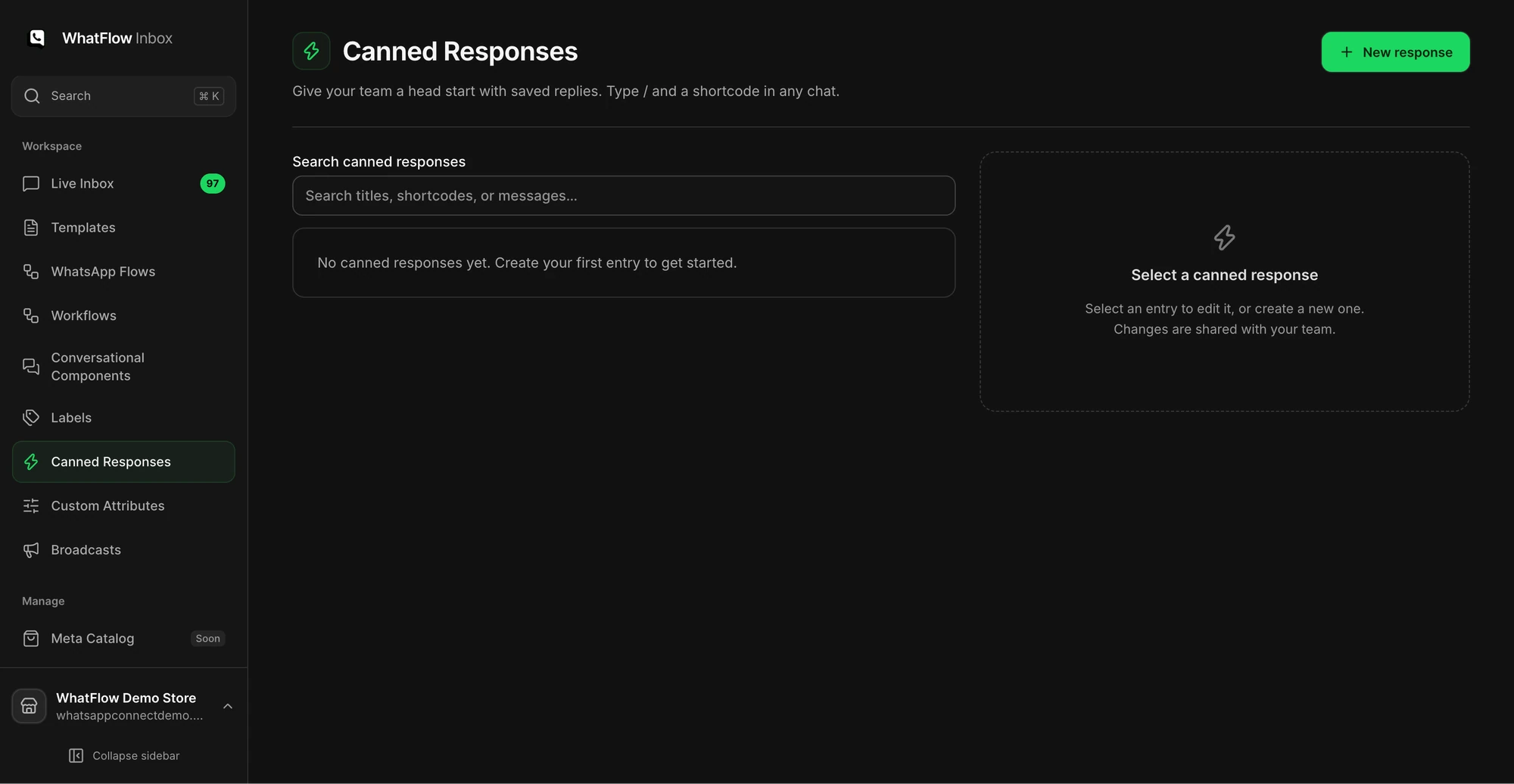
Canned responses in the WhatFlow team inbox on our demo store.
Inside the 24-hour customer service window you can reply freely. After it closes, WhatsApp only lets a business send a Meta-approved template, which Meta charges per delivered message. Details are on Meta's pricing page.
Run WhatsApp for your Shopify store with WhatFlow
Free plan available. Templates, COD confirmation, Shopify Flow automations and a shared team inbox with no seat fees. Every feature is included on every plan, including Free.
WhatsApp is your main channel and your team is growing: WhatFlow. No seat fees means you can add agents for a sale weekend without touching the bill. Here's why that beats staff answering on personal phones.
You live on website chat and want an AI bot: Tidio.
You need a full ticketing helpdesk: Gorgias.
You want customers buying inside WhatsApp: Zoko.
Instagram matters as much as WhatsApp: Spur.
You only want WhatsApp marketing campaigns: Shopify Messaging.
You don't have to pick one forever. Install WhatFlow's Free plan, route WhatsApp there for two weeks, keep Shopify Inbox on your site, and see where your team actually spends its time.
Shopify Inbox's App Store listing, checked November 18, 2026, doesn't mention WhatsApp. It covers live chat on your online store, email chat, an AI sales associate and chat assignment, so stores that want WhatsApp conversations usually add a separate app.
What is the best Shopify Inbox alternative for WhatsApp?
For stores where WhatsApp is the main channel, WhatFlow WhatsApp Business API is the best fit: it runs on Meta's official WhatsApp Cloud API and has a shared team inbox with assignment, filters and no seat fees. It has a Free plan, and paid plans start at $4.99/month as of November 2026.
Can I use Shopify Inbox and a WhatsApp app together?
Yes. Plenty of stores keep Shopify Inbox for on-site live chat and the AI sales associate, and run WhatsApp in a dedicated app. Just make sure each channel has a clear owner on your team so nothing is answered twice.
Is Shopify Messaging the same as Shopify Inbox?
No. Shopify Inbox is for live chat with shoppers, while Shopify Messaging is Shopify's email, SMS and WhatsApp marketing app. Shopify's help pages describe WhatsApp in Messaging as marketing campaigns and cart automations sent as Meta-approved templates.
Do WhatsApp team inboxes charge per agent?
Many do. As of November 2026, Wati lists extra users at $89 each on Pro and Business, Spur sells extra seats at $15, and Zoko charges per agent past the included seats on its higher plans. WhatFlow's team inbox has no seat fees.
Shopify Inbox's 4.5 rating from 5,820 reviews, free pricing, live chat, AI sales associate and chat assignment; no WhatsApp mention, checked November 18, 2026.