
Publisher disclosure: this comparison is written by WhatFlow. Competitor capabilities are based on the linked public documentation; the WhatFlow screenshots come from our demo store. Examples are illustrative, and results depend on your store and configuration.
WhatsApp with WhatFlow and Website live chat at a glance
| Consideration | WhatsApp with WhatFlow | Website live chat |
|---|---|---|
| Best-fit experience | A persistent thread on the customer's phone: they can leave your site, come back hours later and pick up where they left off. | Instant chat on the page without switching apps. Usually tied to the browser session. |
| Costs to include | WhatsApp button free forever. Messaging plans from Free, then $4.99/month; no seat fees. Meta's charges are separate. | Live-chat subscription, often priced per agent seat, plus any AI or add-on usage. |
| Shopify workflow | Shopify Flow triggers on incoming messages, order-reply automation, catalog sharing and saved replies in one inbox. | Depends on the chat app's Shopify integration; follow-up after the visit often moves to email. |
| Starting point | Free-forever theme-matched WhatsApp button and a Free plan with every feature. | Keep live chat if a lot of shoppers prefer not to open WhatsApp mid-browse. |
| After the shopper leaves | The thread stays in WhatsApp; you can reply hours later and they'll see it. | The chat usually ends with the session unless the visitor left an email. |
For Shopify stores selling where customers use WhatsApp, a WhatsApp chat button should be your main way to start conversations, and live chat the optional extra. Live chat is tied to the browser tab; when the shopper closes it, the conversation usually ends. A WhatsApp thread stays on their phone, with images, buttons and your catalog, and through WhatFlow it lands in a no-seat-fee team inbox connected to Shopify.
One practical check: Can a second agent tell who owns the conversation without asking? In WhatFlow, use Needs reply and Closing soon, claim a conversation, then check Shopify order context and leave a private note. The team inbox walkthrough gives you a repeatable test for two agents, with no per-seat fee.
WhatsApp vs live chat at a glance
WhatsApp button (via WhatFlow) | Website live chat | |
|---|---|---|
Where the chat lives | The customer's WhatsApp, permanently | The browser session |
Reply after they leave? | Yes, they'll see it on their phone | Only if they left an email |
Format | Images, video, documents, catalog products | Text, sometimes files |
Price of the entry point | Free forever, theme-matched | Usually part of a paid chat plan |
Team pricing | No seat fees | Often per agent |
Shopify link | Flow triggers, order-reply automation, catalog sharing | Depends on the chat app |
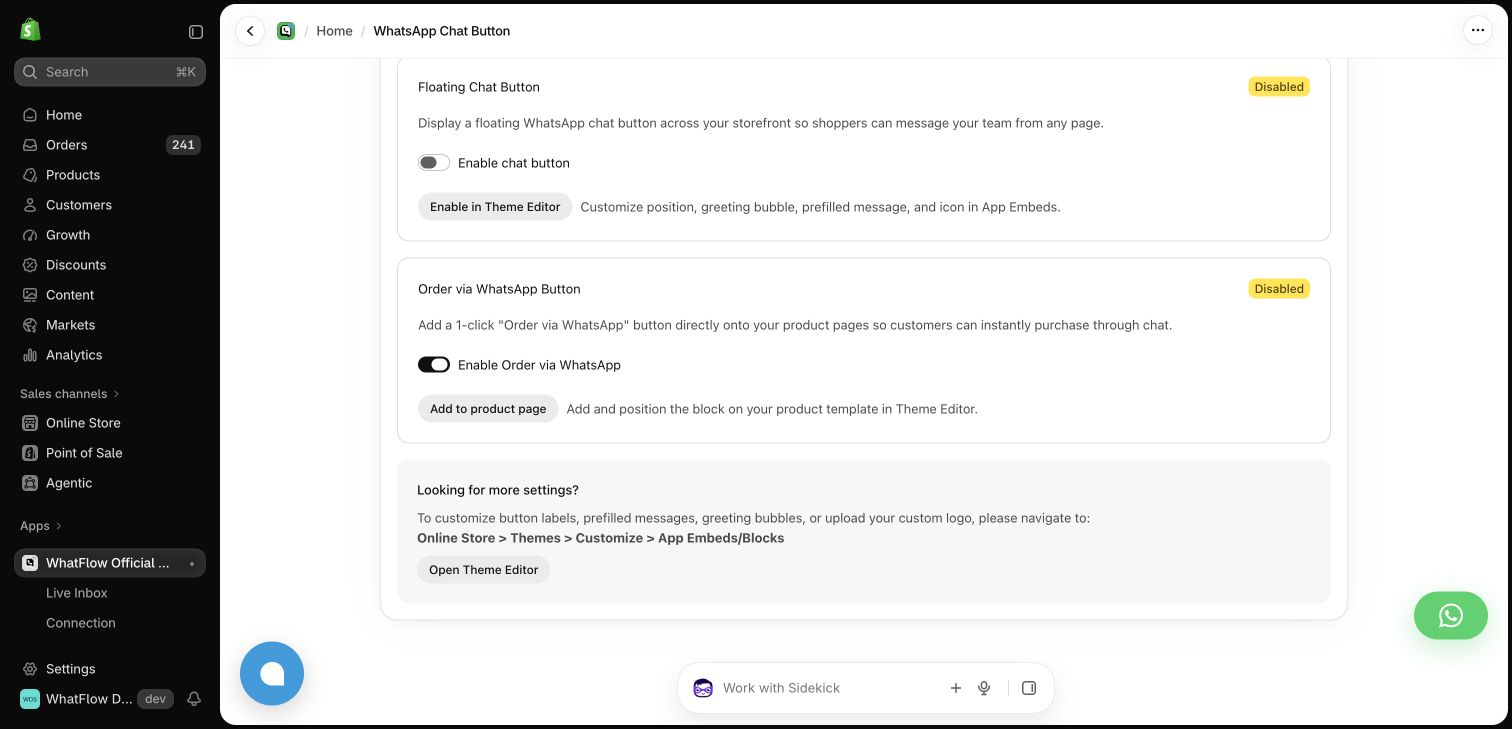
Why should WhatsApp be the main entry point?
Because shoppers don't wait on a tab. Say it's 11pm and someone on your skincare store types: "Is the retinol serum safe during pregnancy?" With live chat and nobody online, they get an offline form and close the tab. With WhatsApp, the question sits in your inbox. At 9am your team replies:
Morning Ayesha! Our retinol serum isn't recommended during pregnancy. A gentle alternative is our Bakuchiol Night Oil, here it is: {{catalog_product}}. Happy to help you build a routine.
She reads it over breakfast and orders. The thread is still there next month when she asks about the cleanser. That's the core mechanic: one thread per customer that outlives the visit.
Plus:
- Rich media. Customers send photos of a rash, a damaged parcel or the sofa space; you send back product shots and videos.
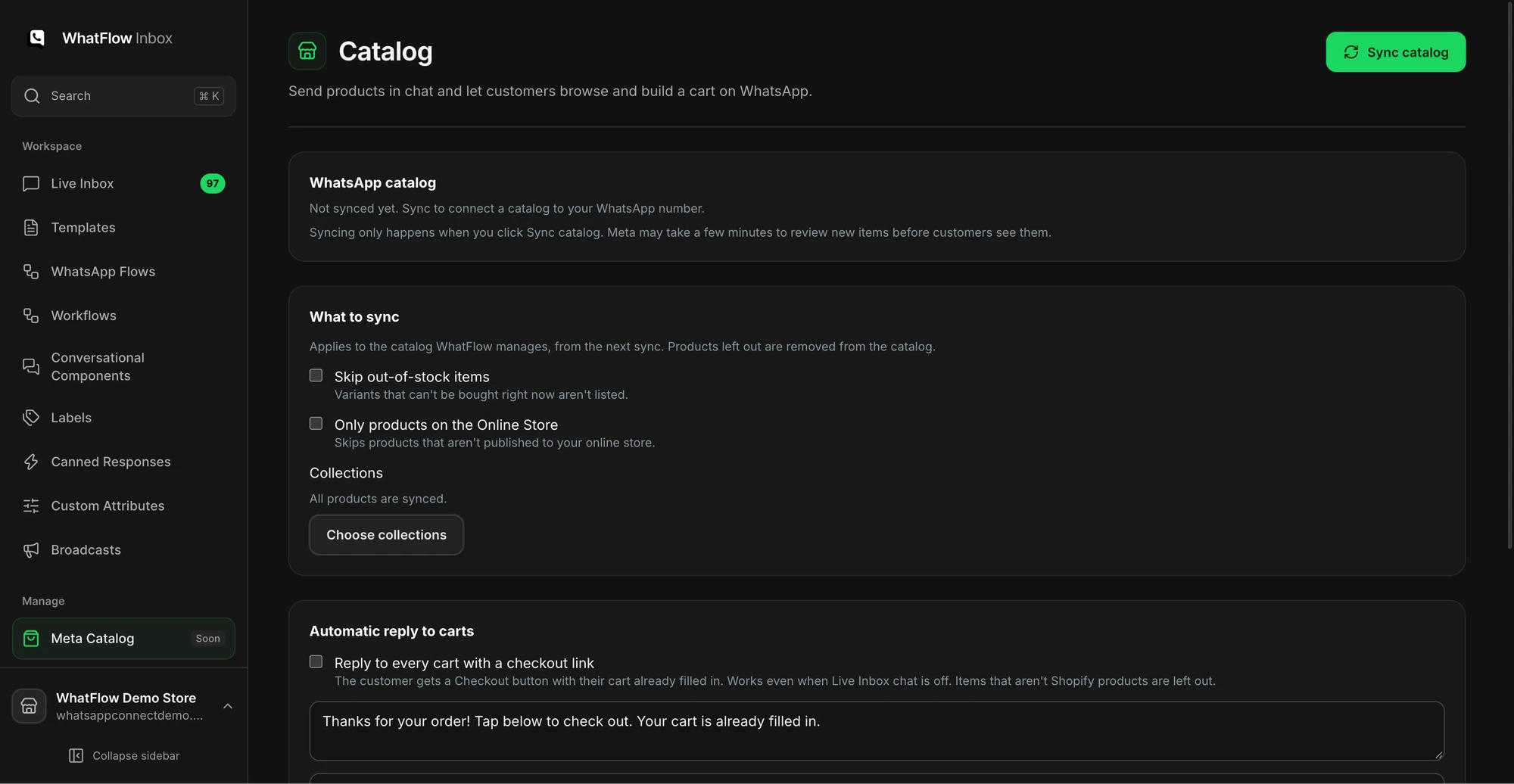
- Catalog sharing. Share the exact variant from your live catalog (guide).
- Business identity. Your name and logo, verified badge if you qualify.
- Shopify Flow. With WhatFlow, an incoming message can trigger a workflow that routes it to the right person (routing guide).
Where does live chat still help?
Some shoppers don't want to leave your site mid-browse, and some markets lean less on WhatsApp. For them, a live-chat widget is fine. Just watch that two chat widgets don't fight for the same corner on mobile; our mobile layout guide and theme-matched button vs floating widget comparison cover that.
How do the costs compare?
Live chat tools are often priced per agent seat, plus any AI or add-on usage. WhatFlow's theme-matched WhatsApp button is free forever, the inbox has no seat fees, and every feature is on every plan.
You pay WhatFlow for outgoing message allowance. As of November 2026: Free ($0, 100 messages a month), Starter ($4.99, 2,000), Plus ($9.99, 5,000), Growth ($29, 20,000), Scale ($49.99, 40,000), Ultimate ($99, 75,000). Meta charges separately per delivered message by category and country. Since October 1, 2026, service replies are free only for the first 1,000 per business number each month, and utility templates inside the 24-hour window are charged (Meta's pricing docs). Current WhatFlow amounts are on the pricing page.
Say four people share support. A per-seat chat tool bills you four times. WhatFlow bills you for messages, not people.
How to set it up
- Install WhatFlow and connect your number through Meta Embedded Signup (official Meta Cloud API).
- Add the free theme-matched WhatsApp button to product pages and the footer (how to add it).
- Write five saved replies for your most common questions: delivery times, sizing, returns, COD, stock.
- Assign chats by agent or topic in the inbox.
- Decide your reply hours and tell customers what to expect (away message examples).
The bottom line
Live chat ends with the visit. WhatsApp keeps the customer. For Shopify stores selling where customers use WhatsApp, make the WhatsApp button your main entry point with WhatFlow (free-forever button, every feature on every plan, no seat fees, rated 5.0/5 from 55 ratings on the Shopify App Store as of November 5, 2026), and keep live chat as an option for shoppers who prefer it.
Questions worth asking
Is a WhatsApp button better than live chat on Shopify?
For stores selling where customers use WhatsApp, yes. A WhatsApp thread stays on the customer's phone after they leave your site, supports images, buttons and catalog products, and with WhatFlow lands in a no-seat-fee team inbox. Live chat is handy for shoppers who don't want to switch apps.
How do I test WhatsApp against live chat?
Run both for a month and track how many chats each starts, how many questions get answered after the visitor has left, and how many conversations end in an order. Pay attention to after-hours questions, where the difference shows most.
Does the free WhatFlow plan restrict features?
No. WhatFlow includes every feature on every plan, including Free. Plans differ only by message allowance and rates, the team inbox has no seat fees and the theme-matched WhatsApp button is free forever.
Does a WhatsApp chat button cost money per message?
WhatFlow's button itself is free forever. Meta's WhatsApp charges apply per delivered message by category and country, and as of October 1, 2026 service replies are free only for the first 1,000 per business number each month, so check Meta's pricing page for your volume.
Sources and methodology
We checked these primary sources on November 5, 2026. Vendor pages describe advertised capabilities, rather than independent performance tests. Confirm current pricing, plan limits and availability with each provider.
- WhatFlow WhatsApp Business API on the Shopify App Store
WhatFlow's listing, plans and Shopify integrations; rated 5.0/5 from 55 ratings as of November 5, 2026.
- WhatsApp Business Platform pricing
Meta's per-message WhatsApp charges by category and recipient country.
- WhatsApp Business Platform pricing (developer docs)
The 24-hour customer service window and Meta's October 1, 2026 changes to service and utility message charges.
- WhatsApp Business Messaging Policy
Opt-in, opt-out and template rules for business-initiated WhatsApp messages.