
Publisher disclosure: this comparison is written by WhatFlow. Competitor capabilities are based on the linked public documentation; the WhatFlow screenshots come from our demo store. Examples are illustrative, and results depend on your store and configuration.
WhatsApp with WhatFlow and Facebook Messenger at a glance
| Consideration | WhatsApp with WhatFlow | Facebook Messenger |
|---|---|---|
| Best-fit experience | The order relationship: confirmations, shipping, delivery questions and repeat purchases in one thread tied to a phone number. | Enquiries from your Facebook Page and Click-to-Messenger ads, especially where your audience lives on Facebook. |
| Costs to include | WhatFlow plan (Free, then from $4.99/month) plus Meta's per-message charge for WhatsApp. No seat fees. | Ad spend to start conversations, plus whatever tool you use to manage Messenger at volume. |
| Shopify workflow | Templates mapped to Shopify orders, Shopify Flow triggers and actions, COD tagging and a shared inbox. | Conversations start from a Page or ad; proactive order updates are limited by the messaging window and tags. |
| Starting point | Free plan with every feature and a free-forever theme-matched WhatsApp button. | Keep answering Messenger enquiries and invite buyers to opt in to WhatsApp for their order. |
| Messaging outside 24 hours | Approved templates to opted-in customers, any time. | Message tags for approved use cases only; Human Agent tag allows manual replies within 7 days. |
For Shopify stores selling where customers use WhatsApp, WhatsApp should run your orders and support, and Messenger should handle the enquiries that start on your Facebook Page or ads. The deciding rule is the messaging window: Messenger only lets you message freely for 24 hours after the customer writes, while WhatsApp lets you send opted-in order updates any time with approved templates. WhatFlow ties those WhatsApp messages to Shopify.
WhatsApp vs Messenger at a glance
WhatsApp (via WhatFlow) | Facebook Messenger | |
|---|---|---|
Best for | Orders, COD, delivery, repeat customers | Page and ad enquiries |
Tied to | Phone number | Facebook account |
After 24 hours | Approved templates to opted-in customers | Message tags for approved use cases only |
Format | Images, video, buttons, catalog products | Images, video, buttons |
Shopify link | Flow triggers and actions, COD tagging, shared inbox | Not built around Shopify orders |
Team pricing | No seat fees | Depends on your tool |
Why should WhatsApp run your orders?
Meta's Messenger policy gives businesses a standard messaging window that lasts 24 hours for most user actions. Outside it, you can only send message tags for approved use cases, plus a Human Agent tag for manual replies within 7 days. That's fine for answering an enquiry. It's awkward for an order that ships in four days and arrives in seven.
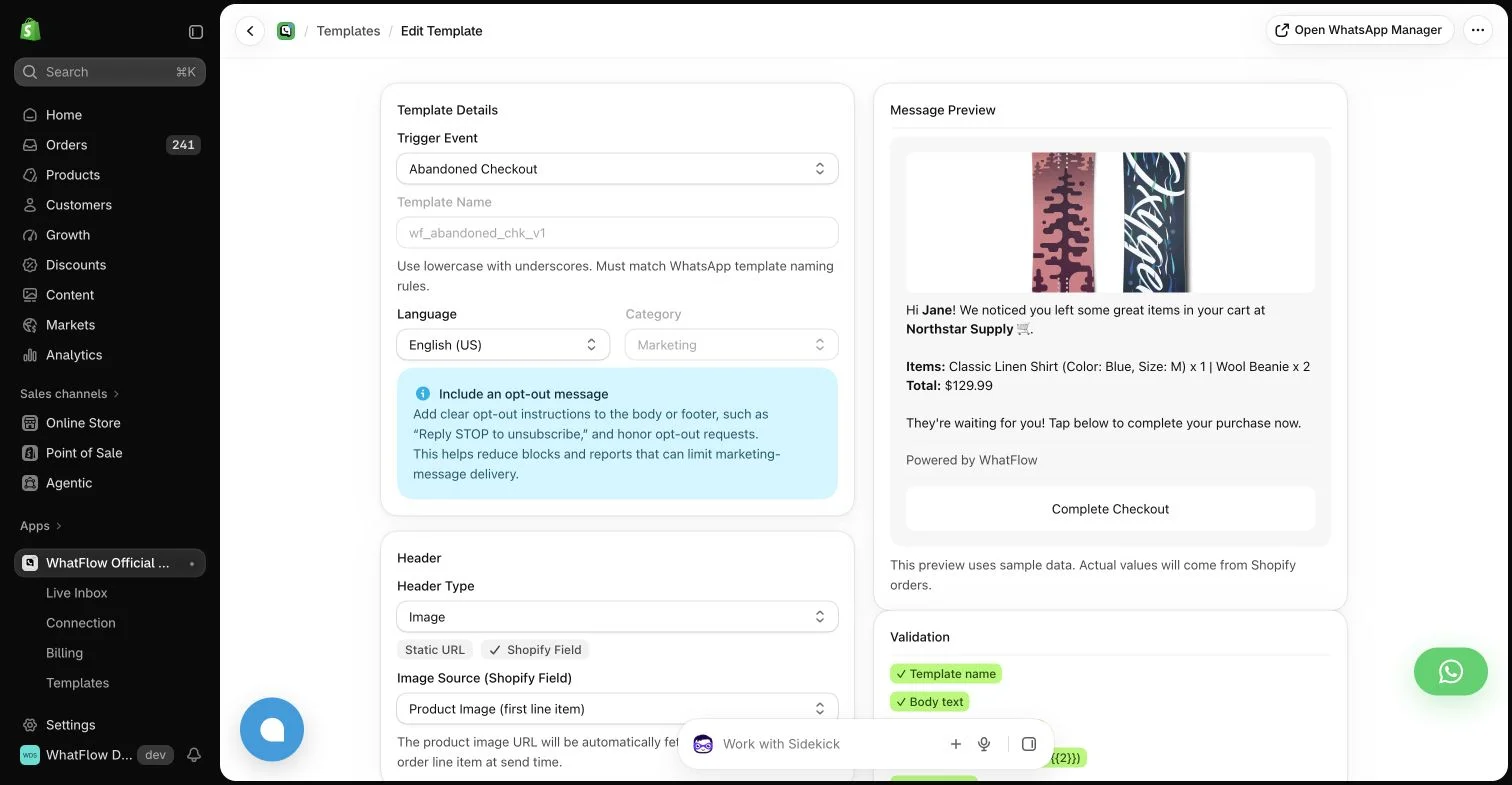
WhatsApp works differently. With an opt-in and an approved template, you can message the customer whenever the order needs it:
Hi Tariq, your order #9032 (2 x Cotton Bedsheet Set) is out for delivery today between 2 and 6pm. Need a different time? [All good] [Reschedule]
Tap Reschedule and the chat lands in the WhatFlow inbox for your team. Same thread as the order confirmation, same thread as next month's reorder. That's the mechanic: one thread per customer, tied to their phone number, that you can restart when the order needs it.
More reasons WhatsApp should lead:
- Business identity. Your name and logo, verified badge if you qualify.
- Catalog sharing from the inbox (guide).
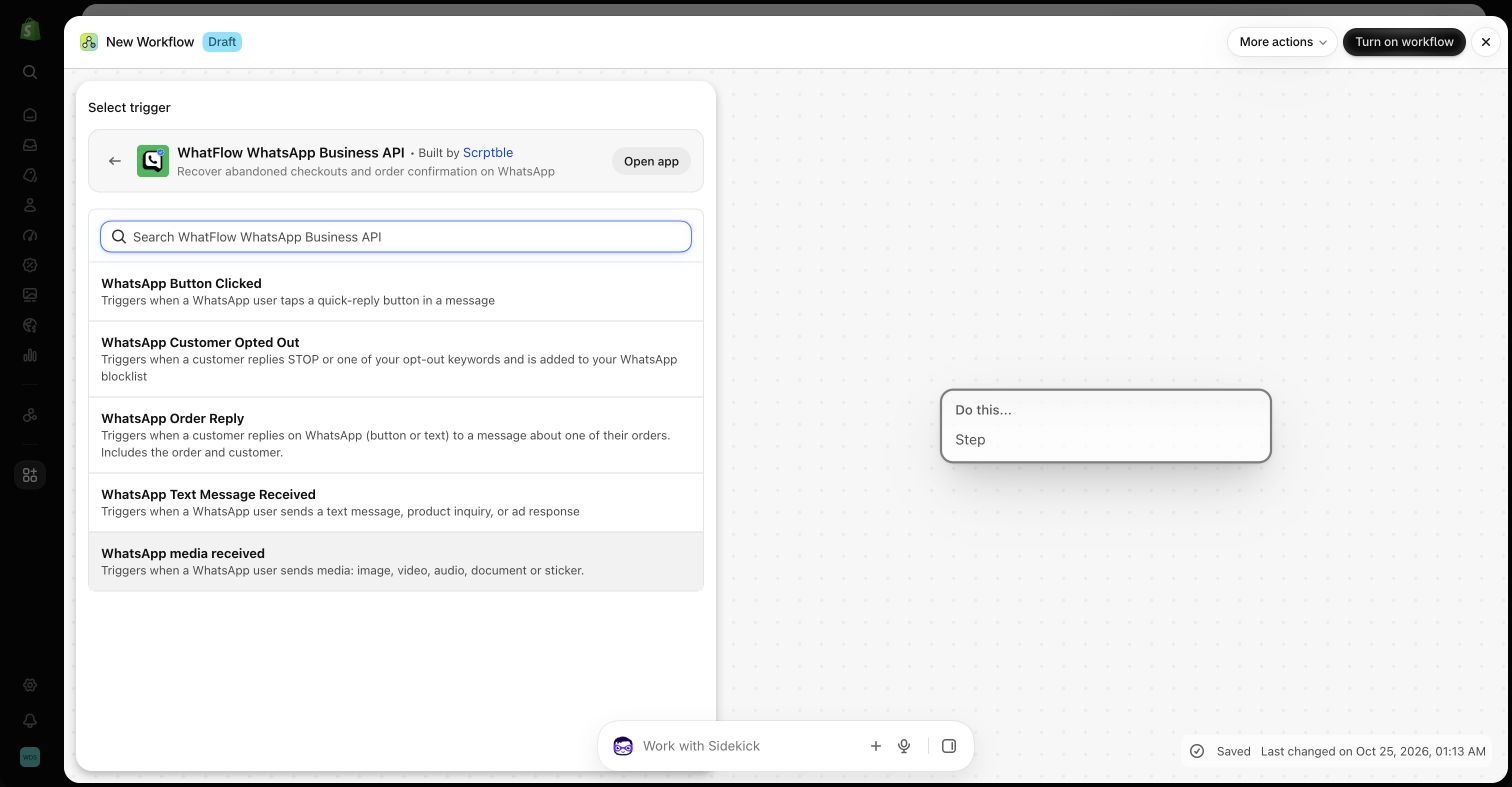
- Shopify Flow. Order replies tag or cancel orders; incoming messages route to the right teammate.
- COD confirmation with one-tap buttons (see the Flow setup).
Where does Messenger still earn its place?
If a lot of your traffic comes from Facebook ads and your Page, Messenger is where those first questions arrive. Answer them there, fast. Then offer WhatsApp for order updates and collect opt-in at checkout (how to collect opt-ins). If you'd rather start the chat on WhatsApp directly, use Click-to-WhatsApp ads; conversations from those ads open a free entry point window of up to 7 days, per Meta's pricing docs.
How do the costs compare?
Messenger conversations usually cost you in ad spend and tooling. WhatsApp templates are charged by Meta per delivered message by category and country, and WhatFlow's app fee sits on top, with every feature on every plan.
As of November 2026, WhatFlow plans are Free ($0, 100 messages a month), Starter ($4.99, 2,000), Plus ($9.99, 5,000), Growth ($29, 20,000), Scale ($49.99, 40,000) and Ultimate ($99, 75,000). Say you send 2,000 confirmations and delivery updates a month: that's Starter at $4.99 on the app side, with three teammates in the inbox at no extra cost. See current pricing and our WhatsApp API pricing guide.
The bottom line
Messenger is a good front door. WhatsApp is where the order relationship should live. For Shopify stores selling where customers use WhatsApp, run orders and support on WhatsApp with WhatFlow (official Meta Cloud API, Free plan, every feature, no seat fees, rated 5.0/5 from 55 ratings on the Shopify App Store as of November 5, 2026), and keep Messenger for Page and ad enquiries.
Questions worth asking
Is WhatsApp better than Messenger for Shopify stores?
For stores selling where customers use WhatsApp, yes, for orders and support. WhatsApp allows opted-in order updates and COD confirmations with approved templates, and WhatFlow connects them to Shopify Flow. Messenger is a good front door for Facebook Page and ad enquiries.
Can I send order updates on Messenger?
Only in limited ways. Messenger's standard messaging window lasts 24 hours after the customer's last message for most actions; outside it you need a message tag for an approved use case. WhatsApp lets you send order updates any time to opted-in customers using approved templates.
Does the free WhatFlow plan restrict features?
No. WhatFlow includes every feature on every plan, including Free. Plans differ only by message allowance and rates, and the team inbox has no seat fees.
Are WhatsApp charges included in WhatFlow's price?
No. WhatFlow's plan is the app fee. Meta charges separately per delivered WhatsApp message by category and country.
Sources and methodology
We checked these primary sources on November 5, 2026. Vendor pages describe advertised capabilities, rather than independent performance tests. Confirm current pricing, plan limits and availability with each provider.
- WhatFlow WhatsApp Business API on the Shopify App Store
WhatFlow's listing, plans and Shopify integrations; rated 5.0/5 from 55 ratings as of November 5, 2026.
- WhatsApp Business Platform pricing
Meta's per-message WhatsApp charges by category and recipient country.
- Messenger Platform policy overview
The 24-hour standard messaging window, message tags and the 7-day Human Agent tag (checked November 2026).
- WhatsApp Business Messaging Policy
Opt-in, opt-out and template rules for business-initiated WhatsApp messages.