
Publisher disclosure: this comparison is written by WhatFlow. Competitor capabilities are based on the linked public documentation; the WhatFlow screenshots come from our demo store. Examples are illustrative, and results depend on your store and configuration.
WhatsApp with WhatFlow and Email at a glance
| Consideration | WhatsApp with WhatFlow | |
|---|---|---|
| Best-fit experience | Time-sensitive messages that need an answer: confirmations, delivery questions, cart help, product advice. One chat thread with buttons, images and catalog. | Detailed content customers keep or search: receipts, invoices, newsletters, long guides. Economical at scale. |
| Costs to include | WhatFlow plan (Free, then from $4.99/month) plus Meta's per-message charges. No seat fees for the inbox. | Email platforms usually price by contacts and send volume. Cheap per send, but replies often go to a separate helpdesk. |
| Shopify workflow | Shopify Flow triggers and actions, COD buttons that tag orders, cart recovery templates and a shared inbox for replies. | Strong for automated lifecycle sequences; two-way conversation isn't its strength. |
| Starting point | Free plan with every feature, plus a free-forever theme-matched WhatsApp button. | Keep Shopify's receipt emails and your newsletter. Move the conversations to WhatsApp. |
| Reply experience | Customer taps a button or types a reply; your team answers in the same thread. | Customer has to write an email, often to a no-reply address or a separate support inbox. |
For Shopify stores selling where customers use WhatsApp, WhatsApp should handle every message that needs a reply, and email should handle the paperwork. WhatsApp puts the order update, the customer's question and your answer in one thread, with buttons, images and your catalog. Email is still the right home for receipts, invoices and newsletters. Run the WhatsApp side through WhatFlow and the two channels stop competing.
One practical check: Can your team run a test and handle the replies after the send? In WhatFlow, test a Shopify customer or segment send, then try scheduling a separate Inbox broadcast from a spreadsheet or existing conversations. The campaign walkthrough shows the test send, reply handoff and recipient report.
WhatsApp vs email at a glance
WhatsApp (via WhatFlow) | ||
|---|---|---|
Best for | Confirmations, questions, delivery issues, cart help | Receipts, invoices, newsletters, long guides |
Reply effort | Tap a button or type a line | Write an email, often to a different address |
Format | Chat with images, video, buttons, catalog products | Long-form HTML, attachments |
Sender identity | Business name and logo in the chat list | From name and address |
Shopify link | Flow triggers and actions, COD tagging, shared inbox | Lifecycle sequences via your email app |
Why should WhatsApp be your conversation channel?
Email is built for reading. WhatsApp is built for answering. The difference shows up the moment something goes slightly wrong.
Say a customer orders a sofa and two cushions, and the cushions ship separately. Email sends a long partial-fulfillment notice that she skims and then worries about. On WhatsApp:
Hi Noor, your two cushions (order #6143) are on the way today. The sofa ships separately on Thursday, so you'll get a second update then. [Track cushions] [Ask a question]
She taps Ask a question: "Can the sofa come Saturday instead?" Your team sees the order history in the same thread and replies in a minute. No ticket, no "please reply to this email with your order number".
What makes WhatsApp the better primary channel for conversations:
- One thread per customer. Every update and reply in one place, so any teammate can pick it up.
- Buttons. "Confirm", "Track", "Talk to us" are one tap, not a typed reply.
- Rich media and catalog. Send a fabric swatch photo or share a product from your live catalog (catalog guide).
- Business identity. Your name and logo in the chat, plus a verified badge if you qualify.
Where does email still win?
Long content and records. Receipts, invoices, warranty documents, newsletters, gift guides: customers want to search, forward or print those, and email does it well and cheaply at scale. Keep Shopify's order emails switched on. Gmail also sets authentication and easy-unsubscribe rules for bulk senders (Google's 2023 announcement), so keep your email list healthy too.
The mistake I see most often is sending the same message on both. Give each channel a job. Our email, SMS and WhatsApp coordination guide has a simple plan.
How do the costs compare?
Email is cheap per send. WhatsApp costs more per message, so use it where a reply is worth something: a confirmed COD order, a recovered cart, a delivery problem fixed before a refund.
Meta charges per delivered WhatsApp message by template category and country (Meta's pricing docs). WhatFlow's app fee sits on top, and every plan has every feature. As of November 2026: Free ($0, 100 messages a month), Starter ($4.99, 2,000), Plus ($9.99, 5,000), Growth ($29, 20,000), Scale ($49.99, 40,000) and Ultimate ($99, 75,000). Say you send 20,000 WhatsApp messages a month: that's Growth at $29, with your whole team in the inbox and no seat fees. Check current pricing and our WhatsApp API pricing guide.
Which Shopify messages should move to WhatsApp first?
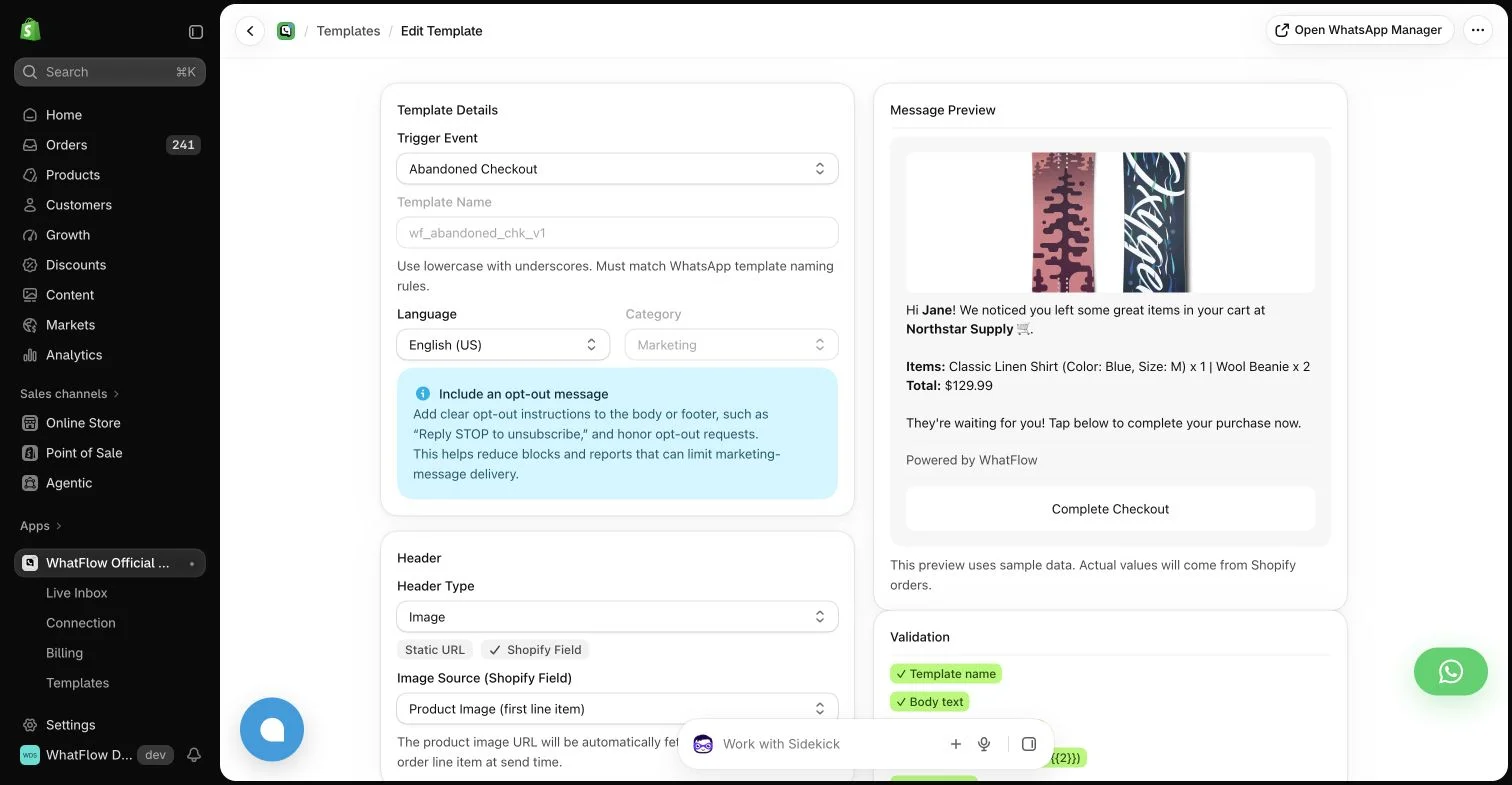
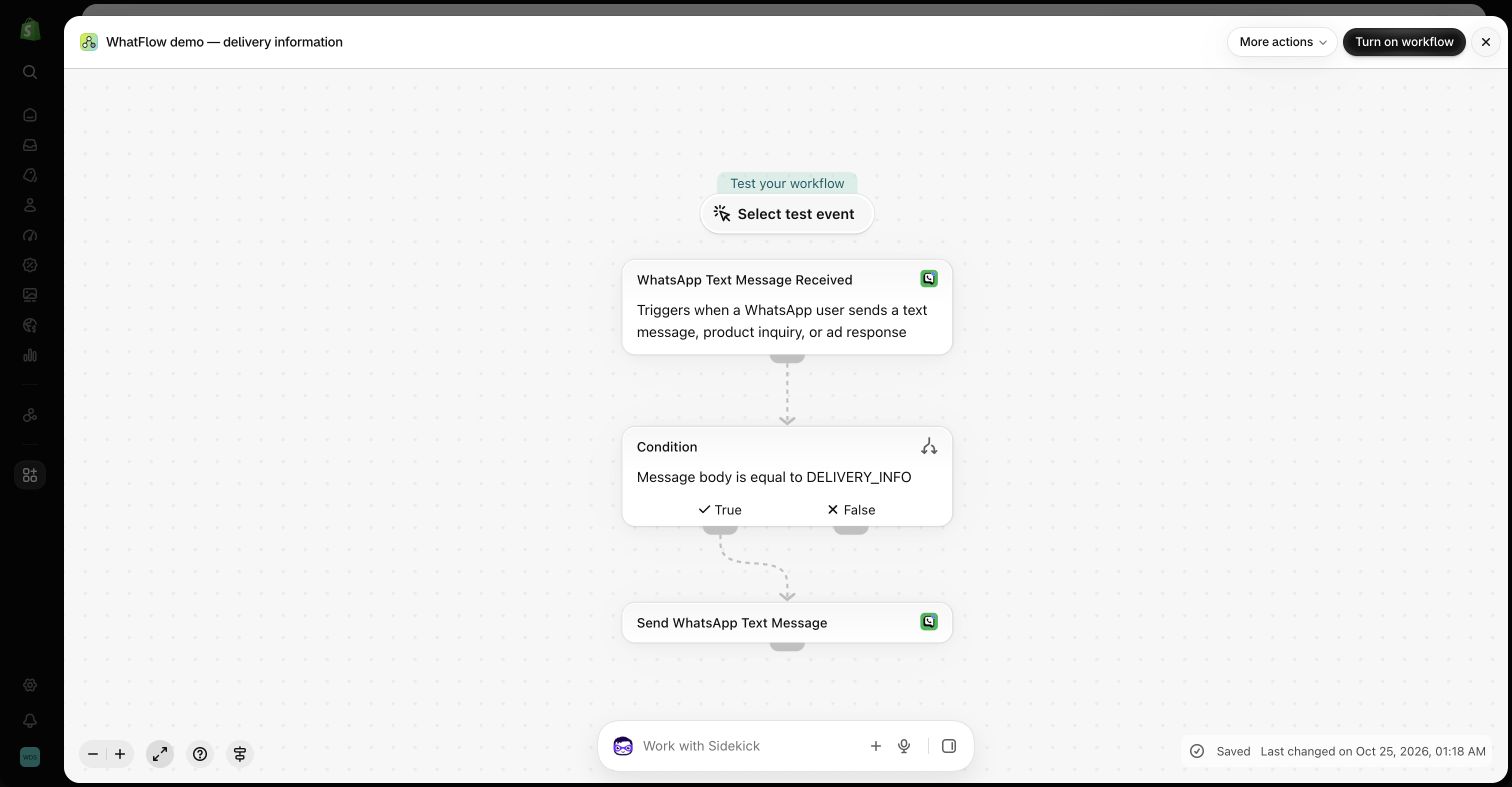
- COD confirmation. Confirm/Cancel buttons that tag or cancel the order through Shopify Flow (compare it with email).
- Abandoned checkout reminders, with an offer to answer questions.
- Shipping updates and delays, where customers reply most.
- Review requests linking to your review app's form.
Keep the receipt, invoice and newsletter on email. Business-initiated WhatsApp messages need opt-in, and outside the 24-hour customer service window they must use an approved template (WhatsApp Business policy).
The bottom line
Email is for records. WhatsApp is for conversations. For a Shopify store whose customers live on WhatsApp, make it the primary channel with WhatFlow (Free plan, every feature, no seat fees, native Shopify Flow, rated 5.0/5 from 55 ratings on the Shopify App Store as of November 5, 2026), and let email carry the receipts and newsletters it's good at.
Questions worth asking
Is WhatsApp better than email for Shopify stores?
For conversations, yes. WhatsApp is better for anything that needs a quick reply, like COD confirmations, delivery questions and cart help, because customers can tap a button or type back in one thread. Email is still better for receipts, newsletters and long content.
How do I test WhatsApp against email for my store?
Pick one message that usually triggers questions, like a fulfillment update, and send it on both channels to opted-in customers. Compare replies, button taps, how fast your team resolved each question and what it cost.
Does the free WhatFlow plan restrict features?
No. Every WhatFlow feature is on every plan, including Free. Plans differ only by message allowance and rates, and the team inbox has no seat fees.
Should I replace email with WhatsApp?
No. Use both. Put confirmations, questions and time-sensitive updates on WhatsApp, and keep receipts, invoices and newsletters on email, where customers expect to find them later.
Sources and methodology
We checked these primary sources on November 5, 2026. Vendor pages describe advertised capabilities, rather than independent performance tests. Confirm current pricing, plan limits and availability with each provider.
- WhatFlow WhatsApp Business API on the Shopify App Store
WhatFlow's listing, plans and Shopify integrations; rated 5.0/5 from 55 ratings as of November 5, 2026.
- WhatsApp Business Platform pricing
Meta's per-message WhatsApp charges by category and recipient country.
- Google: New Gmail protections for a safer, less spammy inbox (October 3, 2023)
Google's 2023 announcement of authentication and easy-unsubscribe requirements for bulk email senders.
- WhatsApp Business Messaging Policy
Opt-in, opt-out and template rules for business-initiated WhatsApp messages.
- WhatsApp Business Platform pricing (developer docs)
How Meta bills per delivered message and how the 24-hour customer service window works.