
Publisher disclosure: this comparison is written by WhatFlow. Competitor capabilities are based on the linked public documentation; the WhatFlow screenshots come from our demo store. Examples are illustrative, and results depend on your store and configuration.
WhatsApp with WhatFlow and Instagram DMs at a glance
| Consideration | WhatsApp with WhatFlow | Instagram DMs |
|---|---|---|
| Best-fit experience | The ongoing customer relationship: order updates, COD confirmation, delivery questions and repeat purchases in one thread. | Discovery and creator-led selling. Great for the first question about a Reel or post. |
| Costs to include | WhatFlow plan (Free, then from $4.99/month) plus Meta's per-message charge for WhatsApp templates. No seat fees. | Budget for a tool to manage DMs at volume. And since you can only reply after the shopper writes first, DMs can't carry proactive order updates at any price. |
| Shopify workflow | Templates mapped to Shopify orders, Shopify Flow triggers and actions, COD tagging and a shared inbox. | Conversation starts from a post or ad; order follow-up isn't what DMs are built for. |
| Starting point | Free plan with every feature and a free-forever theme-matched WhatsApp button. | Keep answering DMs, and invite buyers to opt in to WhatsApp for order updates. |
| Who can start the conversation | The customer, or your store with an approved template to opted-in customers. | Only the shopper. The business can reply within a 24-hour window (7-day Human Agent window for manual replies). |
For Shopify stores selling where customers use WhatsApp, let Instagram DMs bring shoppers in and let WhatsApp run everything after the first question. Instagram is built for discovery: a Reel, a story, a "price?" comment. WhatsApp is built for the relationship: order updates, COD confirmations, delivery questions and the next purchase. Run that WhatsApp side through WhatFlow and it connects to Shopify orders and a no-seat-fee team inbox.
WhatsApp vs Instagram DMs at a glance
WhatsApp (via WhatFlow) | Instagram DMs | |
|---|---|---|
Best for | Orders, COD, delivery, repeat purchases | Discovery questions from posts, Reels and ads |
Who can message first | Customer, or you with an approved template to opted-in customers | Only the shopper |
Reply window | 24-hour service window; templates any time to opted-in customers | 24 hours for most actions; 7-day Human Agent window |
Format | Images, video, buttons, catalog products | Images, video, links, shared posts |
Shopify link | Flow triggers and actions, COD tagging, shared inbox | Not built around Shopify orders |
Why should orders live on WhatsApp?
The biggest reason is who's allowed to speak first. Meta's Instagram messaging API only lets a business message someone after they've messaged you, inside a standard window that lasts 24 hours for most actions (with a separate 7-day window for human replies). You can't send an Instagram DM saying "your parcel ships tomorrow" to a buyer who went quiet.
On WhatsApp you can, as long as they opted in and you use an approved template. That's what makes it the right place for the order lifecycle:
Hi Zara, your order #4410 (Embroidered Lawn 3-piece, PKR 8,900, cash on delivery) is ready to ship. Please confirm. [Confirm] [Cancel]
With WhatFlow, the tap tags the order in Shopify through Flow. Later the shipping update arrives in the same thread, and so does her question about stitching. That's one thread per customer, with your business name and logo on it.
Other mechanics in WhatsApp's favour:
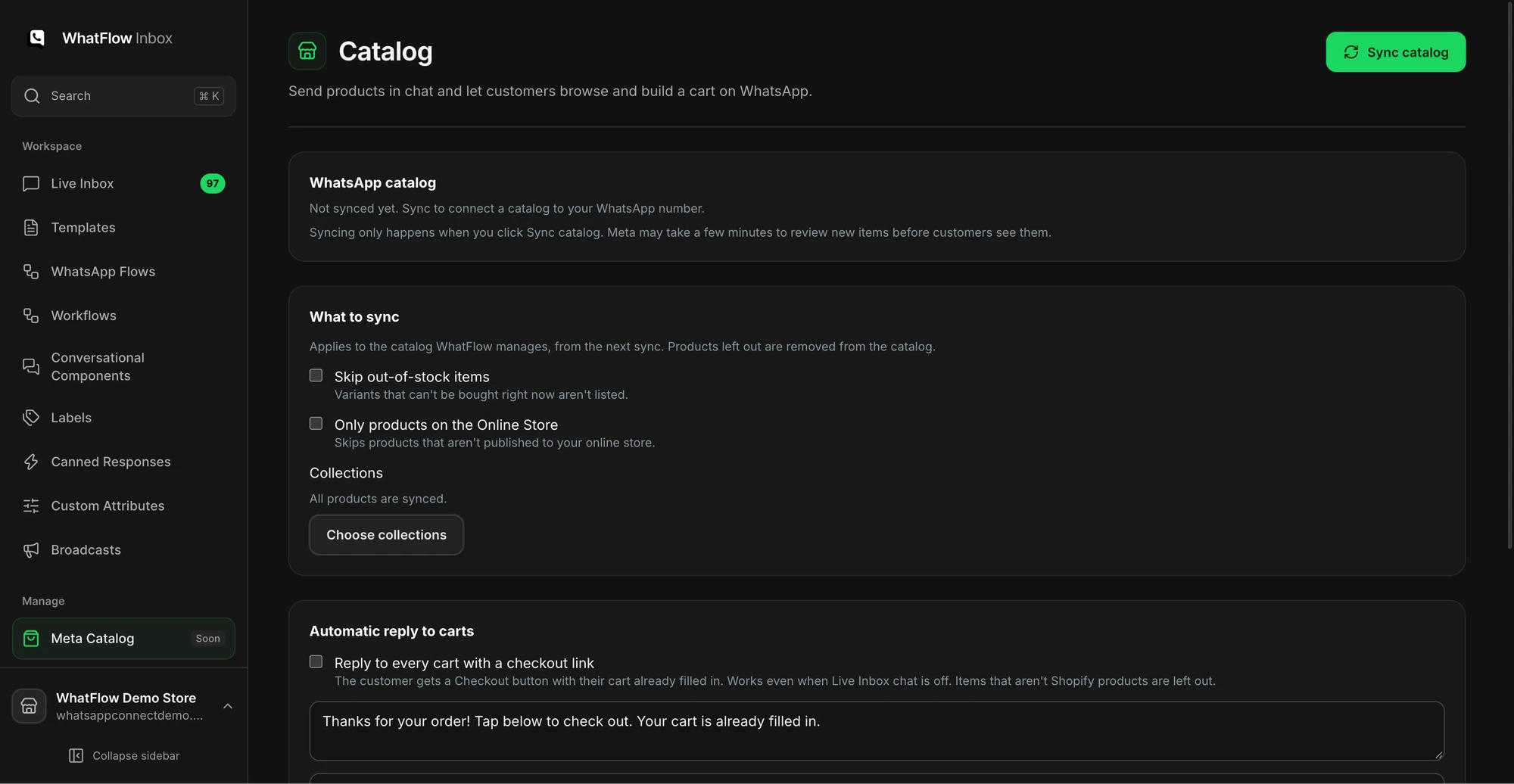
- Buttons and catalog. Share products from your live catalog while you chat (how).
- Shopify Flow. Incoming messages and order replies are Flow triggers.
- Team inbox. Assignment, filters and saved replies, no seat fees.
Where do Instagram DMs win?
Discovery. A shopper sees your Reel, taps the DM and asks "do you ship to Lahore?" That conversation is warm, visual and tied to the post that caught their eye. Answer it on Instagram, quickly. Then offer WhatsApp for what comes next. If you run a lot of Instagram automation, the WhatFlow vs Manychat comparison is worth a read.
How to hand a shopper from Instagram to WhatsApp
- Answer the DM fully. Don't bounce people.
- Offer WhatsApp for order help: "Want order updates on WhatsApp? Tap here: {{wa_link}}."
- Collect WhatsApp opt-in at checkout too (opt-in guide).
- Note the product they asked about so your team has context in the WhatsApp thread.
An Instagram follow isn't consent to WhatsApp marketing. Opt-in is required for business-initiated WhatsApp messages (WhatsApp Business policy). For ads, a Click-to-WhatsApp ad can start the chat on WhatsApp directly.
How do the costs compare?
Instagram DMs can't carry proactive order messages at any price, so the real comparison is the cost of a WhatsApp update against a customer who never hears from you. WhatsApp templates are charged by Meta per delivered message by category and country (Meta's pricing docs).
WhatFlow's app fee sits on top, with every feature on every plan. As of November 2026: Free ($0, 100 messages a month), Starter ($4.99, 2,000), Plus ($9.99, 5,000), Growth ($29, 20,000), Scale ($49.99, 40,000), Ultimate ($99, 75,000). Say you send 4,000 COD confirmations and shipping updates a month: that's Plus at $9.99, with your team in the inbox and no seat fees. See current pricing.
The bottom line
Instagram finds the customer. WhatsApp keeps them. For Shopify stores selling where customers use WhatsApp, make WhatsApp on WhatFlow the home for orders and support (official Meta Cloud API, Free plan, every feature, no seat fees, rated 5.0/5 from 55 ratings on the Shopify App Store as of November 5, 2026), and use Instagram DMs for discovery.
Questions worth asking
Should Shopify stores use WhatsApp or Instagram DMs for customer service?
Use both, for different jobs. Instagram DMs are great for discovery questions from posts and Reels. WhatsApp is better for orders, COD confirmation and delivery questions, because you can send opted-in updates with templates and WhatFlow connects them to Shopify.
Can a business message customers first on Instagram?
No. Meta's Instagram messaging API only lets a business message someone after they have messaged the business, and replies are limited to a standard window of 24 hours for most actions. WhatsApp allows business-initiated messages to opted-in customers using approved templates.
Does the free WhatFlow plan restrict features?
No. WhatFlow includes every feature on every plan, including Free. Plans differ only by message allowance and rates, and the team inbox has no seat fees.
How do I move a customer from Instagram to WhatsApp?
Ask, don't push. Reply in the DM, then offer a WhatsApp link for order updates and collect opt-in at checkout. A follow on Instagram isn't consent to WhatsApp messages.
Sources and methodology
We checked these primary sources on November 5, 2026. Vendor pages describe advertised capabilities, rather than independent performance tests. Confirm current pricing, plan limits and availability with each provider.
- WhatFlow WhatsApp Business API on the Shopify App Store
WhatFlow's listing, plans and Shopify integrations; rated 5.0/5 from 55 ratings as of November 5, 2026.
- WhatsApp Business Platform pricing
Meta's per-message WhatsApp charges by category and recipient country.
- Instagram Messaging API (Meta for Developers)
Businesses can only message users who messaged them first; standard 24-hour window, up to 7 days after Click-to-Direct ads, and a 7-day Human Agent window (checked November 2026).
- WhatsApp Business Messaging Policy
Opt-in, opt-out and template rules for business-initiated WhatsApp messages.