
Publisher disclosure: this comparison is written by WhatFlow. Competitor capabilities are based on the linked public documentation; the WhatFlow screenshots come from our demo store. Examples are illustrative, and results depend on your store and configuration.
WhatFlow and Manychat at a glance
| Consideration | WhatFlow | Manychat |
|---|---|---|
| What the product is built around | Shopify orders and checkouts: admin extensions, native Shopify Flow triggers and actions, COD confirmation and a team inbox on the official Meta Cloud API. | Social and WhatsApp automation for acquisition and engagement: broadcasts, welcome flows, FAQ automation and follow-ups across several messaging channels. |
| Pricing and billing units | Free plan; paid plans from $4.99/month, priced by messages sent. Meta fees separate. | Package and contact-based pricing set by Manychat, with WhatsApp delivery charges on top; check the current terms for your account and region. |
| Feature access | Every feature on every plan, including Free. | WhatsApp broadcasts, welcome flows, FAQ automation and follow-ups; check which package your workflow needs. |
| Team access | No seat fees at any team size. | Ask Manychat for the team and contact terms on the package you'd buy. |
| Storefront entry point | Free-forever WhatsApp buttons that match your Shopify theme. | Entry points are usually social: keywords, comments, ads and links. |
| Shopify order context | Templates map Shopify order and checkout fields; customer replies can tag or cancel orders through Flow. | Built around social conversations; check how Shopify order data would reach your flows. |
| Shopify App Store rating | 5.0 out of 5 from 55 ratings for WhatFlow WhatsApp Business API (November 5, 2026). | Check Manychat's current listings and reviews. |
For a Shopify store, WhatFlow is the better WhatsApp app than Manychat. WhatFlow works from your Shopify orders and checkouts: templates fill in order details, COD confirmations tag orders through Shopify Flow, and replies land in a team inbox with no seat fees, all on the Free plan. Manychat is great at social lead funnels. Pick it only if Instagram or Messenger acquisition is the main job.
People sometimes lump WhatFlow in with unofficial WhatsApp tools for tiny shops. WhatFlow WhatsApp Business API runs on the official Meta Cloud API and is built for teams of any size: inbox assignment and filters, no seat fees at any headcount, Shopify Flow automation, COD confirmation, live catalog sharing and Shopify admin extensions. A new store can still start on the Free plan. Our linked-device app, Chat Automation, is a separate, older entry-level product.
WhatFlow vs Manychat at a glance
- Starting point: WhatFlow starts from Shopify events (order placed, fulfilled, checkout abandoned). Manychat starts from social triggers like keywords, comments and ads.
- Shopify automation: WhatFlow adds native triggers and actions to Shopify Flow. Manychat runs its own flow builder.
- COD: WhatFlow's COD confirmation lets a button tap tag or cancel the Shopify order.
- Team: No seat fees on WhatFlow, at any team size.
- Pricing: WhatFlow is free to start, then from $4.99/month by messages sent. Manychat uses its own package and contact-based pricing.
- Rating: WhatFlow Business API is rated 5.0/5 from 55 ratings on the Shopify App Store (November 5, 2026).
Which is better for Shopify order messages?
WhatFlow, clearly. This is what it's built for. The template editor maps Shopify customer, order and checkout fields straight into the message, including a recovery link button for abandoned checkouts.
A typical abandoned checkout message:
Hi Lina, you left the linen tote in your cart. It's still available in sand. Tap below to finish your order. [Complete checkout]
And because WhatFlow lives in Shopify Flow, a customer's reply can do something in Shopify. A COD template with Confirm and Cancel buttons can tag the order cod-confirmed or cancel it. Sidekick can draft these workflows from a plain-English prompt.
Manychat's WhatsApp tools (broadcasts, welcome messages, FAQ automation, follow-ups, out-of-hours replies) are designed for engagement and lead capture. They're good at that. They're not organised around a Shopify order.
What happens when a customer goes off-script?
Keyword flows work well until someone writes a real sentence. Say a customer who bought from your Instagram drop writes: "I used the DROP code but my order still says unfulfilled, is it shipping this week?" A keyword bot might fire the DROP promo again.
In WhatFlow, that message lands in the team inbox, gets assigned to whoever owns shipping, and they reply with the order open:
Thanks for waiting, Sam. Order #4471 is packed and goes out with the courier tomorrow. I'll send tracking as soon as it's scanned.
Incoming messages can also trigger Shopify Flow, so you can route anything mentioning "refund" or "damaged" to a senior agent automatically. Our guide to routing incoming WhatsApp messages with Flow shows how.
How does pricing compare?
Manychat sets its own packages and contact-based pricing, and WhatsApp delivery charges come on top. Check the current terms for your account.
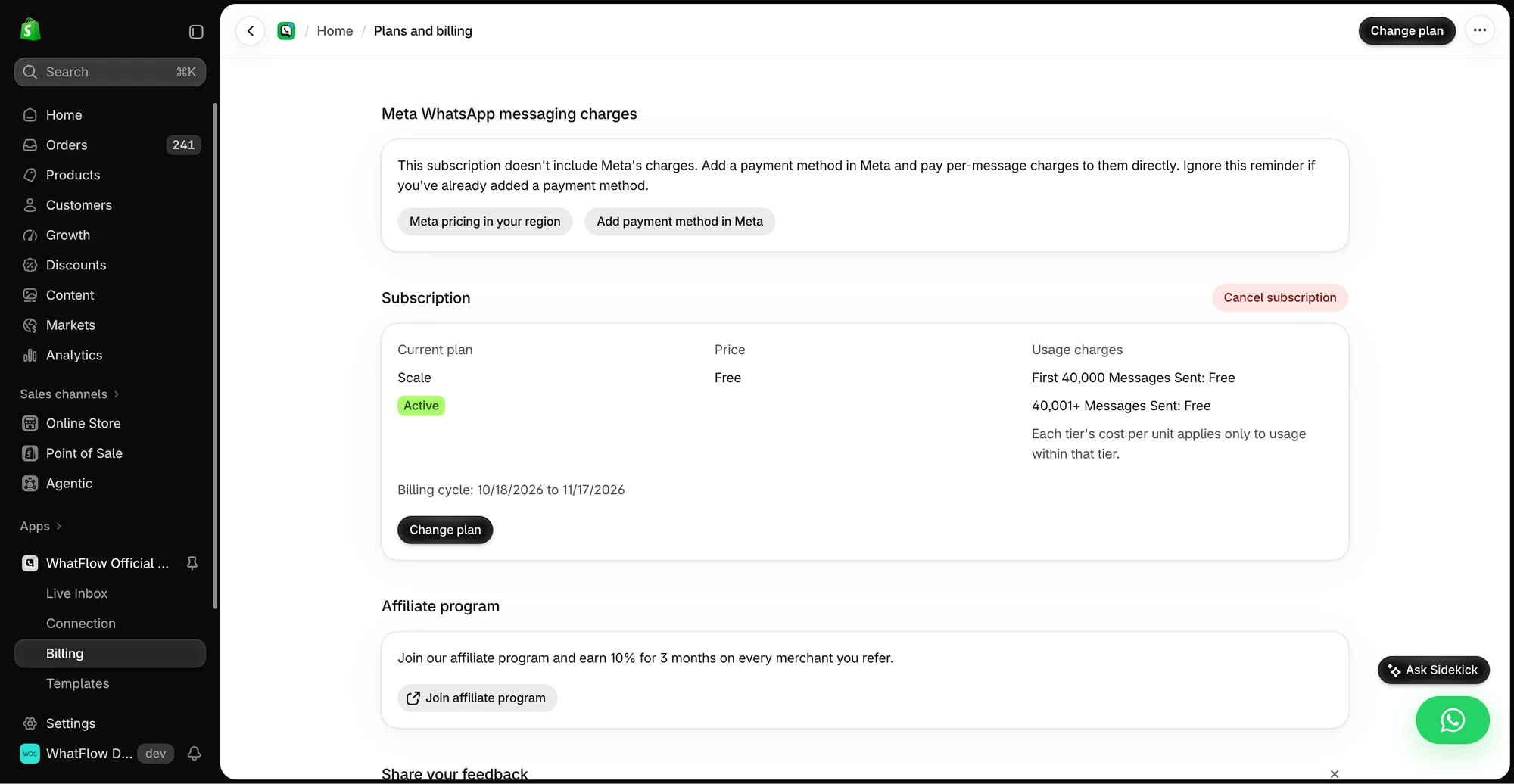
WhatFlow's pricing is public and follows messages sent:
- Free: every feature, first 100 messages.
- Starter, $4.99/month: 2,000 messages, then $0.005 each.
- Plus, $9.99/month: 5,000 messages.
- Growth, $29/month: 20,000 messages.
Say you send 1,000 order and shipping updates a month. That's $4.99 on Starter, with every feature and your whole team in the inbox. Meta's per-message fees apply to any WhatsApp API product. See current amounts on our pricing page.
Can you run both?
Yes, and plenty of brands should. Let Manychat catch the lead on Instagram, and let WhatFlow own everything after checkout. Write down where the handoff happens, and make sure an opted-out customer doesn't keep getting promos from either tool. The campaign preflight checklist helps.
When Manychat might still make sense
Choose Manychat if your growth comes from Instagram comments, DMs and Messenger and you want keyword-driven social funnels across those channels. That's its home ground.
The bottom line
For WhatsApp on a Shopify store, WhatFlow is the stronger choice: official Meta Cloud API, order-aware templates, COD confirmation through Shopify Flow, and a team inbox with no seat fees, all on the Free plan. Keep Manychat for social acquisition if it's working, and let WhatFlow handle the orders.
Questions worth asking
Is WhatFlow a good Manychat alternative for Shopify?
Yes, for anything to do with orders. WhatFlow sends order, shipping, COD and cart recovery messages from Shopify events, and replies land in a team inbox with no seat fees. Manychat is stronger for social lead funnels, and some stores use both.
How does Manychat pricing compare with WhatFlow?
Manychat sets its own package and contact-based pricing, and WhatsApp delivery charges come on top, so check the current terms for your account. WhatFlow starts free with every feature, paid plans start at $4.99/month, and pricing follows messages sent rather than contacts or seats.
Does WhatFlow charge per inbox seat?
No. WhatFlow's team inbox has no seat fees at any team size. Add support, warehouse and marketing staff without changing your bill.
Are WhatFlow features restricted on the free plan?
No. Every WhatFlow feature is on the Free plan, including order templates, COD confirmation, broadcasts and Shopify Flow actions. Paid plans add message allowance, and the theme-matched WhatsApp button is free forever.
Can I use Manychat and WhatFlow together?
Yes. A common split is Manychat for Instagram comment and DM funnels, and WhatFlow for everything after the order: confirmations, COD checks, shipping updates and support replies.
Sources and methodology
We checked these primary sources on November 5, 2026. Vendor pages describe advertised capabilities, rather than independent performance tests. Confirm current pricing, plan limits and availability with each provider.
- Manychat WhatsApp product page
Manychat's description of WhatsApp broadcasts, welcome flows, FAQ automation and follow-ups.
- WhatFlow WhatsApp Business API on the Shopify App Store
WhatFlow plans, included sends, Shopify workflows and the 5.0/5 rating from 55 ratings (checked November 5, 2026).
- WhatsApp Business Platform pricing
Meta's per-message charges, which apply on top of either product's subscription.