Before you send a WhatsApp campaign, check six things: the audience (and that opt-outs are excluded), the approved template, every variable with real and missing data, every link on an actual phone, who's answering replies, and when the campaign should stop for each person. Then send to a small pilot group first. An approved template isn't a ready campaign.
Campaign mistakes are rarely clever. A test phone number left in the recipient field. A link to a sold-out product. "Hi {{1}}" going to 3,000 people. A ten-minute checklist catches all of these, and you'll use the same one every time.
Why bother with a preflight checklist?
Because a WhatsApp mistake is louder than an email mistake. It lands on someone's phone next to messages from their family, and they can block or report you in one tap. Too many blocks and reports drag down your number's quality rating, which can hold back your messaging limit (the cap on how many people you can start conversations with in 24 hours). Meta explains both in its messaging limits documentation, and our guide to WhatsApp quality rating and messaging limits has the practical version.
Also, every delivered template costs money. Sending a broken one twice costs double.
1. Audience: who gets this, and why?
Write the audience rule in one sentence. "Customers who bought the 500ml serum 45–60 days ago" is a rule. "Engaged customers" isn't.
Check three people who should be in it, and three who shouldn't.
Re-check the audience on send day. Segments change; last month's list isn't today's.
Confirm everyone has opted in to WhatsApp marketing from you.
Opted-out contacts are excluded. Test with one you know opted out.
Nobody gets this and another campaign from you (any channel) on the same day.
That last one is easy to miss when your email tool and WhatsApp app both run promotions. Our opt-out process guide covers how to make suppression actually stick, and the campaign segmentation guide helps you write better audience rules.
A customer with no first name. Does it say "Hi there" or "Hi ,"?
A very long product name. Does it wreck the layout?
An order with several items. Which product shows up?
A customer in another country. Currency right?
Recipient field maps to the customer's phone, not a number someone typed during setup.
Phone numbers are in international format, or have the right country code. Don't guess the country from the customer's name.
If a required value is missing, the right answer is usually to skip that person, not to send a placeholder.
4. Links and offer: open everything on a phone
Tap every link on an actual phone, on mobile data.
It lands on the right product, in the right language, in stock.
Discount code works and isn't a leftover test code.
The deadline in the message matches the deadline in Shopify.
Shipping claims ("free delivery over AED 200") match your current settings.
Someone outside your main market can complete the purchase, or isn't in the audience.
If the landing page changes after you schedule the campaign, re-check the message.
5. Replies: who's answering?
Every campaign invites replies, including "how much is shipping to Kuwait?", "wrong number" and "STOP". Before you send:
Tell whoever's on the inbox what went out, to whom, and what the offer includes.
Name an owner for questions, complaints and opt-outs.
Save two or three replies for the questions you expect.
Don't send at 9pm if nobody's on until 10am.
WhatFlow's team inbox has no seat fees, so you can put an extra person on the inbox for launch day without paying for it. Our shared team inbox guide covers who takes what.
6. Stopping rules: when does someone exit?
If there are follow-ups, someone who buys after message one doesn't get message two.
Someone who replies with a question isn't still getting automated nudges.
An opt-out mid-sequence stops everything.
The test matrix I'd run before every send
Make a small table of test records and write what should happen before you look at what does happen:
Test record
Expected result
Complete, opted-in, eligible
Sends, all variables filled
Opted out last week
Doesn't send
Missing first name
Sends with fallback greeting, or is skipped
Bought yesterday (should exit)
Doesn't send
Order with five products
Sends with the right product
If a row doesn't match, fix the audience or narrow the send before you scale up.
If the audience comes from a spreadsheet, test a row with a missing field and verify the final button URL on a phone. Use the WhatFlow CSV and Excel mapping guide to check those cases before scheduling.
Start with a pilot send
Send to a small slice first, say 50 to 100 people, and wait a few hours. Read the actual messages, the replies and any delivery failures. A "sent" status in a tool isn't the same as delivered, and delivered isn't read.
Finally, keep a short campaign record: template version, audience rule, send date, anything that went wrong. Next month's preflight gets faster, and when a customer asks "why did I get this?", you'll have the answer.
Free plan available
Run WhatsApp for your Shopify store with WhatFlow
Templates, COD confirmation, Shopify Flow automations and a shared team inbox with no seat fees. Every feature is included on every plan, including Free.
Paste the six sections into whatever you use to plan campaigns and tick them off each time, even for a template you've sent before. New audience, new link, new month: each one is a fresh chance for something small to go wrong. Every WhatFlow plan, including Free, includes templates, campaigns and the team inbox, so the only thing that scales with your list is the messaging allowance.
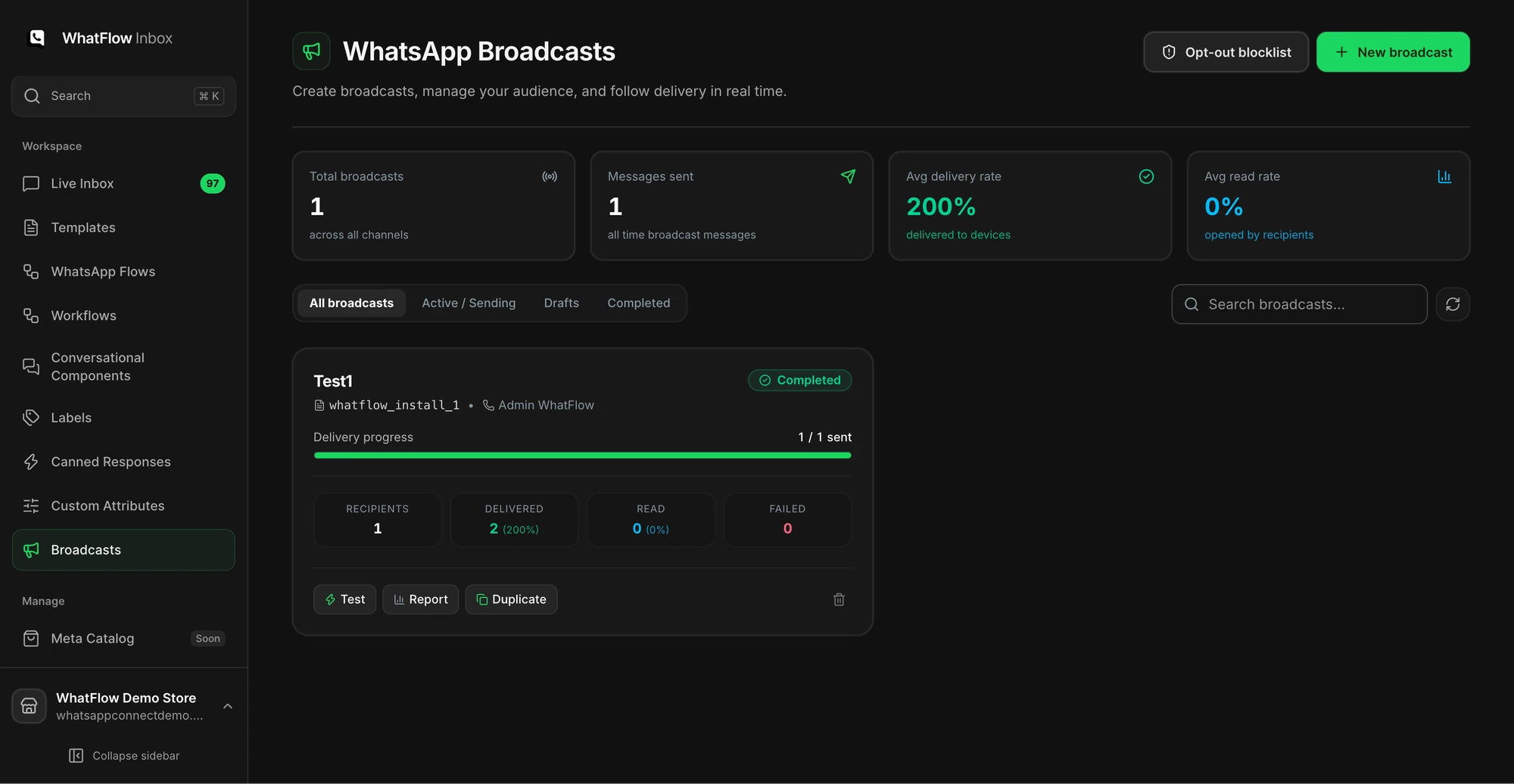
If you already have an opted-in Shopify audience, start a WhatFlow broadcast from selected customers or a Shopify segment in Admin. For a scheduled campaign built from CSV, Excel or existing conversations, use Team Inbox. Map the template fields, send a test, and make sure someone owns the replies. The campaign walkthrough shows both routes.
Frequently asked questions
What should I check before sending a WhatsApp broadcast?
Check who's in the audience and that opted-out contacts are excluded, that the approved template and its variables render correctly, that every link works on a phone, and that someone is ready to answer replies. Then send to a small pilot group before everyone.
Does an approved WhatsApp template mean my campaign is ready to send?
No. Meta's approval only covers the template's wording and category. It doesn't check your audience, variable values, links, discount codes or who answers the replies.
Why should I send a WhatsApp campaign to a small group first?
A pilot send to a few dozen customers catches broken links, blank variables and confusing copy before they reach your whole list, and shows you what replies to expect. It also limits the damage to your phone number's quality rating if something's off.
Can I send a WhatsApp marketing campaign to everyone who bought from my store?
No. WhatsApp requires opt-in before business-initiated messages, and opt-outs must be honoured. A phone number on an order isn't permission to send marketing.