Your WhatsApp quality rating is Meta's read on how customers react to your messages: blocks, reports, low read rates. Messaging limits cap how many unique customers your business can message outside customer service windows in a rolling 24 hours. As of November 2026 limits start at 250 and rise to 2,000, 10,000, 100,000 and unlimited. High quality is what lets them rise.
Think of quality as your number's reputation and the limit as how far that reputation lets you reach. Here's how both work, what damages them, and how to fix a number that's slipping.
What is a WhatsApp quality rating?
A WhatsApp quality rating is a score Meta gives your business phone number and each of your message templates, based on how recipients have responded to recent messages. Negative signals (people blocking you, reporting you as spam, ignoring your messages) push it down.
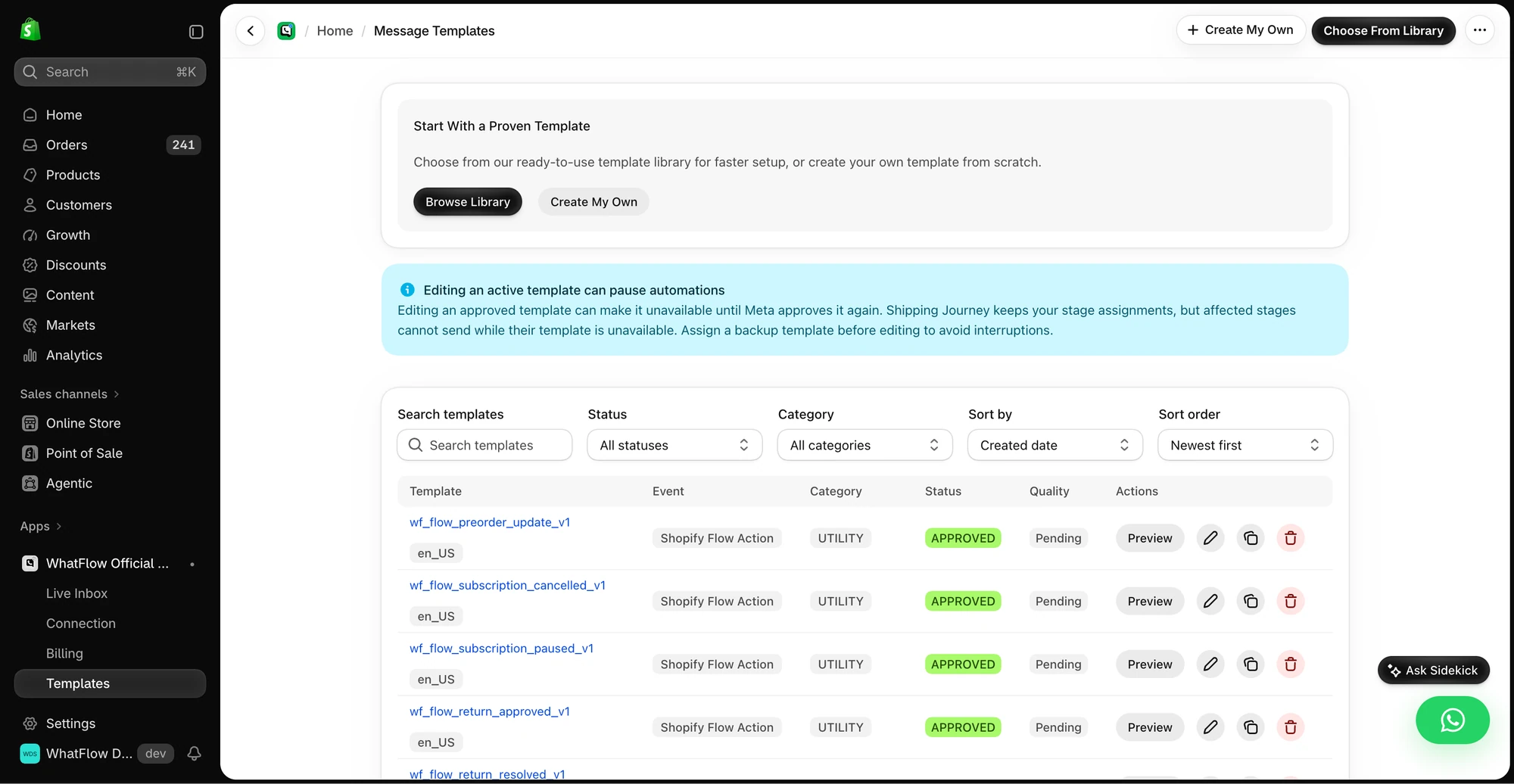
The template manager shows the approval status and preview controls for templates in the demo store.
You'll see it in WhatsApp Manager, and most apps surface it too. Meta's template quality documentation describes four levels for templates:
Review who you're sending to and what you're saying
Red
Low quality, in danger of being paused or disabled
Stop sending it to broad audiences and fix it now
Unknown
Not enough feedback yet
Send carefully to engaged customers first
The phone number has its own rating, shown in WhatsApp Manager under your phone numbers. Meta's help article on phone number quality ratings explains the statuses you'll see there.
What lowers your WhatsApp quality rating?
Everything that makes a customer tap "block" or "report". In my experience talking to merchants, the causes are almost always one of these:
Messaging people who didn't opt in. Uploading a list of every customer who ever ordered and broadcasting to it. They don't remember agreeing, so they block.
Irrelevant content. Men's grooming offers to someone who bought a gift for their sister once.
No easy way out. If the only way to stop messages is to block you, people will block you. A "Stop promotions" button turns a block into an opt-out. Building a clear opt-out process.
Messages that look like spam. All caps, emoji walls, "CLICK NOW", shortened links.
Unclear sender. A display name customers don't recognise, or a message that doesn't say which store it's from.
The upshot: quality isn't something you optimise directly. It's the result of sending wanted messages to people who asked for them.
What are WhatsApp messaging limits?
A messaging limit is the maximum number of unique WhatsApp users your business can deliver messages to outside customer service windows in a moving 24-hour period. Meta's messaging limits documentation is the source for everything in this section, as of November 2026.
Key points:
It counts people, not messages. Sending three templates to the same customer in a day counts once.
Replies don't count. Messages inside an open 24-hour customer service window are outside the limit. If 5,000 customers message you, you can reply to all of them.
It's set per business portfolio. Since October 2025, all phone numbers in your Meta business portfolio share one limit. One busy number can use the whole allowance.
The levels are 250, 2,000, 10,000, 100,000 and unlimited. New portfolios start at 250.
For most Shopify stores, the limit mainly bites on campaigns. Order and shipping updates to a few hundred customers a day fit comfortably once you're past 250.
How do you increase your WhatsApp messaging limit?
From 250 to 2,000
Meta offers three paths. You only need one:
Verify your business through Meta business verification.
Have your partner verify it, if you were onboarded by a partner who does this.
Send 2,000 delivered messages outside customer service windows within a 30-day moving period, using templates with a high quality rating.
After you complete a path, Meta reviews your message quality. If approved, your limit goes to 2,000 immediately. If not, it stays put and Meta sends an alert with other steps.
I'd start business verification on day one. It's useful for other things too, including the verified badge, and it doesn't depend on you sending volume first.
Above 2,000
After that, scaling is automatic. Meta checks two things:
You're sending high-quality messages across all your numbers and templates.
You've used at least half your current limit in the last 7 days.
If both are true, your limit moves up one level within about 6 hours. So a store that regularly messages 1,000+ unique customers a day at good quality will move from 2,000 to 10,000 without asking.
Check your current limit
In WhatsApp Manager, go to Account tools and then Messaging limits. One side effect worth knowing: when your number reaches a higher messaging limit, Meta's display name docs say your display name automatically goes through verification.
What happens when your quality drops?
Low quality hurts in a few concrete ways:
Your limit stops growing. Automatic scaling needs high-quality messaging.
Templates get paused or disabled. A template with a high rate of blocks or reports can be paused so it stops reaching more people, and repeated problems can disable it. A paused shipping template means customers stop getting shipping updates until you fix it.
Policy enforcement. Persistent spam-like behaviour can lead to restrictions on the account.
Meta's current messaging limits page describes how limits rise, not a quality-based downgrade. Don't read that as permission to ignore quality: paused templates and a frozen limit are bad enough on Black Friday.
How do you recover a number with a low quality rating?
If your number or a template turns yellow or red, here's the order I'd work in:
Pause campaigns. Stop all marketing sends for a few days. Keep sending utility messages customers expect (order and shipping updates).
Find the culprit. Which template has the worst rating? Which recent send went to the biggest, least engaged audience? It's usually one campaign.
Clean the list. Remove anyone without a clear opt-in. Honour every opt-out, including ones made by email or phone.
Fix the template. Make it shorter, clearer about who you are, and give it a "Stop promotions" button. Or retire it.
Restart small. Send to your most engaged segment first: recent buyers, people who've replied before. Segmenting WhatsApp campaigns.
Watch the rating for a week before scaling back up.
Quality usually recovers as recent feedback improves, because Meta weights recent signals more heavily.
How do you keep quality high long-term?
A short checklist for every campaign:
Is everyone on this list opted in, and would they remember doing it?
Is there a real reason for this message (launch, restock, deadline)?
Is it going to a segment that cares, not the whole list?
Lead with utility. Customers who've received useful order and shipping updates from your number trust it. Those transactional messages build quality you can then spend on the occasional campaign.
Answer replies quickly. A customer who replies to a campaign and gets ignored is more likely to block next time. A shared team inbox with assignment helps, and WhatFlow's has no seat fees, so you can add people for a sale weekend without a bigger bill.
Templates, COD confirmation, Shopify Flow automations and a shared team inbox with no seat fees. Every feature is included on every plan, including Free.
Quality is customer reaction; limits are how many unique people you can reach outside service windows. Verify your business early to get to 2,000, send wanted messages to opted-in segments, and the limit grows on its own. WhatFlow runs on Meta's official Cloud API, so your number's quality, limits and template statuses are Meta's own, and the same habits that keep a small store healthy carry a large one through peak season.
Frequently asked questions
What is a good WhatsApp quality rating?
Green, meaning recipients have given little or no negative feedback recently. Yellow means some negative feedback, and red means a lot; both are warnings to change what you're sending before templates get paused.
How many WhatsApp messages can I send per day on the API?
Messaging limits cap unique recipients you can message outside customer service windows in a rolling 24 hours, not total messages. As of November 2026, Meta lists 250, 2,000, 10,000, 100,000 and unlimited, set per business portfolio.
How do I increase my WhatsApp messaging limit?
To reach 2,000, verify your business, have your partner verify it, or send 2,000 delivered messages outside service windows in 30 days with high-quality templates. Above that, Meta raises the limit automatically when quality is high and you've used at least half your current limit in the last 7 days.
Do replies to customers count toward the messaging limit?
No. Messaging limits apply to messages sent outside customer service windows. Replying to a customer who messaged you in the last 24 hours doesn't use up your limit.