Segment WhatsApp campaigns by what the customer needs next, not by demographics. A good segment uses data your Shopify store actually has (what someone bought, when, what they asked about) and changes the message itself, like "your refill is due" versus "this case fits the phone you bought". Write each rule in one sentence, test who it wrongly includes, and set an exit for when it stops applying.
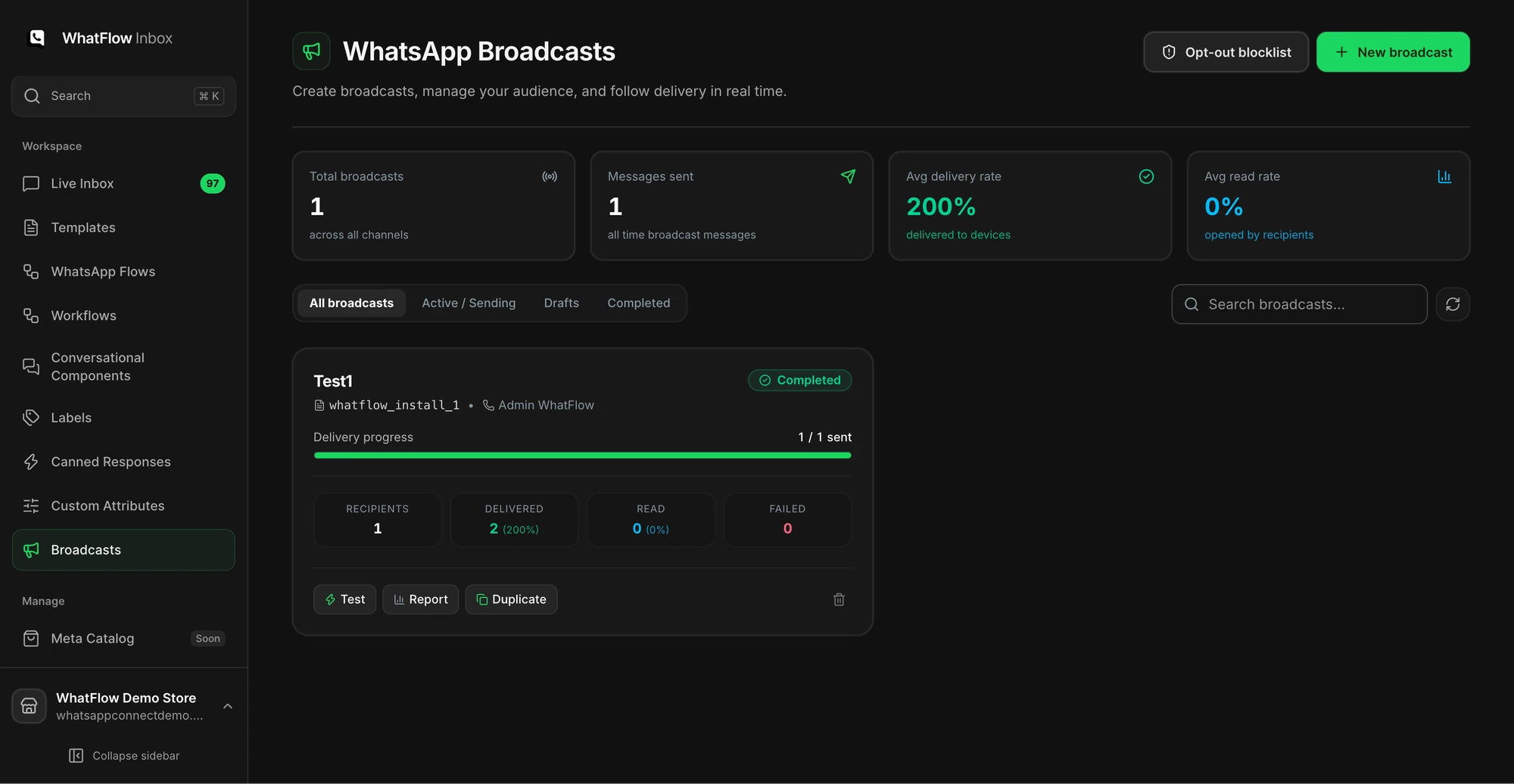
The demo broadcast dashboard shows where to build and monitor WhatsApp campaigns.
The test I use: if two segments would get the same message, they're one segment. Splitting a list into ten groups and sending all of them "20% off this weekend" is still a blast.
What makes a WhatsApp segment useful?
A segment earns its place when it changes why you're messaging. Compare these:
Weak: "Women 25–34 in Dubai." You don't really know this, and it doesn't tell you what to say.
Useful: "Bought the 30-day supply of protein powder 25–30 days ago." You know exactly what to say.
Stick to what you've observed. Someone who viewed a product is interested. That doesn't mean they're buying it as a gift, or need it urgently, and your message shouldn't pretend to know. "Saw you were looking at the linen sofa" reads as creepy to a lot of people. "The linen sofa is back in the sand colour" doesn't.
Bought a consumable N days ago and hasn't reordered
Reminds them before they run out
Accessory fit
Bought product X, hasn't bought its matching accessory
Suggests one item that fits
Asked, didn't buy
Asked a pre-purchase question on WhatsApp in the last 14 days, no order since
Follows up on their actual question
Waiting for stock
Signed up for a back-in-stock alert
Tells them it's back
Lapsed regulars
3+ orders, nothing in 120 days
Gives them a reason to come back
VIPs
Top spenders by your own definition
Early access, not just a discount
Here's what the first two might look like:
Hi Omar, it's been about four weeks since your 30-day protein order, so you might be getting low. Want the same again? Reorder in two taps: [link]. Reply STOP to opt out of these reminders.
Hi Lina, quick one: the leather case for the Pixel 9 you bought just came in. It's the only one we stock that fits properly. Have a look: [link]
Write it in plain words: the event, the product, the time window. "Bought any SKU in the Filters collection between 60 and 90 days ago." If a colleague can't tell from that sentence why someone qualifies, the rule's too clever, or it depends on data you don't keep reliably.
Then check the data underneath it:
Missing or badly formatted phone numbers
Products that were renamed or merged, so the mapping's out of date
Orders placed as guest checkouts that never linked to a customer
Decide what happens when a value is missing. For the accessory segment, an unknown phone model should mean "skip", not "send the most popular case and hope".
How do you segment in WhatFlow today?
You can launch a WhatFlow broadcast from selected Shopify customers or a Shopify segment using the Admin action. In Team Inbox, the audience builder instead uses a spreadsheet or existing conversation contacts. Launching from a Shopify segment does not keep that segment continuously synced into Inbox. See the two campaign routes.
Relevance and permission are two separate checks
A perfect segment still needs permission. WhatsApp requires opt-in before you start a conversation, and opt-outs must be honoured. That's Meta's Business Messaging Policy, not a suggestion. Someone who chatted with you about a delivery last month hasn't agreed to receive promotions.
So every send has two filters: does this person fit the segment? and are they allowed to get this message? Run both. Our opt-out process guide covers making the second one dependable.
Set exits and decide which campaign wins
Every segment needs an exit:
Refill due → exits when they reorder
Asked, didn't buy → exits when they buy, or after one follow-up
Lapsed regular → exits when they order again
Anyone → exits immediately on opt-out
And when someone fits three segments on the same day, which one wins? Write down a priority order. Without it, a lapsed VIP who's also due a refill gets three messages before lunch. If your email tool is also running campaigns, include it. The channel coordination guide helps.
Test the segment with people who shouldn't be in it
Finding one person who matches proves nothing. Take a hypothetical filter segment: "bought the model A water filter 60–90 days ago". Test it against:
Record
Should they get it?
Model A buyer, 75 days ago, opted in
Yes
Model B buyer, 75 days ago
No, wrong filter
Model A buyer who reordered last week
No, already exited
Model A buyer, opted out
No
Order with unknown model
No, skip rather than guess
If any row comes out wrong, fix the rule before you send. Then run the rest of the campaign preflight checklist.
Judge a segment by outcomes, with counts visible
After the send, look at replies, orders, opt-outs and cost, with raw numbers next to the percentages. "40% replied" from a segment of 10 is four people. Interesting, but not proof.
If most replies are "will this fit my model?", the segment's fine but the message needs more product detail. If opt-outs spike, the segment's too broad or you're sending too often. Our guide to budgeting WhatsApp by cost per useful outcome shows how to compare segments fairly.
Free plan available
Run WhatsApp for your Shopify store with WhatFlow
Templates, COD confirmation, Shopify Flow automations and a shared team inbox with no seat fees. Every feature is included on every plan, including Free.
Pick the segment where the reason to message is most obvious, usually refill reminders or back-in-stock, and do it well. Every WhatFlow plan, including Free, has campaigns, templates, Flow and the team inbox, with no seat fees. So you can start small and add segments only when the first one is clearly working.
Frequently asked questions
How should I segment WhatsApp customers on Shopify?
Segment by what the customer needs next, using data your store actually has: what they bought and when, what they asked about, or what they're waiting for. Each segment should change the message or the next step, not just the first name.
Can WhatFlow sync my Shopify customer segments?
Not yet. Native Shopify segment and audience sync is coming soon to WhatFlow. Today you choose recipients in WhatFlow's campaign tools or send messages from Shopify Flow events.
Is adding the customer's first name enough personalisation for WhatsApp?
No. A first name helps the message feel addressed to them, but real relevance comes from a different reason to message, like a refill being due or an accessory that fits what they bought.
How many WhatsApp segments should a small store have?
Start with one or two you can explain in a sentence and maintain. More segments mean more rules to test and more chances for the same customer to get two campaigns on the same day.