A WhatsApp message usually isn't delivered because the number is wrong or not on WhatsApp, you sent a free-form message after the 24-hour customer service window closed, the template has a problem, the customer hit Meta's per-user marketing limit, or your number has a quality or limit issue. Each shows up as a Meta error code, and most are fixable.
This guide is for stores sending on the WhatsApp Business API. I'll go through each reason, the error code you'll typically see, and what to do about it.
How to tell what went wrong
Every message sent through the WhatsApp Cloud API gets a status back from Meta: sent, delivered, read, or failed. A failed message comes with an error code. Meta publishes the full list on its WhatsApp error codes page, and it's worth bookmarking.
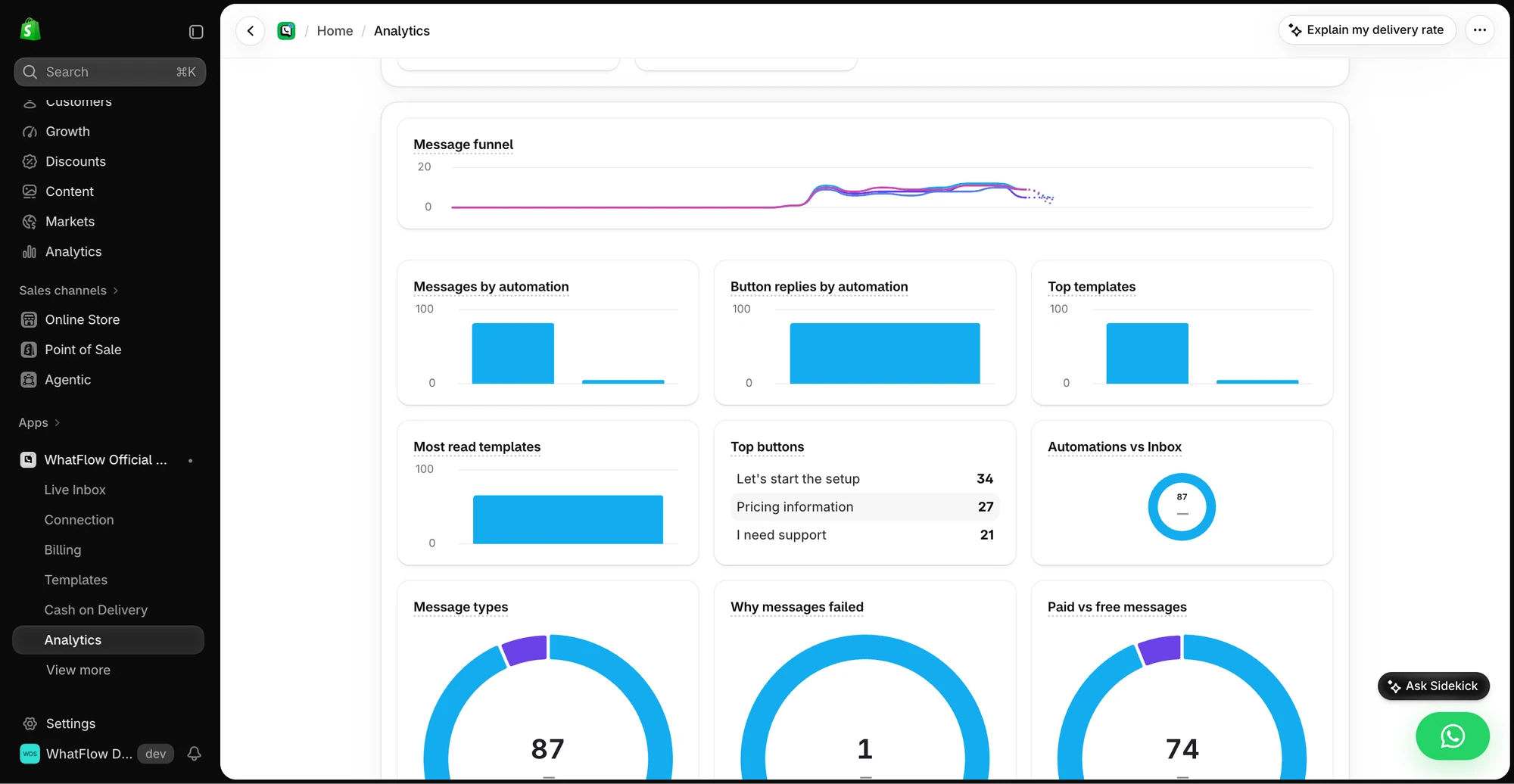
The Analytics view shows message and button reply breakdowns for the demo store. The numbers are demo activity, not a performance benchmark.
Here's a quick reference for the codes Shopify stores see most, as of November 2026:
Code
What it means
Can you fix it?
131026
Recipient can't receive it (not on WhatsApp, hasn't accepted terms, old app version)
More than 24 hours since the customer last replied
Yes: send a template
131049
Not delivered to protect ecosystem engagement (per-user marketing limit)
Wait 24h+; rethink frequency
131050
Recipient stopped marketing messages
No: respect it
131056
Too many messages to the same person too quickly
Yes: slow down
132000
Template variable count doesn't match
Yes: fix mapping
132001
Template doesn't exist in that language or isn't approved
Yes: check name and language
132015 / 132016
Template paused or disabled for low quality
Edit, or create a new one
131048 / 368
Sending restricted on the number or account
Check quality and policy status
Now the reasons in plain English.
1. The phone number is wrong or badly formatted
The most common cause, and the most boring. Shopify checkouts collect numbers in whatever format customers type: with or without country code, with a leading zero, with spaces, with "+92" typed twice.
Fix: make sure numbers are in full international format before you send. Collect them properly in the first place: a phone field with a country selector at checkout, and a clear opt-in. Our guide to collecting WhatsApp opt-ins on Shopify covers the form side.
2. The person isn't on WhatsApp (or can't receive)
Error 131026 covers a few situations: the number isn't registered on WhatsApp, the user hasn't accepted the latest terms, or their app is too old. Landlines and work numbers that only ever receive SMS show up here a lot.
Fix: not much on the WhatsApp side. Fall back to email or SMS for that customer, and don't keep retrying. Decide in advance which channel is the backup for order updates so nobody has to think about it.
3. You sent a free-form message outside the 24-hour window
On the WhatsApp Business API, a customer's message opens a 24-hour customer service window. Inside it you can send any reply. Outside it, you can only start a conversation with a Meta-approved template. Try a free-form reply on day two and you'll get 131047.
This bites teams that leave chats overnight and then reply in the morning, more than 24 hours after the customer's last message.
Fix: send a template to reopen the conversation. A simple utility template works:
Hi {{1}}, sorry for the slow reply on your question about order {{2}}. Reply here and we'll pick it straight up.
Variable mismatch (132000). The template has three placeholders and you sent two. Common when a Shopify field is empty, say the customer has no first name on file.
Wrong name or language (132001). You're sending "order_update" in "en_US" but the approved version is "en".
Badly formatted parameters (132012). A variable value with characters or length the template can't accept.
Paused or disabled template (132015, 132016). Meta pauses templates that get poor feedback from recipients. Repeated pauses can disable it permanently.
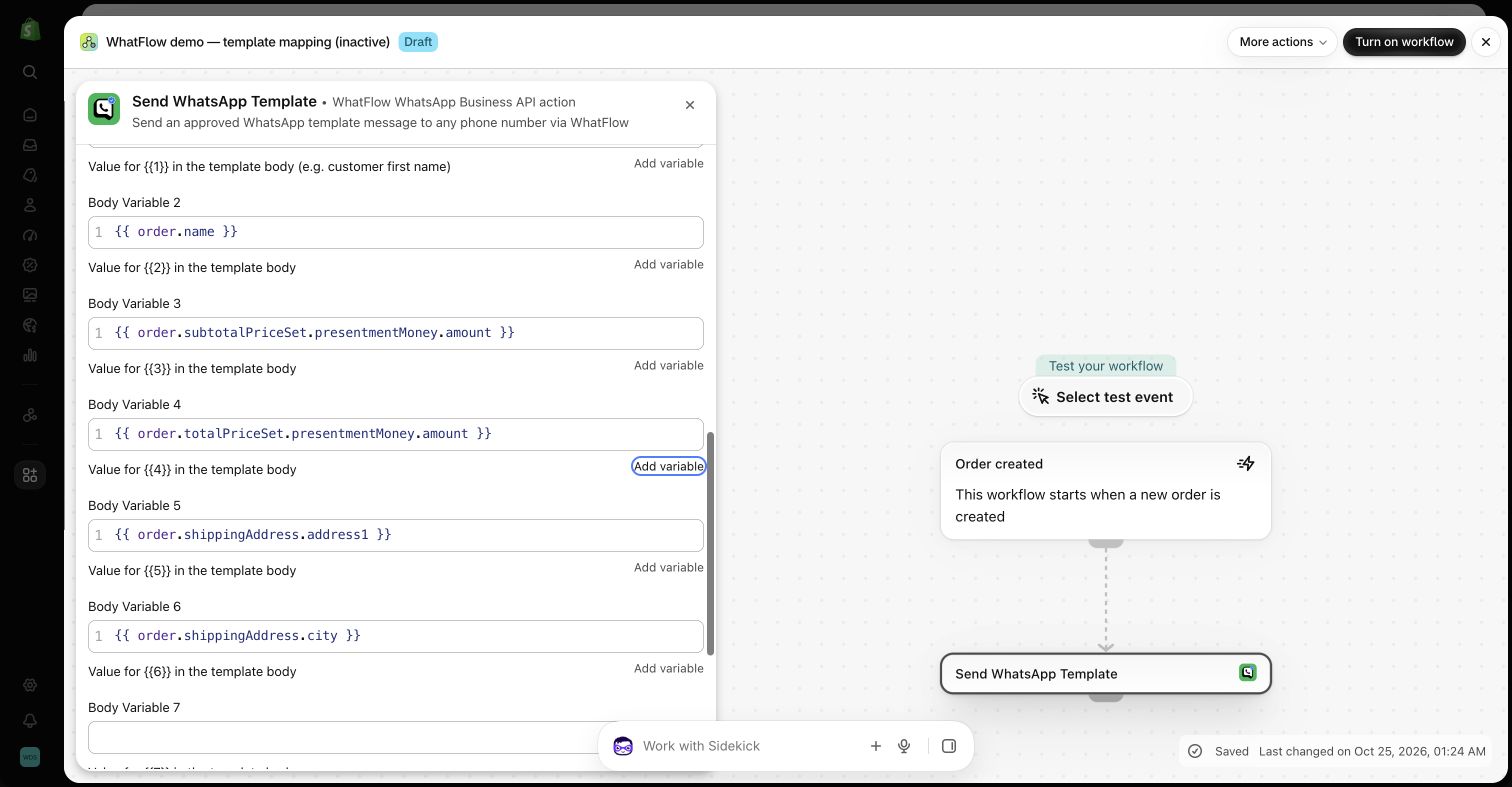
Fix: check template names, language codes and every variable mapping. Give empty fields a fallback ("there" instead of a missing first name). In WhatFlow's Shopify Flow template action, each placeholder is mapped to a Shopify field, so you can see exactly what fills it.
Template variables mapped to Shopify fields in a WhatFlow Flow action (demo store)
5. The customer hit Meta's per-user marketing limit
This one confuses a lot of merchants. Meta limits how many marketing template messages any one WhatsApp user receives from businesses over a period. It's not a fixed number. According to Meta's per-user limits page, it depends on things like how often that person reads marketing messages and how busy their inbox is. If the customer has hit their limit, your marketing template fails with error 131049, even if you've never messaged them before.
Two details matter:
Don't retry straight away. Meta says to wait at least 24 hours. Retrying sooner just returns the same error.
Replies change things. If the customer replies to a marketing message, that opens a customer service window, and Meta says marketing messages sent inside it don't count toward the limit.
Meta's page also notes that, as of November 2026, WhatsApp doesn't deliver marketing templates to users with US phone numbers.
Fix: you can't override it, but you can work with it. Send fewer, better marketing messages, target people who've engaged recently, and give them a reason to reply. Our guide to how often to message customers on WhatsApp is the long version.
6. The customer opted out
Error 131050 means the person has stopped marketing messages from you. Don't retry, don't work around it. Honour it in your own lists too, so you're not even attempting. The WhatsApp Business Messaging Policy requires businesses to respect opt-out requests, and our post on building a WhatsApp opt-out process covers how.
7. You're sending too fast to one person
Error 131056 appears when you send many messages to the same number in a short time. It's usually a bug: a Flow workflow firing on every order update, or a broadcast plus an automation hitting the same customer at once.
Fix: space them out, and check your automations for overlap. One customer shouldn't get "order confirmed", "order updated" and "order fulfilled" within the same minute.
8. You've hit your messaging limit
Meta caps how many unique customers a business can message outside a customer service window in a rolling 24 hours. The messaging limits doc explains that the limit sits at the business portfolio level and is shared across your numbers. New numbers start lower and move up with good quality and volume.
9. Your number's quality or account status is restricted
Errors like 131048 or 368 mean Meta has restricted sending, often because too many recipients blocked or reported your messages. This is the one to take seriously, because it affects every message, including order updates.
Fix: pause marketing, review what you sent recently, and check your number's quality in WhatsApp Manager. Most quality problems trace back to messaging people who didn't clearly opt in, or sending too much. Prevention is in our WhatsApp broadcast best practices.
What about "delivered but not read"?
Delivered means the message reached the phone. Read depends on the customer (and on whether they've turned off read receipts). A low read rate isn't a delivery problem; it's usually a relevance or timing problem.
Use WhatFlow's recipient report to separate attempted, delivered, read and failed messages. Export the results before you change the audience, and investigate a failure before retrying it. If you want to measure purchases, compare against Shopify orders using the tracking you set up for that send; delivery or read status alone can't tell you what sold. See the campaign measurement walkthrough.
Do you pay for failed messages?
Since July 1, 2025, Meta has charged per delivered template message, with rates varying by category and country. A message that fails shouldn't be billed as a delivered one. Meta changed the rules again on October 1, 2026: service replies are now free only for the first 1,000 delivered per business phone number each month, and utility templates sent inside an open customer service window are charged. Check the official pricing page for current rates. WhatFlow's app plans are separate; see our pricing.
Free plan available
Run WhatsApp for your Shopify store with WhatFlow
Templates, COD confirmation, Shopify Flow automations and a shared team inbox with no seat fees. Every feature is included on every plan, including Free.
Once a week, look at your failed messages and group them by code. Lots of 131026? Fix number collection. Lots of 132000? Fix a template mapping. Lots of 131049? You're sending too much marketing. Each code tells you which part of your setup to fix.
Frequently asked questions
Why is my WhatsApp business message not delivered?
The most common reasons are an invalid or wrongly formatted number, a recipient who isn't on WhatsApp, a free-form message sent after the 24-hour customer service window closed, a template problem, or Meta's per-user limit on marketing messages.
What does WhatsApp error 131049 mean?
Meta didn't deliver a marketing template to keep the recipient's inbox healthy, under its per-user marketing message limits. Meta advises waiting at least 24 hours before resending.
What does WhatsApp error 131047 mean?
More than 24 hours have passed since the customer last messaged you, so you can't send a free-form message. Send an approved template instead.
Do I pay for WhatsApp messages that aren't delivered?
Meta charges per delivered template message under its current pricing model, so a failed send shouldn't be billed as a delivered message. Check Meta's pricing page for the current rules.
Can businesses send WhatsApp marketing messages to US numbers?
As of November 2026, Meta's documentation says WhatsApp doesn't deliver marketing template messages to users with US phone numbers.