Meta usually rejects a WhatsApp template for one of five reasons: broken or badly placed variables, missing sample values, content that breaks WhatsApp's Business or Commerce Policy, a duplicate of a template you already have, or wording so vague it could be abused. Most rejections are fixed in minutes by rewriting the template with clear text around each variable and resubmitting.
I've watched a lot of merchants hit "submit" in our template editor and get a rejection back an hour later. It's almost never the end of the world. Here are the reasons, with before-and-after versions.
How does WhatsApp template review work?
Every message template is reviewed automatically when you create or edit it. Meta's templates overview says review "can take up to 24 hours". The result is one of:
Approved: ready to send.
Approved in a different category: for example, you chose utility and Meta made it marketing. That's not a rejection, but it changes the price. How categories work.
Rejected: you need to edit and resubmit, or appeal.
Reason 1: variable formatting problems
This is the most common one by a distance. Meta's template review page lists these formatting faults:
Variables missing or with mismatched curly braces
Special characters inside variables, like #, $ or %
Variables that aren't sequential
Too many variables for the length of the message
A template that starts or ends with a variable
Before: starts and ends with a variable
{{1}}, your order is confirmed. Total: {{2}}
After
Hi {{1}}, your order is confirmed. Total to pay: {{2}}. We'll message you when it ships.
Before: skipped number and a symbol
Hi {{1}}, your order {{3}} costs ${{2}}.
After
Hi {{1}}, your order {{2}} has been placed. The total is {{3}}.
Put the currency inside the variable value (send "$42.00", not "42.00" after a "$" in the text), and number variables in the order they appear.
Hi {{1}}, good news: your order {{2}} has shipped with {{3}}. You can track it here: {{4}}
The rule of thumb: every variable should sit inside a real sentence. If you read the template with blanks where the variables are and it doesn't make sense, Meta's reviewer (human or automated) won't like it either.
Reason 2: missing sample values
Meta's review page is explicit: if your template uses variables, you must include sample values with your submission. Samples let the reviewer see what the finished message looks like.
Weak samples cause trouble too. If {{1}} is a customer's first name, use "Priya", not "test" or "name". If {{3}} is a tracking link, use a realistic URL on your own domain or your carrier's, not "link".
Reason 3: policy violations
Templates must follow WhatsApp's Business Messaging Policy and Commerce Policy. Template review flags abusive or threatening content and anything that promotes restricted goods.
Two store-specific traps:
Threatening tone in payment or COD messages. Firm is fine. Threats aren't.
Before
Your COD order {{1}} was refused. Failure to pay {{2}} will result in legal action and your number being blacklisted.
After
Hi {{1}}, our courier couldn't complete delivery of order {{2}}. Reply here if you'd like us to try again or cancel the order.
Restricted products. If you sell anything in WhatsApp's restricted categories (some supplements, weapons, adult products and more), templates promoting them may be rejected regardless of wording. Read the policy for your category before planning a WhatsApp campaign around it.
Also, never ask for full card numbers, bank account numbers or national ID numbers in a template. It's against the rules and a gift to scammers who impersonate stores on WhatsApp.
Reason 4: duplicate templates
Meta rejects templates that duplicate one you already have under a different name. If you need the same message in a different language, create it as a language version of the same template rather than a new template. If you need a variation, make the difference real (different purpose, different buttons), not a one-word change.
Reason 5: vague or generic content
A template that's mostly variables, or so general it could be anything, looks like a way to send arbitrary content and dodge review.
Before
Hello {{1}}, {{2}}
After
Hi {{1}}, your order {{2}} is ready for pickup at our Bandra store. We're open until 8pm. Reply here if you need to change the pickup time.
The fix is always specificity: say what the message is about in fixed text, and use variables only for the bits that change.
Is a category change the same as a rejection?
No, and it's worth knowing the difference. Since April 9, 2025, if you submit a template as utility and Meta decides it's marketing, it's approved as marketing instead of being rejected. You can still send it; it just costs the marketing rate and goes to people who opted in to marketing.
Before (submitted as utility, approved as marketing)
Hi {{1}}, your order {{2}} has shipped. Track it: {{3}}. Love it? Get 10% off your next order with code BACK10.
After (approved as utility)
Hi {{1}}, your order {{2}} has shipped. Track it here: {{3}}
Send the code separately, to people who want offers.
A few smaller things that cause rejections
Spelling and formatting mistakes. Sloppy templates read as spam. Proofread.
Wrong language code. If the body is in Urdu or Portuguese, set the template language to match. Meta doesn't translate templates for you.
Links that hide where they go. Use your own domain or a carrier's tracking link. Customers trust them more too.
Buttons that don't match the text. A "Track order" button on a template about a sale confuses everyone.
How do you fix a rejected WhatsApp template?
Read the rejection reason in your app or WhatsApp Manager. It usually points to the category of problem.
Rewrite, don't tweak. Compare it against the before-and-afters above and fix every issue you find, including the ones the rejection reason didn't mention.
Add realistic samples for every variable.
Resubmit. Most clean resubmissions are approved quickly.
Appeal only when you're sure. Meta lets you appeal a rejection and says appeals are decided within 24 hours, but appeals must include a sample. If you can rewrite it, that's usually faster.
In WhatFlow you edit and resubmit from the template editor in Shopify admin, and the approved template is immediately available to automations and Shopify Flow. Since WhatFlow uses Meta's official Cloud API, the status you see is Meta's own decision, not a middleman's guess.
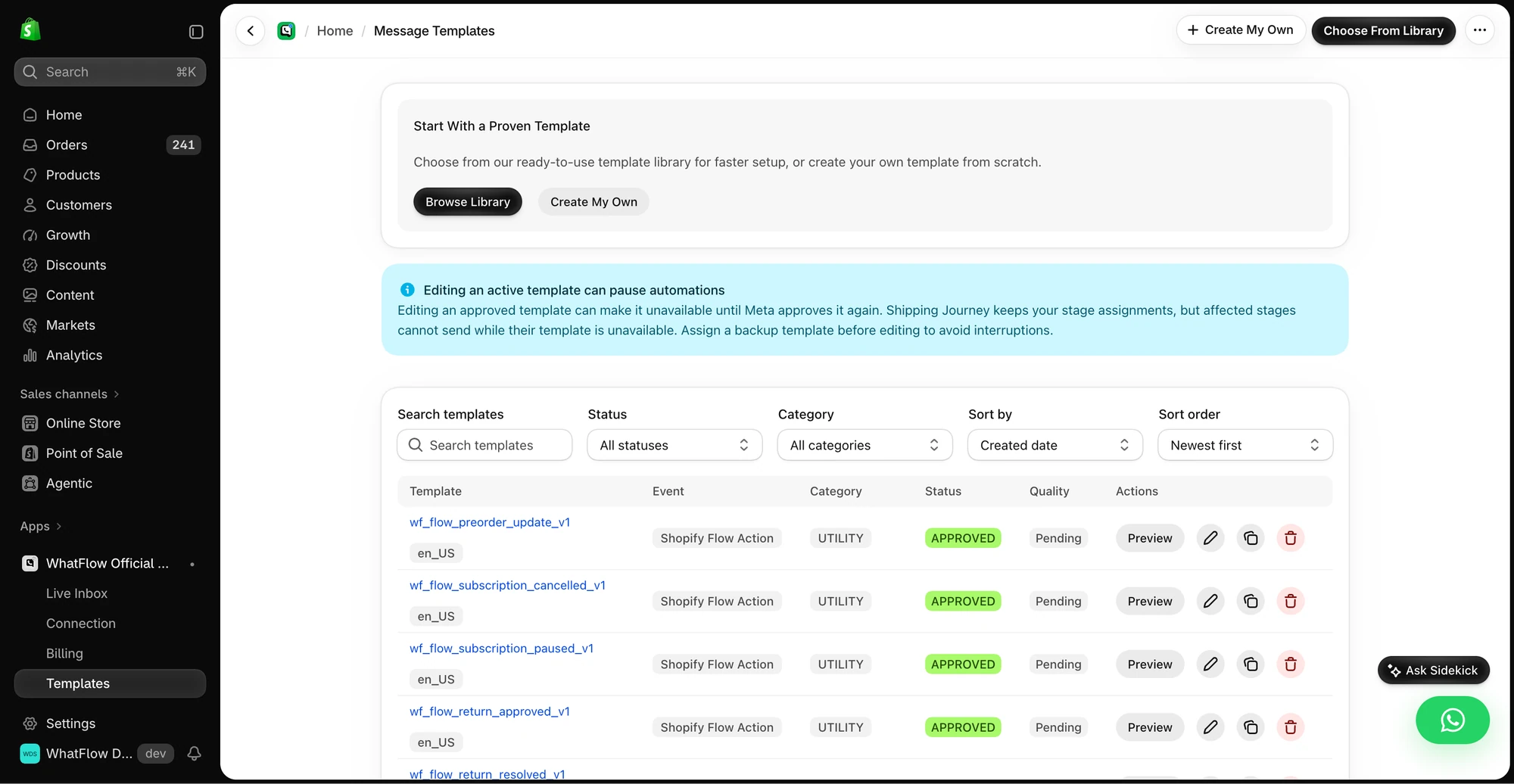
The template manager shows the approval status and preview controls for templates in the demo store.
How do you avoid rejections in the first place?
A pre-submission checklist I'd tape next to the screen:
Does the template start and end with plain text, not a variable?
Are variables numbered 1, 2, 3 in order, with no symbols inside the braces?
Would it make sense read aloud with the variables blank?
Does every variable have a realistic sample?
Is it pure utility, or honestly marked marketing?
Is the tone something you'd say to a customer's face?
Is it different enough from templates you already have?
Templates, COD confirmation, Shopify Flow automations and a shared team inbox with no seat fees. Every feature is included on every plan, including Free.
Most rejections come down to variables floating without context. Write a real sentence around every placeholder, add proper samples, keep utility templates free of promotions, and stay polite even when chasing a refused COD parcel. Do that and rejections become rare.
Frequently asked questions
Why was my WhatsApp template rejected?
The most common reasons are formatting problems with variables (non-sequential numbers, special characters, a template that starts or ends with a variable, too many variables for the length), missing sample values, policy violations and duplicates of an existing template.
How long does WhatsApp template approval take?
Meta says template review can take up to 24 hours, and appeals are reviewed with a decision within 24 hours. Most simple templates are approved much faster.
Can I appeal a rejected WhatsApp template?
Yes. You can edit and resubmit the template, or appeal the decision, and Meta requires a sample with the appeal. If the wording is the problem, editing is usually quicker than appealing.
Is a template that changed from utility to marketing a rejection?
No. Since April 2025, Meta approves a utility template it judges to be marketing as a marketing template instead of rejecting it. It's approved, just in a more expensive category.