Black Friday WhatsApp marketing works when three things are done before the sale starts: your templates are approved by Meta, your list has actually opted in, and someone owns the replies. Black Friday 2026 is Friday, November 27 and Cyber Monday is November 30. As I write this on November 5, that's 22 days away. Here's the day-by-day plan I'd follow.
Why WhatsApp works on Black Friday (and why blasting doesn't)
Black Friday inboxes are a mess. Email open rates get buried under every brand on earth, and SMS is expensive in a lot of countries. WhatsApp is where many of your customers already talk to friends, family and the shops they trust, so a message there gets seen.
That's also the danger. A WhatsApp message lands next to someone's mum. If it's loud, off-topic or the fourth one this week, they'll block you, and blocks and reports drag down your phone number's quality rating. So the whole playbook below is built on one rule: fewer messages, sent to people who asked for them, each one useful on its own.
The Black Friday WhatsApp countdown (from November 5, 2026)
Week 1 (Nov 5 to 11): lock the offer and get templates approved
A message template is a pre-written WhatsApp message that Meta reviews and approves before you can use it. Outside the 24-hour customer service window (the 24 hours after a customer last messaged you), a business can only start a conversation with an approved template. Every Black Friday promotion you plan to send is a business-initiated message, so every one of them needs an approved template.
Meta's own documentation says template review "can take up to 24 hours". Don't plan around the best case. Plan around a rejection, an edit and a second review, which is why I'd submit everything this week.
Write these templates now:
Early access (marketing): goes out Nov 24 or 25.
Launch day (marketing): Nov 27.
Cyber Monday last call (marketing): Nov 30.
Abandoned checkout reminder: runs all week.
Order confirmation and COD confirmation (utility): if you sell cash on delivery, this is the one that saves you from fake orders.
Shipping update (utility).
Holiday shipping cut-off reminder: for December.
Keep the wording specific: the real discount, the real dates, one link. Vague hype ("HUGE savings, don't miss out!!!") is what gets templates rejected and blocked. If one does bounce back, our guide on why Meta rejects WhatsApp templates covers the usual fixes.
WhatFlow is built on the official Meta WhatsApp Cloud API, so you write and submit templates from the template editor inside Shopify admin and they go to Meta for review like any other Business Platform template. The status updates when Meta approves or rejects them.
Week 2 (Nov 12 to 18): build an opt-in list you can actually message
Here's the uncomfortable bit. Someone who messaged you in March asking about sizes has not agreed to receive Black Friday promotions. WhatsApp's Business Messaging Policy requires opt-in before you send business-initiated messages, and you have to honour opt-outs.
Ways to grow a real list in the next seven days:
Add a WhatsApp opt-in checkbox at checkout and on your account sign-up, with honest wording: "Get early access to our Black Friday sale on WhatsApp."
Put an early-access sign-up on your homepage that names the date and the perk.
Reply to customers already chatting with you: "Want early access to our Black Friday sale here on WhatsApp? Reply YES and we'll send it on the 24th." Record the yes.
Mention it once in your email newsletter and on Instagram.
One more thing to check this week: your messaging limit. Meta caps how many unique people you can message outside the service window in a rolling 24 hours, and that cap rises with verification, volume and good quality. If your list is bigger than your current limit, you'll need to split sends across days. The quality rating and messaging limits guide explains how to check yours.
Week 3 (Nov 19 to 23): rehearse support and test everything
Your WhatsApp campaigns will generate replies. Lots of them. "Does the code work on the gift set?" "Will it arrive before the 10th?" "Can I change my size?"
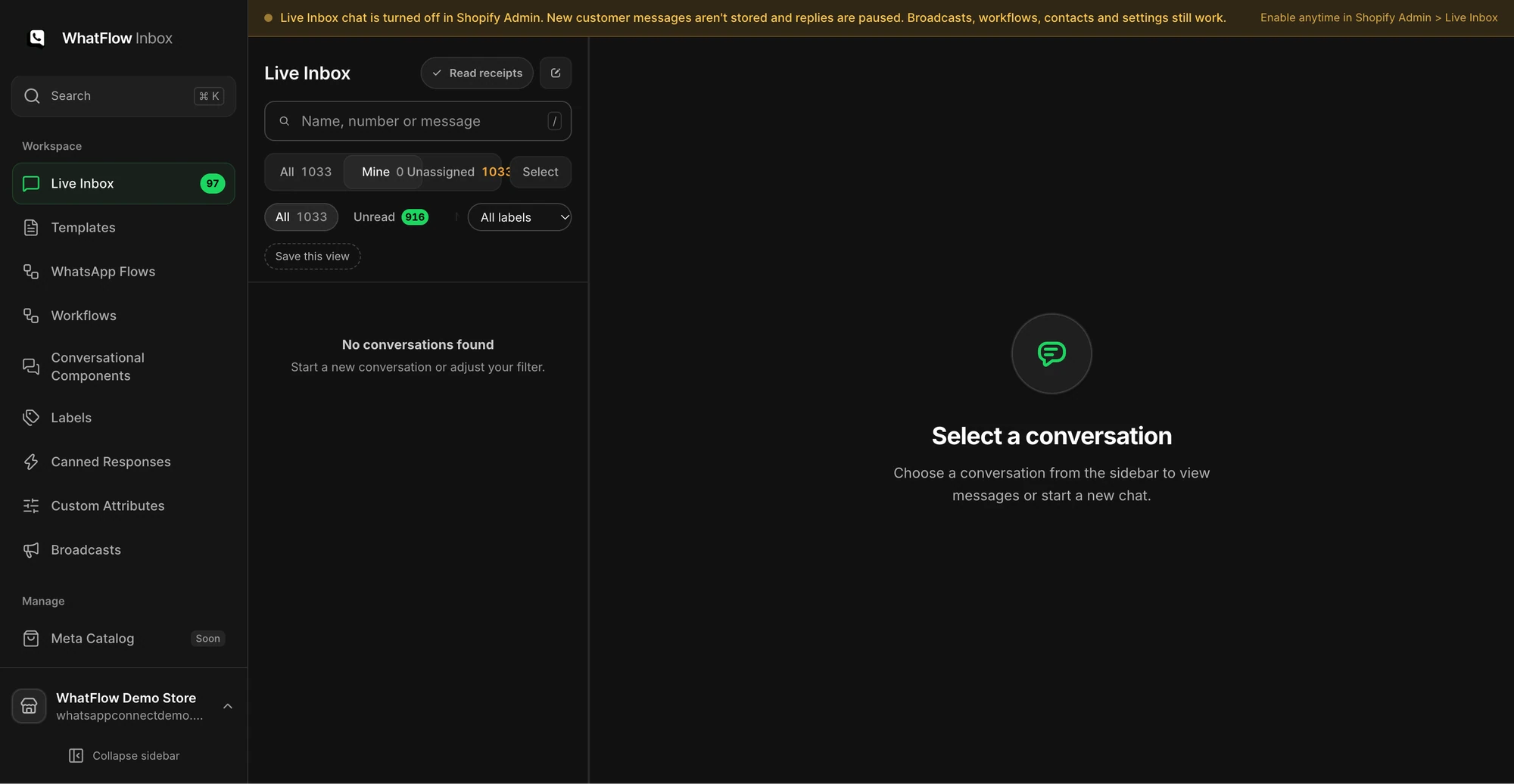
The Mine queue in the demo inbox shows how staff can narrow conversations to their assignments. No customer conversations are shown.
Write saved replies for the ten questions you'll get most, using this year's actual offer terms.
Decide who answers WhatsApp each shift. A shared inbox with assignment beats three staff phones. WhatFlow's inbox has no seat fees, so pulling in five extra people for the weekend (or fifty, if you're a bigger team) doesn't change your seat bill.
Send every template to yourself and a colleague. Click every link. Check the discount applies.
Place a test order with a test COD confirmation if you use one.
Then do one last read of every template before the early-access send, as if you were the customer.
Early access (Nov 24 to 26): reward the people who opted in
Early access is the best Black Friday message you can send, because it's genuinely a perk. Your list gets the sale a day or two before everyone else.
Hi Amira, it's Lena from Fernwood Candles. As promised, your early access is open: 25% off everything until Friday, before we announce it anywhere else. Your link: fernwood.shop/early
Reply STOP if you'd rather not get offers here.
Name a person, keep the promise you made at sign-up, and give one link.
Black Friday (Nov 27): the launch message
On the day, send one message to opted-in subscribers who haven't already bought during early access. Send in the morning in your customers' time zone, not at midnight.
Black Friday is live at Fernwood Candles: 25% off everything through Monday, Nov 30. Gift sets ship free over $50.
Order by Dec 14 for delivery before the holidays (most of the US).
Shop: fernwood.shop/bf
If your list is large, stagger the send across the morning so your team isn't hit by every reply at once.
If you already have an opted-in Shopify audience, start a WhatFlow broadcast from selected customers or a Shopify segment in Admin. For a scheduled campaign built from CSV, Excel or existing conversations, use Team Inbox. Map the template fields, send a test, and make sure someone owns the replies. The campaign walkthrough shows both routes.
Cart recovery during BFCM
Abandoned checkout messages are one of the most useful automations during the sale, because people are comparing tabs and getting distracted. Keep the message short and helpful.
Hi Sam, you left the Cedar & Fig gift set in your cart. The Black Friday price (25% off) holds until Monday night. Any questions about scents or delivery? Just reply here.
I wouldn't stack an extra discount on top of a Black Friday price. The sale is already the reason to finish the order. What helps more is answering the question that stopped them, which is why the message invites a reply. We wrote more on this in recovering an abandoned checkout with a real WhatsApp conversation.
Cyber Monday (Nov 30): one last call
Send this only to people who haven't bought during the weekend. Buyers should get order updates, not more promotions.
Last day of our Black Friday sale. 25% off ends tonight at 11:59pm. If you were eyeing a gift set, this is the moment: fernwood.shop/bf
How many Black Friday WhatsApp messages should you send?
My answer: three marketing messages per person across the whole week, at most. Early access, launch, last call. Stop the sequence for anyone who buys or replies STOP. Cart recovery and order updates sit outside that count because they're triggered by the customer's own actions.
Restraint is the whole strategy here. A customer who blocks you on Friday is gone for every sale after it.
After BFCM (Dec 1 onwards): the messages that bring people back
The week after Cyber Monday is where you earn the next order:
Order and shipping updates. People who ordered on Friday want to know where their parcel is. Proactive updates cut "where is my order?" chats.
COD confirmations. If you sell cash on delivery, confirm every order before it ships.
Holiday cut-off reminders. Tell people the last day to order for delivery before the holidays. Our holiday shipping cut-off guide has wording for every channel.
A thank-you with no offer attached. It's rare enough to be noticed.
Free plan available
Run WhatsApp for your Shopify store with WhatFlow
Templates, COD confirmation, Shopify Flow automations and a shared team inbox with no seat fees. Every feature is included on every plan, including Free.
Meta charges per delivered template message, with rates that vary by category (marketing, utility, authentication) and by the recipient's country. Two changes took effect on October 1, 2026 that matter for a busy week: utility templates sent inside an open customer service window are now charged, and service replies are free only for the first 1,000 delivered per business phone number each month. A big Black Friday can blow through that, so check Meta's pricing page for current rates before you size a send. Our WhatsApp Business API pricing explainer walks through the maths. WhatFlow's app pricing is separate from Meta's charges; every WhatFlow plan includes every feature, including the Free plan, and plans differ only by messaging allowances and rates. See WhatFlow pricing for current amounts.
Twenty-two days is enough. Submit your templates this week and the rest of the plan falls into place.
Frequently asked questions
How early should I submit WhatsApp templates for Black Friday?
Submit them at least two weeks before the sale. Meta says template review can take up to 24 hours, but you need time to fix a rejection and resubmit, and nothing in the marketing category can be sent until it shows as approved.
How many WhatsApp messages should I send during Black Friday week?
For most stores, three marketing messages per person is plenty: an early-access note, a launch message and a last call on Cyber Monday. Stop the sequence as soon as someone buys.
Can I message everyone who has ever chatted with my store about Black Friday?
No. A past support chat is not marketing consent. Only send Black Friday templates to people who opted in to receive promotional WhatsApp messages from you.
Should abandoned checkout messages include an extra Black Friday discount?
Usually not. The sale price is already the incentive, so the recovery message should remind, answer questions and link back to the checkout rather than stack another discount.