To prepare Shopify customer support for Black Friday, do four things before the sale: write one offer sheet everyone answers from, turn it into saved replies, put a named owner on every shift, and rehearse the awkward questions with your team. Black Friday 2026 falls on November 27. If you start this week, you have three calm weeks instead of one panicked weekend.
I've watched a lot of small stores go into Black Friday with great ads and no support plan. The ads work. Then the inbox fills with "does the 30% apply to the gift set?" and nobody is sure, so three people give three answers. Here's how to avoid that.
What does Black Friday do to a small store's inbox?
Two things change at once. Volume goes up, and the questions get narrower. Normal weeks bring a spread of sizing, delivery and order-status messages. Sale weeks bring the same five questions hundreds of times:
Is this product (or bundle, or colour) included?
My code didn't work. Why?
Will it arrive before a specific date?
Can I add something to the order I placed an hour ago?
Where's my order?
That's good news. Repetitive questions are exactly what you can prepare for in advance.
In WhatFlow Team Inbox, Needs reply shows open conversations where the customer wrote last. Closing soon helps staff prioritize the service window. Claim a thread before replying, check the Shopify order if the phone number matches, and leave an internal note when the next shift needs to pick it up. The agent walkthrough shows how that handoff works.
Write one offer sheet before you write a single reply
The offer sheet is a single page, owned by one person, that says exactly what's on sale. Support answers from it, marketing builds creative from it, and nobody improvises. Mine would include:
Sale start and end time, with timezone ("Fri 27 Nov 00:00 to Mon 30 Nov 23:59, Gulf Standard Time").
What's included and what isn't. Name the exclusions: "Gift sets and new arrivals are full price."
How discounts stack. Does the sale price combine with a loyalty code? A free-shipping threshold?
Delivery promises by region, separating your processing time from the courier's time.
Return and exchange rules for sale items, if they differ.
Who decides edge cases, and how to reach them during the sale.
If marketing changes the offer mid-sale (they will), the sheet gets updated first, then everyone is told. Kill "everything is 40% off" as a phrase unless it's literally true. One exception the customer discovers at checkout costs you more goodwill than the discount earned.
Build saved replies from the offer sheet
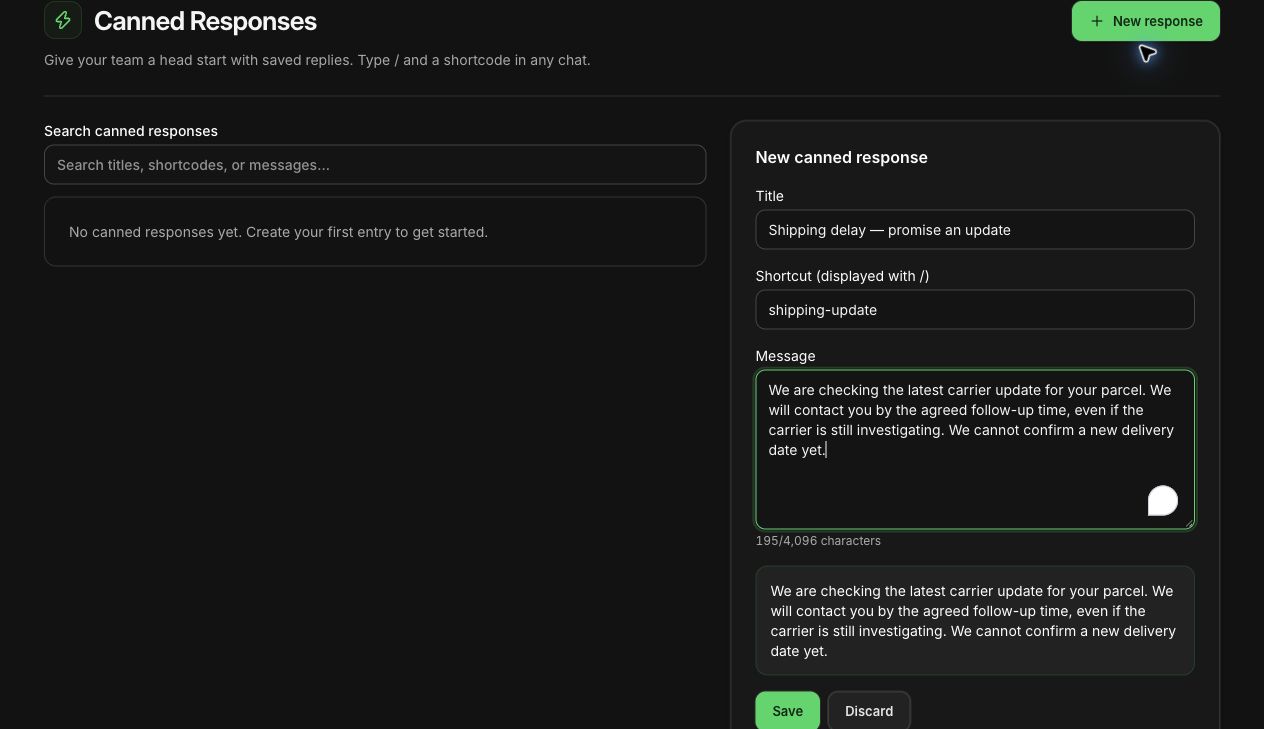
Now turn each common question into a saved reply. Saved replies (WhatFlow calls them canned responses) are pre-written messages your team inserts with a shortcut and then edits for the specific customer. They save time, and more importantly they stop two people from answering the same question differently.
Here are a few I'd write for a sale:
/bf-included Hi Sara, yes, the linen shirt is included. The 30% comes off automatically at checkout, so you don't need a code. Gift sets are the only exclusion this weekend.
/bf-code Sorry about that. Codes from earlier campaigns don't stack with the Black Friday price, so checkout only applies the bigger discount. Want me to check your cart total for you?
/bf-delivery For Dubai, orders placed by Tuesday 1 Dec usually arrive in 3 to 5 working days. That's an estimate from the courier, not a guarantee, so if you need it for a specific date, tell me and I'll check what's realistic.
Notice what these don't do. They don't say "your order has shipped" unless it has. They don't promise a date the courier can't keep. And they leave room for the agent to adjust the name, product and city. For more on writing replies that don't sound pasted, see our guide to saved replies that still answer the customer's question.
Drafting a shipping-delay canned reply in WhatFlow's demo store. Not saved or sent.
Delivery questions spike in the last week before holidays, so pair this with your holiday shipping cut-off messages and a plan for the parcels that will inevitably run late.
Who answers new messages during the sale?
A shared inbox lets everyone see the conversations. It doesn't decide who replies. During a sale, that gap is where customers wait.
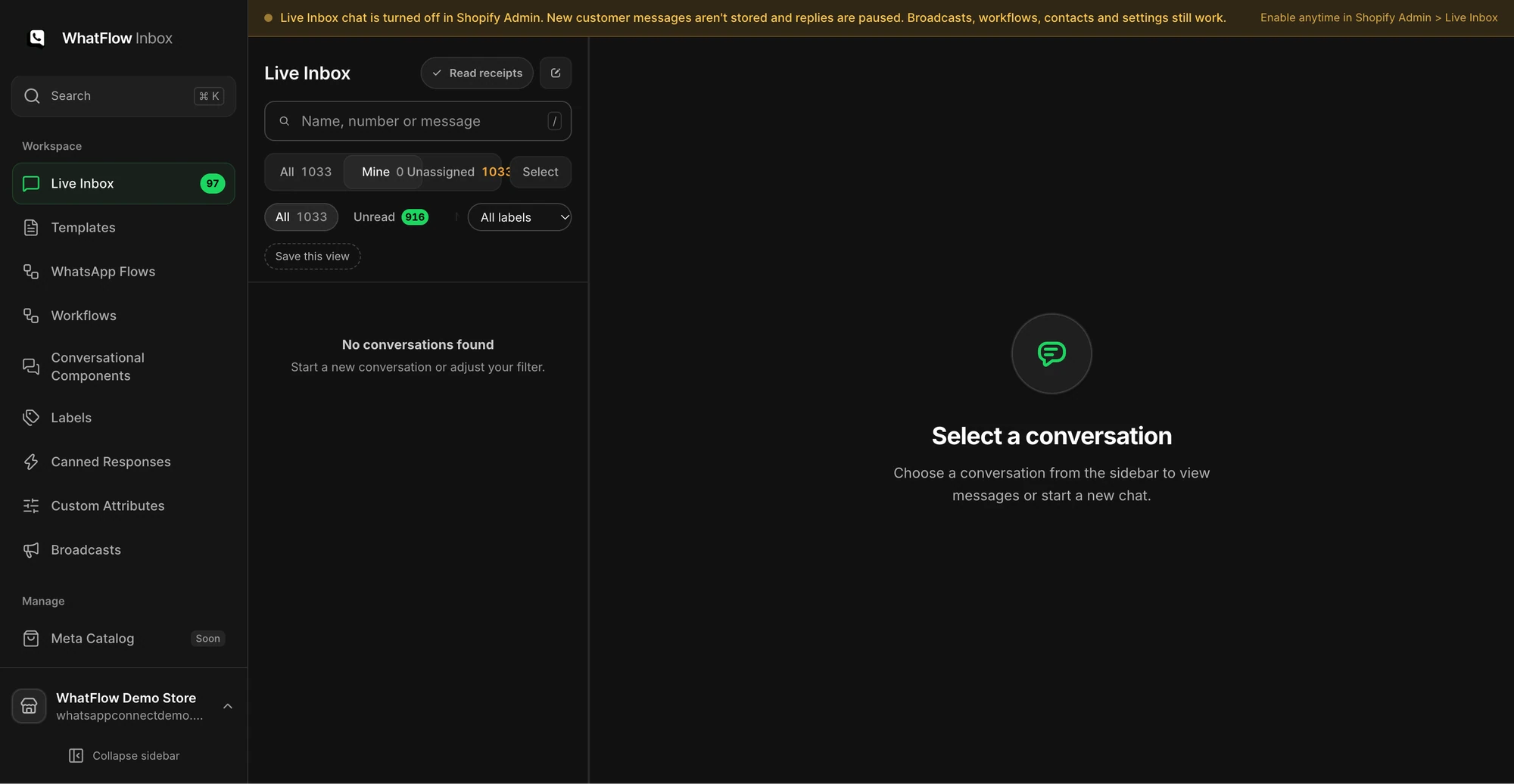
The Mine queue in the demo inbox shows how staff can narrow conversations to their assignments. No customer conversations are shown.
Make a simple rota and stick it somewhere everyone sees:
Shift
Owner
Backup
Escalation (refunds, order edits)
Fri 08:00 to 14:00
Ayesha
Omar
Founder
Fri 14:00 to 22:00
Omar
Ayesha
Founder
Sat 10:00 to 18:00
Bilal
Ayesha
Ops lead
The owner claims new conversations. The backup jumps in when the unassigned count climbs. Escalations go to one person who can actually approve a refund or an order edit.
Use your inbox's assignment and filters to make ownership visible. In WhatFlow's team inbox, for example, you can switch between "Mine" and "Unassigned", and filter by unread or by conversations still inside the 24-hour window. At a shift change, the outgoing owner leaves a one-line note on anything still open: what the customer needs, what's been checked, what's next.
This is where per-seat pricing hurts. If adding your packer to the inbox for four days costs another monthly seat, you'll be tempted not to. WhatFlow's team inbox has no seat fees on any plan, including Free, so pulling in an extra pair of hands for the weekend costs nothing extra. And because it runs on Meta's official WhatsApp Cloud API, the setup is the same whether two people are on shift or twenty. There's more on setting this up properly in how to run a shared team inbox without losing ownership.
Also set honest hours. If nobody is online between midnight and 8am, say so in an away message rather than letting a "we'll reply shortly" greeting sit there all night. Our post on WhatsApp away messages has examples.
Check the whole message calendar, not each app
During a sale, customers hear from you on every channel. Email announces the sale, SMS reminds them, WhatsApp sends an abandoned-checkout message, and Shopify sends the order confirmation. Each app's schedule looks reasonable alone. Together, a customer who bought at 9am can still get "you left something in your cart" at 6pm.
Before the sale, put every scheduled message on one timeline and check that a purchase stops the recovery messages in each tool. I go into this in more detail in coordinating email, SMS and WhatsApp.
Two WhatsApp rules don't take a holiday:
Opt-in still applies. A phone number collected at checkout isn't permission to send marketing. Send promotions only to people who agreed to receive them, and honour opt-outs immediately (WhatsApp Business Messaging Policy).
Templates outside the window. The customer service window is the 24 hours after a customer's last message to you. Inside it you can reply freely. Outside it, WhatsApp only lets a business send a Meta-approved template message.
Budget for volume too. Meta charges per delivered template message, and as of October 1, 2026 it also charges for service messages beyond a free tier of 1,000 per phone number per month (Meta's pricing page). A sale weekend can push you past that. Meta's charges are separate from WhatFlow's plan pricing.
Rehearse three difficult conversations
About a week before the sale, sit the team down for 30 minutes and role-play three made-up customers:
The bundle question. "Does the 30% apply to the skincare trio, or only single items?" Can the person on shift find the answer on the offer sheet in under a minute? If two people answer differently, fix the sheet, not the reply.
The impossible date. "I need it in Lahore by Saturday for a wedding." Does the agent check the real courier estimate, or promise something to close the sale?
The confused buyer. "I already ordered, why are you telling me my cart is waiting?" Can anyone trace which tool sent that message and stop it?
Every stumble falls into one of three buckets: missing information, missing decision owner, or a broken connection between tools. Fix those, then rerun only the failed scenarios.
What to do the week after
While it's fresh, spend an hour reviewing. Which questions came up most? If 80 people asked whether gift sets were included, the sale banner should have said so. Update the product pages, archive the expired sale replies so nobody sends them in January, and save the offer sheet as next year's starting template.
Free plan available
Run WhatsApp for your Shopify store with WhatFlow
Templates, COD confirmation, Shopify Flow automations and a shared team inbox with no seat fees. Every feature is included on every plan, including Free.
Black Friday support isn't about answering faster. It's about everyone answering the same way, with someone clearly responsible for every conversation. One offer sheet, a handful of saved replies, a rota and a dry run will get a small team through the weekend without contradicting itself. If you're also planning the outbound side, the Black Friday WhatsApp playbook covers campaigns and timing.
Frequently asked questions
How early should I prepare customer support for Black Friday?
Start about three weeks out. That gives you time to write the offer sheet, build saved replies, agree a shift rota and run a dry run with the team before traffic arrives.
What questions do customers ask most during Black Friday sales?
Whether a product or bundle is included in the discount, whether an order will arrive by a certain date, why a code didn't work at checkout, and where an order is. Write a saved reply for each before the sale starts.
Do I need to hire extra support staff for Black Friday?
Not always. Many small stores cover the peak by pulling in a teammate from packing or marketing for a few shifts, as long as each shift has a named owner and everyone works from the same offer sheet.
Can I send WhatsApp promotions to every customer during Black Friday?
No. WhatsApp requires opt-in before business-initiated messages, and outside the 24-hour customer service window you must use a Meta-approved template. A sale doesn't change those rules.