Your holiday shipping cutoff is the last day a customer can order and still receive the parcel before the holiday. Work it out backwards from your carrier's published date and your own packing time, then say it in four places: a site banner, the product page, the cart, and one WhatsApp or email reminder to opted-in customers a few days before the date.
How do you work out your holiday shipping cutoff?
The formula is boring, which is good:
Your cutoff = carrier's last recommended ship date − your processing time − a buffer.
Take the carrier date from the carrier. Every major carrier (national postal services, the big express couriers, regional couriers) publishes holiday shipping dates each season, and they change every year. Don't copy last year's numbers or someone else's blog post. Go to your carrier's site, find the date for the exact service you use, and screenshot it for your team.
Here's a hypothetical example. Say your courier recommends shipping standard ground by December 17 for delivery by December 24 in your main region:
You need 2 working days to pack orders during peak.
You add 1 day of buffer, because peak season always surprises you.
Your standard shipping cutoff is December 14.
Then repeat for every method you offer. A table like this, kept in a shared doc, saves a lot of confused replies:
If you ship to several countries, keep it simple for customers: one cutoff per region, not per carrier.
Where should holiday cut-off messages appear?
Most "will it arrive in time?" chats happen because the cutoff was only mentioned in one place. Put it everywhere a customer makes a decision.
Place
When it goes up
Example wording
Site-wide banner
2 to 3 weeks before
"Order by Dec 14 for delivery before Dec 24 (standard, US)."
Product page, near Add to Cart
Same time
"Want it by Christmas? Order by Dec 14, or Dec 18 with express."
Cart
Same time
"Your order qualifies for pre-holiday delivery if placed by Dec 14."
Order confirmation
Same time
"Estimated delivery: Dec 19 to 22."
WhatsApp reminder
3 to 5 days before cutoff
See below
Email reminder
Same day as WhatsApp, or the day after
Same message, longer format
FAQ / shipping page
Same time
Full table by region and method
The product page line is the one I'd never skip. That's where the customer is deciding.
Example holiday cut-off messages you can adapt
WhatsApp reminder to opted-in customers (marketing template):
Hi Priya, a quick heads-up from Juniper Tea Co. To get your order before Dec 24, please order by Sunday, Dec 14 (standard shipping) or Thursday, Dec 18 (express).
Shop gifts: junipertea.co/gifts
Reply STOP to opt out.
Last-day nudge (send only to people who engaged with the first one, or skip it):
Last day for standard holiday delivery: order by midnight tonight and it ships tomorrow. After that, express is still available until Thursday.
After the cutoff, on the banner:
Standard delivery may now arrive after Dec 24. Need it sooner? Choose express (order by Dec 18), pick up in store until Dec 23, or send a digital gift card instantly.
Order update for someone who ordered after the cutoff (utility template):
Hi Marco, thanks for your order #4821. Because it was placed after our holiday cutoff, delivery is expected between Dec 27 and 30. If you need it sooner, reply here and we'll see what we can do.
Notice the pattern: a date, a method, an alternative. No "while supplies last" pressure, no exclamation marks.
When to send the WhatsApp cut-off reminder
Once, three to five days before your main cutoff. That gives people time to decide without feeling chased.
WhatsApp business-initiated messages need the customer's opt-in and a Meta-approved template, so submit the template at least a week ahead in case it's rejected. A general "order before Sunday" reminder is promotional, so expect Meta to treat it as marketing. If you're unsure which category your message falls under, our explainer on marketing vs utility templates helps.
If you're also sending email and SMS, coordinate them so a customer doesn't get the same reminder three times in an hour. Coordinating email, SMS and WhatsApp covers how to split the jobs.
If you're in the middle of Black Friday planning right now, the cut-off reminder is the natural follow-up to the sale. It's the last step in our Black Friday WhatsApp playbook.
What to say after the cutoff passes
Change the banner the same day. Then shift the message from "order by" to "here's what still works":
Express shipping, with its own later cutoff.
Local pickup, if you have a shop or warehouse.
Digital gift cards, which arrive instantly and solve the last-minute gift problem.
Honest delivery estimates for standard shipping, even if they fall after the holiday.
Some customers will buy anyway, knowing it'll be late. That's fine. What's not fine is a customer who didn't know.
Answer "will it arrive in time?" on WhatsApp
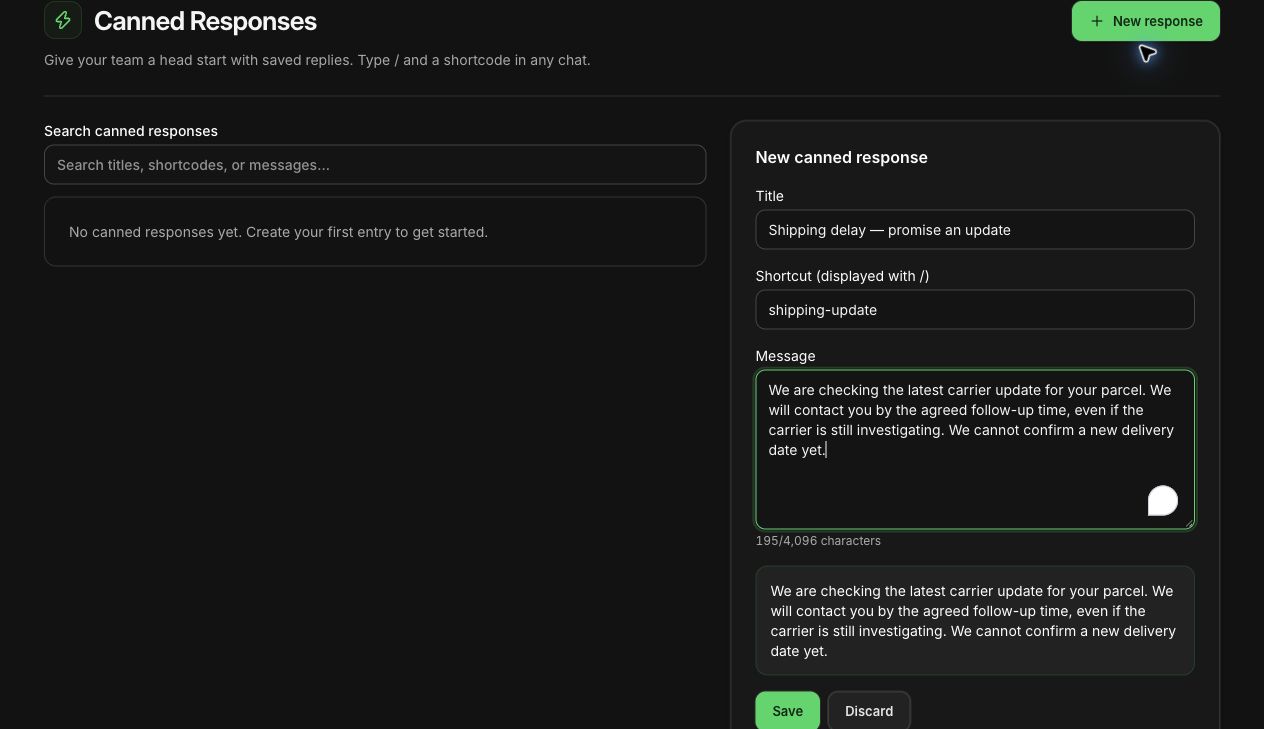
You'll get this question dozens of times in December. Write a saved reply that asks for what you need and doesn't overpromise:
Hi! Happy to check. Where are we shipping to, and which shipping option did you pick (or are you thinking of)? I'll tell you the realistic delivery window.
A shipping-delay saved reply being drafted in WhatFlow. Unsaved demo, nothing was sent.
Then reply with a window, not a promise. "Usually 3 to 4 working days, so most likely by Friday" is honest. "Definitely by Friday" is a bet on a carrier you don't control. When parcels do run late, our guide to handling shipping delays on WhatsApp has the follow-up messages, and writing saved replies that don't sound robotic helps keep the tone human when you're answering the same thing for the fortieth time.
Automate the post-cutoff order message with Shopify Flow
If you use WhatFlow, you can automate the order update for late orders with Shopify Flow:
When a customer replies about an order, a WhatFlow agent can see matching Shopify orders, fulfillment status and available tracking links beside the conversation. Confirm which order the customer means, then use a private note and assignment to give the follow-up an owner. Any refund or order edit still happens in Shopify. See the support queue walkthrough.
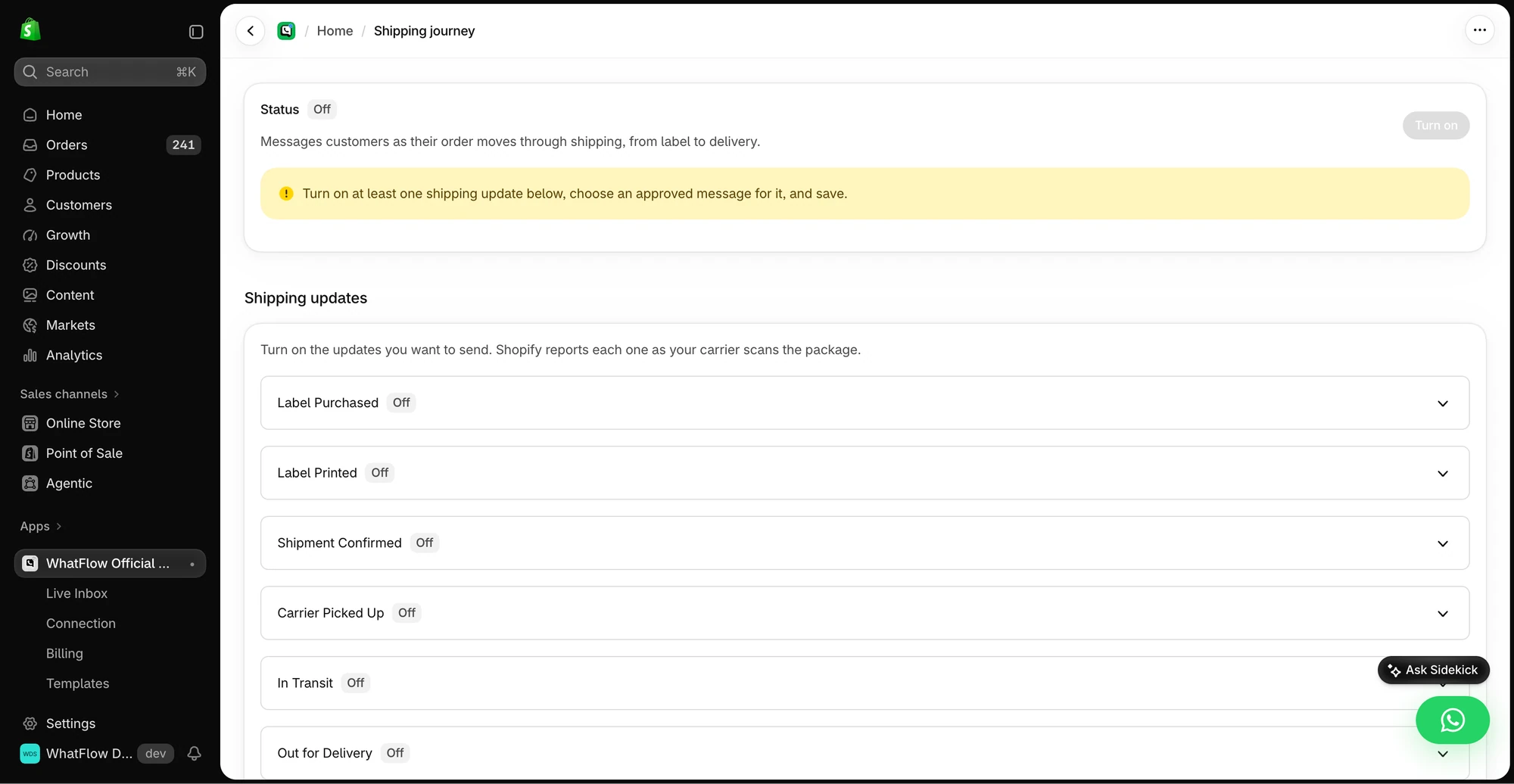
The demo Shipping Journey screen shows the available fulfillment stages. Individual stages need a message before they can be enabled.
Trigger: Order created.
Condition: the order was created after your cutoff date and uses standard shipping.
Action: WhatFlow's send-template action, using an approved utility template like the "order #4821" example above, mapped to the customer's name, order number and expected window.
Test it on a dummy order first, and turn it off on December 26. You can also use Flow's Scheduled time trigger to remind your team to swap banners on the cutoff date.
International customers and different holidays
If you sell across borders, "before the holidays" means different dates to different people. Christmas, Hanukkah, New Year and Lunar New Year all pull orders into different windows, and international shipping times stretch in peak season. Keep separate cut-offs by region, name the holiday or date explicitly in each message, and never send a cut-off reminder to customers it doesn't apply to. A Christmas cut-off sent to a customer in a country where the big gifting moment is in February just looks careless.
A quick holiday cut-off checklist
Carrier dates screenshotted from carrier sites, for every service you offer.
Your cut-off calculated per method and region, with a buffer.
Banner, product page, cart and FAQ updated with the same dates.
WhatsApp reminder template approved, scheduled once, three to five days before.
Saved reply for "will it arrive in time?" written and shared with the team.
Post-cut-off banner and gift card or pickup alternatives ready to go.
A calendar reminder to change everything back after the holiday.
Free plan available
Run WhatsApp for your Shopify store with WhatFlow
Templates, COD confirmation, Shopify Flow automations and a shared team inbox with no seat fees. Every feature is included on every plan, including Free.
Get the date from your carrier. Subtract your packing time and a buffer. Say it on the product page, in the cart and once on WhatsApp. When the date passes, tell people what still works.
Frequently asked questions
How do I calculate my holiday shipping cutoff date?
Start from your carrier's published last-ship date for the service you use, subtract your own processing time, then subtract a buffer day or two. Do it separately for each shipping method and region.
Where should I display my holiday shipping cutoff?
Put it in a site-wide banner, near the Add to Cart button, in the cart and in your order confirmation. Then send one reminder to opted-in customers on WhatsApp or email a few days before the date.
What should I tell customers who order after the shipping cutoff?
Tell them before they pay that delivery will likely land after the holiday, and offer alternatives such as express shipping, local pickup or a gift card. If someone orders anyway, confirm the expected date in their order update.
Is a WhatsApp shipping cutoff reminder a marketing message?
A general reminder to order before a date is promotional, so expect Meta to treat it as a marketing template. An update about a specific order the customer already placed is closer to a utility message.