When a Shopify order is delayed, send the customer a WhatsApp message that says what you know, what you're doing about it, and exactly when they'll hear from you next. Promise a follow-up time you control, not a delivery date the carrier hasn't confirmed. Then keep that promise, even if the only update is that there's no update yet.
Most delay complaints aren't really about the delay. They're about silence. A customer who gets a clear message on Tuesday and a follow-up on Wednesday is usually fine. A customer who has to chase you three times is not.
First, work out what actually happened
Open the order and find the specific fulfillment, carrier and tracking number. Then be precise about what the tracking does and doesn't tell you:
The delivery estimate shown at checkout for this order
Today's website estimate applies
What you're waiting on
Carrier investigation, warehouse check, customer info
Messaging the customer fixes it
Next contact
Who updates the customer, and when
Someone will pick it up
A printed label doesn't mean the carrier collected the parcel. A split order can have one parcel delivered and one stuck. And if you sent a replacement, the tracking link is different, so check it before you paste it.
The customer messaged you in the last 24 hours ("where's my order?"): you're inside the customer service window and can reply normally.
You're reaching out first: you need an approved WhatsApp template, and the customer needs to have opted in to WhatsApp messages from you. A phone number on the order isn't the same as permission.
A delay notice is a utility message, so keep promotions out of it. Adding "use code SORRY10 on your next order" can push the template into the marketing category. Our guide to marketing vs utility templates explains why that matters for approval and cost.
If a customer prefers email or isn't on WhatsApp, use that. The channel coordination guide helps you avoid sending the same delay notice three ways.
Sample WhatsApp shipping delay messages
These are made-up examples to adapt. Replace every name, time and link, and make sure the facts are checked first.
Carrier investigating, no new date:
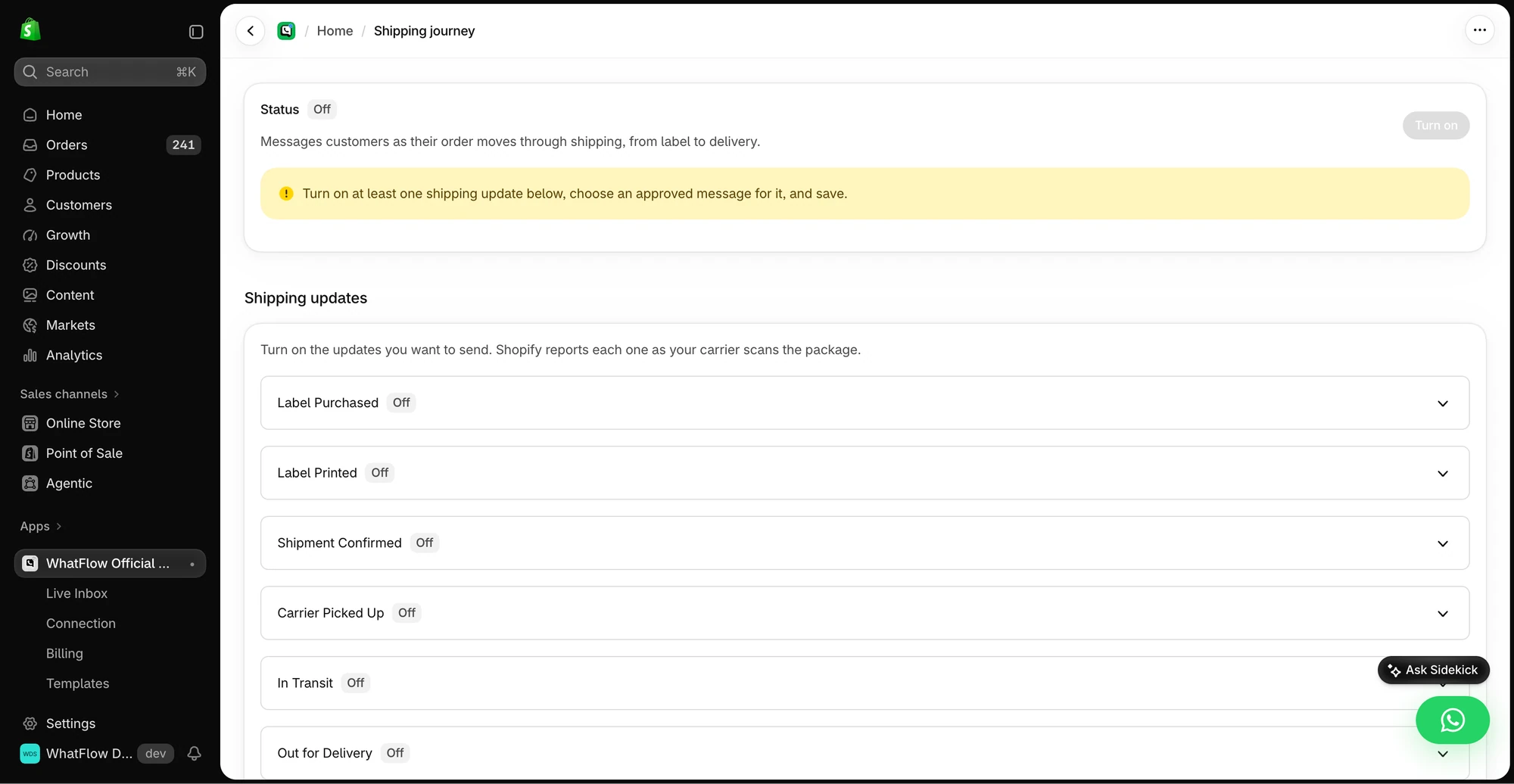
The demo Shipping Journey screen shows the available fulfillment stages. Individual stages need a message before they can be enabled.
Hi Maya, your order #1042 is running late, sorry. The carrier's last update was Monday at their sorting centre, and we've asked them to look into it. I'll message you by 3pm tomorrow with what they say, even if they haven't replied yet. Tracking: [link]. Sam, customer support
The promise is "an update by 3pm tomorrow". Not a scan, not a delivery. Sam can keep that one.
Only one parcel is late:
Hi Maya, your jacket from order #1042 was delivered, but the belt shipped separately and its tracking hasn't moved since Monday. We're checking with the carrier and I'll update you by 3pm tomorrow. Belt tracking: [link]
The customer needs it by a date:
Thanks for letting me know you need it for Saturday. Honestly, I can't promise that from the current tracking. Let me check what we can do (a replacement or a faster option) and I'll reply by 11am tomorrow. I won't change anything on your order without checking with you first.
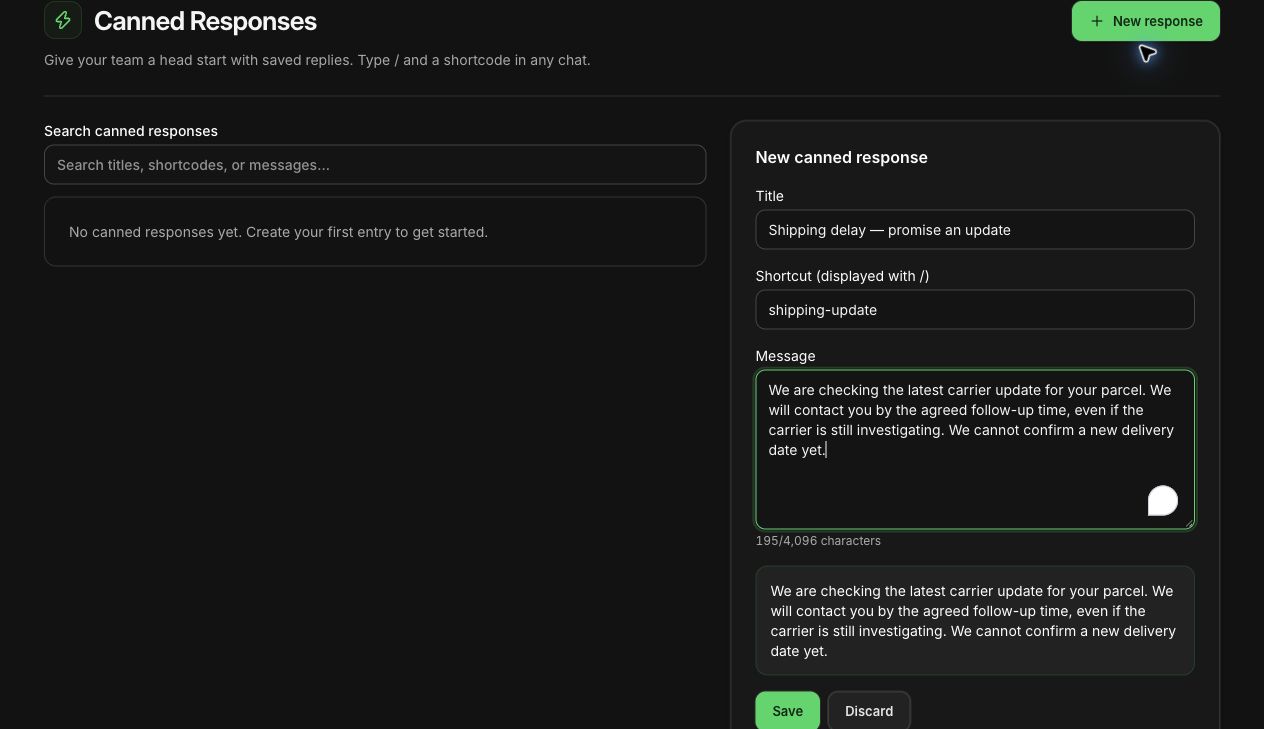
An unsaved shipping-delay reply drafted in WhatFlow's demo store. Nothing was sent.
Save versions of these as canned replies in WhatFlow so whoever's on shift starts from a good draft, not a blank box.
When a customer replies about an order, a WhatFlow agent can see matching Shopify orders, fulfillment status and available tracking links beside the conversation. Confirm which order the customer means, then use a private note and assignment to give the follow-up an owner. Any refund or order edit still happens in Shopify. See the support queue walkthrough.
Split the customer update from the investigation
Two jobs, often two people:
Customer owner: sends the update at the promised time.
Investigation owner: chases the carrier, checks dispatch, asks a manager about a replacement.
Write the handoff so either of them could be off sick tomorrow:
#1042, belt parcel only. Carrier investigation opened Tue 10am, ref saved on the order. Customer update due Wed 3pm. No delivery date promised. Alex: carrier. Sam: customer.
Keep it in your inbox notes or order notes, not a group chat full of screenshots with customer addresses. WhatFlow's team inbox has no seat fees, so the person chasing the carrier can see the conversation without you buying another seat. The shared team inbox guide covers ownership.
Follow up when the carrier goes quiet
Send the promised update on time, even with nothing new. A missed follow-up does more damage than the delay.
Hi Maya, quick update: the carrier hasn't given us a new scan or an answer yet. I'm chasing them again today. I know this is frustrating. Your case is still open and I'll be back in touch by 3pm tomorrow. If the timing doesn't work for you anymore, just reply and we'll go through your options.
Only offer remedies you can actually give. Check stock before offering a replacement, and check your policy before offering a refund or an upgrade. If the customer is losing patience, our guide to handling an angry customer on WhatsApp has replies that calm things down without caving on everything.
What can you automate?
Start with what has a reliable source. Shipping confirmations from a fulfillment event are easy. Delay alerts are harder, because something has to know the parcel is late.
WhatFlow doesn't detect carrier exceptions automatically. If your carrier or tracking app publishes a delay or exception event to Shopify Flow, WhatFlow can turn it into a WhatsApp template. Before you switch that on, know which fulfillment it refers to, how you stop duplicate sends, and what happens with split shipments. Our guide to connecting WhatsApp to other Shopify apps through Flow covers the checks.
Budget for Meta's side too: as of November 2026 every delivered template is charged, including utility templates sent while a customer service window is open (that changed on October 1, 2026). Every WhatFlow plan, including Free, has the full feature set; plans only differ by message allowances and rates.
Free plan available
Run WhatsApp for your Shopify store with WhatFlow
Templates, COD confirmation, Shopify Flow automations and a shared team inbox with no seat fees. Every feature is included on every plan, including Free.
Only close it when the parcel has arrived or the customer has agreed a solution. A "delivered" scan isn't always the end: if they say they can't find it, the case is still open. And once a month, look at the delays that dragged on. Usually it's the same few things: an out-of-date delivery estimate on the site, a wrong tracking link, or an investigation nobody owned. Fix those and the messages get easier. For seasonal crunches, plan ahead with holiday shipping cut-off messages.
Frequently asked questions
What should I tell a customer when their Shopify order is delayed?
Tell them what you know (the last tracking event and when), what you're doing about it, and exactly when you'll update them next. Promise a follow-up time you control, not a delivery date the carrier hasn't confirmed.
Can I send a shipping delay message on WhatsApp if the customer hasn't messaged me?
Yes, if they've opted in to WhatsApp messages from you, but it has to be an approved template because you're outside the 24-hour customer service window. Once they reply, you can continue with normal messages.
Can WhatFlow detect carrier delays automatically?
No. WhatFlow doesn't detect carrier exceptions on its own. If your carrier or tracking app publishes a delay event to Shopify Flow, WhatFlow can send a WhatsApp template from it; otherwise someone needs to spot the delay.
How often should I update a customer about a delayed parcel?
Whenever you promised to. Pick a follow-up time you can keep, often the next business day, and send an update then even if the news is that there's no news.