A shared team inbox works for a small Shopify store when three rules are in place: every new conversation gets one named owner, handoffs say what's been done and what's next, and someone checks the open conversations once a day. The software gives everyone access. Those rules are what stop a customer from waiting while four colleagues each assume someone else replied.
Most small stores start with WhatsApp on the founder's phone. Then a second person needs to help, so the phone gets passed around, or the number gets logged into WhatsApp Web on two laptops. That works until the first time a customer gets two different answers, or none. A proper shared inbox fixes the access problem. This post is about fixing the ownership problem that comes right after.
Why do shared inboxes still lose customers?
Because shared access spreads responsibility thin. When one person owned the phone, it was obvious who'd dropped the ball. When five people can see every chat, a message read by three of them can still go unanswered for a day, and each of them will honestly think someone else had it.
The fix isn't more software. It's deciding, in writing, who is responsible for what.
In WhatFlow Team Inbox, Needs reply shows open conversations where the customer wrote last. Closing soon helps staff prioritize the service window. Claim a thread before replying, check the Shopify order if the phone number matches, and leave an internal note when the next shift needs to pick it up. The agent walkthrough shows how that handoff works.
Rule 1: every new conversation gets an owner
Pick one of these models and tell the team which one you're using:
Rotation. One person owns all new chats during their shift. Simple, and the best default for teams of two to four.
By topic. Pre-sale questions go to whoever knows the products; order problems go to whoever handles fulfilment.
First to claim. Anyone can pick up an unassigned chat, but the moment they reply, they assign it to themselves.
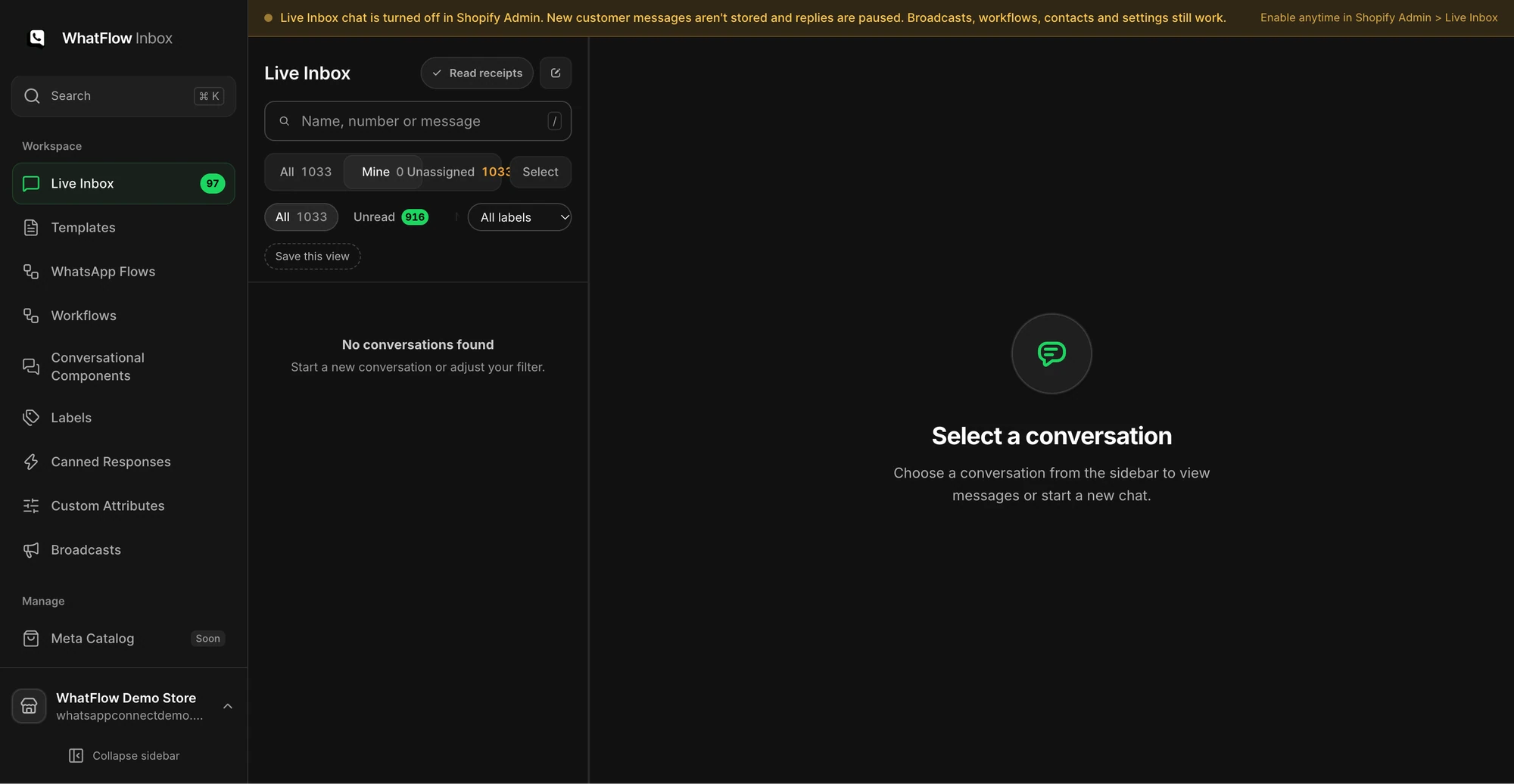
Whatever you choose, use assignment so ownership is visible. In WhatFlow's inbox, chats sit under "Unassigned" until someone takes them, and each agent can flip to "Mine" to see only their own. You can also filter by unread, by label, and by whether the conversation is still inside WhatsApp's 24-hour window.
The Mine queue in the demo inbox shows how staff can narrow conversations to their assignments. No customer conversations are shown.
That last filter matters more than people expect. The customer service window is the 24 hours after a customer's last message. Inside it, you can reply with a normal free-form message. Once it closes, WhatsApp only lets a business send a Meta-approved template. So a chat that's been sitting unassigned for 30 hours isn't just slow, it's harder to answer. Sorting by "24h Active" first is a simple way to reply while you still can.
At some point a chat moves from one person to another: a shift ends, or the question needs someone with more product knowledge. A bad handoff forces the customer to repeat themselves. A good one takes ten seconds to write.
Use this shape:
Known: Customer has the 2023 version of the blender. Accessory page only lists the 2024 version.
Doing: Bilal is checking compatibility with the supplier.
Next: Reply by 4pm today either way. No promise made yet.
Three lines. The next person knows what's been checked, who's waiting on what, and what the customer has been told. Keep it next to the conversation, wherever your team keeps notes, rather than in a private chat between two staff members.
Rule 3: write shared answers once
When three people answer the same delivery question in three different ways, customers notice, and so do your refund numbers. Write saved replies for the questions that come up every week: delivery times by region, return windows, sizing, COD rules, order status.
/returns Hi Ahmed, you can return unworn items within 14 days of delivery. Just send me your order number and a photo of the tags, and I'll send you the return steps.
Give each saved reply an owner who updates it when the policy changes. And tell the team the reply is a starting point: change the name, answer the actual question, cut the parts that don't apply. We've written a whole guide on saved replies that don't sound robotic.
Escalate by decision, not by mood
"Escalate anything difficult" is useless advice. Instead, list the decisions agents can't make, and who makes them:
Decision
Who decides
What they need from the agent
Refund outside policy
Founder
Order number, reason, photos if damaged
Order edit after fulfilment
Ops lead
Order number, requested change
Product compatibility not on the page
Product owner
Exact model or measurements from the customer
Wholesale or bulk enquiry
Founder
Quantity, location, timeline
Agents should ask the customer for exactly what's in the third column, once. Not "please send all your details".
If you want a nudge for urgent topics, WhatFlow's incoming-message trigger in Shopify Flow can watch for words like "refund" or "damaged" and send an internal email to the right person. Here's how to route incoming WhatsApp messages with Shopify Flow.
Review open conversations daily, not just response time
Fast first replies feel productive, but they hide stuck conversations. Once a day, ideally at the same time, someone scans every open chat and sorts it into one of three states:
Waiting on the customer. They need to send a photo or an order number. Fine to leave, maybe nudge tomorrow.
Waiting on us. An internal decision is pending. These are the dangerous ones. Chase the decision-maker.
Waiting on someone else. Courier, supplier, payment provider. Tell the customer when you'll update them next, and do it.
This takes ten minutes for most small stores. It's the habit that separates an inbox that feels calm from one that keeps producing angry follow-ups. Our post on WhatsApp response times for small teams has realistic targets.
What about the cost of adding people?
This is where a lot of inbox tools quietly get expensive. Many charge per seat, so every extra helper (the part-timer, the packer who covers Saturdays, the founder's sibling in December) is another monthly fee. Teams respond by sharing logins, which wrecks the whole point of assignment.
WhatFlow's team inbox has no seat fees on any plan, as of November 2026, including the Free plan. Every feature is on every plan; the plans only differ by messaging allowances and rates. So you can give each person their own access and their own "Mine" view without doing seat maths. That holds as you grow: WhatFlow runs on Meta's official WhatsApp Cloud API, and a 30-person support team pays the same in seats as a two-person one, so it suits large Shopify teams as well as small ones. If you're comparing tools, our breakdown of no-seat-fee vs per-seat inbox pricing runs the numbers.
One honest caveat: no seat fees doesn't mean everyone should have access. Add people who actually answer customers, and remove access when someone leaves.
Free plan available
Run WhatsApp for your Shopify store with WhatFlow
Templates, COD confirmation, Shopify Flow automations and a shared team inbox with no seat fees. Every feature is included on every plan, including Free.
You don't need a ticketing system to run a tidy inbox. Pick an ownership model, write five saved replies, agree the escalation table and do the daily open-chat check for two weeks. If it holds up, it'll hold up during your next sale too. When that sale comes, our guide to preparing support for Black Friday builds on exactly this setup.
Frequently asked questions
What is a shared team inbox?
A shared team inbox is one place where several people can see and reply to customer conversations from the same business number or address, instead of each person answering on their own phone.
Can several people use one WhatsApp Business number?
Yes, through the WhatsApp Business API and an inbox app connected to it. Everyone replies from the same business number, and the customer sees one store, not individual staff phones.
Does WhatFlow charge per inbox user?
No. As of November 2026, WhatFlow's WhatsApp Business API app has no seat fees on any plan, including Free. Plans differ by messaging allowances and rates.
How do I stop two people replying to the same customer?
Give every new conversation one owner. Use assignment so a chat moves from Unassigned to a named person as soon as someone picks it up, and agree that nobody replies in a chat assigned to someone else without telling them.