As of November 2026, WhatsApp Business API pricing works like this: Meta charges per delivered template message, at a rate set by the template's category (marketing, utility or authentication) and the recipient's country. Customer messages to you are free. Your free-form replies are free up to 1,000 service messages per number per month, then charged. Your Shopify app's subscription is a separate bill on top.
That last part about service messages is new. If you read a pricing guide written before October 2026, it probably told you replies were always free. They aren't any more. Let me walk through the whole model, what changed, and how to estimate your own bill.
How does WhatsApp Business API pricing work?
Meta switched from conversation-based pricing to per-message pricing on July 1, 2025. In Meta's words on its pricing page, businesses "are only charged when a message is delivered". Messages that fail to arrive don't cost anything.
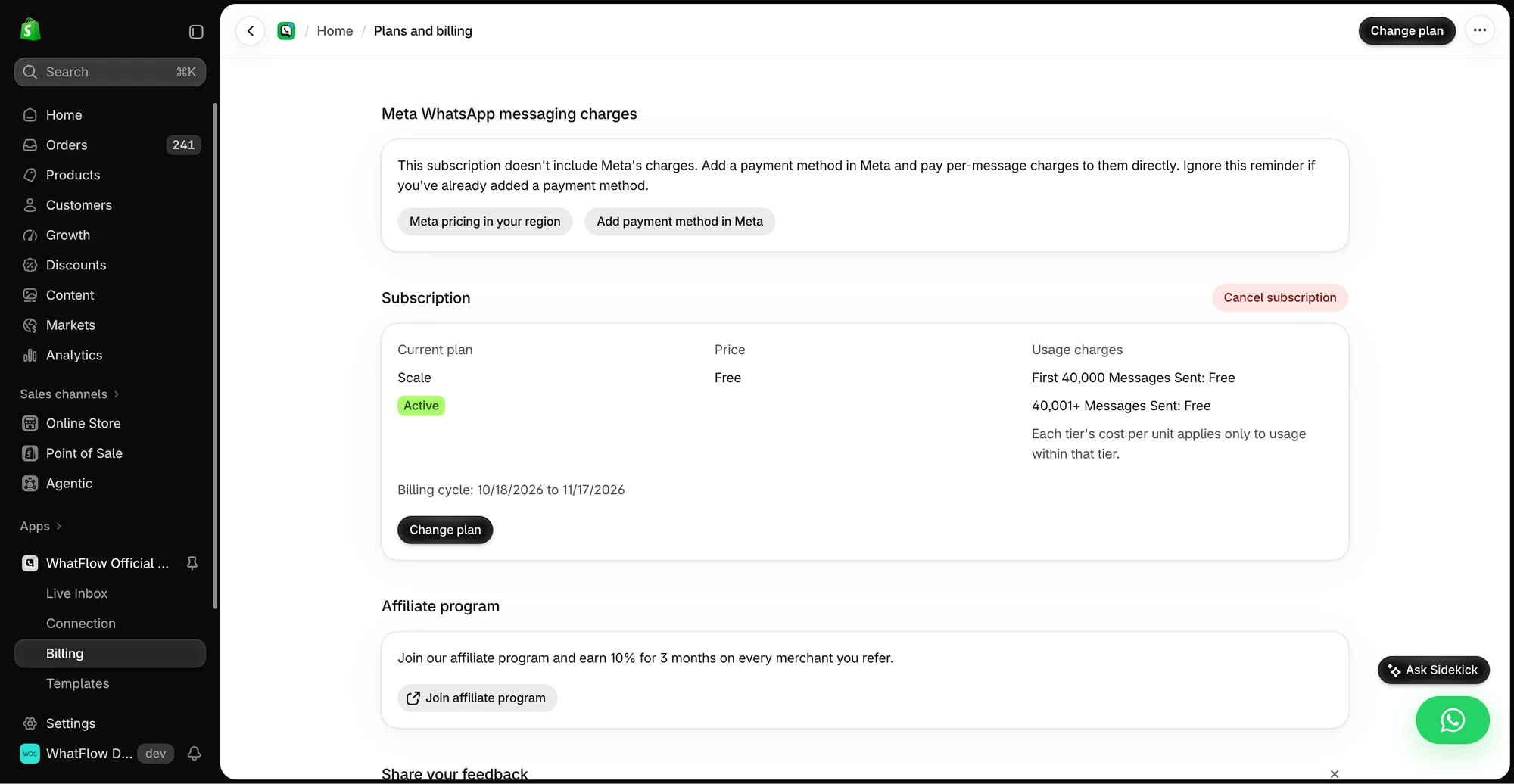
The demo Billing screen separates WhatFlow’s app subscription from Meta messaging charges. Check the pricing page for current public rates.
Three things decide the price of a single message:
Is it a template or a free-form reply? Templates are the pre-approved messages you can send any time. Free-form replies (service messages) can only be sent inside an open 24-hour customer service window.
Which category? Templates are marketing, utility or authentication. Each has its own rate.
Which country? Meta sets rates by the recipient's country calling code. Some countries have their own rate; others share a regional rate.
Each message gets exactly one category and at most one charge.
What are the WhatsApp message categories and how are they charged?
Here's the summary as of November 2026. I'm not quoting rates on purpose: they vary by country, they change quarterly, and a number I paste here will be wrong for half of you. Check Meta's rate card for your markets.
Charged per delivered message. Usually the highest rate.
Utility template
Order confirmations, shipping updates, COD confirmation, account alerts
Charged per delivered message, including inside an open service window since October 1, 2026. Volume tiers can lower the rate.
Authentication template
One-time passcodes for login or verification
Charged per delivered message. Volume tiers apply.
Service message
Free-form replies inside the 24-hour window
First 1,000 per business phone number per month free, then charged (since October 1, 2026).
Meta Business Agent message
Replies from Meta's own AI agent product
Billed by token usage, separate from the rest. Most Shopify stores won't use this.
Meta decides the category based on the template's content, whatever you selected. Put a discount code in a shipping update and it becomes a marketing template, at the marketing rate. Here's how categories work in detail.
What changed on October 1, 2026?
Two things that used to be free are charged again, per Meta's pricing page:
Service messages beyond 1,000 a month. Meta made service messages free in November 2024. From October 1, 2026, each business phone number gets one free tier of 1,000 delivered service messages per month. The 1,001st and every one after it is charged. The tier resets monthly and doesn't roll over.
Utility templates inside an open window. From July 1, 2025 these were free. Since October 1, 2026 they're charged at the regular utility rate.
Meta also said businesses without a payment method on file by September 30, 2026 risk having service messages stop delivering once charges begin. If you connected WhatsApp a while ago and never added a card in Meta Business settings (or your provider handles billing), check this now.
What this means in practice: most small stores won't exceed 1,000 service replies per number in a month, so day-to-day support stays effectively free. A busy store during a sale, or a store using WhatsApp as its main support channel, might go over. It's a small per-reply cost, but put it in the budget.
What's still free on WhatsApp?
As of November 2026:
Messages customers send you. Always free to receive.
Up to 1,000 service replies per number per month.
The free entry point window. When a customer starts a chat by tapping a Click-to-WhatsApp ad on the mobile app and you reply inside the customer service window, Meta opens a free entry point window. Meta's pricing page says it can stay open for up to 7 days and that marketing, utility, authentication and service messages in it aren't charged. Click-to-WhatsApp ads for Shopify covers how to use those chats.
Failed messages. Not delivered, not charged.
How do volume tiers work?
Utility and authentication messages get cheaper as you send more. Meta counts charged messages per market and category, across all WhatsApp accounts in your business portfolio, and resets the count monthly. Once you cross a tier, the messages in that tier are billed at the lower rate.
Marketing messages don't have volume tiers. For most small Shopify stores, tiers won't kick in, but if you send thousands of order and shipping updates a month to one country, check where you sit.
Meta's fees vs your app's fees: what are you actually paying for?
This is where comparisons get confusing, because apps package things differently. You're usually paying for two separate things:
1. Meta's message charges. Set by Meta, the same whichever app you use. Some apps pass them through at cost, some add a markup, some bundle them into message credits.
2. The app's subscription. What you pay for the software: the inbox, automations, template editor, Shopify integration. This is where apps differ most:
Per-seat pricing: each team member costs extra.
Per-contact pricing: you pay by the size of your list.
Feature-gated tiers: COD confirmation, Flow actions or the API itself only on higher plans.
Message-volume plans: you pay for an allowance of messages.
WhatFlow is on the simple end: a Free plan, paid plans from $4.99/month, every feature on every plan, and no seat fees for the team inbox. Plans differ only by messaging allowance and rates. Because there are no seats to buy, a 50-person support team pays the same in seats as a 2-person team, which is why larger Shopify brands use it too. Current WhatFlow pricing is here. Meta's charges are separate from WhatFlow's app pricing.
Worked example: estimating a month of WhatsApp costs
Let's price a hypothetical store. Say you sell skincare in one country, you get 1,500 orders a month (60% COD), and you run two campaigns a month.
The rates below are made-up placeholders, not Meta's prices. Replace them with the current rates for your recipients' country from Meta's rate card.
Placeholder marketing rate: M per message (say 0.05 for the example)
Placeholder utility rate: U per message (say 0.01)
Placeholder service rate beyond the free tier: S per message (say 0.005)
Monthly volume:
Message
Category
Count
Placeholder cost
Order confirmation
Utility
1,500
1,500 × 0.01 = 15.00
COD confirmation
Utility
900
900 × 0.01 = 9.00
Shipping update
Utility
1,500
1,500 × 0.01 = 15.00
Abandoned checkout reminder
Marketing
600
600 × 0.05 = 30.00
Campaigns (2 × 1,200 opted-in customers)
Marketing
2,400
2,400 × 0.05 = 120.00
Support replies
Service
1,400
(1,400 − 1,000 free) × 0.005 = 2.00
Meta total
191.00
Then add your app subscription. Two things jump out from this example, and they hold for most stores:
Campaigns dominate the bill. Marketing messages cost the most and you send them in bulk. A segmented campaign to 400 engaged customers instead of 1,200 cuts that line by two-thirds.
Utility messages are cheap per send but add up. If you send three utility messages per order, ask whether all three earn their place.
Use WhatFlow's recipient report to separate attempted, delivered, read and failed messages. Export the results before you change the audience, and investigate a failure before retrying it. If you want to measure purchases, compare against Shopify orders using the tracking you set up for that send; delivery or read status alone can't tell you what sold. See the campaign measurement walkthrough.
Write utility templates as pure utility. No upsells, no codes, so Meta keeps them in the cheaper category.
Answer inside the window. If a customer messages at 3pm, reply before 3pm tomorrow. After that you need a template, which costs more than a service reply.
Use Click-to-WhatsApp ads deliberately. The free entry point window makes follow-ups from those chats free for a while.
Cut duplicate messages. If email already sends the order confirmation and the customer doesn't read it, fine. If they do, maybe WhatsApp only needs the shipping update.
Check the rate card for your top countries. Rates vary a lot between markets. Know what your biggest market costs.
Billing currency and other details worth knowing
A few things from Meta's pricing page that catch stores out:
Prices only change on the first day of a quarter, with notice of one to six months.
Billing currency is set when the WhatsApp account is created and can't be changed directly; Meta offers a currency migration process.
India and Brazil have local-currency deadlines. Meta says eligible businesses must migrate to INR billing by December 31, 2026, or it stops delivering non-INR messages from January 1, 2027. Brazil has a similar BRL deadline of June 30, 2027. If you're based in or sell heavily into either country, check Meta's pricing page to see if you're in scope and ask your provider how they're handling it.
Free plan available
Run WhatsApp for your Shopify store with WhatFlow
Templates, COD confirmation, Shopify Flow automations and a shared team inbox with no seat fees. Every feature is included on every plan, including Free.
You pay Meta for delivered templates by category and country, you get 1,000 free service replies per number per month, and you pay your app separately. Marketing messages are where the money goes, so segmentation is your biggest lever. Before you commit to any app, put your own order volume into the table above with real rates, then compare the full monthly total, not the headline plan price.
Frequently asked questions
How much does a WhatsApp Business API message cost?
It depends on the template category (marketing, utility or authentication) and the recipient's country calling code. Meta publishes current rates on its pricing page and only changes them on the first day of a quarter, so check the rate card for the countries you actually ship to.
Are WhatsApp customer service replies free?
As of November 2026, each business phone number gets 1,000 free service messages per month. Since October 1, 2026, Meta charges for service messages beyond that free tier, so busy support numbers now have a small reply cost.
Do I pay for messages customers send me on WhatsApp?
No. Meta doesn't charge for messages from customers to your business. You pay for delivered template messages and for service replies beyond the monthly free tier.
Are utility messages free inside the 24-hour window?
They were from July 1, 2025 until September 30, 2026. Since October 1, 2026, Meta charges its regular utility rate for utility templates sent inside an open customer service window.
Is WhatFlow's price the same as Meta's price?
No. Meta's WhatsApp charges are separate from WhatFlow's app pricing. WhatFlow has a Free plan and paid plans from $4.99/month with every feature included and no seat fees.