
Publisher disclosure: this comparison is written by WhatFlow. Competitor capabilities are based on the linked public documentation; the WhatFlow screenshots come from our demo store. Examples are illustrative, and results depend on your store and configuration.
WhatFlow and Email COD confirmation at a glance
| Consideration | WhatFlow | Email COD confirmation |
|---|---|---|
| Best job for each channel | The confirmation itself: a short message with Confirm and Cancel buttons that customers answer from their phone. | The receipt: full order details, invoice and policies, kept for reference. |
| Cost | WhatFlow from $0 (Free) or $4.99/month, plus Meta's per-template charge. | Low per email, but every unanswered confirmation becomes a phone call or a risky shipment. |
| Updating Shopify | A Confirm tap fires WhatFlow's order-reply trigger in Shopify Flow, which tags the order. | A link or reply has to be matched to the order by another app or a person. |
| Timing | Arrives as a phone notification next to the customer's other chats. | Can land in promotions or spam, or get read hours later. |
| Follow-up questions | Land in WhatFlow's team inbox, no seat fees. | Land in a shared email inbox, separate from WhatsApp support. |
Confirm COD orders on WhatsApp and keep email for the receipt. A COD confirmation is a time-sensitive yes-or-no question that has to be answered before you dispatch. WhatsApp gets that answer with one tap, and WhatFlow turns the tap into a Shopify order tag through Shopify Flow. Email is a good record, but a slow way to get a decision.
At a glance
- WhatsApp + WhatFlow: short confirmation with Confirm and Cancel buttons, order tagged automatically, replies in a team inbox with no seat fees.
- Email: full receipt with every detail, but the reply needs matching to the order, and the email might sit unread in a promotions tab.
- Best setup: Shopify's order confirmation email for the record, WhatFlow on WhatsApp for the decision.
Why is email the wrong tool for COD confirmation?
Think about timing. You want to ship today's COD orders this afternoon. An email that asks "please confirm your order" might be read tonight, tomorrow, or never. Inbox providers also filter heavily; Google tightened its rules for bulk senders in 2024, which is one reason transactional emails sometimes land somewhere the customer doesn't look.
And even when the customer reads it, what do they do? Click a link to a confirmation page, or reply "yes" to an email address that someone has to monitor and match to an order. Neither gets you a clean, automatic Shopify update.
What does WhatsApp COD confirmation look like?
A minute after checkout, the customer sees this on their phone:
Hi Ana, thanks for your order #6105 from Casa Verde. Total R$ 289,00, pay on delivery to Rua Augusta, São Paulo. Please confirm and we'll ship today. [Confirm] [Cancel]
Then Shopify Flow handles the rest:
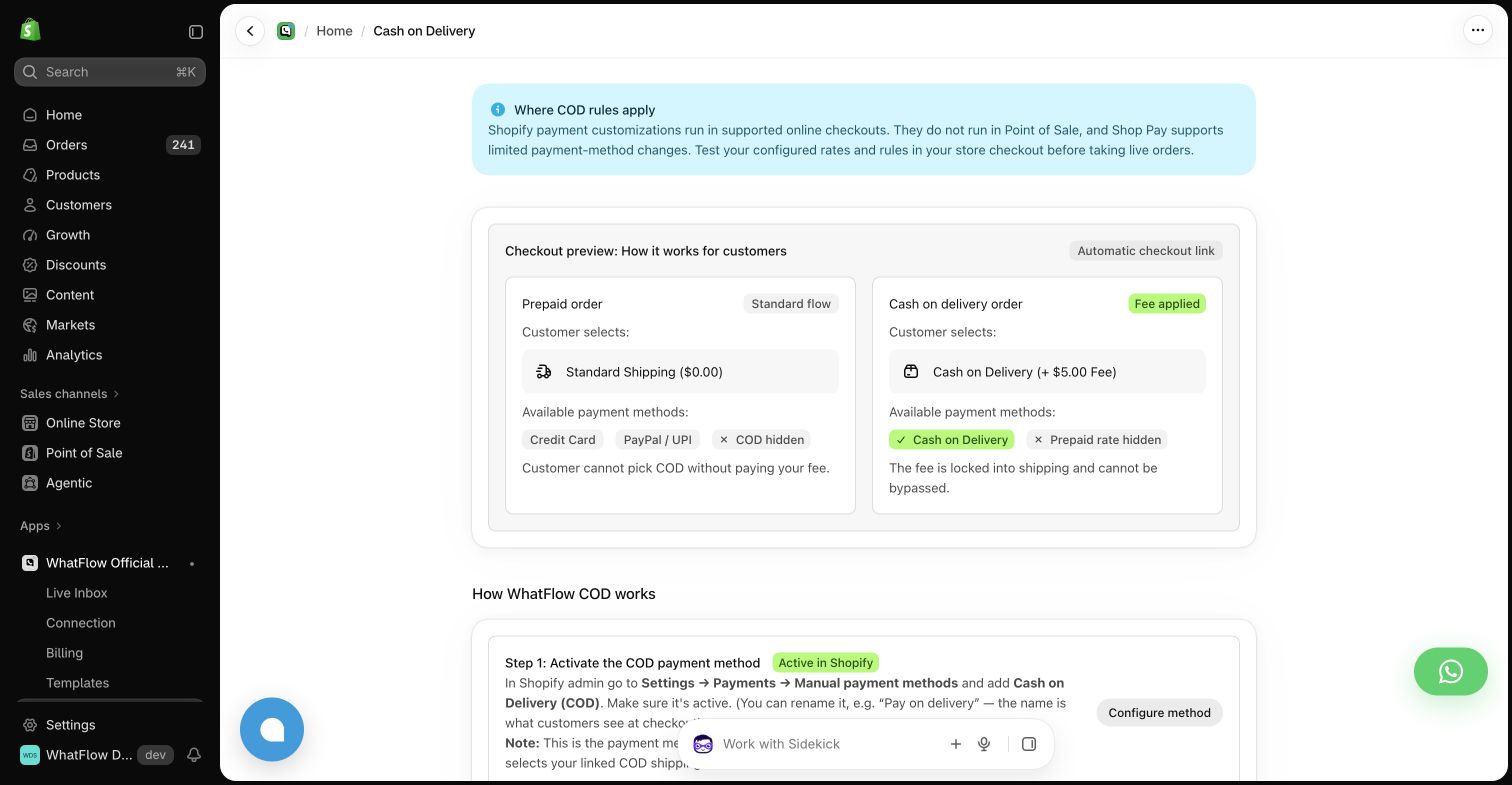
- WhatFlow's order reply trigger fires on the tap.
- Confirm → tag
cod-confirmed, ready for fulfilment. - Cancel → tag
cod-cancel-requestfor review. - No reply by mid-afternoon → one reminder, then tag for a phone call.
The step-by-step setup is in turning WhatsApp order replies into Shopify actions. If you also use checkout rules to limit COD (minimum order value, COD fee), COD checkout rules vs confirmation messages explains how the two fit together.
How do the costs compare?
Email looks cheaper per message, and it is. But count the full cost of an unanswered confirmation: either a staff phone call or a parcel shipped to someone who may refuse it, which costs you delivery both ways.
A worked example with hypothetical volume: 1,500 COD orders a month plus reminders to a third of them is about 2,000 WhatsApp templates. That's exactly WhatFlow's Starter allowance, $4.99/month with 2,000 messages (as of November 2026), plus Meta's per-template charge. Go over and the overage is $0.005 per message; at higher volume, Plus ($9.99 for 5,000) is the better fit. Every feature is on every plan. Details on the pricing page, and Meta's side in WhatsApp Business API pricing explained.
What about questions that come back?
COD customers often reply with more than a tap:
Can you deliver after 6pm? I'm at work until then.
On WhatsApp that lands in WhatFlow's team inbox, where anyone on the team can answer, because there are no seat fees. Save your common answers as canned replies. Email questions end up in a separate mailbox, away from the rest of your WhatsApp support.
Do I need customer consent for WhatsApp COD messages?
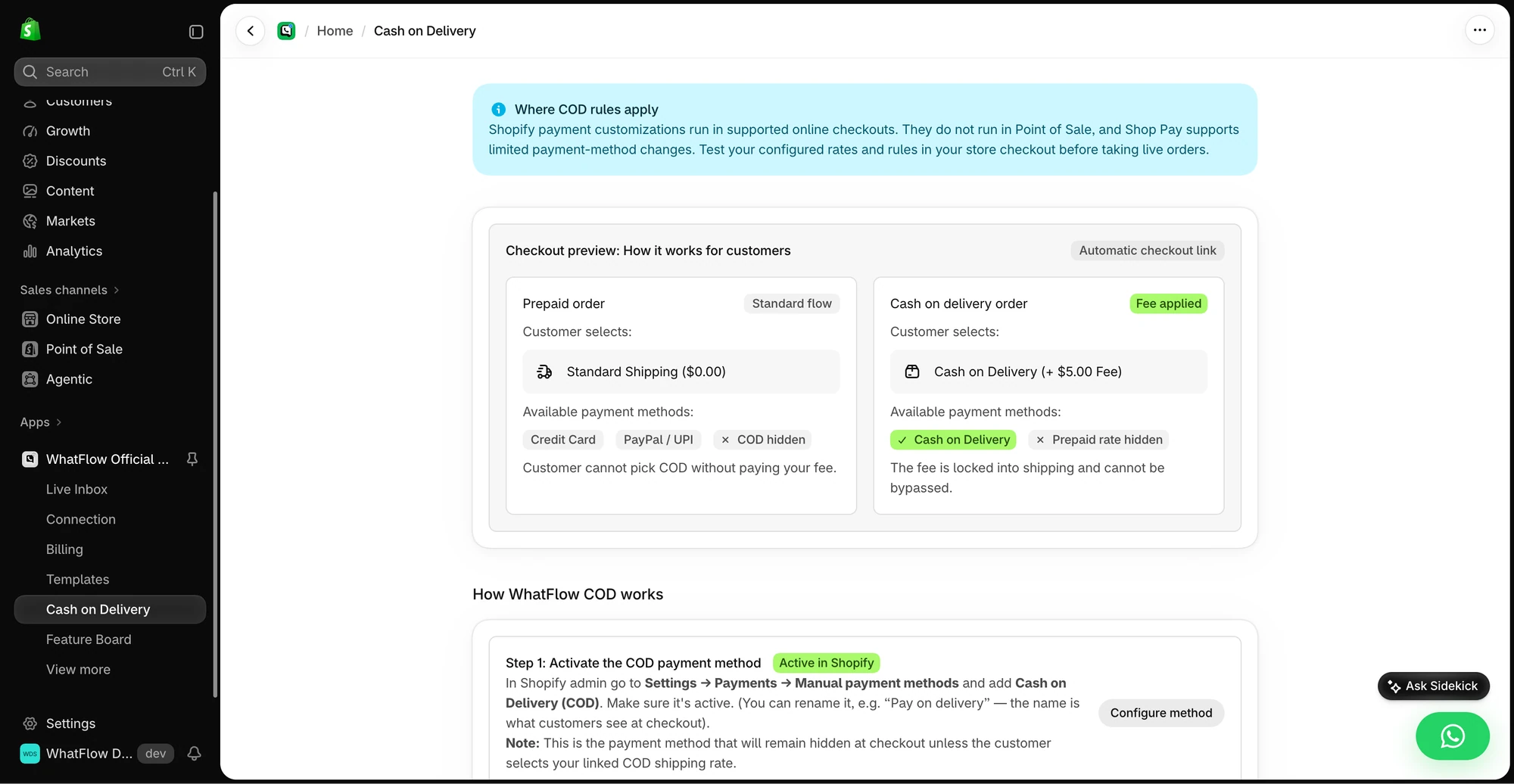
Yes. Meta's WhatsApp Business Messaging Policy requires opt-in before you message a customer first. Add a WhatsApp opt-in checkbox at checkout; collecting WhatsApp opt-ins on Shopify walks through it.
Is this suitable for a high-volume COD operation?
Yes. WhatFlow WhatsApp Business API runs on the official Meta WhatsApp Cloud API with Meta-approved templates. Large teams get inbox assignment and filters with no seat fees at any team size, Shopify Flow automation, live catalog sharing and Shopify admin extensions. Small stores get the same features on the Free plan.
When might email still make sense for confirmation?
Use email only for customers who haven't opted in to WhatsApp, and keep the decision clear: one button, one link, one deadline. Shopify's standard order confirmation email should keep doing its job as the receipt either way.
The bottom line
Email records the order. WhatsApp gets it confirmed. With WhatFlow, the confirmation, the order tag and the follow-up chat all happen inside Shopify, with every feature on the Free plan. WhatFlow WhatsApp Business API is rated 5.0/5 from 55 ratings on the Shopify App Store (as of November 5, 2026). If you're still phoning customers, see WhatsApp COD confirmation vs phone calls.
Questions worth asking
Should I confirm COD orders by WhatsApp or email?
WhatsApp. A COD confirmation needs a quick yes or no, and WhatsApp reply buttons give you one that WhatFlow can turn into a Shopify order tag. Keep email for the full receipt.
How do I test a COD confirmation before going live?
Send test confirmations that show the order number, then try Confirm, Cancel, a late reply and an order that was edited after the message went out. Check the final Shopify tag before anything ships.
Is WhatFlow's COD confirmation a paid add-on?
No. COD confirmation, Shopify Flow actions and the team inbox are on every WhatFlow plan, including Free.
Does Meta charge for WhatsApp COD confirmations?
Yes, Meta charges per delivered template message by category and recipient country, separately from WhatFlow's plan. Since October 1, 2026, utility templates are charged even inside an open customer service window, and free-form replies are free only for the first 1,000 per business number each month.
Sources and methodology
We checked these primary sources on November 5, 2026. Vendor pages describe advertised capabilities, rather than independent performance tests. Confirm current pricing, plan limits and availability with each provider.
- WhatFlow plans and Shopify integrations
WhatFlow listing: COD order confirmation and plans from Free to Ultimate, checked November 5, 2026.
- WhatsApp Business Platform pricing
Meta's overview of WhatsApp Business Platform pricing by category and country.
- Google: New Gmail protections for a safer, less spammy inbox (October 3, 2023)
Google's October 2023 announcement of Gmail bulk-sender requirements (authentication, easy unsubscribe); background on email deliverability.
- WhatsApp Business Platform pricing (Meta developer docs)
Meta charges per delivered template message by category and recipient country. Since October 1, 2026, service replies are free only for the first 1,000 per business number each month, and utility templates inside the customer service window are charged.
- WhatsApp Business Messaging Policy
Opt-in, opt-out and template rules for business-initiated WhatsApp messages.