
Publisher disclosure: this comparison is written by WhatFlow. Competitor capabilities are based on the linked public documentation; the WhatFlow screenshots come from our demo store. Examples are illustrative, and results depend on your store and configuration.
WhatFlow and Custom Meta Cloud API build at a glance
| Consideration | WhatFlow | Custom Meta Cloud API build |
|---|---|---|
| What you get on day one | Official Meta Cloud API connection via Embedded Signup, template editor, team inbox, Flow triggers and actions, COD confirmation, free chat button. | A raw API. You build the webhook server, Shopify integration, template handling and any inbox yourself. |
| Cost | Free plan, or paid from $4.99/month (as of November 2026). Meta's per-message charges apply as with any Cloud API sender. | Developer time to build, hosting, ongoing maintenance and on-call support. Meta's per-message charges still apply. |
| Shopify workflow | Native Shopify Flow triggers (incoming message, order reply) and actions (template, text, media), plus admin extensions. | Whatever you code: Shopify webhooks, order lookups and write-backs, retries and duplicate handling. |
| Maintenance | WhatFlow keeps up with Meta and Shopify API changes. | Your team tracks Meta API versions, Shopify API versions, template status changes and failed deliveries. |
| Team inbox | Included with assignment, filters and saved replies. No seat fees. | Not included in the Cloud API; build one or buy a separate tool. |
Unless you have engineers on staff and a requirement no app covers, don't build your own WhatsApp integration on Meta's Cloud API. Install a Shopify app that already runs on it. WhatFlow connects to the official Meta WhatsApp Cloud API through Embedded Signup in Shopify admin, then gives you templates, a team inbox with no seat fees and native Shopify Flow automation from $0 a month.
At a glance
WhatFlow (Shopify app) | Custom Cloud API build | |
|---|---|---|
Messaging API | Official Meta Cloud API | Official Meta Cloud API |
Time to first message | Same day | Weeks of development |
Inbox | Included, no seat fees | Build or buy separately |
Shopify automation | Native Flow triggers and actions | Custom webhooks and code |
App/build cost | Free, or from $4.99/month | Developer time plus hosting |
Meta message charges | Yes | Yes |
The API underneath is identical. The difference is everything you'd have to build around it.
What does a custom WhatsApp build actually involve?
People underestimate this list. A working Shopify-to-WhatsApp integration needs:
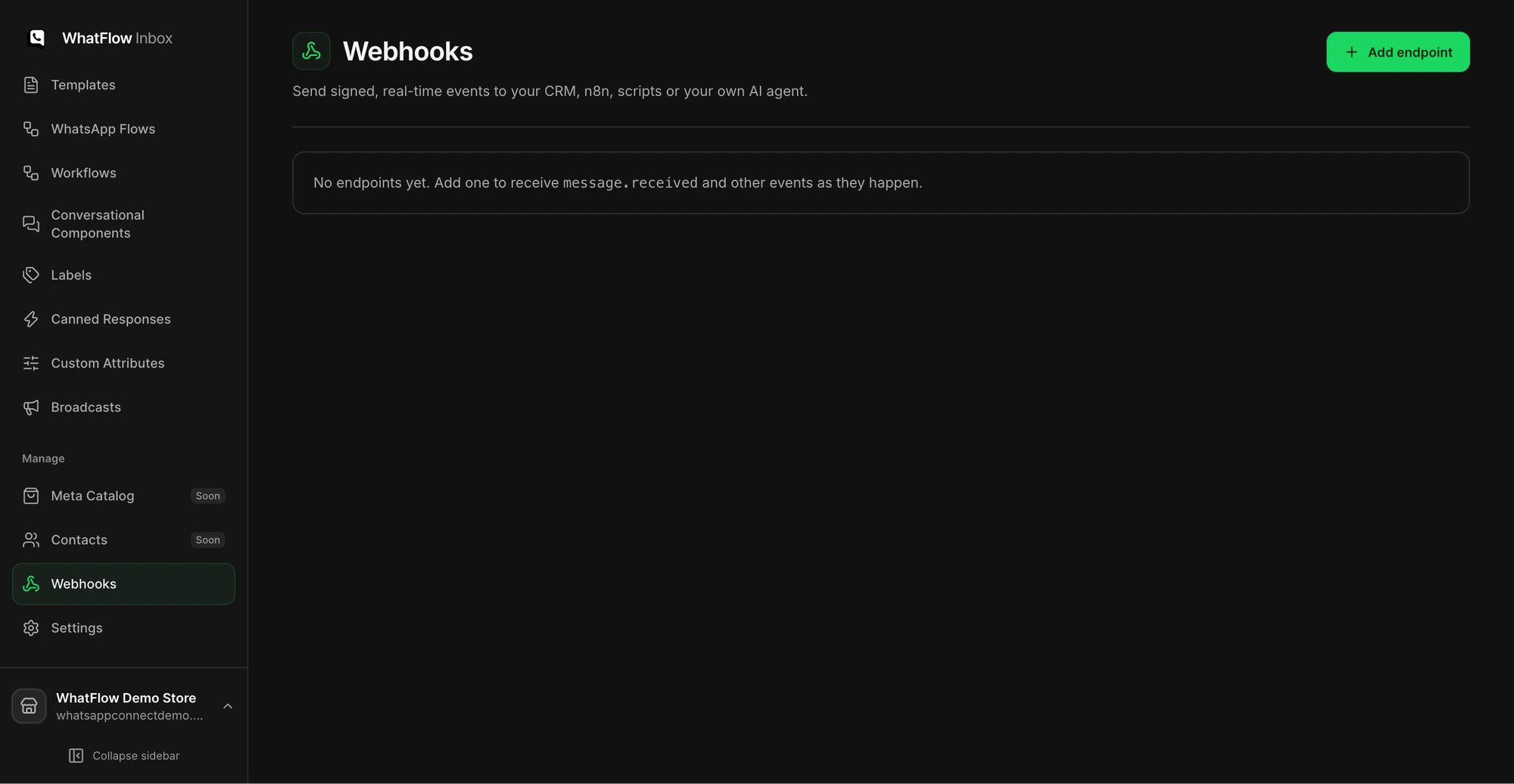
- A server to receive and verify Meta webhooks, running 24/7.
- Template submission, approval tracking and handling when Meta pauses or recategorises a template.
- Shopify webhooks for orders, fulfilments and checkouts, with retry and duplicate handling.
- Write-backs to Shopify (tag the order when the customer confirms).
- Opt-out handling, so a customer who says "stop" never gets another marketing message.
- An inbox your team can actually use, with assignment and history.
- Someone on call when any of it breaks during a sale.
WhatFlow ships all of that today. If you want the background on what the API is, read what the WhatsApp Business API is.
Build vs buy: a worked cost example
These numbers are hypothetical. Plug in your own.
Say a freelance developer charges $40/hour and the first version takes 120 hours: $4,800 to build. Add $20/month hosting and 6 hours a month of maintenance (API version changes, template issues, a broken webhook): roughly $260/month ongoing.
WhatFlow for a store sending about 5,000 template messages a month: the Plus plan at $9.99/month with 5,000 messages included (as of November 2026). The Free plan covers the first 100 messages each month if you're just starting.
Meta's per-message charges are the same in both cases, because they're Meta's. Building your own doesn't make messages free; it just removes the app fee and replaces it with engineering. WhatsApp Business API pricing explained has the detail, and our current plans are on the pricing page.
What about Shopify automation?
This is where custom builds get expensive. Every new idea ("send a review request 7 days after delivery", "tag orders where the customer replied Cancel") is another ticket for your developer.
With WhatFlow, those ideas become Shopify Flow workflows that anyone on the team can build. WhatFlow adds triggers for incoming messages and order replies, and actions to send templates, text and media. Flow itself is free on Shopify's Basic, Grow, Advanced and Plus plans (as of November 2026).
One practical check: Can a catalog cart event start a workflow separately from an order-paid event? WhatFlow has separate Shopify Flow blocks, API-triggered Inbox Workflows and in-chat WhatsApp forms. Try the catalog cart workflow if you need to connect a buyer reply with a Shopify action.
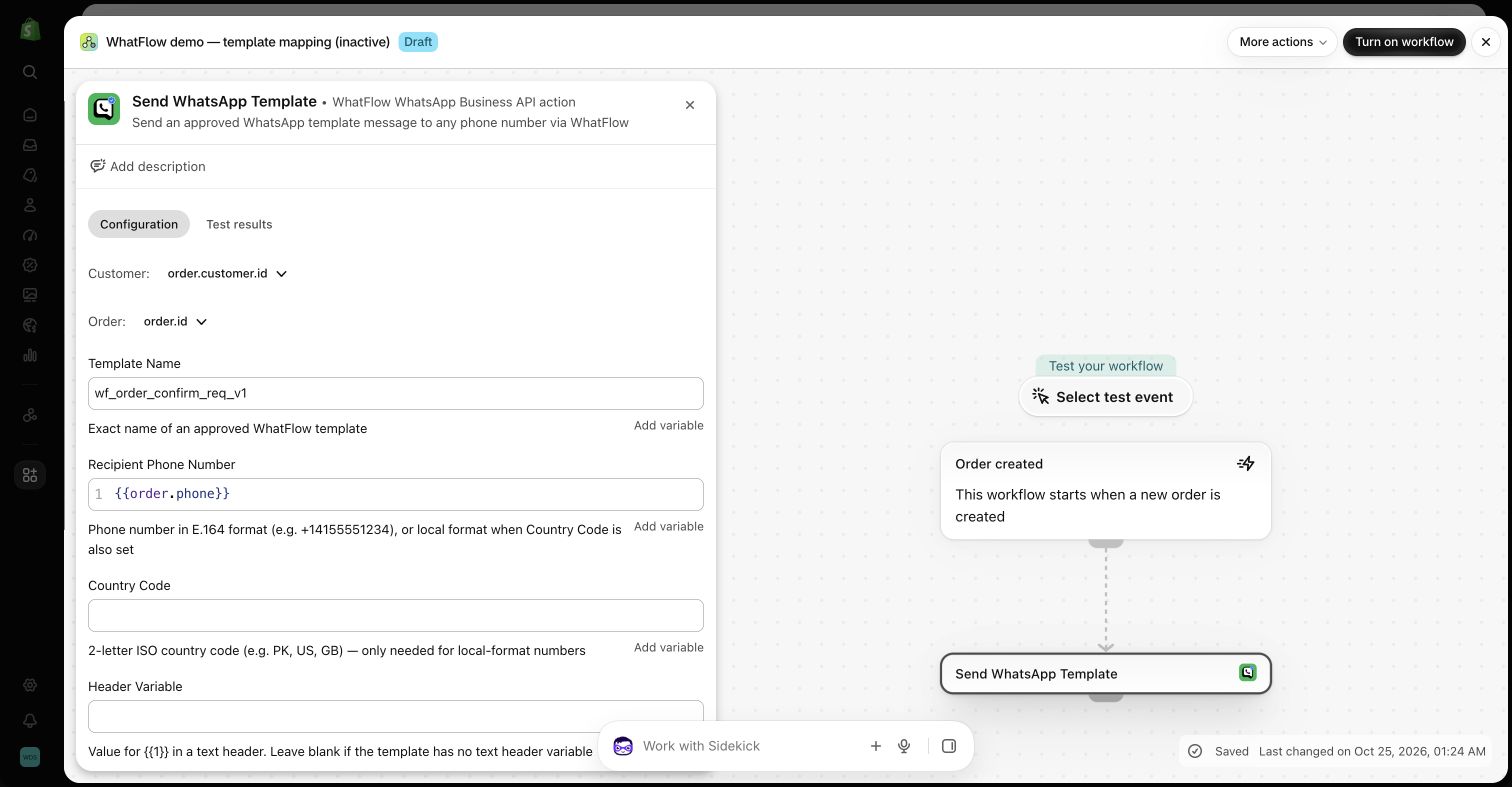
A template mapped this way might read:
Hi Fatima, your order #5120 has shipped with Aramex. Track it here: {tracking_link}. Questions? Just reply to this message.
See sending WhatsApp templates from Shopify Flow for the setup, and Shopify Flow vs Zapier if you're tempted to bolt on a connector instead.
Who answers the replies?
The Cloud API doesn't come with an inbox. Customers will reply to your shipping message with "can I change the address?" and somebody has to see it. WhatFlow's shared inbox has assignment, filters, saved replies and live catalog sharing, and adding the fifth or tenth teammate costs nothing.
Is an app enterprise-ready, or just for small stores?
WhatFlow WhatsApp Business API is on the official Meta WhatsApp Cloud API, the same API you'd build on, so there's no reliability gap to close by going custom. It's built for teams of any size: inbox assignment and filters, no seat fees however many people you add, Shopify Flow automation at scale, COD confirmation, live catalog sharing and Shopify admin extensions. And a small store can still start on the Free plan with every feature.
When might a custom build still make sense?
Build only if you specifically need WhatsApp wired into a proprietary system (your own ERP, a custom logistics platform) in ways no app supports, and you already have engineers who'll own it long term. Even then, many teams run WhatFlow for the Shopify side and build only the unusual piece. If you're weighing raw API providers too, WhatFlow vs 360dialog covers that split.
The bottom line
You'd be building the same thing WhatFlow already runs, on the same Meta API, and then maintaining it forever. Install WhatFlow, connect your number through Embedded Signup and spend the engineering budget on your store. WhatFlow WhatsApp Business API is rated 5.0/5 from 55 ratings on the Shopify App Store (as of November 5, 2026).
Questions worth asking
Should I build my own WhatsApp integration for Shopify?
Usually not. A Shopify app like WhatFlow already uses the official Meta Cloud API and adds the inbox, templates and Shopify Flow automation, so you skip the build and the maintenance.
What does a custom WhatsApp Cloud API build need to handle?
At minimum: webhook receiving and verification, template submission and status tracking, Shopify order events, retries and duplicate events, opt-outs, access control and an inbox for replies. Someone also has to own it when it breaks.
Is WhatFlow's free plan limited compared with paid plans?
No. Every feature is on every WhatFlow plan, including Free. Paid plans add message allowance at lower per-message rates.
Is the Meta Cloud API free if I build it myself?
No. Meta charges per delivered template message by category and country whether you send through your own code or an app. Building yourself removes the app fee but adds development and hosting costs.
Sources and methodology
We checked these primary sources on November 5, 2026. Vendor pages describe advertised capabilities, rather than independent performance tests. Confirm current pricing, plan limits and availability with each provider.
- WhatFlow plans and Shopify integrations
WhatFlow listing: official Meta Cloud API connection, plans from Free (100 messages) to Ultimate ($99), all features on every plan. Checked November 5, 2026.
- WhatsApp Business Platform pricing
Meta's overview of WhatsApp Business Platform pricing; applies to custom builds and apps alike.
- WhatsApp Business Platform pricing (Meta developer docs)
Meta charges per delivered template message by category and recipient country. Since October 1, 2026, service replies are free only for the first 1,000 per business number each month, and utility templates inside the customer service window are charged.
- Shopify Flow (Shopify Help Center)
Shopify Flow is free and available on Basic, Grow, Advanced and Plus plans, as of November 2026.
- WhatFlow pricing
Current WhatFlow plan amounts, allowances and rates.