
The useful part of a WhatsApp catalog is what happens after a customer asks for advice. A shopper can look at a product you share, send back a cart, and continue to Shopify checkout. WhatFlow connects those steps so the conversation can help the sale without turning the chat into your payment system.
Imagine a customer asks which travel bag fits their airline’s personal-item limit. You need to check dimensions, recommend one variant, and get the customer to checkout with the correct item. I’d test that exact journey before adding a catalog to a campaign.
Connect the catalog you want to use
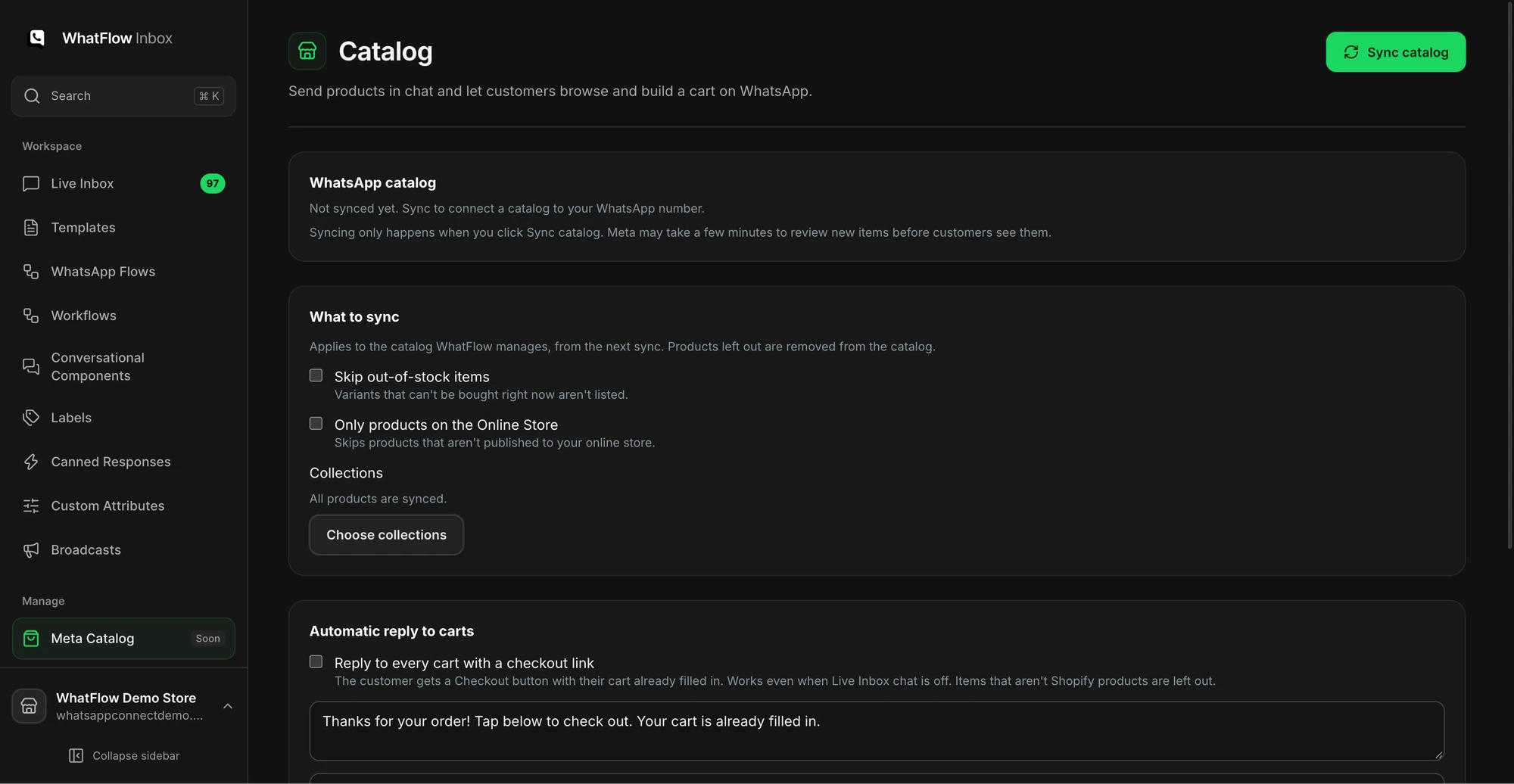
Open Meta Catalog in WhatFlow Team Inbox. If you’re using a WhatFlow-managed catalog, choose the products or Shopify collections you want included and run the sync. If you already use an externally managed catalog, check what’s connected and who owns its data before choosing a sync route. Our catalog support guide explains the setup options in more detail.
Pick a sample product that has two variants with different availability. Check what WhatsApp shows for each variant, including image, price, and stock. When details change in Shopify, verify the catalog reflects the new data before you send that item in a launch.
Share a recommendation in the conversation
Answer the buyer’s question first, then send the product. If one model fits and the other doesn’t, explain the difference instead of sharing the entire collection.
I’d go with the 18 L Weekender. It’s 40 × 25 × 18 cm. Check that against your airline’s current limit, and tell me if you’d like the olive version.
Use the product picker in Team Inbox to send the relevant item. The buyer can open the product details in WhatsApp. If they change their mind about the color or size, confirm the variant before asking them to check out.
Treat the cart reply and paid order as separate events
A customer sending a cart on WhatsApp shows purchase intent. It’s still not a paid Shopify order. With the catalog cart follow-up configured, WhatFlow can respond with a Shopify checkout link. The buyer completes payment through Shopify. Your team should check Shopify for order and payment status before confirming shipment.