
Publisher disclosure: this comparison is written by WhatFlow. Competitor capabilities are based on the linked public documentation; the WhatFlow screenshots come from our demo store. Examples are illustrative, and results depend on your store and configuration.
WhatFlow and Manual COD calls at a glance
| Consideration | WhatFlow | Manual COD calls |
|---|---|---|
| How confirmation works | A WhatsApp template with Confirm and Cancel buttons goes out when the COD order is placed. Staff call only non-responders. | A team member calls each customer, often more than once, and records the outcome by hand. |
| Cost | WhatFlow from $0 (Free) or $4.99/month, plus Meta's per-message charge. No seat fees for the team handling replies. | Staff hours for every order, including unanswered calls and callbacks, plus phone costs. |
| Updating the Shopify order | WhatFlow's order-reply trigger in Shopify Flow tags the order (for example cod-confirmed) the moment the customer taps a button. | Someone types the result into Shopify after each call, or keeps a separate sheet. |
| Handling exceptions | Flow tags non-responders after your chosen wait, so the call list builds itself. | Every order is on the call list, so exceptions compete with routine confirmations. |
| Customer experience | Confirms in one tap, whenever it suits them, with the order details in writing. | Has to pick up an unknown number, often at work. |
Stop calling every COD customer. Send a WhatsApp confirmation with Confirm and Cancel buttons, let Shopify Flow tag the order from the reply, and call only the people who don't answer. WhatFlow does this natively in Shopify, with every feature on the Free plan and no seat fees for the team handling replies. Calling everyone only makes sense at tiny volume or for very high-value orders.
At a glance
WhatsApp confirmation with WhatFlow | Calling every customer | |
|---|---|---|
Effort per order | None unless the customer doesn't reply | A call, often two or three |
Customer effort | One tap, any time | Answer an unknown number |
Shopify record | Order tagged automatically via Flow | Typed in by hand |
Written record | Order details and reply in the chat | Notes, if someone writes them |
Cost | Free plan, or from $4.99/month + Meta fee | Staff hours |
What is COD confirmation?
COD confirmation is a message or call asking a cash-on-delivery customer to confirm they really want the order before you ship it. Stores do it because a COD parcel that's refused at the door costs you shipping both ways and ties up stock.
How much time do confirmation calls really take?
A worked example, with hypothetical numbers. Say you get 40 COD orders a day. Each call takes about 3 minutes once you count dialling, voicemail, a callback and updating Shopify. That's 2 hours of staff time every day, roughly 60 hours a month, just to ask "did you mean it?"
Now the WhatsApp version. 40 orders a day is about 1,200 confirmations a month, plus a reminder to people who don't reply. Call it 1,600 messages: that fits WhatFlow's Starter plan at $4.99/month with 2,000 messages included (as of November 2026). Meta's per-message charge for the template sits on top. COD confirmations are usually utility templates, though Meta decides the final category. Since October 1, 2026, Meta charges utility templates even inside an open 24-hour window, so budget for every send. WhatsApp Business API pricing explained covers the rates; our plans are on the pricing page.
Your team still calls someone. Just not everyone.
What does the WhatsApp version look like?
The customer gets this a minute after ordering:
Hi Imran, thanks for your order #4471 from Noor Home. Total: PKR 6,400, cash on delivery to Gulberg, Lahore. Please confirm so we can dispatch it today. [Confirm order] [Cancel]
Then Shopify Flow takes over:
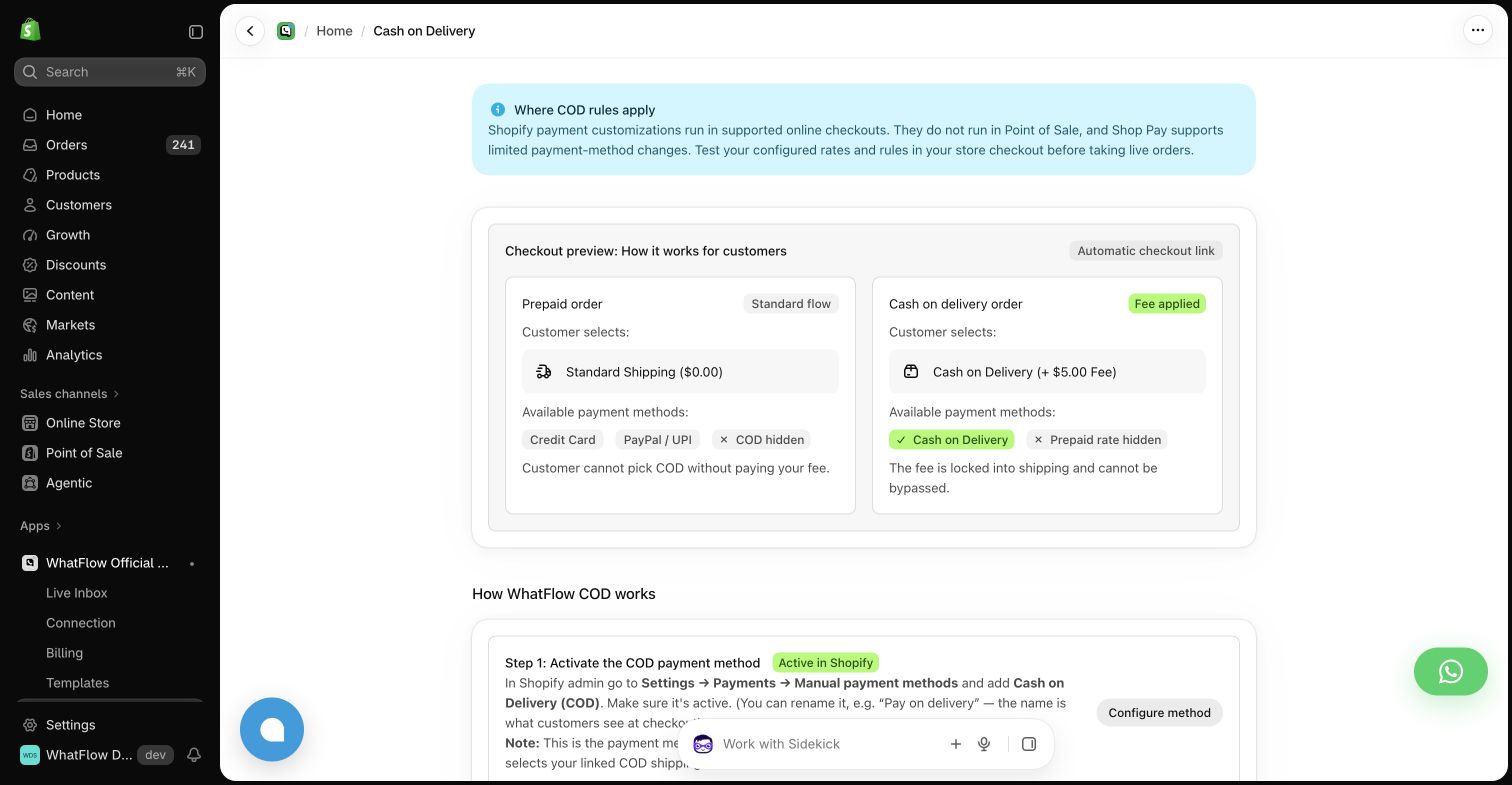
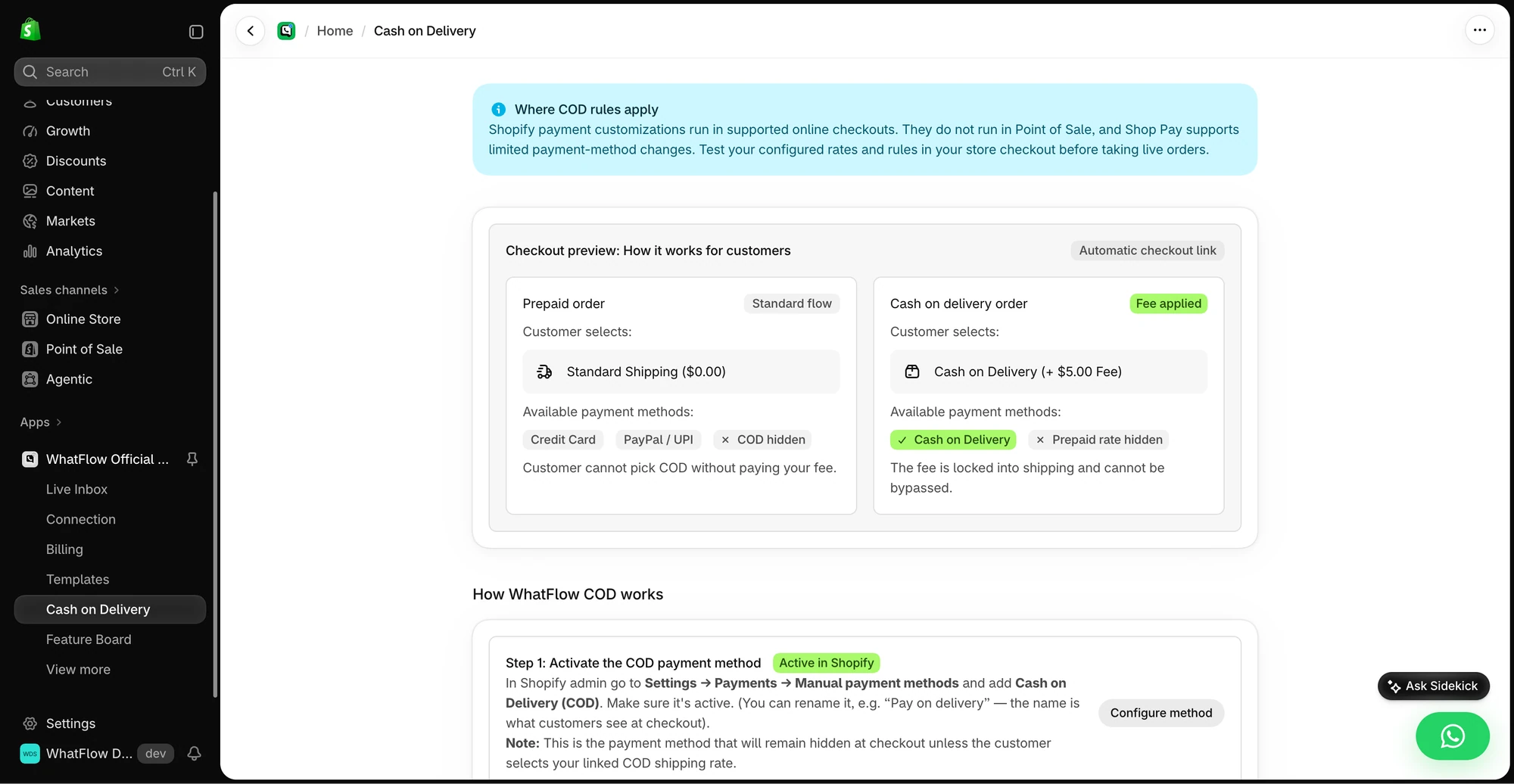
- WhatFlow order reply trigger fires when the customer taps a button.
- Confirm → tag the order
cod-confirmed, ready for fulfilment. - Cancel → tag
cod-cancel-requestso a person reviews it (or cancel it automatically, if that's your policy). - No reply after, say, 6 hours → send a short reminder; still nothing, tag
cod-callfor the phone queue.
The full build is in turning WhatsApp order replies into Shopify actions. Customers also need to have opted in to WhatsApp messages; collecting WhatsApp opt-ins on Shopify shows how to do that at checkout.
Why is WhatsApp better for the customer too?
A call interrupts. The customer is in a meeting, driving, or doesn't pick up unknown numbers. A WhatsApp message waits until they're ready, shows the order total and address in writing, and takes one tap.
It also catches problems a call often misses. If the address is wrong, the customer replies with a correction and it lands in your team inbox:
Sorry, it's House 12, not 21. Can you fix that?
Anyone on the team can pick it up, because the inbox has no seat fees. For address-change handling, see order edits and address changes on WhatsApp.
Can this handle hundreds of COD orders a day?
Yes. WhatFlow WhatsApp Business API sends through the official Meta WhatsApp Cloud API, and the confirmation logic runs in Shopify Flow, so volume isn't a problem for the workflow. Your phone team becomes an exception team inside a shared inbox with assignment and filters, with no seat fees at any team size. A small store gets the identical setup on the Free plan.
When do phone calls still make sense?
Keep calls for the exceptions: customers who haven't replied after a reminder, orders over a value you set, or a customer who replies with something confusing. That's a short, focused list, and it's the right job for a human. If you sell only a handful of high-ticket COD orders a week, calling every one is fine. The broader trade is in WhatsApp vs phone calls for order follow-up.
The bottom line
Let WhatsApp confirm the routine orders and save the phone for the ones that need a person. WhatFlow sends the confirmation, Shopify Flow tags the order, and your team works a short exception list instead of a full call sheet. WhatFlow WhatsApp Business API is rated 5.0/5 from 55 ratings on the Shopify App Store (as of November 5, 2026). If SMS is also on your list, compare WhatsApp vs SMS for COD confirmations.
Questions worth asking
Is WhatsApp better than calling for COD confirmation?
For most Shopify COD stores, yes. A WhatsApp template with Confirm and Cancel buttons confirms most orders without a call, and WhatFlow tags the order automatically, so staff only phone customers who don't reply.
How should I test a WhatsApp COD confirmation flow?
Place test COD orders and try every path: Confirm, Cancel, no reply, a late reply after you've called, and a duplicate tap. Check that each one leaves the right tag on the Shopify order.
Is COD confirmation included in WhatFlow's free plan?
Yes. Every WhatFlow feature, including COD confirmation and the Shopify Flow actions, is on every plan. Free includes 100 messages a month as of November 2026.
How much does Meta charge for a WhatsApp COD confirmation?
Meta charges per delivered template message, with rates set by category and recipient country. COD confirmations are usually utility templates; check Meta's pricing page for current rates.
Sources and methodology
We checked these primary sources on November 5, 2026. Vendor pages describe advertised capabilities, rather than independent performance tests. Confirm current pricing, plan limits and availability with each provider.
- WhatFlow plans and Shopify integrations
WhatFlow listing: COD order confirmation, plans from Free (100 messages) and Starter ($4.99, 2,000 messages), checked November 5, 2026.
- WhatsApp Business Platform pricing
Meta's overview of WhatsApp Business Platform pricing by category and country.
- WhatsApp Business Platform pricing (Meta developer docs)
Meta charges per delivered template message by category and recipient country. Since October 1, 2026, service replies are free only for the first 1,000 per business number each month, and utility templates inside the customer service window are charged.
- WhatsApp Business Messaging Policy
Opt-in, opt-out and template rules for business-initiated WhatsApp messages.
- Shopify Flow (Shopify Help Center)
Shopify Flow is free and available on Basic, Grow, Advanced and Plus plans, as of November 2026.