
Publisher disclosure: this comparison is written by WhatFlow. Competitor capabilities are based on the linked public documentation; the WhatFlow screenshots come from our demo store. Examples are illustrative, and results depend on your store and configuration.
WhatsApp with WhatFlow and Phone calls at a glance
| Consideration | WhatsApp with WhatFlow | Phone calls |
|---|---|---|
| Best-fit experience | Routine follow-up the customer can answer in seconds, when it suits them: COD confirmation, address checks, delivery slots. | Urgent, sensitive or high-value conversations, and customers who prefer talking or haven't replied. |
| Costs to include | WhatFlow plan (Free, then from $4.99/month) plus Meta's per-message charge. No seat fees for the team handling replies. | Telephony charges plus staff time per attempt, including missed calls and call-backs. |
| Shopify workflow | Button replies trigger Shopify Flow to tag or cancel the order; free-text replies land in a shared inbox. | Someone has to update the order by hand after each call. |
| Starting point | Free plan with every feature, including COD confirmation and Shopify Flow. | Keep a call list for no-replies and high-value orders. |
| Record of what was agreed | Written thread with timestamps, visible to the whole team. | Whatever the caller noted down. |
For Shopify stores selling where customers use WhatsApp, message first and call second. A WhatsApp confirmation with buttons lets the customer answer in seconds, whenever suits them, and with WhatFlow the tap updates the Shopify order through Flow. Phone calls are still the right tool for urgent problems, sensitive conversations, big orders and customers who don't reply. They just shouldn't be the default for every order.
WhatsApp vs phone calls at a glance
WhatsApp (via WhatFlow) | Phone calls | |
|---|---|---|
Customer effort | One tap, any time | Must pick up now |
Staff effort | Automated send; humans handle exceptions | One person per call, plus retries |
Updates the order | Yes, via Shopify Flow | Manually after the call |
Record | Written thread, visible to the team | Caller's notes |
Best for | Routine confirmations and questions | Urgent, sensitive or high-value cases |
Why should WhatsApp be the default?
Picture a COD store doing 150 orders a day. If one person calls every order, that's a full shift of dialling, voicemail and "call me back after 5". Then someone types the outcome into Shopify.
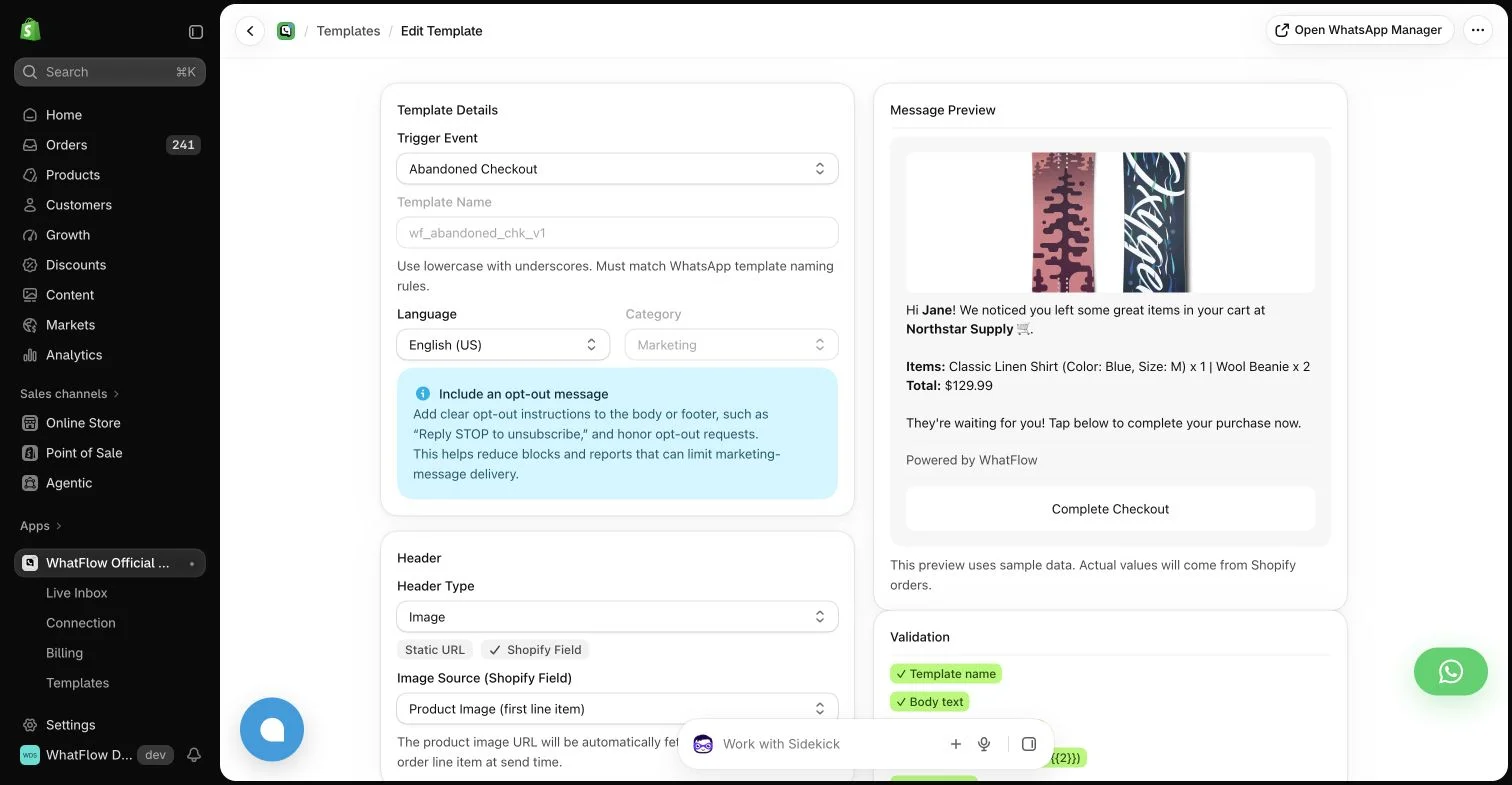
With WhatFlow, every new COD order gets this automatically:
Hi Saad, thanks for order #11208 (1 x Wireless Earbuds Pro, Rs 7,499, cash on delivery). Please confirm and we'll ship today. [Confirm order] [Cancel]
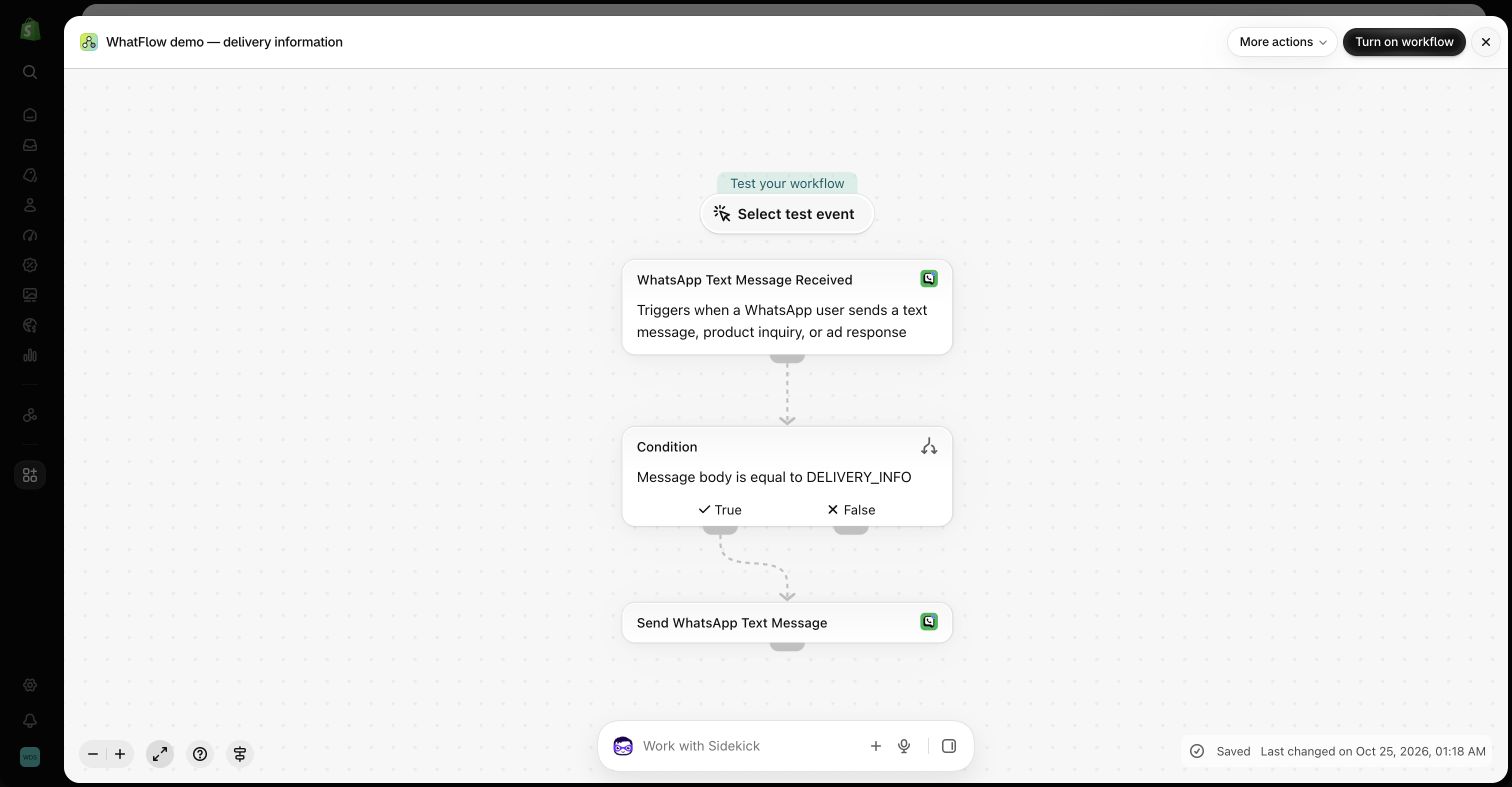
Confirm tags the order. Cancel can cancel it. Both run through Shopify Flow, so your packer sees the tag without anyone touching a spreadsheet. If Saad types "can you deliver to my office instead?", it lands in the shared inbox for a human. Your caller now phones only the people who didn't answer. The WhatsApp COD confirmation vs phone calls page goes deeper on this exact workflow.
The mechanics that make WhatsApp the better default:
- Asynchronous. The customer answers on the bus, not when your agent happens to call.
- Buttons. One tap, no ambiguity about what "yes" meant.
- Written record. Address changes and promises are in the thread, not someone's memory.
- One thread per customer, so the next order, delivery question or return is in the same place.
- Business identity. Your name and logo, not an unknown number customers screen out.
When should you still call?
- The customer hasn't replied to the WhatsApp confirmation after a few hours.
- The order is unusually large or looks risky.
- Something has gone wrong and needs a human voice: a lost parcel, a damaged gift, an angry customer (how to handle that on WhatsApp first).
- The customer asks you to call.
How do the costs compare?
Calls cost telephony plus staff minutes, and the minutes add up with every missed call and retry. WhatsApp costs a message. Meta charges per delivered template by category and country; since October 1, 2026, utility templates sent inside an open 24-hour window are charged too (Meta's pricing docs).
WhatFlow's app fee sits on top, with every feature on every plan. As of November 2026: Free ($0, 100 messages a month), Starter ($4.99, 2,000), Plus ($9.99, 5,000), Growth ($29, 20,000), Scale ($49.99, 40,000), Ultimate ($99, 75,000). That 150-orders-a-day store sends about 4,500 confirmations a month: Plus at $9.99 on the app side, with the whole team handling replies and no seat fees. Current amounts are on the pricing page.
How to switch from calls to WhatsApp
- Install WhatFlow and connect your number on the official Meta Cloud API.
- Create a COD confirmation template with Confirm and Cancel buttons (template examples).
- Build the Shopify Flow: new COD order → send template; order reply → tag or cancel (step-by-step).
- Make a daily call list of orders tagged as unconfirmed after a set time.
- Collect WhatsApp opt-in at checkout (WhatsApp Business policy).
The bottom line
Calling every order doesn't scale. For Shopify stores selling where customers use WhatsApp, make WhatsApp on WhatFlow the default follow-up (Free plan, every feature, no seat fees, rated 5.0/5 from 55 ratings on the Shopify App Store as of November 5, 2026) and keep the phone for the cases that really need a voice.
Questions worth asking
Should Shopify stores confirm orders by WhatsApp or by phone?
For stores selling where customers use WhatsApp, message first and call only when needed. A WhatsApp confirmation with buttons lets the customer answer in seconds, and with WhatFlow the reply tags the Shopify order through Flow. Call the customers who don't reply or whose orders are unusually large.
How do I measure WhatsApp against phone confirmation?
For a month, log how many orders each method confirmed, how many staff minutes it took including missed calls, and how many confirmed orders were later refused at the door. Compare cost per confirmed order, not cost per attempt.
Does the free WhatFlow plan restrict features?
No. WhatFlow includes every feature on every plan, including Free. Plans differ only by message allowance and rates, and the team inbox has no seat fees.
Are WhatsApp charges included in WhatFlow's price?
No. WhatFlow's plan is the app fee. Meta charges separately per delivered WhatsApp message by category and country, and since October 1, 2026 utility templates sent inside the 24-hour window are also charged.
Sources and methodology
We checked these primary sources on November 5, 2026. Vendor pages describe advertised capabilities, rather than independent performance tests. Confirm current pricing, plan limits and availability with each provider.
- WhatFlow WhatsApp Business API on the Shopify App Store
WhatFlow's listing, plans and Shopify integrations; rated 5.0/5 from 55 ratings as of November 5, 2026.
- WhatsApp Business Platform pricing
Meta's per-message WhatsApp charges by category and recipient country.
- WhatsApp Business Platform pricing (developer docs)
Per-message billing and the October 1, 2026 changes to service and utility message charges.
- WhatsApp Business Messaging Policy
Opt-in, opt-out and template rules for business-initiated WhatsApp messages.