To change a shipping address after an order on Shopify, open the order in Shopify admin, use the menu in the Customer section and choose Edit shipping address. Do it before the order is fulfilled. When the request comes in on WhatsApp, first confirm it's really the buyer, then check fulfilment status, make the change, and confirm the new address back to the customer in writing.
Address changes are the most time-sensitive request in most stores' inboxes. A "can I change my address?" at 10am is a two-minute fix. The same message answered at 4pm, after the courier collected, becomes a redirect request, a delay and possibly a lost parcel. So treat them as urgent.
How to change a shipping address after an order: four steps
1. Confirm it's the buyer
On WhatsApp, the easy case is when the number messaging you matches the phone number on the order. The harder case is when it doesn't: the customer used a work number at checkout, or someone else placed the order for them.
My rule: never change an address based only on someone typing an order number. Order numbers show up on screenshots, forwarded confirmations and parcels. Ask for one more detail.
Happy to help with that. So I can find the right order, could you confirm the order number and the email address you used at checkout?
If the number matches the order and the details line up, go ahead. If something feels off (a different number, a new address in a different city, urgency about a high-value order), slow down and contact the customer through the details on the order. Changing a delivery address is one of the ways fraudsters redirect parcels, and it's one reason we tell merchants to watch out for WhatsApp scams impersonating their store from both sides.
2. Check fulfilment status
Open the order in Shopify. What you can do depends on where it is:
Edit the address, then void and rebuy the label (or update it with your shipping provider).
Handed to courier
You can't edit it in Shopify in a way the courier will see. Ask the courier about a redirect.
Delivered
Not an address change any more. It's a "wrong address" case.
If you use a third-party fulfilment app or 3PL, check whether it picked up the order already. Shopify notes that some apps, especially fulfilment apps, may not recognise order edits, so update the 3PL directly too.
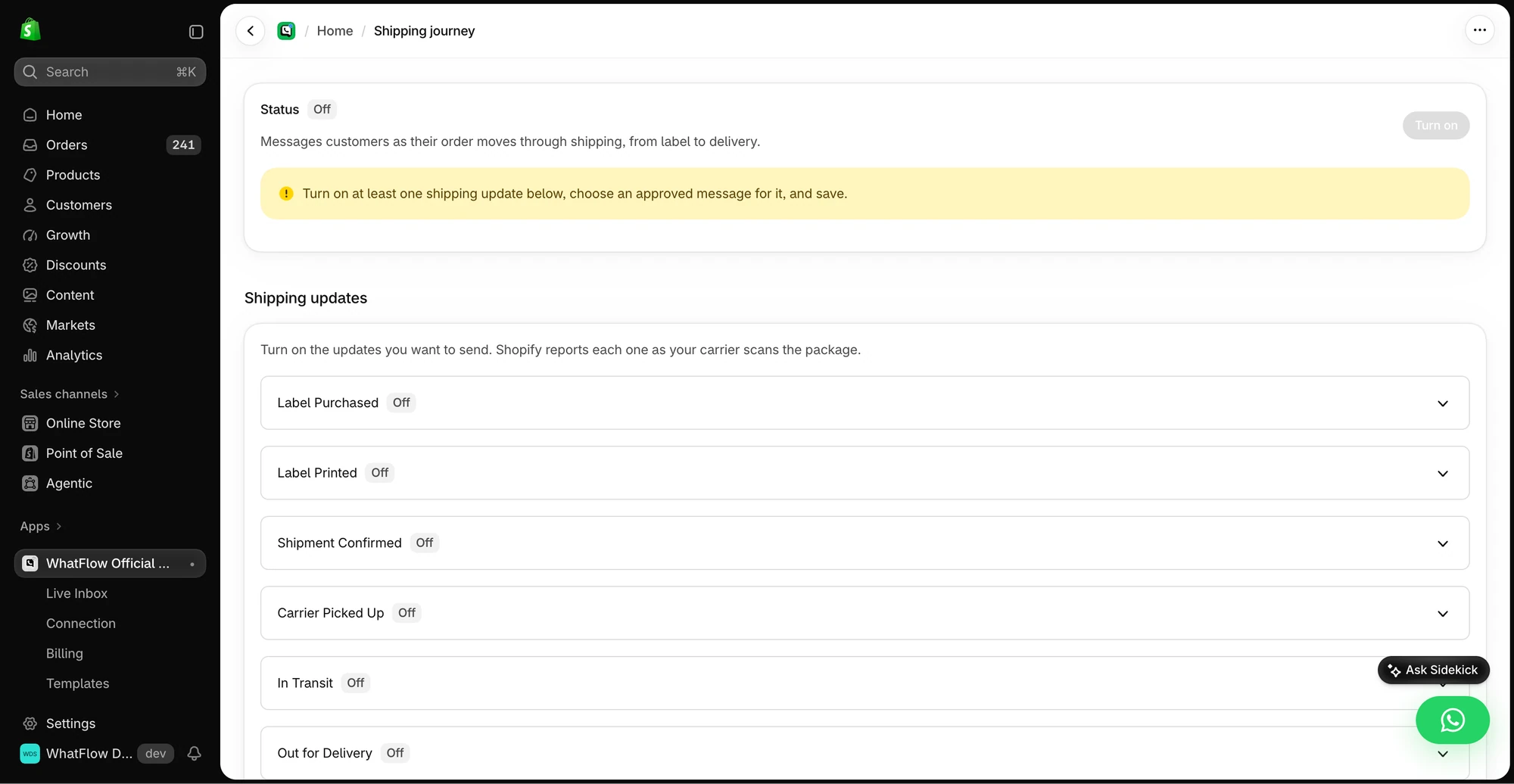
The demo Shipping Journey screen shows the available fulfillment stages. Individual stages need a message before they can be enabled.
In Shopify admin, go to Orders and open the order.
In the Customer section, open the menu and click Edit shipping address.
Update the address fields and fix any validation warning.
If a tax adjustment shows up, review the Summary card. You can send an invoice for the difference or refund it after saving.
Click Save.
A few limits from Shopify's docs worth knowing:
The billing address can't be edited after the order is placed.
Taxes are only recalculated for unfulfilled orders.
Some orders can't be edited this way, such as imported orders, Shop Pay Installments orders, and local delivery orders.
Staff need the right permission (Manage order information, Edit orders, or Fulfill and ship orders).
If the new address is in a different country, it's usually cleaner to cancel and have the customer reorder, because duties, shipping rates and markets settings all change.
4. Confirm back in writing
Always repeat the new address in full. Customers catch typos when they see them.
Done, Fatima. I've updated the delivery address on order #4417 to:
Flat 12, Al Noor Building, Al Barsha 1, Dubai
It hasn't shipped yet, so it'll go straight there. You'll get tracking here on WhatsApp once it leaves.
Reply scripts for every case
Unfulfilled, changed:
All sorted, Rahul. Order #2290 will now go to: 14 MG Road, Indiranagar, Bengaluru 560038. Can you double-check that's exactly right, including the flat number?
Label bought, still changeable:
Caught it just in time. The label was already printed, so I've cancelled it and created a new one with your updated address: [address]. It goes out with today's collection.
Already with the courier:
Thanks for letting me know. Order #2290 left with BlueDart this morning, so I can't change the address on our side any more. I've asked them to redirect it to your new address and will update you as soon as they reply. If they can't redirect, the parcel will come back to us and I'll reship it to the right place at no cost to you.
Be careful with that last promise. Decide in advance whether you'll cover reshipping when the customer made the mistake. Some stores do it every time as goodwill; others split the cost. Put the decision in your customer service playbook so everyone gives the same answer.
Number doesn't match, need verification:
Happy to help. This number isn't the one on the order, so before I change anything, could you confirm the email address used at checkout? It's just to make sure nobody else can redirect your parcel.
Other order edits that arrive on WhatsApp
Address changes aren't the only edits customers ask for. Shopify's order editing lets you add or remove products, change quantities, adjust shipping fees and apply discounts after an order is placed.
The considerations page lists the limits. The ones that matter most day to day: you can't remove fulfilled items or change their quantity, and when an edit increases the total, you'll need to collect the difference (Shopify lets you send an updated invoice).
Size or colour swap before shipping
Of course. I've swapped the black M for the navy M on order #3381. Same price, so nothing to pay. It ships tomorrow.
Adding an item
I can add the matching belt to your order. It's AED 89. I'll send a Shopify invoice for the difference to the email on your order, and once it's paid, both items ship together.
Collect the difference through Shopify's invoice. Never ask for card details in WhatsApp; the WhatsApp Business Messaging Policy tells businesses not to ask people to share full card numbers, and customers should learn that your store never does.
Cancel instead of edit
Sometimes the cleanest fix is cancelling and reordering, especially for COD orders. If you run COD confirmations through WhatsApp, a "change address" reply to the confirmation message is a good moment to catch it. Our guide to turning WhatsApp order replies into Shopify actions shows how WhatFlow and Shopify Flow handle confirm and cancel buttons, and you can route address-change requests to a person from there.
What if the order was already delivered to the old address?
Then it's no longer an edit. It's a recovery job, and the options depend on where the parcel ended up:
Old address the customer can reach (their previous flat, their office): ask if they can collect it. Often the quickest fix.
Old address they can't reach: ask the courier whether it can be returned, and decide whether you'll reship once it's back.
Clearly lost: treat it like any other lost parcel under your policy.
Decide in advance who pays when the customer entered the wrong address. A consistent answer matters more than which answer you choose.
I'm sorry, Daniel, the parcel was delivered to the Elm Street address on the order yesterday. Are you able to collect it from there? If not, I'll ask the courier about a return and we'll work out the reshipment from there.
Make it easy to catch mistakes early
The best address change is the one that happens before you pack. A few habits help:
Show the address in the order confirmation message. A WhatsApp confirmation that repeats the delivery address gives the customer a natural moment to say "wait, that's my old flat". WhatFlow can send that confirmation automatically as a WhatsApp template from Shopify Flow.
Add a "need to change something?" line with a cut-off: "Reply here before 2pm to change your address or size."
Thanks for your order, Aisha! We'll deliver to: Villa 7, Street 22, Al Khobar. Need to change the address or size? Reply here before 2pm today.
Free plan available
Run WhatsApp for your Shopify store with WhatFlow
Templates, COD confirmation, Shopify Flow automations and a shared team inbox with no seat fees. Every feature is included on every plan, including Free.
Every store gets these requests weekly. Write the four steps and the scripts into your playbook, save the replies in your inbox (WhatFlow's team inbox keeps saved replies next to the conversation), and give everyone answering WhatsApp the Shopify permission to make the edit. Then an address change stays a two-minute job.
Frequently asked questions
Can I change the shipping address after an order is placed on Shopify?
Yes. In Shopify admin, open the order, use the menu in the Customer section and choose Edit shipping address. The billing address can't be edited, and some order types have restrictions.
Can a customer change their address after the order has shipped?
Not through Shopify once the parcel is with the courier. At that point you'd ask the courier about a redirect, or arrange a return and reship.
How do I know the WhatsApp message is really from the customer?
Check that the WhatsApp number matches the phone on the order. If it doesn't, ask for the order number plus a detail only the buyer would know, such as the email address used, before changing anything.
Can I add or remove items from a Shopify order after purchase?
Yes, Shopify's order editing lets you add or remove products, change quantities and adjust shipping. Fulfilled items can't be removed, and some orders, such as imported orders or Shop Pay Installments orders, can't be edited.