The best Wati alternative for most Shopify stores is WhatFlow WhatsApp Business API. It runs on Meta's official WhatsApp Cloud API, lives inside Shopify admin, includes every feature on every plan (Free included), and its team inbox has no seat fees. That last point is the one Wati users usually feel first.
I build WhatFlow, so read this with that in mind. I've still tried to be fair: every price and rating below comes from each app's Shopify App Store listing or its own pricing page, checked on November 18, 2026.
Why do Shopify stores look for Wati alternatives?
Wati is a capable WhatsApp platform with a big customer base outside Shopify. The reasons merchants shop around are mostly about how it's priced and packaged, all visible on Wati's own pages:
Users cost extra. Wati's pricing page lists Growth with 3 users and no way to add more, Pro with 5 users plus $24 per extra user a month, and Business with 5 users plus $59 per extra user. The Shopify listing shows extra users at $89 a month on Pro and Business.
Shopify is an add-on. The pricing page lists a Shopify Integration add-on at USD 4.99 a month, and marks some features as requiring it.
Credits on top. AI credits ($20 a month) and automation triggers ($25 a month) are sold as add-ons, as are extra WhatsApp numbers ($29 a month each).
Two price lists. The Shopify listing starts Growth at $69 a month; the website shows $39 a month billed annually and says pricing varies by country. You'll want to check which one applies to you.
Not built only for Shopify. Wati sells to many industries, so Shopify jobs like COD confirmation or Flow automations aren't the centre of the product.
None of that makes Wati bad. It just means a 6-person support team on Shopify can end up paying for seats, an integration and credits before sending a message.
Prices are the lowest paid or free tier shown, before Meta's message charges.
1. WhatFlow WhatsApp Business API
Who it's for: Shopify stores from first sale to large support teams, especially in WhatsApp-first markets running COD.
WhatFlow connects through Meta's Embedded Signup from inside Shopify admin and runs on the official Cloud API. The older image of WhatFlow as a small-shop, unofficial tool comes from our separate Chat Automation app; the Business API app is built for teams that need templates, a green-tick-eligible business profile and automation at scale.
Standout features:
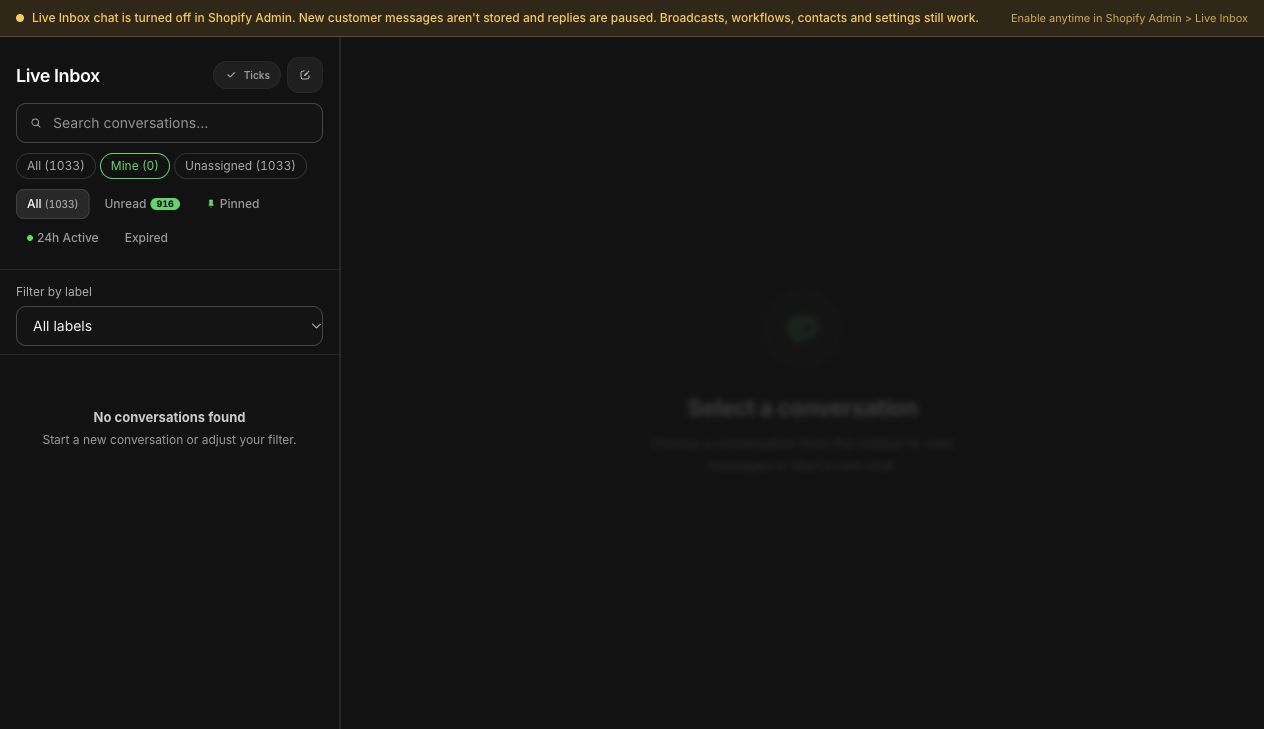
Shared team inbox with no seat fees. Assignment, filters, labels and canned replies. A 50-person team pays the same in seats as a 2-person team (nothing). See the team inbox.
Native Shopify Flow triggers and actions, including incoming-message and order-reply triggers, so a customer tapping "Confirm" on a COD message can tag the order. Details on the Shopify Flow integration page.
COD confirmation and OTP verification, abandoned checkout and draft-order reminders, shipping updates, review requests and back-in-stock alerts.
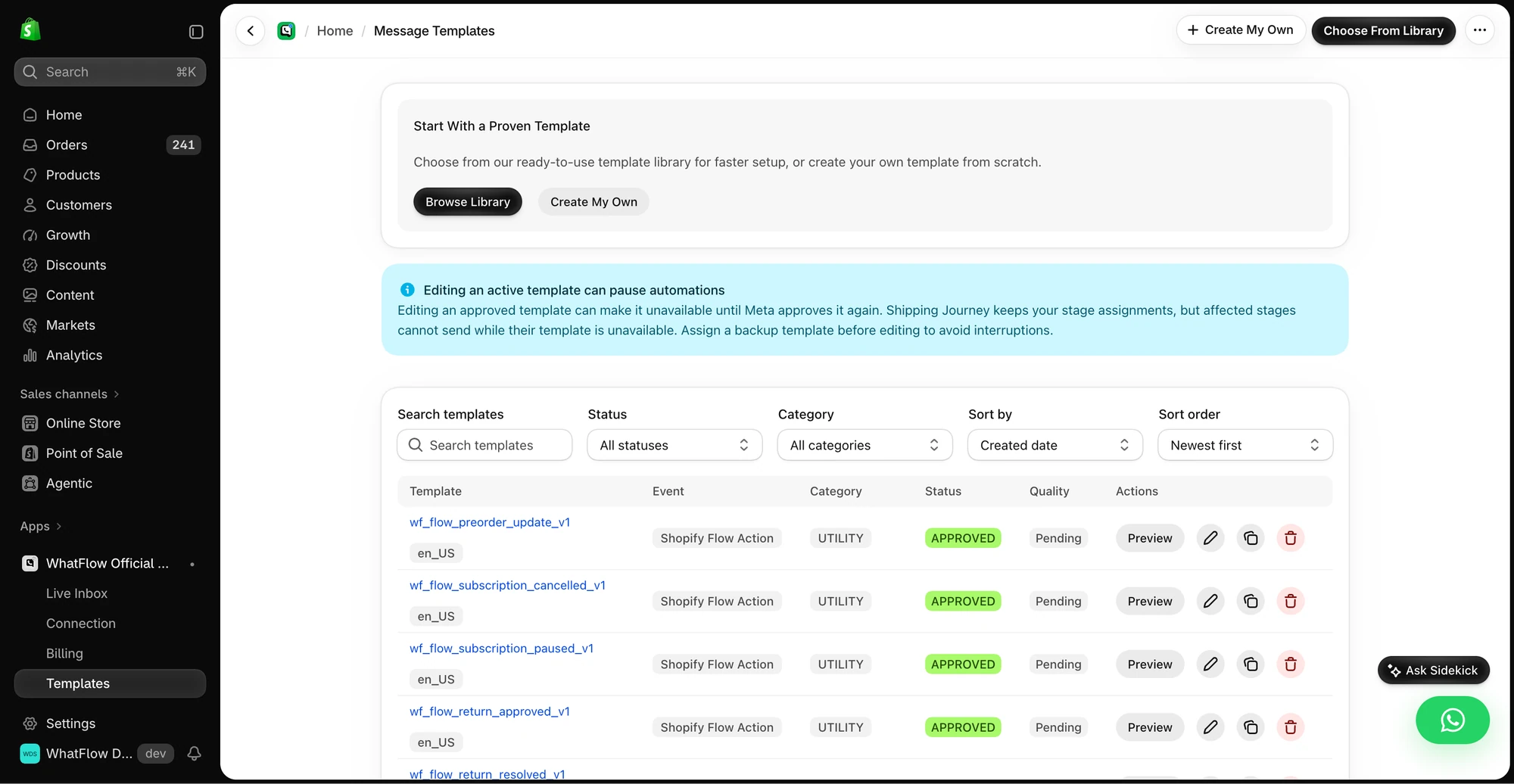
Template editor and library, broadcasts, live catalog sharing and a free theme-matched WhatsApp chat button.
WhatFlow inbox assignment filters in a demo store. Sample data only.
Pricing (as of November 2026): a Free plan and paid plans from $4.99/month, with every feature on every plan. Plans differ only by message allowance; paid plans have a 7-day free trial. Meta's charges are billed by Meta with zero markup. Full details on the WhatFlow pricing page.
Rating: 5.0/5 from 85 ratings on the Shopify App Store, checked November 24, 2026.
Honest limitation: there's no built-in AI chatbot. WhatFlow plugs into Shopify Sidekick and, through its MCP connector, into Claude, ChatGPT or Cursor, with a draft mode so a person approves replies. If you want a bot answering on its own with no human in the loop, look at Spur or Kanal.
Who it's for: stores that sell from a WhatsApp catalog and send a lot of broadcasts.
Zoko's listing says every plan includes a WhatsApp catalog synced from Shopify, broadcasts to Shopify segments, a multi-agent shared inbox and pre-built Shopify flows.
Pricing (as of November 2026): Starter is $49.99/month with unlimited agents and a $0.015 per-conversation fee. Plus is $79.99 (5 agents, then $15 per agent), Elite $139.99 (10 agents, then $12), Max $499.99 (30 agents, then $9). Instagram is $9.99/month, premium flows $5.99 per flow, and AI agents start at $24.99/month per bot plus $0.09 per resolution on Zoko's pricing page. 7-day free trial.
Rating: 4.9 from 479 reviews.
Honest limitation: once you're past Starter, agents are counted again, and AI is a per-bot add-on.
Who it's for: smaller Indian D2C brands that want a low entry price.
Interakt describes itself as a WhatsApp Business Solution Provider. Its Shopify plans include a shared team inbox, automated notifications and a WhatsApp widget from the first tier.
Pricing (as of November 2026): on the Shopify listing, Starter is $21/month, Growth $41, Advanced $51 and Premier $99, with a 14-day trial. Cart reminders and Shopify actions in the workflow builder are listed on Premier. Interakt's own pricing page shows different website prices (Growth $55, Advanced $69, plus taxes).
Rating: 4.3 from 235 reviews.
Honest limitation: cart reminders sit on the top Shopify plan, so the $21 price isn't what a cart-recovery store will pay. More in WhatFlow vs Interakt.
4. AiSensy
Who it's for: marketers who mostly broadcast and retarget.
AiSensy says it's an official WhatsApp Business Solution Provider. Its USD pricing page lists Shopify and WooCommerce integrations on the Basic plan.
Pricing (as of November 2026): the Free Forever plan doesn't include broadcasting. Basic is $45/month with 1 owner and 5 agents (extra agents $20/month each), Pro $99, Premium $299. The chatbot builder is an $80/month add-on and the AI agent builder $50/month. The Shopify listing shows a $1 one-time charge.
Rating: 4.1 from 57 reviews.
Honest limitation: chatbots and AI are paid add-ons on every plan. See WhatFlow vs AiSensy.
5. DelightChat
Who it's for: brands handling support on WhatsApp, Instagram, Facebook, email and chat in one place.
Its listing names it "DC: WhatsApp Marketing + API" and says it uses the official WhatsApp Business API with green tick verification. Startup includes COD verification, cart recovery, broadcasts, catalog and Shopify Flow integration.
Pricing (as of November 2026): Startup $29/month (500 support tickets, 2,500 marketing contacts), Scale $99 (20 team members), Growth $299 (50 team members). Back-in-stock alerts are an optional add-on. 14-day trial.
Rating: 4.9 from 223 reviews.
Honest limitation: plans are capped by tickets and marketing contacts, so a busy month pushes you up a tier. Compare in WhatFlow vs DelightChat.
6. Spur
Who it's for: stores that want an AI agent answering across WhatsApp, Instagram, Messenger, live chat and email.
Spur's listing says it uses the official WhatsApp Business API.
Pricing (as of November 2026): AI Start $39/month with 2 user seats and 2,000 AI credits; AI Accelerate $159 with 5 seats; AI Max $499 with 10 seats. Extra AI credits cost $12 per 1,000. 14-day trial.
Rating: 5.0 from 118 reviews.
Honest limitation: seats are tied to the plan, so growing a team means moving tiers. See WhatFlow vs Spur.
7. Kanal
Who it's for: brands treating WhatsApp as a sales channel, with campaigns, cart recovery and an AI agent.
Kanal's listing says its flows are built on the official WhatsApp Business API.
Pricing (as of November 2026): a free plan is listed. Pro is $89/month with 1 user; Scale is $149 with unlimited users, an AI agent, SMS, iMessage and RCS campaigns and an MCP connector. Extra markets on Scale cost $50/month each.
Rating: 5.0 from 144 reviews.
Honest limitation: Pro has a single user, so a team needs Scale. Details in WhatFlow vs Kanal.
8. WhatsApp by Meta
Who it's for: stores that only want order updates and abandoned cart messages and nothing else.
This is Meta's own Shopify app, free to install, with Meta's messaging charges billed separately.
Rating: 4.4 from 974 reviews.
Honest limitation: the listing doesn't describe a team inbox, so support conversations need another tool. See WhatFlow vs Meta's WhatsApp app.
How to switch from Wati
Plan a quiet weekday for this. Here's the checklist I give merchants:
List what you have. Your WhatsApp number and display name, every approved template (name, category, language, body, variables, buttons), every automation and its trigger, and your opt-in and opt-out lists with the date and source of each opt-in.
Decide how the number moves. Meta documents a flow for moving between solution partners. On Meta's newer WhatsApp account model, it says number migration isn't supported and access works by sharing the WhatsApp account or linking accounts within your business portfolio. Ask Wati and your new provider which path applies before you disconnect anything. Our guide to the WhatsApp Account vs Messaging Account split explains the terms.
Check your templates. Under Meta's partner migration, only approved templates with a green quality rating are duplicated, quality ratings start again from unknown, and Meta may re-categorise some. Recreate anything missing in the WhatFlow template editor.
Bring opt-ins and opt-outs. Meta's policy requires opt-in before business-initiated messages and says opt-outs must be honoured. Import opt-outs into WhatFlow's blocklist before your first broadcast.
Rebuild automations, then switch off the old ones. Cart recovery, COD confirmation and shipping updates should never run in two apps at once. Customers get two messages and Meta charges you twice.
Set up Meta billing. Template charges are billed by Meta, separate from any app plan.
Test with your own phone. Send one template, reply to it, and check the reply lands in the inbox and assigns correctly.
WhatFlow template manager in a demo store. Nothing was sent.
Here's a short note you could submit as a template and send to customers with an open order after the switch:
Hi {{1}}, quick heads-up: order updates from {{2}} now come from this WhatsApp number. Reply here anytime if you need help with order {{3}}.
Which Wati alternative should you pick?
You run a Shopify store and want WhatsApp done properly without seat maths: WhatFlow. Start on Free, add people as you grow.
You sell mainly from a WhatsApp catalog with heavy broadcasts: Zoko.
You want an AI agent replying on its own across channels: Spur or Kanal.
You need one helpdesk for email, Instagram and WhatsApp: DelightChat.
You're an Indian D2C brand on a tight budget: Interakt or AiSensy, but price in the add-ons you'll need.
You only want order updates: Meta's free app.
If team size is the deciding factor, do the seat maths: on Wati Pro at website prices, a 10-person team is 5 extra users at $24 each, or $120 a month before the plan itself.
Run WhatsApp for your Shopify store with WhatFlow
Free plan available. Templates, COD confirmation, Shopify Flow automations and a shared team inbox with no seat fees. Every feature is included on every plan, including Free.
Wati is a solid general-purpose WhatsApp platform. If your business is a Shopify store, an app built around Shopify, with no per-user fees and every feature on the Free plan, is usually the better fit. Check Meta's per-message rates in our WhatsApp Business API pricing guide before you compare totals.
For most Shopify stores it's WhatFlow WhatsApp Business API. It runs on Meta's official Cloud API, installs inside Shopify admin, charges no seat fees and includes every feature on every plan, including a Free plan.
Does Wati charge per user?
Yes, beyond the users included in each plan. As of November 2026, Wati's pricing page lists extra users at $24 a month on Pro and $59 a month on Business, and the Growth plan includes 3 users with no option to add more.
Can I keep my WhatsApp number if I leave Wati?
Usually, but the route depends on how your WhatsApp account is set up in Meta. Meta documents a migration flow between solution partners, and on its newer account model numbers move by sharing or linking accounts instead, so check with both providers before you disconnect anything.
Is there a free Wati alternative?
WhatFlow WhatsApp Business API has a Free plan with every feature included, Kanal lists a free plan, and Meta's own WhatsApp app is free to install. Meta's per-message charges still apply to template messages on all of them.
Do Wati alternatives use the official WhatsApp API?
Every app in this list connects through the WhatsApp Business API or is Meta's own app. Official API access is what gives you Meta-approved templates and a business profile that can apply for verification.
Verifies Wati's annual-billing prices, included users, extra-user fees, the $4.99 Shopify integration add-on and the Official API claim, checked November 18, 2026.