A good WhatsApp greeting message names your store, says how the chat works (an automatic reply or a person, and when they'll answer), and asks one easy question that moves the customer toward what they came for. On a phone that's two or three lines, not a paragraph of brand story. Below are 21 WhatsApp greeting message examples for first contact, chat-button visitors, click-to-WhatsApp ad clicks and returning customers.
What is a WhatsApp greeting message?
A WhatsApp greeting message is the first message a customer gets from your business in a new conversation. Sometimes it's an automatic reply to their first "hi". Sometimes it's a welcome your store sends after they opt in. The rules for those two are different, so it's worth sorting out which one you're writing before you write it. For the reply side, see our WhatsApp auto-reply message examples.
Who starts the chat decides the rules
The customer messages first. They tap your chat button, scan a QR code or click an ad and send a message. That opens the 24-hour customer service window: the period after a customer's last message when a business can reply with free-form messages. Your greeting is just a reply. No template needed. Meta's pricing docs say non-template messages can only go out while this window is open. As of November 2026 it counts as a service message, and each business number gets 1,000 of those free a month before Meta charges.
Your store messages first. Say a shopper ticks a WhatsApp opt-in box at checkout or in a popup, and you want to welcome them. There's no open window, so the welcome has to be a Meta-approved template, and the person must have opted in. Meta's template categorization guidelines treat generic greetings and introductions as marketing. A plain "thanks for confirming you'd like updates", with nothing promotional, is listed as a utility example. Add a discount and it's marketing again.
They came from a click-to-WhatsApp ad. Same as the first case, with a bonus. When you reply inside the 24-hour window, Meta opens a free entry point window that may stay open for up to 7 days, and during it Meta doesn't charge for marketing, utility, authentication or service messages to that customer. It only applies on the WhatsApp Android and iOS apps. Our post on the free entry window vs the 24-hour window covers the edge cases.
Hi! It's Maya, I run Kiln & Clay. I'm packing orders right now but I'll reply within the hour. Tell me what you're looking for and I'll help.
4. Honest automatic greeting
Hi, this is an automatic hello from Luma Skincare. Send your question and, if it's about an order, your order number. A person will pick it up shortly.
5. Bilingual greeting
Assalam o Alaikum! Welcome to Noor Textiles. Reply in English or Urdu, whichever you prefer, and tell us what you're looking for.
Chat-button visitors
When someone taps a WhatsApp chat button on your site, WhatsApp opens with a pre-filled message the customer sends. That text is theirs, so write it in the customer's voice, then greet them back with something that fits where they were.
6. Pre-filled message on a product page
Hi, I have a question about this product before I order.
This is the opening message WhatFlow's chat button doc suggests for a product page. It tells your team the chat is pre-sale.
7. Reply to a product-page chat
Hi! Thanks for asking before you buy. Which product are you looking at? If you send the name or a screenshot, we'll answer about that exact item.
8. Reply to a cart-page chat
Hi, looks like you're nearly at checkout. Anything stopping you, like delivery time, sizing or payment? Ask away and a person will answer.
9. Reply to a contact-page chat
Hi, thanks for getting in touch with Luma Skincare. Is this about an order you've placed or a question before buying?
People arrive from an ad with one thing on their mind: what the ad showed them. Greet them about that. The first-conversation guide for click-to-WhatsApp ads goes deeper on the flow after the greeting.
10. Product ad
Hi! Thanks for tapping our ad for the Ember Mug. It's in stock in all four colours. Which one caught your eye? We can send real photos.
11. Offer ad
Welcome to Kiln & Clay! You came from our 20% off weekend ad. The code is WEEKEND20 and works on everything until Sunday night. Want help choosing?
12. Question-led ad
Hi, thanks for messaging! Our ad asked "not sure which serum fits your skin?" Tell us your skin type (oily, dry, combination or sensitive) and we'll suggest one.
13. COD market ad
Assalam o Alaikum, welcome to Noor Textiles! Yes, cash on delivery is available across Pakistan. Which suit from the ad would you like to see more of?
Because the free entry point window is open for up to 7 days after your reply, a follow-up the next day about the product they asked about costs nothing in Meta fees. Don't treat that as permission to send a sequence of promos. One useful follow-up is plenty.
Returning customers
14. Recognising a repeat buyer
Hi Aisha, good to hear from you again! Is this about your recent order, or are you shopping for something new?
15. After a past problem
Hi Ravi, welcome back. I can see we had a delivery mix-up last time, sorry again. What can we help with today?
16. VIP customer
Hi Sana, lovely to see you back. As always, you'll get a reply from me directly. What do you need?
Greetings 14 to 16 work best as canned responses an agent picks after checking the customer's order history, rather than automation that guesses. Our guide to treating VIP customers on WhatsApp has more ideas.
Welcome templates (your store messages first)
These need an approved template and a real opt-in. {{1}} is the customer's first name and {{2}} the store name unless noted.
17. Opt-in confirmation (aim for utility)
Hi {{1}}, thanks for confirming you'd like WhatsApp updates from {{2}}. We'll message you here about your orders. Reply STOP any time to opt out.
18. Welcome with a first-order code (marketing)
Hi {{1}}, welcome to {{2}}! Here's 10% off your first order: {{3}}. It works for 7 days. Questions? Just reply to this message.
{{3}} is the discount code. A copy-code button makes it easier to use.
19. Welcome after a popup sign-up (marketing)
Hi {{1}}, you're on the {{2}} WhatsApp list. We send new drops and the odd offer, about twice a month. Reply STOP if you change your mind.
Hi {{1}}, your {{2}} account is set up. If you ever need help with an order, reply here and our team will pick it up.
21. Welcome in a second language
Hola {{1}}, gracias por unirte a {{2}}. Te escribiremos aquí sobre tus pedidos. Responde STOP para darte de baja.
WhatsApp templates work in any language WhatsApp supports, and you can keep several language versions of one template. Meta makes the final call on category, so check the status after you submit. Which template category fits each Shopify message has more examples, and opt-in wording for Shopify checkout helps with the consent line that comes before any of these.
How to set up greetings in WhatFlow
WhatFlow WhatsApp Business API is built on Meta's official WhatsApp Cloud API, and every feature below is on every plan, including Free.
The chat button and its opening message
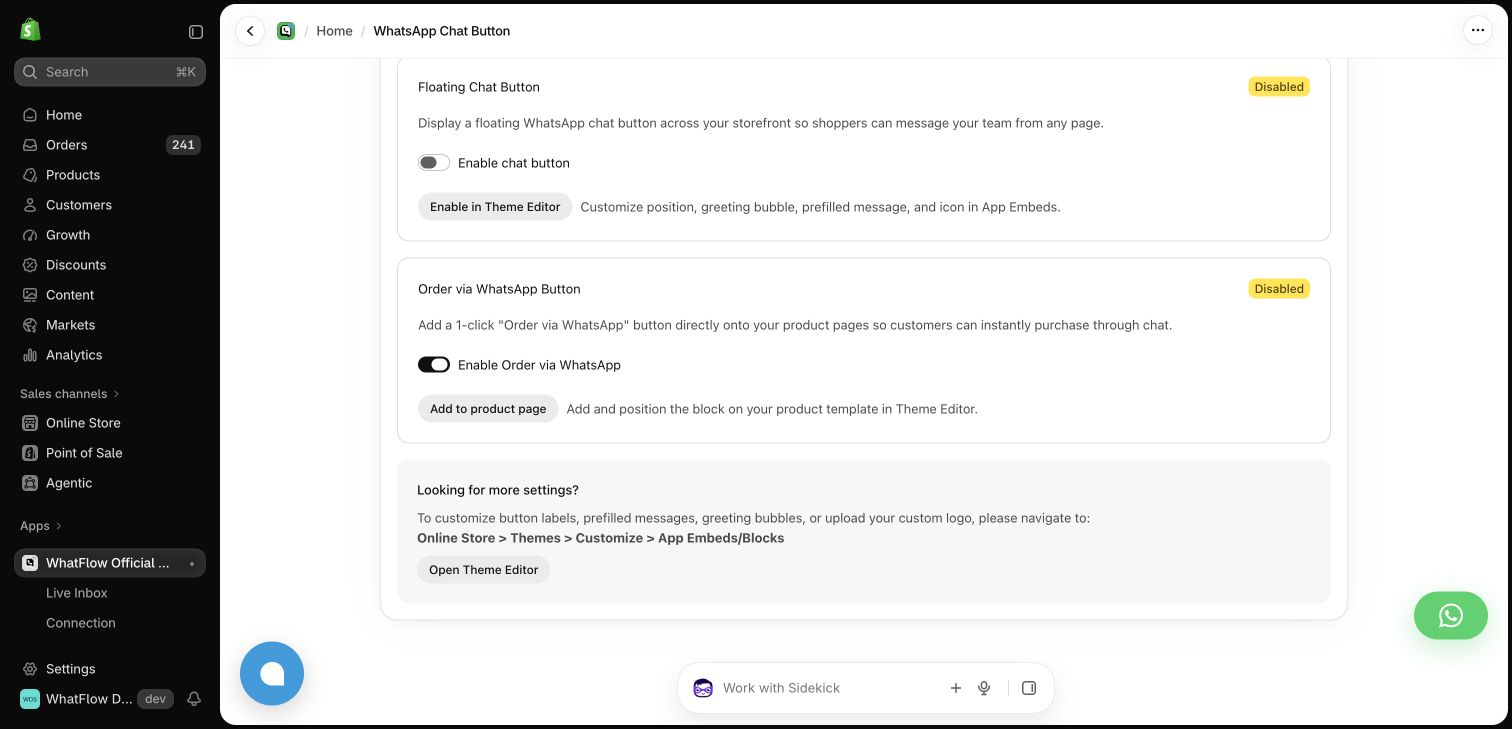
WhatFlow's theme-matched WhatsApp chat button is free forever. You place and style it with Shopify's theme editor, and set the number and opening message in WhatFlow's chat button setup. The storefront button doc lists the steps: preview on desktop and mobile, tap the button on a phone, and check the number and opening message before you publish.
WhatFlow's chat button settings in a demo store: a floating button and a product-page button, each linking to the Theme Editor.
Auto-replies for the first message
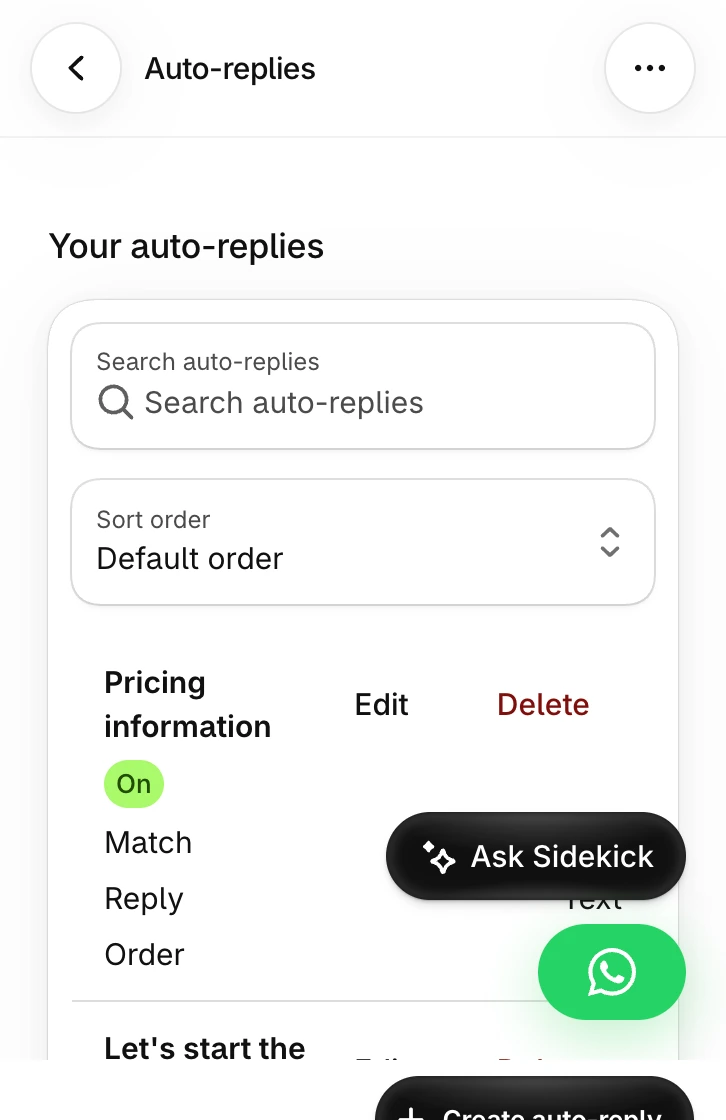
To greet customers who write in, create a rule in Auto-replies, set what the customer must send, and choose the response. The auto-replies doc has the test steps. Test from your own phone, including a message that shouldn't match. For more complex greeting logic, WhatFlow's incoming-message trigger in Shopify Flow lets you add conditions before a text reply goes out.
The Auto-replies list in WhatFlow's demo store. Demo data only; nothing was sent.
Templates for welcomes you send first
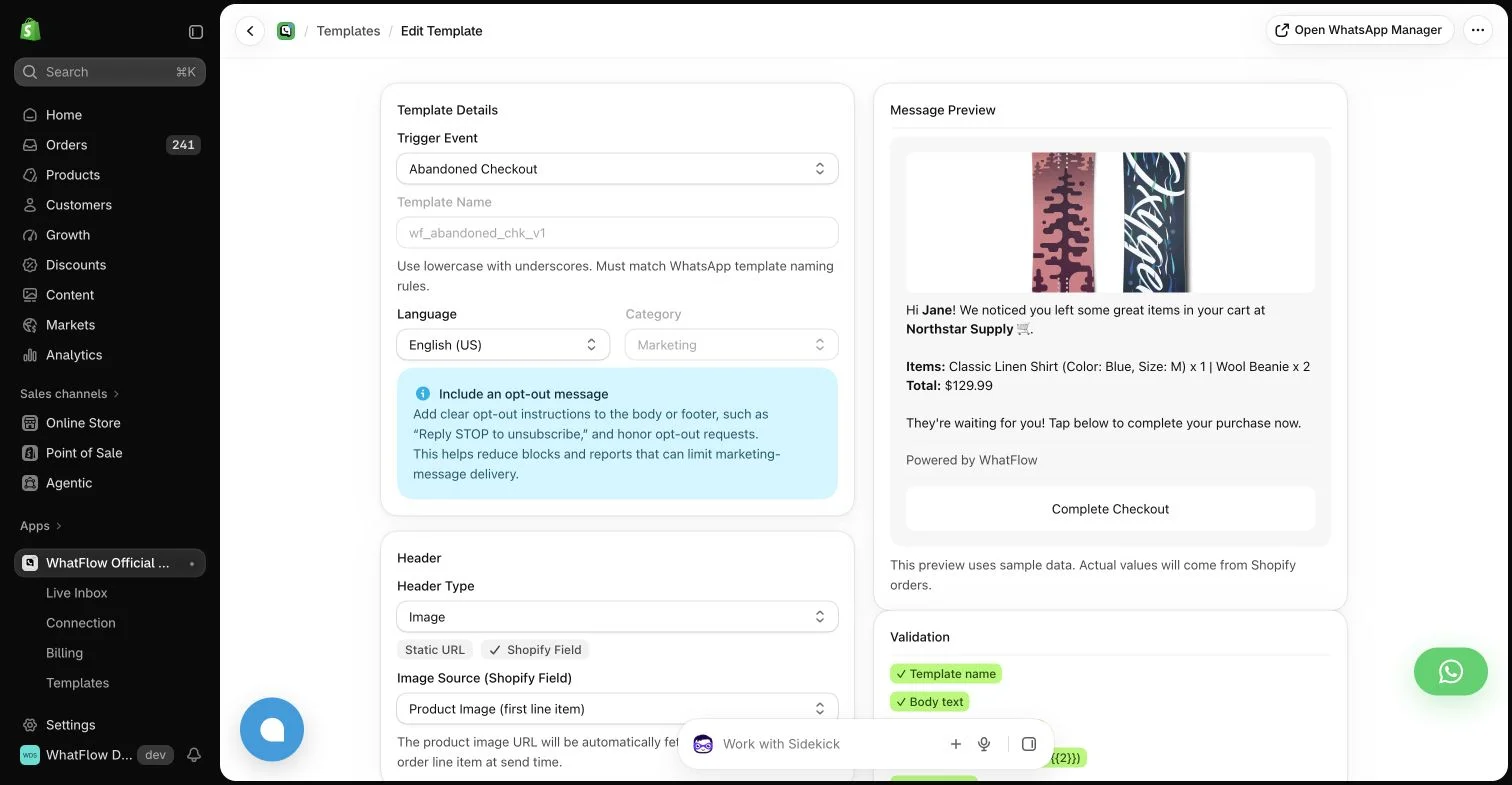
Write welcome templates in WhatFlow's template editor in Shopify admin, submit them to Meta, and wait for approval. Then send them from a Shopify Flow workflow with WhatFlow's send-template action. Respect the blocklist so anyone who sent STOP doesn't get a welcome.
WhatFlow's template editor in a demo Shopify admin. Templates are submitted to Meta for approval before use.
Returning-customer greetings live best in Canned Responses in the Team Inbox. With no seat fees, every agent on a large team can use the same saved greetings.
Common greeting mistakes
A wall of text. Brand story, opening hours, five links and a promo code. Nobody reads past line two.
A menu with nine options. Use three buttons and "something else".
Greeting every message. A greeting should fire once per new conversation, not on every "thanks".
Fake instant replies. "A team member will reply in 2 minutes" with no one on shift.
Welcoming people who never opted in. A checkout phone number isn't WhatsApp consent on its own.
Ignoring the ad. Someone who tapped a mug ad and gets "How can we help?" has to explain themselves again.
Run WhatsApp for your Shopify store with WhatFlow
Free plan available. Templates, COD confirmation, Shopify Flow automations and a shared team inbox with no seat fees. Every feature is included on every plan, including Free.
Start with one first-contact greeting and one welcome template. Message your own store from a second phone, tap your chat button on mobile, and read the thread as if you'd never heard of the shop. If you'd reply without thinking, it works. A thank-you message after the first order is a natural next one.
Frequently asked questions
What is a good WhatsApp greeting message for a business?
A short message that names the store, says how the chat works (automatic or a person, and when someone will reply) and asks one easy question that moves the conversation forward, like what product the customer is looking at.
Do I need a template for a WhatsApp welcome message?
Only if your business sends it first. If the customer messages you, your greeting is a free-form reply inside the 24-hour customer service window. A welcome you send after someone opts in at checkout or in a popup needs a Meta-approved template.
Is a WhatsApp welcome template marketing or utility?
Meta decides the category. Its guidelines treat generic greetings and introductions as marketing, while a plain confirmation that the customer opted in, with no promotion, is listed as a utility example.
How should I greet someone who clicked a click-to-WhatsApp ad?
Mention the product or offer from the ad, answer the question the ad raised, and give them one next step. Replying inside the 24-hour window opens Meta's free entry point window, which may stay open for up to 7 days on the WhatsApp mobile apps.