
Make the storefront chat button fit your theme, then test a restock request for one unavailable variant.
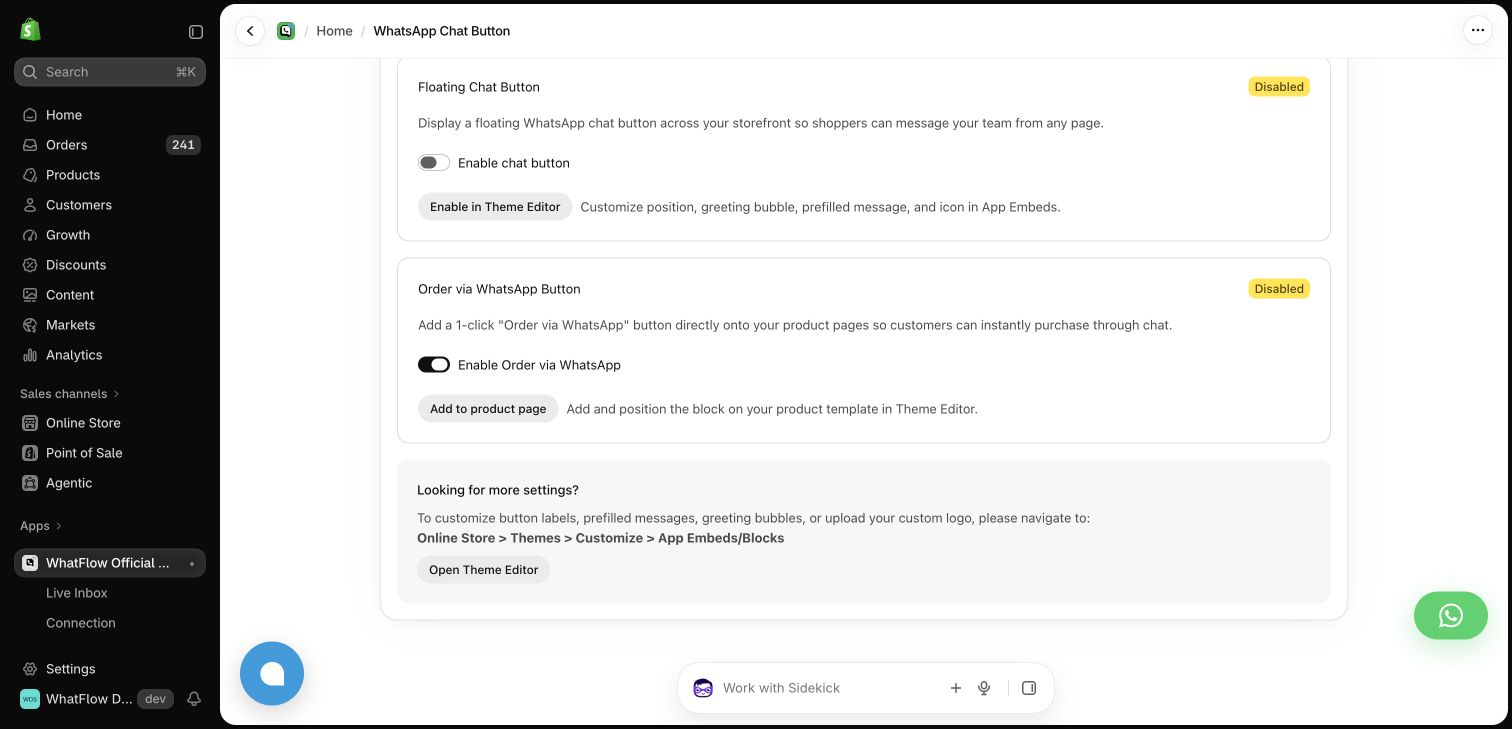
Add the WhatsApp chat button
Open WhatFlow’s chat button setup and use Shopify’s theme editor to place and style the button. Preview the theme on desktop and mobile. Tap the button on a phone to verify the number and opening message. Check it against other floating elements such as the cart or cookie controls before publishing.
Set up back-in-stock requests
Open Back in stock. Follow the instructions for adding its product-page button, then choose the approved message. On a test product, switch between an available variant and one that is out of stock. Submit a request using a number you control and find it in the request queue.
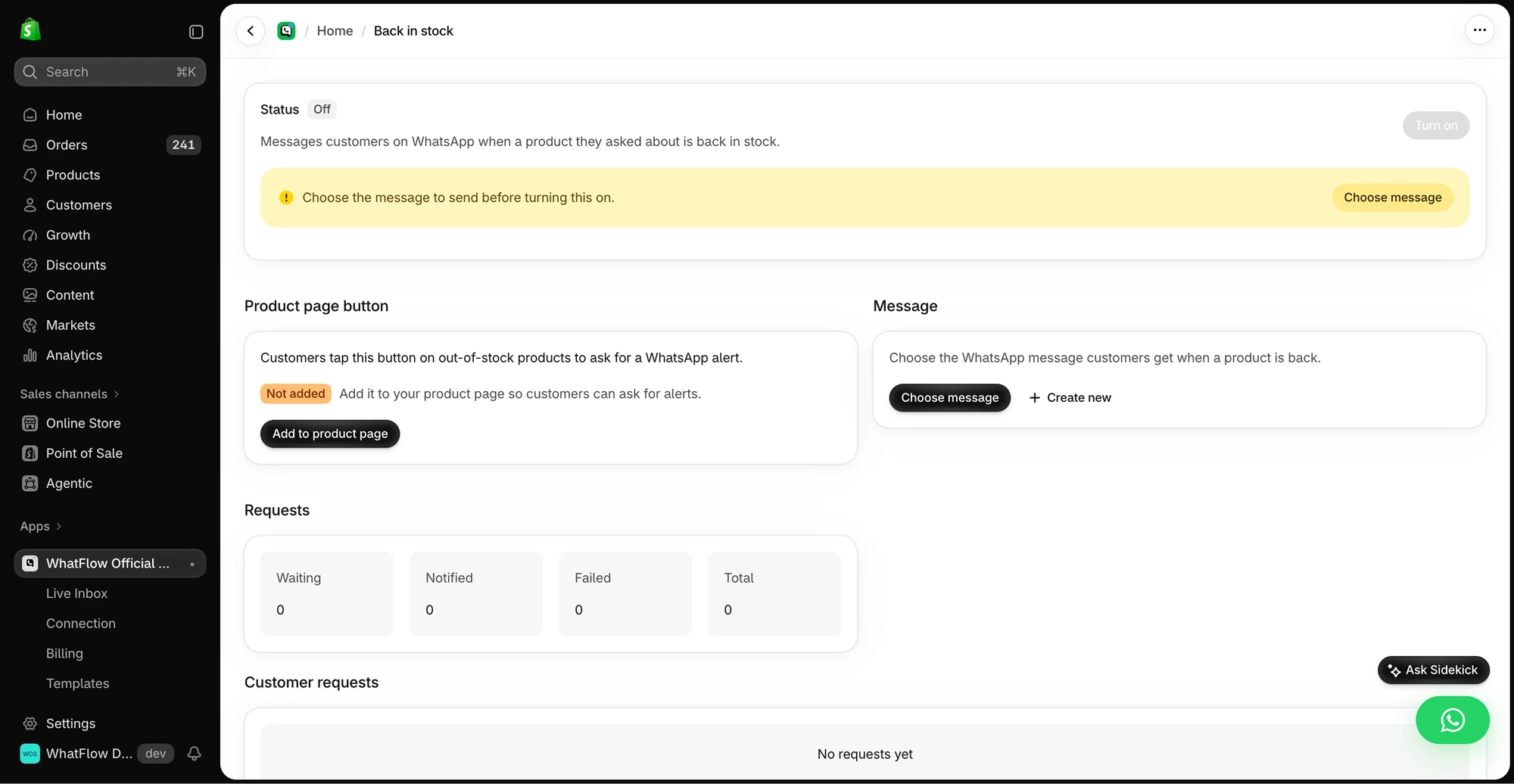
Rehearse the restock
Restock the test variant and check the alert points back to that exact product or variant. Review any opt-out and eligibility conditions before sending. Keep the restock subscription focused on the product the customer requested. Collect separate permission if you also want to send broader offers.
GET ACTIONABLE ECOMMERCE & WHATSAPP PLAYBOOKS.
Join 10,000+ merchants worldwide receiving our weekly breakdown on abandoned cart recovery, team inbox workflows, and WhatsApp conversion tactics.