WhatsApp for furniture store owners solves the two hardest parts of selling furniture online: the questions buyers have before spending a lot, and the logistics of getting a sofa through someone's front door. Use WhatsApp to answer dimension and fabric questions with real photos, then book delivery dates with reply buttons and confirm access details before the van leaves. Payment still happens on Shopify checkout.
Furniture customers almost always want to talk before they buy. They're spending real money on something they'll live with for years, they can't sit on it, and they're worried it won't fit up the stairs. If you answer those worries well on WhatsApp, you sell more and you deal with far fewer failed deliveries.
For a shopper asking which size or variant fits, use WhatFlow's product picker to share the relevant catalog item from the conversation. With catalog cart follow-up configured, WhatFlow can send back a Shopify checkout link. Check Shopify before treating the WhatsApp cart as a paid order. The catalog-to-checkout walkthrough shows the test sequence.
What do furniture customers ask on WhatsApp?
Say you sell sofas, dining tables and storage online. Your WhatsApp inbox will be full of these:
"What are the exact dimensions? Will it fit a 2.4m wall?"
"Will it go through a 75cm doorway?"
"Can you send a fabric swatch?" / "What does the oat colour look like in real life?"
"Is it solid wood or veneer?"
"How long is delivery? It says 4 to 6 weeks."
"Do you deliver to the 4th floor with no lift?"
"Does it come assembled?"
"Can I get it in a different leg finish?"
Most of these are about risk, not price. The buyer is trying to avoid the nightmare of a sofa that doesn't fit, or a colour that looks wrong in their living room.
Before the sale: answering size, material and fit-in-the-room questions
Dimensions and access
Don't just paste the spec. Give the measurement that matters for their question and tell them what else to check.
Hi Kamran! The Elba 3-seater is 218cm wide, 92cm deep and 84cm high. The narrowest part for doorways is the depth, 92cm, but the legs unscrew, which brings the height down to 72cm. If your doorway is 75cm wide, it should go through on its side. Could you also measure the tightest turn on your stairs? That's usually the real problem.
A saved reply with a "how to measure for delivery" checklist saves your team writing it every time:
Before you order, please measure: (1) your front door width and height, (2) any hallway or stair turn, (3) the lift interior if there is one, (4) the space where it'll go. Send me the numbers and I'll confirm it'll fit.
Use one unit system consistently with each customer. Mixing centimetres and inches in the same chat is how a 90-inch sofa ends up ordered for a 90cm alcove.
Materials, finishes and colour
Send real photos and short daylight videos. For fabric, show the texture close up, next to something white, and in a room setting if you can. Be honest about what customers will see:
Here's the Oat bouclé in natural light. It reads warmer than on screen, closer to cream than grey. Bouclé shows texture beautifully but can pill a little with pets, so if you have a cat, the Performance Weave in Sand might suit you better.
That last sentence loses you nothing and earns a lot of trust.
Custom options and quotes
Furniture often involves options outside your standard variants: a different leg finish, a custom length, a bundle with a matching ottoman. Create a Shopify draft order with the agreed configuration and share its checkout link in the chat. Shopify's Help Center explains how to share a draft-order checkout link. For the broader approach to expensive purchases (consultations, follow-up cadence, financing questions), see selling high-ticket products over WhatsApp.
How do you book furniture deliveries over WhatsApp?
Delivery booking is where most furniture stores lose time. Phone tag with customers, missed calls, vans arriving to locked doors. Moving it to WhatsApp fixes most of that.
Here's a simple flow:
Order confirmation. Send a utility template with the order summary and the expected lead time.
Ready-to-book message. When the item is ready (or a week before your delivery run), send a template offering dates as reply buttons.
Access check. Once a date is chosen, ask about floor, lift, parking and anything awkward.
Day-before reminder. Confirm the time window and the driver's arrival call.
Delivered. A short care and assembly message, then a review request later.
The booking template:
Good news, Rabia: your Haven dining table (order #5120) is ready for delivery. Which day works best for you?
[Tue 18 Nov] [Thu 20 Nov] [Sat 22 Nov]
Quick-reply buttons make the next step obvious, which is why they work so well here. Designing WhatsApp quick replies covers how to word them. When the customer taps a button, the reply lands in your team inbox. WhatFlow's Shopify Flow triggers can also react to a customer's reply to an order message, for example by tagging the order with the chosen day so it shows up on the right delivery run. It's the same mechanism we use for COD confirmation, explained in turning WhatsApp order replies into Shopify actions. Test it with a sample order before you rely on it.
Then the access check, which is a free-form reply inside the 24-hour customer service window:
Thanks! Thursday it is, between 9am and 1pm. A couple of quick questions for the team: what floor are you on, is there a lift, and is there parking near the entrance? If there's anything tricky (narrow stairs, a gate code), let me know now.
A note on timing: these booking messages are utility templates, sent outside any open chat. Meta bills each delivered template by category and country, so check Meta's pricing page for current rates as of November 2026.
Long lead times: keep customers in the loop
Made-to-order furniture can take weeks. Silence during that time breeds "where's my order?" messages and cancellations. Send short, honest updates at milestones: in production, finished, ready to book.
Quick update on your Elba sofa: the frame is built and it's with our upholsterer this week. We're still on track for delivery from 2 December. I'll message you as soon as it's ready to book.
Assembly questions are easy wins. A short video of the trickiest step, sent on request (or automatically after delivery with a Flow media action), saves a frustrated evening.
Damage claims need a calm, structured reply. Ask for what you need in one message:
I'm really sorry about that, Bilal. So we can sort this quickly, please send: (1) your order number, (2) two or three photos of the damage, (3) a photo of the packaging if you still have it. Is the table still usable for now, or do you need it collected?
Then tell them when they'll hear back, and keep that promise. WhatFlow doesn't process refunds or generate return labels itself; those still happen in Shopify or your returns tool. Our guide to returns and exchanges on WhatsApp covers the rest.
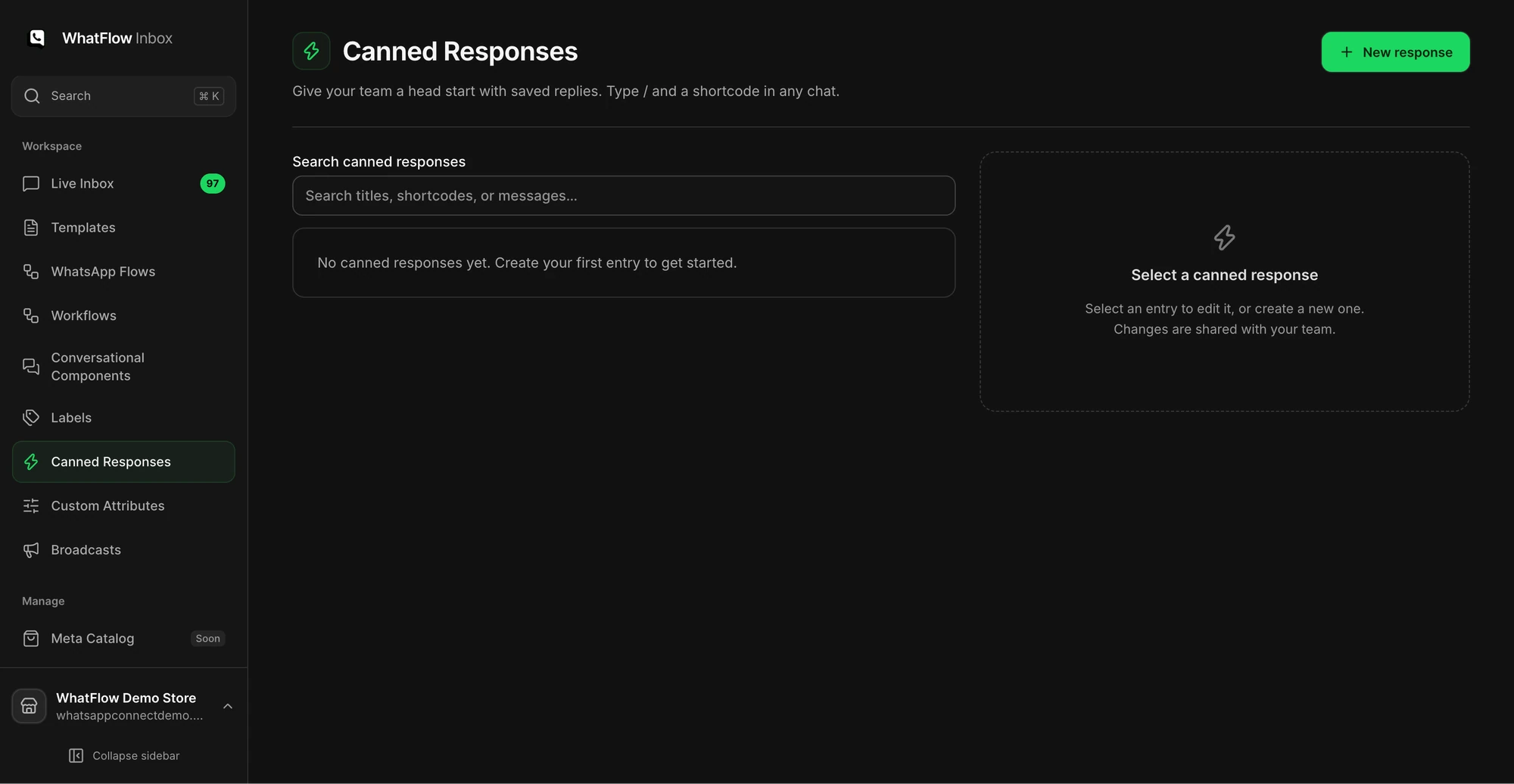
The Canned Responses screen is where a support team manages reusable replies.
Two furniture-specific pitfalls
Promising a delivery date before checking the run. Give lead times as ranges until the piece is actually ready, then book. A missed promised date on a sofa often ends in a cancellation.
Splitting one customer across three staff members. A furniture sale can involve a dozen messages over six weeks. Assign each order to one person in your inbox so nobody repeats questions or contradicts a promise. WhatFlow's team inbox has assignment and filters, with no seat fees, so your delivery coordinator can be in the same inbox as sales. See setting up a shared team inbox.
WhatsApp for furniture store teams: the features that help
Stage
What you need
WhatFlow feature
Pre-sale
Dimension and fabric answers, real photos
Team inbox, saved replies, media messages, catalog sharing
Custom orders
Agreed configuration and payment
Draft-order checkout link shared in chat
Delivery booking
Date choice and access details
Templates with reply buttons, Flow triggers
Lead time
Milestone updates
Order update templates
After delivery
Assembly help and damage claims
Inbox, saved replies, Flow media actions
All of these are on every WhatFlow plan, including the Free plan.
Free plan available
Run WhatsApp for your Shopify store with WhatFlow
Templates, COD confirmation, Shopify Flow automations and a shared team inbox with no seat fees. Every feature is included on every plan, including Free.
If you do one thing this week, write the "how to measure for delivery" saved reply and send it to every customer who asks about a sofa or wardrobe. It prevents the most expensive failure in furniture ecommerce: a van, two people and a product that can't get through the door.
Frequently asked questions
How can a furniture store use WhatsApp?
Furniture stores use WhatsApp to answer dimension, material and fabric questions before purchase, send real photos and videos, book delivery dates after the order, and handle assembly or damage questions after delivery.
How do I book furniture deliveries over WhatsApp?
Send a utility template after the order (or once the item is ready) offering delivery dates as reply buttons. The customer taps one, your team confirms in the inbox, and you send a reminder the day before.
What should I ask for when a customer reports furniture damage on WhatsApp?
Ask for the order number, photos of the damage and of the packaging, and whether the item is usable. Then tell them the next step and when they'll hear from you.
Can customers pay for furniture through WhatsApp?
Not inside WhatsApp with WhatFlow. Send a product link or a Shopify draft-order checkout link for custom orders, and the customer pays on Shopify checkout.