To handle Shopify returns and exchanges on WhatsApp, use the chat to understand the problem and keep the customer updated, and process the actual return, exchange or refund in Shopify or your returns app. Ask three things first: which item, what's wrong, and the order number. Then tell the customer exactly which stage their case has reached, and never confirm a refund until it's actually issued.
WhatsApp is a great place for returns because customers can explain, send a photo and ask a follow-up without starting a new email thread each time. The risk is that a friendly chat drifts into promises nobody checked. This guide is about keeping the friendliness and dropping the promises.
Write a returns policy your team can actually apply
Before anyone answers a return on WhatsApp, they need the current policy in one place. Not the legal page, a cheat sheet:
Return window (say, 14 days from delivery)
Items you don't take back (underwear, custom orders, sale items, whatever yours are)
Condition rules (unworn, tags on)
Who pays return shipping
What you offer: refund, exchange, store credit
Who approves exceptions
Faulty items are their own category. Depending on where you sell, customers may have legal rights that override your normal policy, so route damage and defect cases to whoever makes that call instead of answering with a saved reply.
If you've turned on Shopify's self-serve returns, customers can request a return from their order status page and you approve it in admin. In that case, WhatsApp is for questions. Send them the self-serve link instead of creating a second, parallel request in chat.
When a customer replies about an order, a WhatFlow agent can see matching Shopify orders, fulfillment status and available tracking links beside the conversation. Confirm which order the customer means, then use a private note and assignment to give the follow-up an owner. Any refund or order edit still happens in Shopify. See the support queue walkthrough.
What to ask in the first reply
Three things: which item, what's wrong, and the order number. That's it for now.
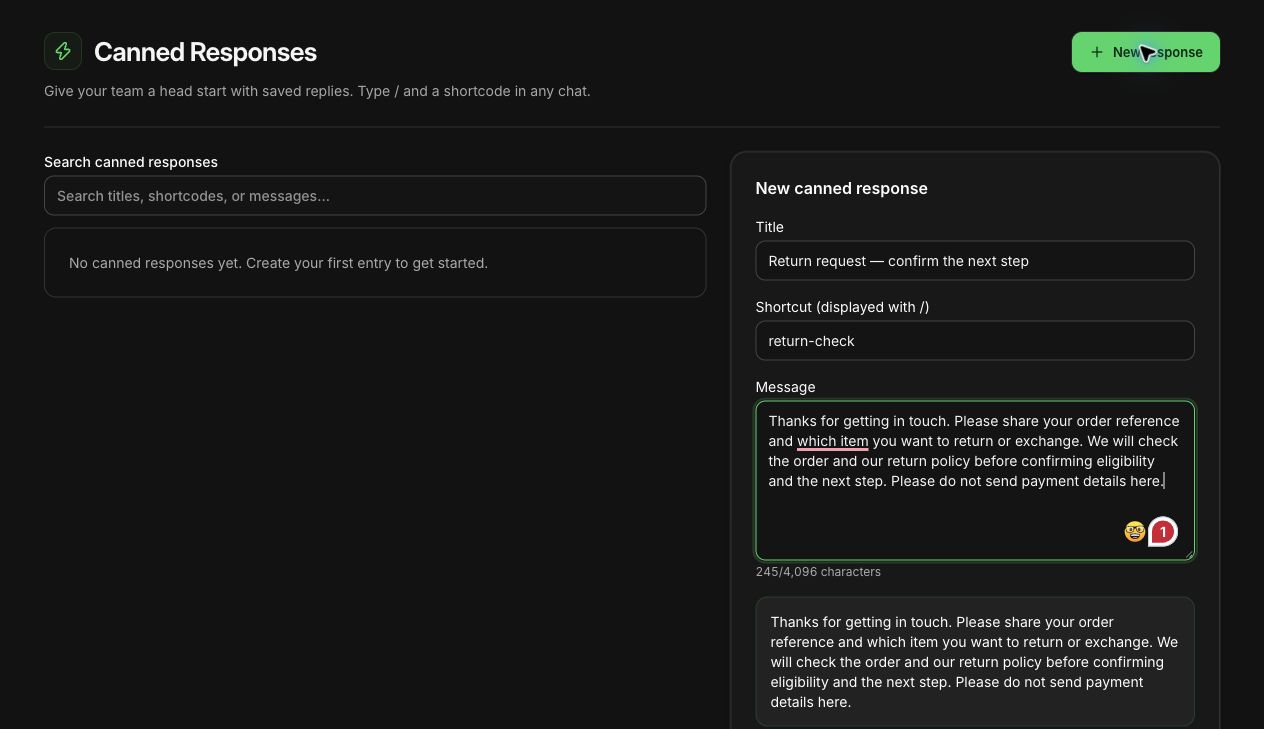
An unsaved returns reply drafted in WhatFlow's demo store. Nothing was sent.
A first reply might look like:
Hi Sara, sorry it didn't work out! Which item would you like to return, and is it about fit, damage or something else? If you can share your order number, I'll pull it up. (No need to send card details or ID here.)
An order number helps you find the order. It doesn't prove the person messaging owns it, so check the phone number or email against the order before you share an address or order history.
Only ask for a photo when it changes the decision, like damage or a wrong item. When you do, say what you need: "a photo of the crack and the box label is enough, you can crop out your address." Don't collect photos out of habit.
Turn these into saved replies so nobody writes them from scratch at 11pm. Our guide on saved replies that don't sound robotic shows how to keep them human.
The five stages of a return, and what you can say at each
"All sorted!" is the most dangerous phrase in returns support. Sorted how? Approved? Refunded? Tell the customer exactly which stage they're at.
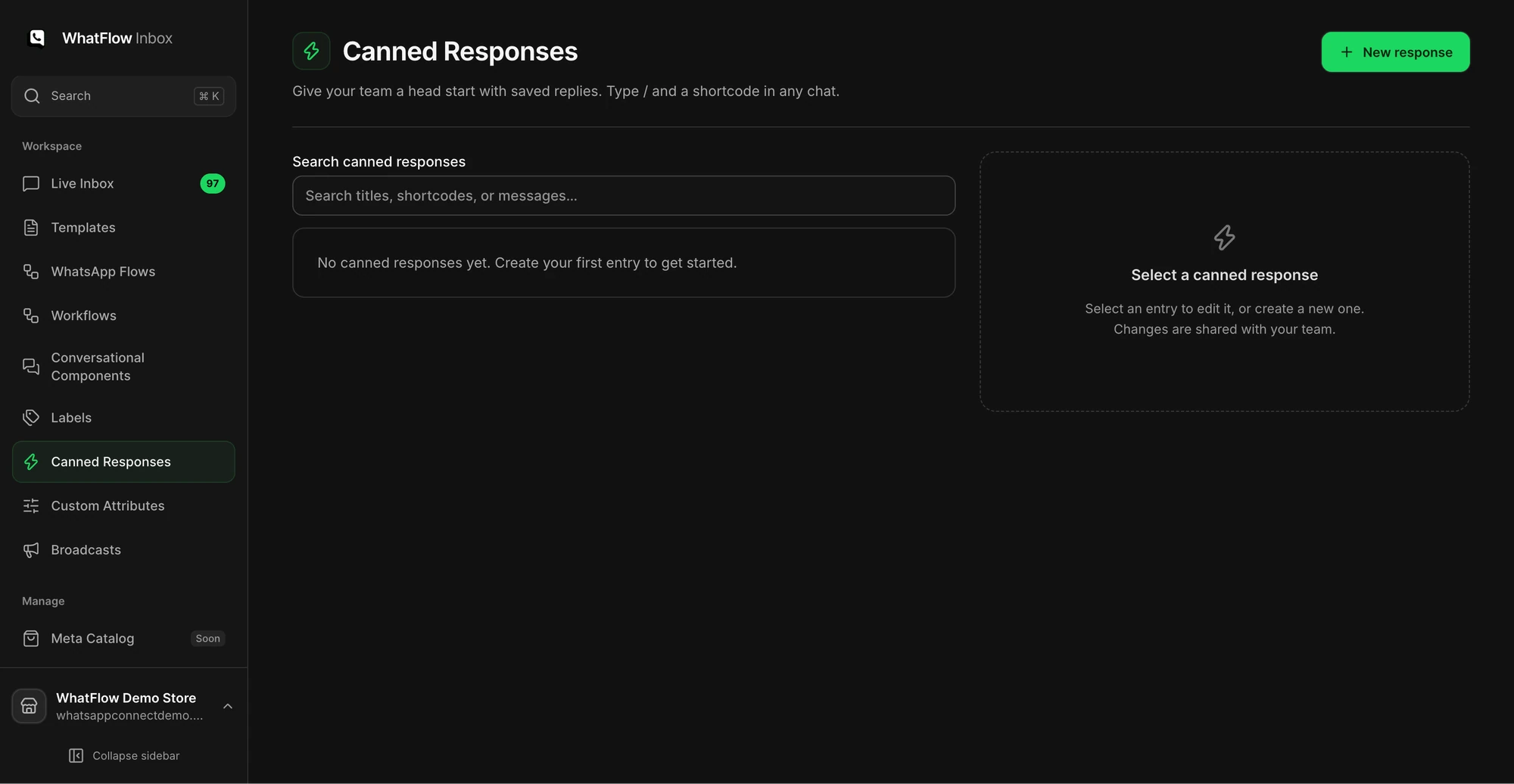
The Canned Responses screen is where a support team manages reusable replies.
Stage
Check before saying it
What you can say
Request received
Right order and item
"Got it, we're reviewing your return request."
Approved
Policy applies and someone with authority approved it
"Your return is approved. Here's what happens next."
Instructions sent
Real return address, label or courier pickup
"Please send it back using these instructions."
Item received
Warehouse or returns app confirms it
"We've received it and we're checking it now."
Resolved
Refund or exchange actually processed in Shopify
"Your refund has been issued."
Shopify's guide to creating and managing returns covers the admin side: return shipping, exchange items and refunds. WhatFlow doesn't create labels or process refunds; it's where the conversation lives.
Exchange replies that keep the customer in control
Check stock on the exact variant before you offer an exchange, and spell out any price difference or shipping cost before they commit. And don't swap in a different item because it's what you happen to have.
When it's in stock:
Good news, the blue medium is in stock right now. I can't hold it until your exchange is approved, but I'll confirm the next step and any cost difference before you decide. Should take less than a day.
When it isn't:
The blue medium has sold out, sorry. I can show you the closest options, or we can go ahead with a refund under our returns policy. I won't change anything without checking with you first.
If they want to see alternatives, WhatFlow's catalog sharing lets you send the actual product into the chat. Our guide to using the WhatsApp catalog for support covers that. Keep it to one or two genuinely suitable options. A return isn't the moment for a sales pitch.
Hand the case over without losing anything
Returns often need two people: whoever's chatting and whoever approves. Keep one person responsible for the next customer reply, even if someone else makes the decision. Leave a note that a colleague can act on without asking you:
Size exchange, 1x linen shirt, order #2231. Order verified by phone match. Waiting on returns lead for approval. Blue M in stock, not held. No refund promised. Jamie replies to customer by Thursday noon.
WhatFlow's team inbox has no seat fees, so the returns lead or warehouse person can be in the conversation without another subscription. The shared team inbox guide covers assignment so two people don't answer at once.
Keep payments out of the chat
Refunds go back through Shopify or your payment provider. Balance payments for an exchange go through checkout or a Shopify invoice. Never ask a customer to paste card numbers, bank logins or one-time codes into WhatsApp, and tell them you'll never ask, since scammers do.
When a refund is approved but not yet issued, say exactly that. When it's issued, confirm it and give the payment provider's real timing, not a made-up "3 days" that doesn't hold for every bank and country.
For follow-ups, mind the 24-hour customer service window. Inside it, reply freely. Outside it, WhatsApp only lets you send an approved template, such as a utility update about the return. The 24-hour window explained covers it in detail.
Practise the awkward cases before your busy season
Run through these with your team before the week after a big sale:
A partial return (keep one item, return two)
An exchange where the requested size sells out mid-conversation
A customer who changes their mind after shipping the return
Then ask someone to take over a case using only the handoff note. If they need to ask you anything, the note was missing something.
Free plan available
Run WhatsApp for your Shopify store with WhatFlow
Templates, COD confirmation, Shopify Flow automations and a shared team inbox with no seat fees. Every feature is included on every plan, including Free.
Once the process is steady, look at what repeats. If the returns step you care about shows up as a trigger in your Flow editor, it can send a WhatsApp update template through WhatFlow and Shopify Flow, and every WhatFlow plan, including Free, has the full feature set. But get the human version right first. The outcome you want: the customer knows the next step, your team knows who owns it, and the Shopify order says the same thing as the chat.
Frequently asked questions
Can customers request a return on WhatsApp instead of the Shopify returns page?
They can ask on WhatsApp, but the return itself should still be created in Shopify or your returns app. If you've turned on Shopify's self-serve returns, send them that link and use WhatsApp for questions.
Can WhatFlow create return labels or issue refunds?
No. WhatFlow handles the WhatsApp conversation: the shared inbox, saved replies, catalog sharing and message templates. Return labels, refunds and exchanges are processed in Shopify or your returns app.
What should I ask a customer who wants to return something on WhatsApp?
Ask which item, why (fit, damage, wrong item, changed mind) and for their order number so you can find it. Only ask for a photo if the decision depends on it, and never ask for card or bank details in chat.
Can I message a customer about their return after 24 hours?
Yes, but outside the 24-hour customer service window WhatsApp only allows an approved template, such as a utility update about the return. Inside the window you can reply freely.