
Publisher disclosure: this comparison is written by WhatFlow. Competitor capabilities are based on the linked public documentation; the WhatFlow screenshots come from our demo store. Examples are illustrative, and results depend on your store and configuration.
WhatFlow and SMS shipping alerts at a glance
| Consideration | WhatFlow | SMS shipping alerts |
|---|---|---|
| What the customer gets | A branded WhatsApp message with order number, carrier and tracking link, in a thread they can reply to. | A short text from a number or short code; replies may go nowhere useful. |
| Cost | WhatFlow from $0 (Free) or $4.99/month for 2,000 messages, plus Meta's per-template charge regardless of length. | Per segment: 160 Latin or 70 non-Latin characters, so long tracking links and local-language text add segments. |
| Shopify workflow | Shopify Flow fulfilment triggers send WhatFlow templates with tracking fields mapped in. | Depends on the SMS app's Shopify integration. |
| Handling replies and problems | Delivery questions land in WhatFlow's team inbox with saved replies; warehouse staff can join at no seat cost. | Often a separate SMS inbox, or replies aren't monitored. |
| Best fit | WhatsApp-first markets and any customer who opted in. | Customers who aren't on WhatsApp. |
Send Shopify shipping updates on WhatsApp wherever your customers use it. A WhatsApp update shows your business name, carries the full tracking link without segment limits, and opens a thread the customer can reply to. SMS sends a line of text from a number. WhatFlow sends shipping updates from Shopify Flow and catches every "can you leave it at reception?" in a team inbox with no seat fees.
At a glance
WhatsApp with WhatFlow | SMS | |
|---|---|---|
Sender | Your business name and profile | Number or short code |
Length | Room for order, carrier, link, note | 160 Latin / 70 non-Latin characters per segment |
Replies | Team inbox, no seat fees | Often unmonitored |
Automation | Shopify Flow fulfilment triggers | SMS app integration |
Cost | Plan from $0 + Meta template fee | Per segment, per send |
What does a good WhatsApp shipping update look like?
Hi Omar, your order #7710 is on its way with SMSA. Track it here: {tracking_link}. Expected delivery: Thursday. Need a different drop-off? Reply here.
Everything a customer needs, from a sender they recognise, in a thread they can answer. Say Omar replies "I'm away Thursday, can the courier leave it with the building guard?" Your warehouse lead sees it in the shared inbox and sorts it, and because there are no seat fees, the warehouse lead actually has a login.
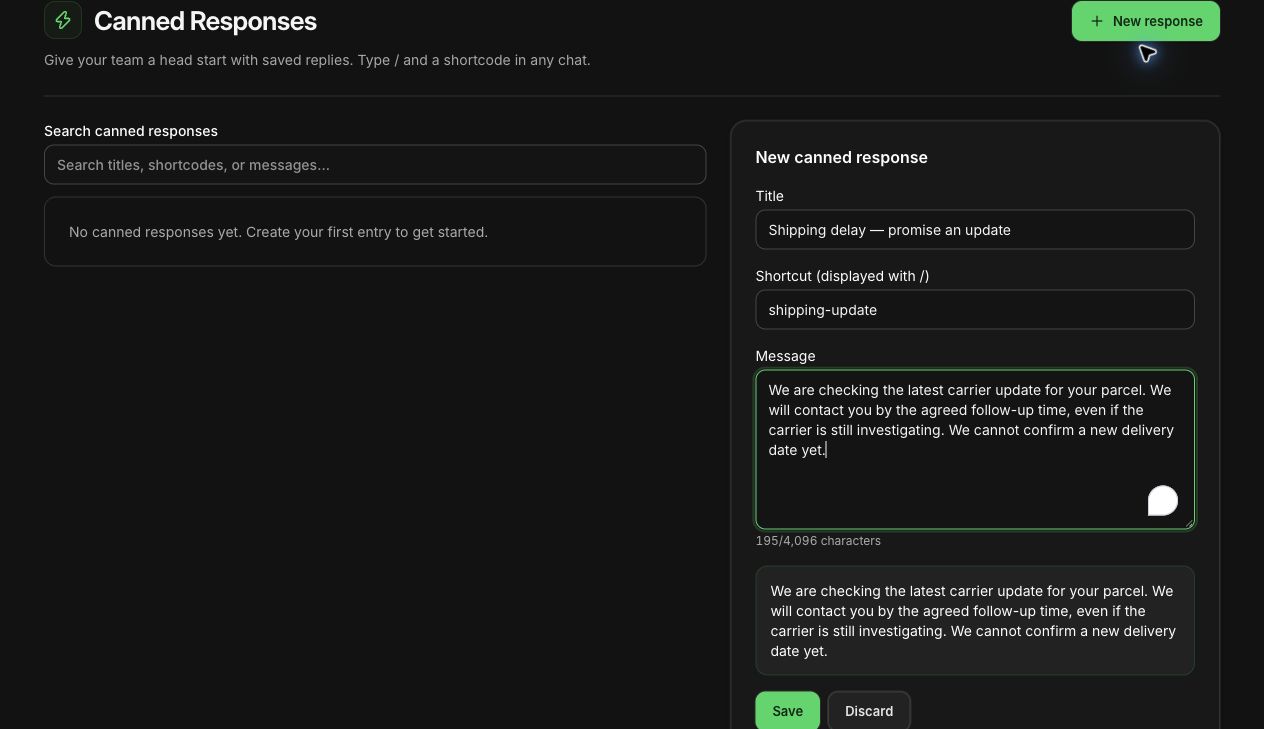
Saved replies like the one above make the common answers fast. For delay wording, see handling Shopify shipping delays on WhatsApp.
How do the costs compare?
SMS charges per segment. A Latin-script message holds 160 characters, or 153 per segment once it splits. A message in Arabic, Urdu or Hindi, or one with an emoji, holds only 70 characters (67 when split). Add a long carrier tracking URL and a shipping update can run to three segments.
WhatsApp is billed per delivered template by Meta, whatever the length, and WhatFlow's plan sits on top. A worked example with hypothetical numbers: you ship 6,000 orders a month and send two shipping updates each (shipped, out for delivery). That's 12,000 messages, which fits WhatFlow's Growth plan at $29/month for 20,000 messages (as of November 2026).
On Meta's side, shipping updates are usually utility templates. Since October 1, 2026, Meta charges utility templates even inside an open 24-hour customer service window, so count every update. Free-form replies are free for the first 1,000 per business number each month, then charged. See WhatsApp Business API pricing explained and our pricing page.
How do I automate shipping updates in Shopify?
Shopify Flow does it, with WhatFlow's template action:
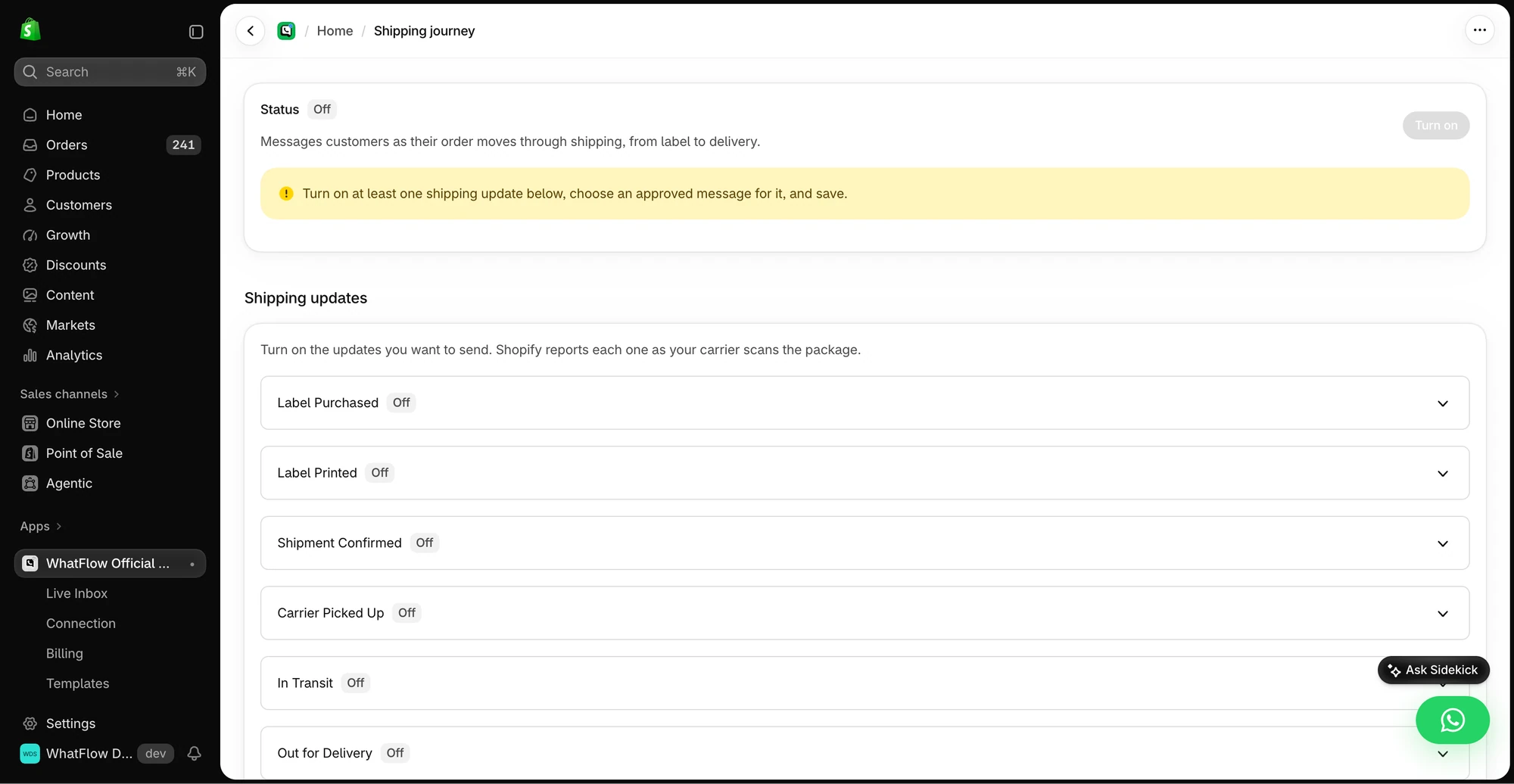
- Trigger: Fulfillment created (or order fulfilled).
- Action: WhatFlow, Send WhatsApp Template, mapping first name, order number, carrier and tracking URL.
- Check: If tracking gets replaced later, send a short correction rather than a second "shipped" message.
Split shipments deserve their own message ("2 of 3 items shipped today, the third follows Monday") so customers don't think something's missing. Sending WhatsApp templates from Shopify Flow has the setup.
Can WhatFlow handle a high-volume warehouse?
Yes. WhatFlow WhatsApp Business API runs on the official Meta WhatsApp Cloud API, and it's enterprise-ready: inbox assignment and filters to split shipping questions from sales, no seat fees at any team size, Shopify Flow automation at scale, COD confirmation, live catalog sharing and Shopify admin extensions. Small stores get the same features on the Free plan.
When does SMS still make sense?
Use SMS only for customers who aren't on WhatsApp or haven't opted in. Set one rule so each customer gets one channel, never both. If you sell mainly in a market where SMS is still the default, it can stay your main channel. The general trade-offs are in WhatsApp vs SMS for Shopify, and email's role is in WhatsApp vs email order updates.
The bottom line
Shipping updates should be recognisable, complete and answerable. WhatsApp gives you all three; SMS gives you a line of text. WhatFlow sends the updates from Shopify Flow, with every feature on every plan and no seat fees for the people who handle the replies. WhatFlow WhatsApp Business API is rated 5.0/5 from 55 ratings on the Shopify App Store (as of November 5, 2026). For the bigger picture, see the post-purchase journey guide.
Questions worth asking
Are WhatsApp shipping updates better than SMS?
Where customers use WhatsApp, yes. A WhatsApp update shows your business name, carries the tracking link without segment limits, and lets the customer reply. WhatFlow sends it from Shopify Flow and routes replies to your team inbox.
What should I check before switching shipping alerts to WhatsApp?
Test a normal shipment, a split shipment and a tracking number that gets replaced after the first message. Make sure the customer only ever sees the current link.
Are shipping updates included in WhatFlow's free plan?
Yes. Order and shipping update messages, like every WhatFlow feature, are on every plan including Free. Plans differ only by message allowance.
How much does Meta charge for WhatsApp shipping updates?
Shipping updates are usually utility templates, billed per delivered message by category and country. Since October 1, 2026, utility templates are charged even inside an open customer service window.
Sources and methodology
We checked these primary sources on November 5, 2026. Vendor pages describe advertised capabilities, rather than independent performance tests. Confirm current pricing, plan limits and availability with each provider.
- WhatFlow plans and Shopify integrations
WhatFlow listing: shipping and tracking updates, delivery updates and plan pricing, checked November 5, 2026.
- WhatsApp Business Platform pricing
Meta's overview of WhatsApp Business Platform pricing by category and country.
- SMS length and segmentation
Twilio: GSM-7 allows 160 characters per single SMS (153 per segment when split); UCS-2 allows 70 (67 when split).
- WhatsApp Business Platform pricing (Meta developer docs)
Meta charges per delivered template message by category and recipient country. Since October 1, 2026, service replies are free only for the first 1,000 per business number each month, and utility templates inside the customer service window are charged.
- Shopify Flow (Shopify Help Center)
Shopify Flow is free and available on Basic, Grow, Advanced and Plus plans, as of November 2026.