A good Shopify post-purchase journey answers the buyer's questions in the order they ask them: did my order go through, when will it arrive, how do I use it, and what did I think. Give each message one job, trigger it from an event you can trust, and assign someone to every exception. Marketing (cross-sells, referrals) comes last, and only for customers who opted in.
Start with the customer's questions, not your campaigns
After checkout, the buyer has a short list of questions. Roughly in order:
Did my order actually go through?
When will it arrive?
It's here. How do I use it?
Something's wrong. Where do I get help?
(Later) Was it any good?
Your post-purchase journey is just the answers, delivered at the right moments. Promotions only make sense once those are handled. A cross-sell in the order confirmation isn't the end of the world, but a "you might also like" before the parcel has even shipped tells the customer what you care about.
When a customer replies about an order, a WhatFlow agent can see matching Shopify orders, fulfillment status and available tracking links beside the conversation. Confirm which order the customer means, then use a private note and assignment to give the follow-up an owner. Any refund or order edit still happens in Shopify. See the support queue walkthrough.
A post-purchase sequence you can copy
Here's a sequence for a typical physical product. Adjust the timing to your shipping speed.
Delivery event, or fulfillment + typical transit time
Utility or marketing, depending on content
5–14 days after delivery
Review request
Delivery + delay
Marketing (usually)
Weeks later
Refill, accessory or referral
Your rules
Marketing
Meta assigns the template category when it reviews your template, and it can recategorize one. Treat the column above as a starting expectation. If you're unsure, our guide to marketing vs utility templates explains the difference.
Example messages for each stage
Order confirmation:
Hi {{1}}, thanks for your order #{{2}}. We've got it and we're packing it now. You'll get a tracking link here as soon as it ships, usually within 1–2 working days. Questions? Just reply.
Shipped:
Good news, {{1}}: order #{{2}} is on its way with {{3}}. Track it here: {{4}}. Most orders to {{5}} arrive in 3–5 days.
How to use it (for a product that needs setup):
Hi {{1}}, your {{2}} should be with you now. Two quick tips before first use: soak the filter for 10 minutes, then run one full cycle with plain water. Full guide here: {{3}}. Reply if anything doesn't look right.
Review request:
Hi {{1}}, you've had the {{2}} for about a week now. How's it working? If you have a minute, you can leave a review here: {{3}}. Honest feedback helps other buyers, good or bad.
Each one does one thing. The "how to use it" message doesn't ask for a review. The review request doesn't push a discount. That separation is what makes a sequence feel like service rather than a funnel. For more copy, see our WhatsApp templates for Shopify stores.
Use events you can trust
The most common mistake I see: a message that says "now that your order has arrived" triggered by fulfillment, which only means the warehouse handed it to a courier. The customer reads it while the parcel is still two cities away.
Write down which event each message uses and what that event really means:
Order created: the purchase was recorded.
Fulfillment created: it left your hands.
Delivered: only if your carrier or tracking app reliably reports it.
If you don't have a reliable delivery event, don't claim delivery. Use "should be with you by now" and a longer delay. Our guide on when to send review requests after delivery goes deeper on this.
Plan the exceptions before they happen
The main path is easy. The exceptions are where journeys break:
Split shipments: two "shipped" messages for one order is fine; two review requests isn't.
Pre-orders: the normal "ships in 1–2 days" copy is wrong. Use a separate path.
Cancellations and refunds: stop every downstream message for that order.
Open complaints: pause the review request and any marketing until it's resolved.
COD orders: confirm before you ship. If the customer doesn't confirm, the rest of the sequence shouldn't run.
For COD, WhatFlow can send a confirmation template with reply buttons, and a Shopify Flow workflow can tag or cancel the order based on the answer. Our guide to turning WhatsApp order replies into Shopify actions shows how that's wired.
Build it in Shopify Flow
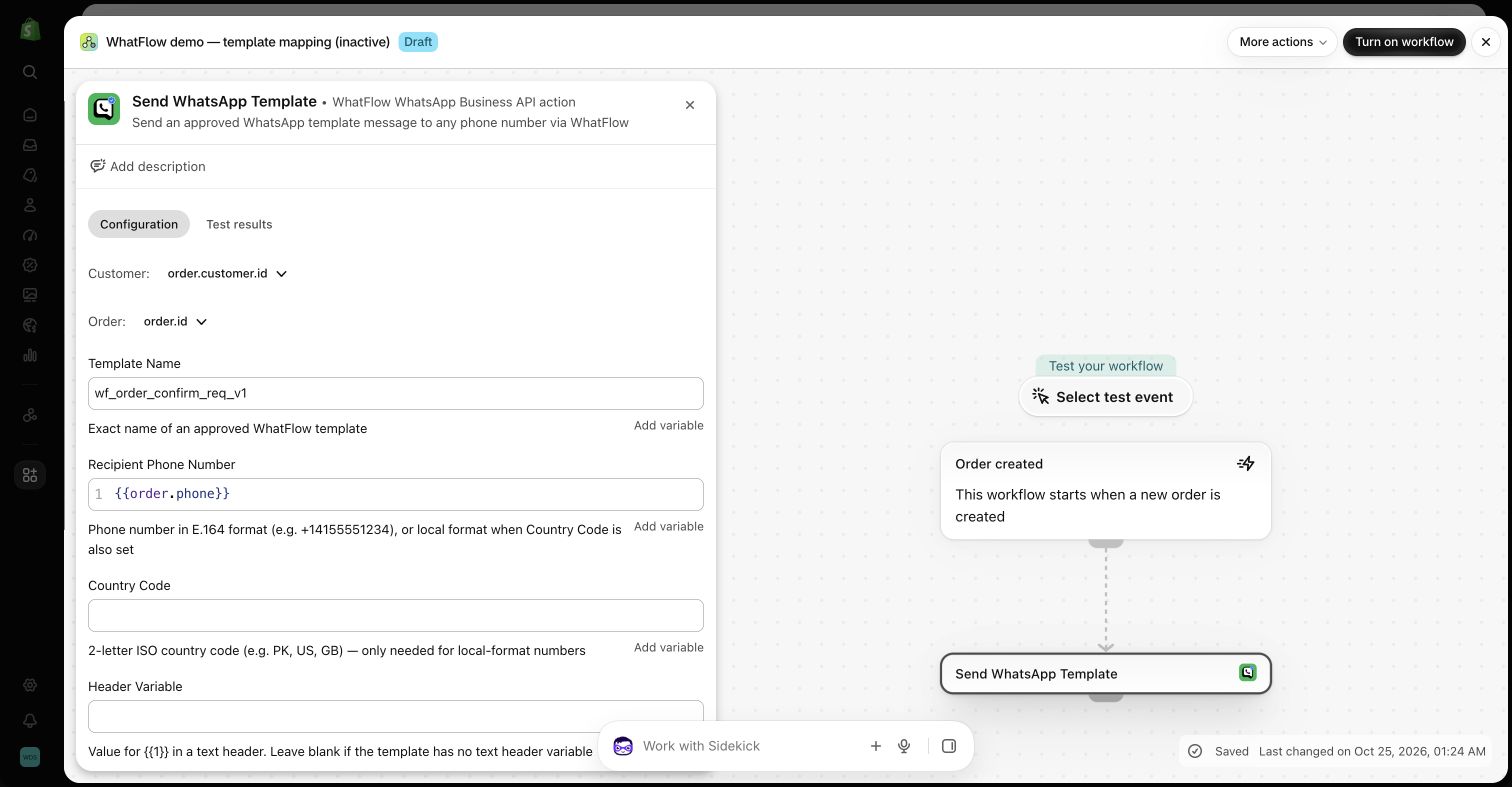
If you use WhatFlow, each stage above can be a Shopify Flow workflow: a Shopify trigger (order created, fulfillment created), a condition or two (tag, payment method, country), and a WhatFlow action that sends the approved template.
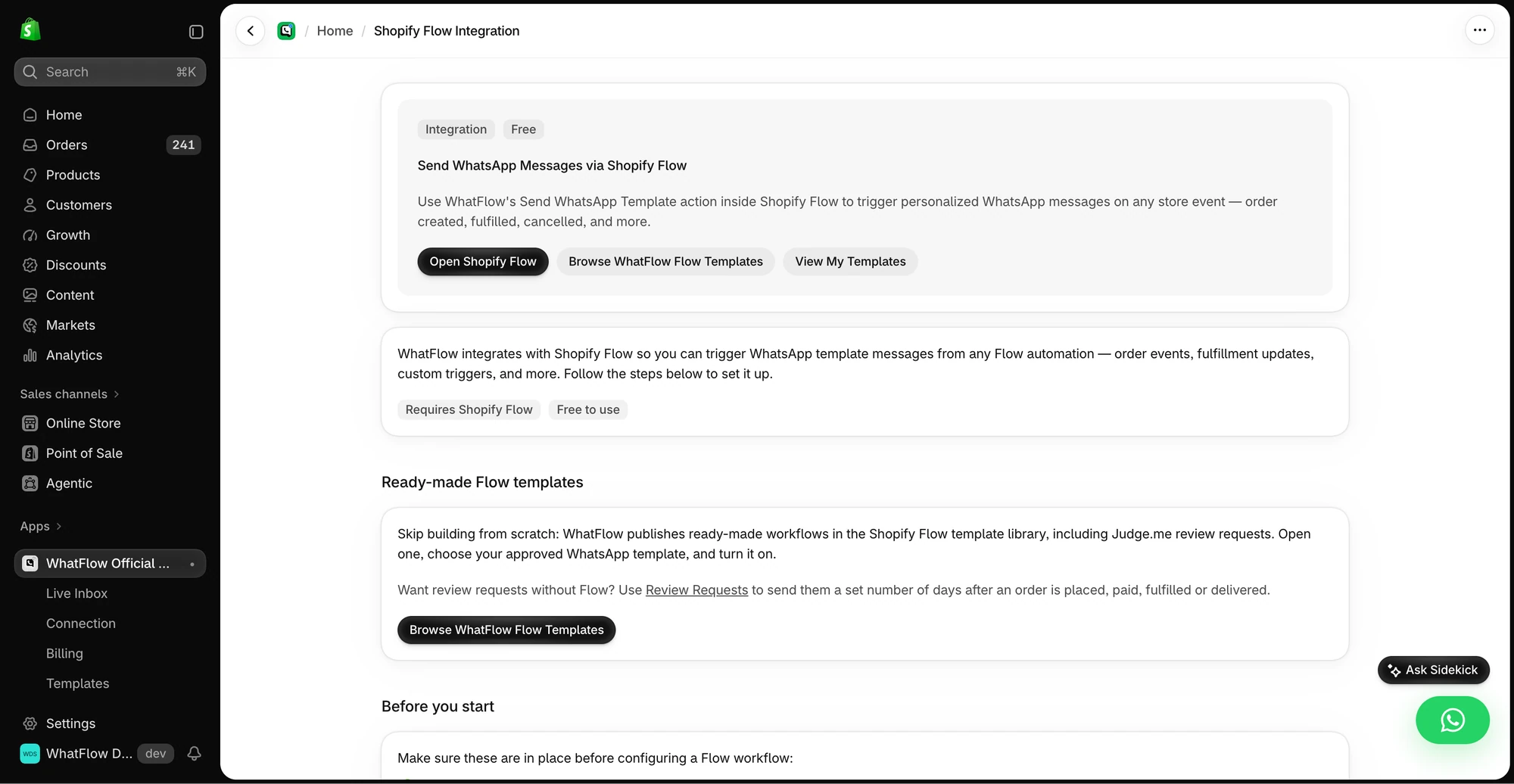
The in-app guide links to Shopify Flow, templates and setup instructions for WhatsApp actions.
A WhatFlow template action in a demo Shopify Flow workflow, mapping order fields into template variables. Demo only, nothing was sent.
The advantage of doing it in Flow rather than inside a separate messaging dashboard: your conditions can use the same order tags and data your team already uses, and other apps' Flow triggers can join in. It also scales: WhatFlow's WhatsApp Business API app runs on Meta's official WhatsApp Cloud API, so the same workflows hold up whether you ship 50 orders a month or 5,000. Our WhatFlow and Shopify Flow guide covers the setup.
Make replies part of the design
People reply to shipping updates. "Can I change the address?" "Is it coming before Friday?" Every message in this journey should land somewhere a human checks. That's the point of sending it on WhatsApp rather than from a no-reply email address.
In WhatFlow, replies go to a shared team inbox inside Shopify, where you can assign them and filter by status. There are no per-seat fees, so the warehouse person who knows about dispatch can be in there too. And when a customer replies, the 24-hour customer service window opens, so your answer can be a normal free-form message rather than a template. (Meta's pricing for service replies changed in October 2026, so check the current WhatsApp pricing if you handle a lot of them.)
Free plan available
Run WhatsApp for your Shopify store with WhatFlow
Templates, COD confirmation, Shopify Flow automations and a shared team inbox with no seat fees. Every feature is included on every plan, including Free.
Once a month, pick ten recent orders and reconstruct exactly what each customer received across email, SMS and WhatsApp. You'll usually find something: a duplicate shipping email, a review request sent to someone with an open return, a "delivered" message that went out early. Fix one real problem before adding another message. And if you run email and WhatsApp side by side, coordinate the channels so they're not telling the customer the same thing twice.
Frequently asked questions
What messages should a Shopify post-purchase journey include?
At minimum: order confirmation, a shipping update with tracking, a delivery or 'how to use it' message, and a review request. A repeat-purchase or referral message can come later, only for customers who opted in to marketing.
How many post-purchase messages is too many?
If two messages land on the same day, or two apps send the same news, it's too many. Most orders need four or five messages over the first few weeks, each answering a different question.
Should every order get the same post-purchase sequence?
No. Pre-orders, split shipments, COD orders and orders with an open support issue need different paths. At the very least, pause marketing messages for any order with an open complaint.
Are order and shipping updates on WhatsApp utility or marketing messages?
Order confirmations and shipping updates are normally utility templates. Anything promotional, like a cross-sell or discount, is marketing and needs marketing opt-in.