To run a customer survey on WhatsApp, ask one question with tappable reply buttons, send it at the right moment (straight after a support chat, or a few days after delivery), and follow up on every answer with one short message. Use CSAT to rate a specific experience and NPS to measure overall loyalty. Keep it to one question, because a form in a chat feels like homework.
WhatsApp surveys work because the customer is already in the conversation. One tap and they're done. Here's how to design them so the answers are actually useful.
CSAT vs NPS: which one should you use?
CSAT (customer satisfaction score) measures how satisfied someone was with a specific thing: a support chat, a delivery, a product. You ask right after the experience.
NPS (Net Promoter Score) measures loyalty. It asks how likely someone is to recommend you on a 0 to 10 scale. According to Bain & Company, who created it, 9s and 10s are promoters, 7s and 8s are passives, and 0 to 6 are detractors. Your score is the percentage of promoters minus the percentage of detractors.
For most small Shopify stores I'd start with CSAT on support chats and deliveries. It's actionable, and the scale fits WhatsApp buttons. Add NPS once you have enough customers that a quarterly number means something.
How to run a customer survey on WhatsApp within the reply-button limit
On the WhatsApp Business API, Meta's reply buttons allow up to three buttons per message, each with a title of up to 20 characters. That shapes your survey design:
A three-point CSAT fits perfectly.
A five-point scale doesn't fit in one message of buttons.
A 0 to 10 NPS scale definitely doesn't.
That's not a bad thing. Three options are easier to answer on a phone, and you'll get more replies. Our guide to designing WhatsApp quick reply buttons covers button wording in more detail.
CSAT survey examples
After a support conversation
Send it inside the open chat, once the issue's resolved. Wait an hour or so; asking the second you close it can feel abrupt.
Thanks for chatting with us today, Leila. How did we do?
[Great] [Okay] [Not good]
Short, human, one tap.
After delivery
This one goes out after the order's delivered, typically outside any open chat, so it needs to be a Meta-approved template. Meta decides the template category; a feedback request will often be treated as marketing, so check what category yours lands in.
Hi {{1}}, your order {{2}} was delivered on {{3}}. How was the delivery?
[All good] [Some issues] [Bad experience]
About the product, a week or two later
Hi {{1}}, it's been about two weeks with your {{2}}. How are you finding it?
[Love it] [It's okay] [Not for me]
Product CSAT overlaps with review requests. Don't send both in the same week. Give the product time to be used before you ask.
NPS survey examples
Since 0 to 10 doesn't fit buttons, ask customers to type a number. It works fine in WhatsApp, where people are used to typing.
Hi {{1}}, quick question from the team at Nura Home. On a scale of 0 to 10, how likely are you to recommend us to a friend? Just reply with a number.
Then follow up based on the score:
9 or 10 (promoter):
That really made our day, thank you! What's the main thing you'd tell a friend about us?
7 or 8 (passive):
Thank you! What's one thing we could do to make it a 10?
0 to 6 (detractor):
Thanks for being honest. I'm sorry we haven't got it right. What went wrong? I'd like to fix it if I can.
If you'd rather keep NPS button-friendly, some stores use a simplified version: "Would you recommend us to a friend?" with [Definitely] [Maybe] [Probably not]. It isn't a true NPS score and you shouldn't call it one, but it's a decent loyalty pulse.
The follow-up is where the value is
A score on its own tells you little. The follow-up question tells you what to fix. Map every answer to a next step:
Answer
Next message
Who handles it
Great / Love it
"Thank you! Would you mind leaving a quick review?" + link
Automated
Okay / It's okay
"Thanks! What would have made it better?"
Automated question, human reads answers
Not good / Bad experience
"I'm sorry. What happened?"
Human, same day
Every negative answer should land with a person on the same day. Someone who tapped "Bad experience" and then got silence is now angrier than before you asked. If that conversation gets heated, our guide to handling angry customers on WhatsApp has the scripts.
Only send the review link to happy customers as a natural next step, not as a filter that hides unhappy people from your review app. Ask everyone the same way when you do run review requests. Our review request message examples show how to word them.
Automating it with WhatFlow and Shopify Flow
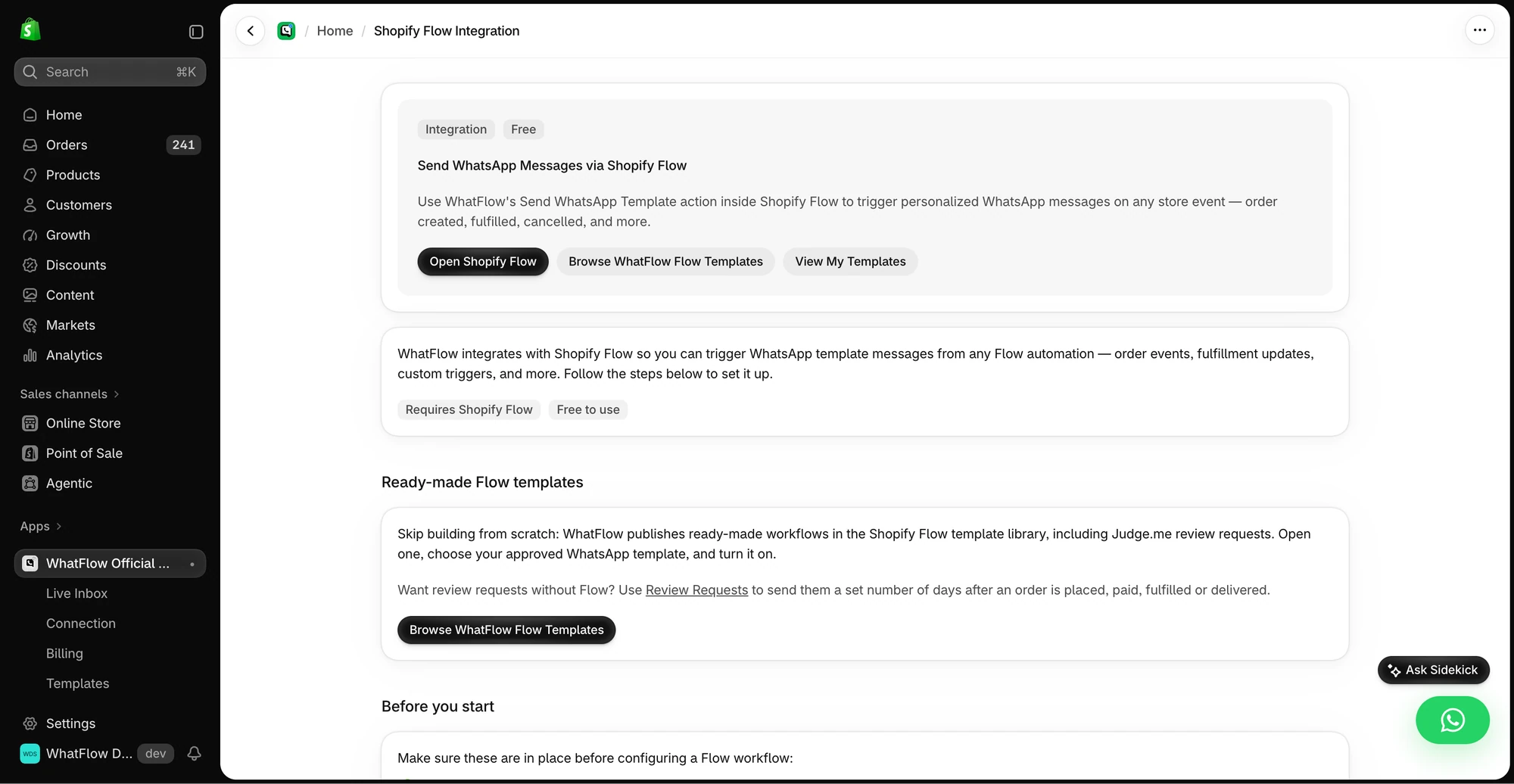
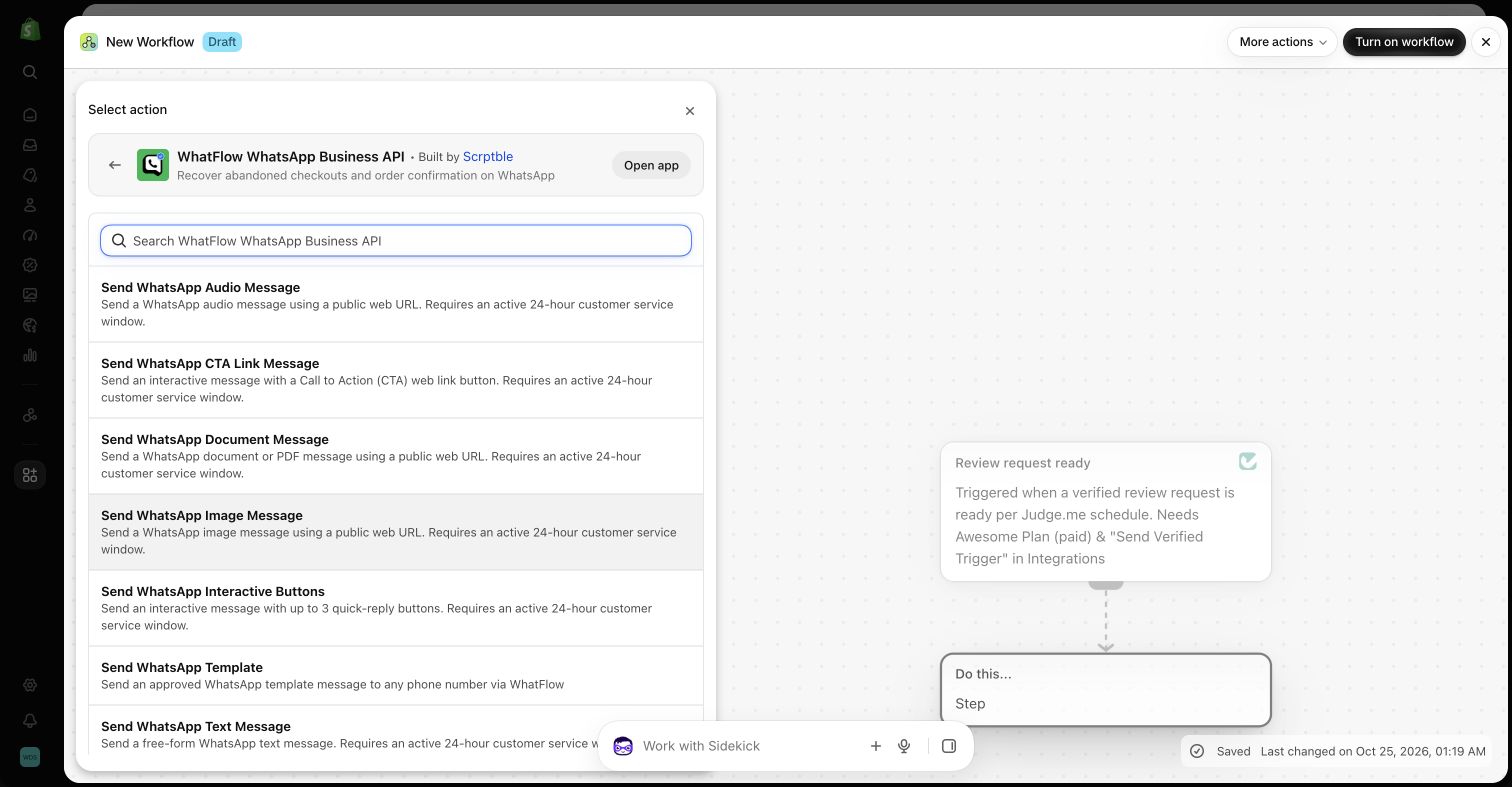
With WhatFlow's WhatsApp Business API app, you can build the delivery survey in Shopify Flow:
The in-app guide links to Shopify Flow, templates and setup instructions for WhatsApp actions.
Trigger on fulfilment or delivery in Shopify Flow.
Add a wait if you want a delay of a day or two.
Send your approved survey template with WhatFlow's template action, mapping the customer's name and order number.
Use WhatFlow's button or reply triggers to branch on the answer: thank the happy customers, and tag the order or customer so your team can find the "Bad experience" replies.
One survey per customer per period. Don't send a support CSAT, a delivery CSAT and an NPS in the same fortnight.
Mind the cost. Template messages are charged per delivered message by Meta, and since October 2026 even utility templates sent inside an open chat are charged. Check Meta's pricing page and our cost-per-outcome guide before surveying your whole list.
Don't bribe for scores. A discount for answering is fine if it's for any answer. A discount for a good score isn't.
Close the loop. If a customer told you the packaging leaked and you fixed it, tell them.
Writing survey questions that get honest answers
A few habits that make the answers more useful:
Ask about one thing. "How was the delivery and the product?" is two questions. Customers answer whichever they care about and you can't tell which.
Use plain labels. "Great / Okay / Not good" beats "Very satisfied / Neutral / Dissatisfied" on a phone screen.
Don't lead. "How much did you love your order?" isn't a question, it's a hint.
Say who's asking. A first name or the store name at the top makes it feel like a person cares about the answer.
Make it optional. No "please reply to continue". If they ignore it, that's an answer too.
What to do with the results
Once a month, look at:
The share of each answer for support CSAT and delivery CSAT.
The words in the "what went wrong" and "what would make it a 10" replies. Group them into themes.
Which themes repeat. Three people mentioning the same courier is a pattern.
Templates, COD confirmation, Shopify Flow automations and a shared team inbox with no seat fees. Every feature is included on every plan, including Free.
Pick the moment that matters most to your store (for many, it's delivery), write one three-button question, and decide who reads the unhappy answers. Run it for a month before adding anything else. You'll learn more from 50 honest one-tap answers than from a long form nobody finishes.
Frequently asked questions
How do I send a customer survey on WhatsApp?
Ask one question with tappable reply buttons, either at the end of a support chat or as an approved template a few days after delivery, then send one short follow-up based on the answer. Only message customers who've opted in.
What's the difference between CSAT and NPS?
CSAT asks how satisfied someone was with a specific interaction, like a support chat or a delivery. NPS asks how likely they are to recommend you on a 0 to 10 scale and measures overall loyalty.
Can WhatsApp reply buttons handle an NPS 0 to 10 scale?
Not directly. Reply buttons allow up to three options per message, so either ask customers to type a number from 0 to 10, or use a simpler three-option question instead.
How many questions should a WhatsApp survey have?
One, plus an optional follow-up. WhatsApp is a conversation, and a five-question form in chat feels like homework.