A customer feedback loop that actually changes things has four steps: collect what customers say from reviews, support chats and returns; group it by the problem the customer hit; pick one change with an owner and a date; then check later whether the same complaint still appears. Most stores do the first step well and stop. The value is in steps three and four.
Every store I talk to has feedback. Hundreds of reviews, a busy WhatsApp inbox, a pile of return reasons. And the same sizing question shows up every week for a year, because nobody's job was to turn it into a fix. This is a lightweight way to make it somebody's job.
Where does useful feedback come from?
You don't need a new tool. You need to look at what you already collect.
Keep the source attached when you group things. A frustrated pre-sale question about sizing and a 2-star review saying "runs small" are related, but they're different evidence. The first says the page is unclear; the second says the product didn't match. If you want a more structured signal, a one-question CSAT survey on WhatsApp after delivery is easy to add, and good review request messages bring in more written detail.
Step 1: Capture the theme, not the conversation
When something comes up, record a short line, not a copy of the chat:
Theme: Cup holder fit. Product: 750ml Steel Bottle. Source: WhatsApp pre-sale (x3), review (x1). Ref: links to the chats and review.
Keep names, phone numbers and photos in the system they came from. Your feedback sheet should be shareable with the whole team without exposing anyone's personal details.
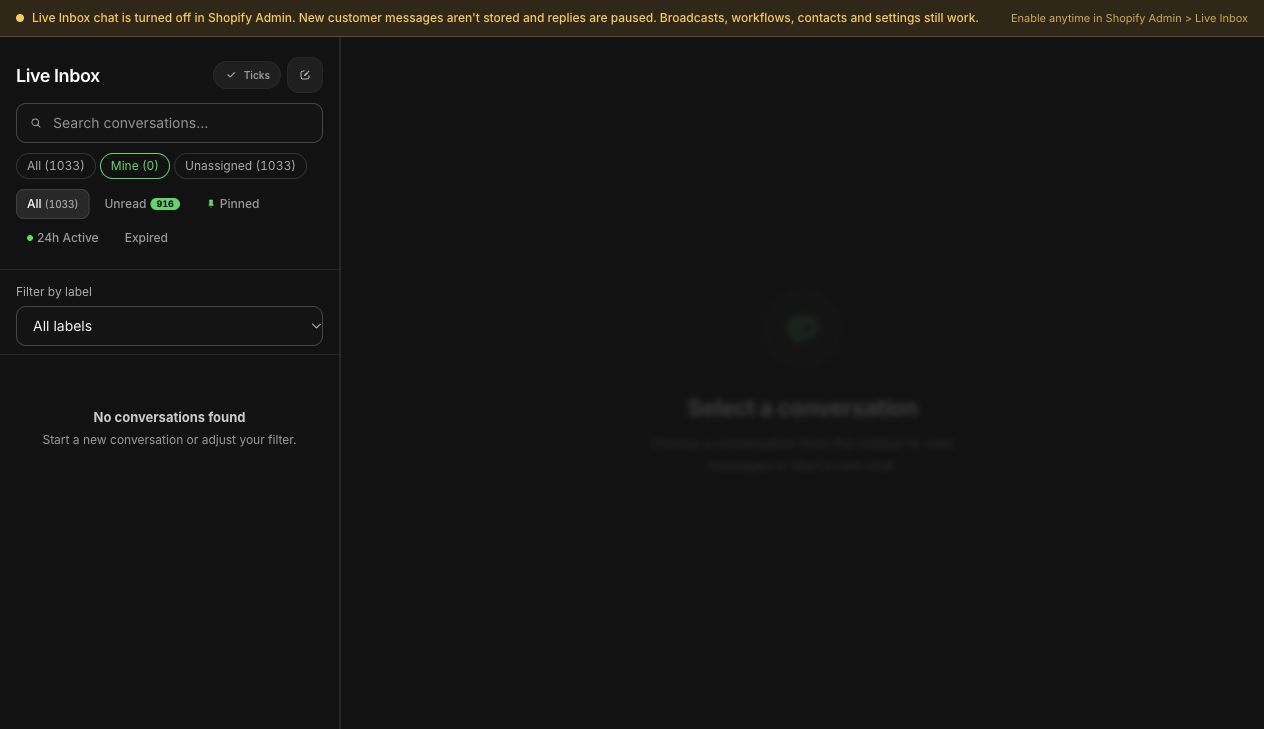
If your conversations live in WhatFlow's team inbox, you can label chats by theme as they come in and filter by label at the end of the week, so the counting is already half done.
WhatFlow inbox filters in the demo store, including filter by label.
Step 2: Group by the problem the customer hit
"Sizing" is too broad to act on. Split it by the moment the customer got stuck:
Before buying: "I can't tell if I'm a M or L." That's a size chart or fit-note problem.
After receiving: "The M I got is much smaller than my last one." That might be a manufacturing consistency problem, which is far more serious.
Good themes point at a fix. "Customers don't know which charger fits which model" is actionable. "Low satisfaction" isn't.
Step 3: Weigh severity, not just count
A tally is tempting because it's easy, but it's misleading on its own. I use three rough levels:
Act now. Safety issues, defects, anything that could hurt someone or break the product. One report is enough to investigate.
Fix this month. Repeated confusion that causes returns or bad reviews: wrong size bought, missing part, setup failure.
Fix when convenient. Minor questions that come up often but don't cause returns.
Context matters too. Five complaints from a launch batch of 50 orders is a big signal. Five from 5,000 orders across a year is a different story. Write the order count next to the complaint count.
Step 4: Pick one change, give it an owner and a date
Each week, choose the single most useful fix. Write it so it can be finished:
Change: Add base diameter (7.2 cm) and "fits most standard car cup holders up to 7.5 cm" under the size options on the Steel Bottle page.
Owner: Sana. Due: Friday.
Also update: /bottle-fit saved reply, product FAQ.
Step 5: Close the customer case and the product fix separately
These are two different jobs. Sending a replacement to the customer whose bottle leaked closes their case. It doesn't fix the leaking seal. Fixing the seal supplier doesn't automatically mean you've replied to everyone who complained.
Track both. And when the fix ships, consider telling the customers who raised it. A short message goes a long way:
Hi Ali, a few weeks ago you mentioned the bottle didn't fit your car's cup holder. Thanks for flagging it. We've added the exact base size to the page so nobody else gets caught out.
If the conversation is older than 24 hours, the customer service window has closed, and WhatsApp will only let you send an approved template. In that case, mention it next time they get in touch, or use a channel where you have permission.
Don't hide the critical reviews
When a product gets a run of negative reviews, it's tempting to bury them. Don't. In the US, the FTC's Consumer Reviews and Testimonials rule prohibits suppressing negative reviews (FTC). Beyond the legal point, critical reviews are the most useful part of the loop. Reply to them publicly, explain what you changed, and let later buyers see the improvement. Our guide to responding to negative reviews has examples.
Step 6: Check whether it worked
Two to four weeks after the change, look at the same theme again. Did the cup holder questions drop? Did "wrong size" returns fall? Compare against orders for that product, because a quieter month might just mean fewer sales.
If the theme is still showing up, read the new messages. Often the first fix answered part of the question and revealed the next one. That's the loop working, not failing. This review fits neatly into a weekly metrics routine.
Free plan available
Run WhatsApp for your Shopify store with WhatFlow
Templates, COD confirmation, Shopify Flow automations and a shared team inbox with no seat fees. Every feature is included on every plan, including Free.
Open your inbox and your last 20 reviews. Write down the three themes you see most. Pick one, give it an owner and a Friday deadline. That's a feedback loop. Everything else is refinement.
Frequently asked questions
What is a customer feedback loop?
A customer feedback loop is a repeating process where you collect what customers say, group it into themes, make a specific change, and then check whether the change fixed the problem. The last step is what makes it a loop.
Where should a small store collect customer feedback?
Start with what you already have: product reviews, WhatsApp and email support conversations, return reasons and short post-delivery surveys. You rarely need a new tool to begin.
How do I prioritise customer feedback?
Weigh severity as well as frequency. A single safety or defect report needs immediate attention, while a minor question that comes up often is usually a product-page fix.
Should I copy customer conversations into a feedback spreadsheet?
No. Record the theme, the product and a reference to the original conversation. Keep names, phone numbers and full chats in the system they came from.