To use customer reviews to improve product descriptions, read a batch of reviews for one product, note what buyers mention again and again (fit, size, use, surprises), check each point against your real specs, and rewrite the description so it answers those points before anyone has to ask. Reviews tell you what to explain. Your verified product facts tell you what to say.
Why customer reviews make the best product description brief
Most product descriptions are written by the person who made or sourced the product. That person knows the GSM of the cotton and the supplier's name. They don't know that buyers keep wondering whether it fits a 15-inch laptop in a case.
Customers tell you this in reviews, in plain words:
"Wish I'd known it doesn't stand up on its own."
"Perfect for my gym shoes, which I didn't expect."
"Runs small. I'm usually an M and the L fits."
Each of those is a gap in your product page. Fill them, and you get fewer pre-purchase questions, fewer surprised buyers and fewer returns for reasons you could have prevented.
Step 1: Pull 30 to 50 reviews and tag them
Export the reviews for one product from your review app, or just read them on the page. Include the 2- and 3-star ones. They're the most useful.
Tag each review with what it's about. Keep the tags simple:
When the same tag appears five or more times across 40 reviews, it belongs on the page. When it appears once, note it and move on.
Don't cherry-pick only the reviews that support the copy you wanted to write anyway. The point is to learn what's missing.
Step 2: Add your other sources
Reviews come after purchase. Questions come before. Put them side by side.
Look through your WhatsApp chats, email and Instagram DMs for the last month and write down every pre-purchase question about this product. "Will this fit a MacBook Pro 16?" "Is it waterproof or water-resistant?" "Does the black one show dust?" If you get these questions on WhatsApp, you already have a list; our guide to using pre-purchase WhatsApp questions to improve product pages shows how to collect them without a big process. For a deeper approach, see mining your WhatsApp chats for content ideas.
With WhatFlow, all of these chats sit in one shared inbox in Shopify, so anyone on the team can scroll back through a week of questions without borrowing the founder's phone.
Step 3: Check every theme against the real product
This is where people get it wrong. Five reviews saying "fits my 15-inch laptop" is not a spec. Those customers might have thin laptops, no case, or the older version of your bag.
Before you write anything:
Measure. Get the internal dimensions of the laptop compartment. Write them down.
Check the version. If you changed the design last spring, older reviews may describe a different product. Keep review context across variants in mind.
Test the claim yourself if you can. Put a 15-inch laptop in a common protective case into the bag.
Then write the verified fact, not the customer's anecdote. "Laptop sleeve: 38 × 26 × 3 cm inside. Fits most 15-inch laptops; check your laptop's dimensions if it's in a thick case." That's accurate for every buyer.
Step 4: Rewrite the description
Here's a hypothetical before-and-after for a commuter backpack.
Before:
The Daily Commuter is a premium, stylish backpack crafted from high-quality materials. Perfect for work, travel and everything in between. Spacious, durable and comfortable.
Every word of that could describe any backpack on the internet.
After:
The Daily Commuter carries a full workday: a padded sleeve for laptops up to 15 inches (inside: 38 × 26 × 3 cm), a lunch box, a 750ml bottle in the side pocket, and a gym t-shirt.
It's made of 600D recycled polyester with a water-resistant coating. Light rain is fine; a downpour will soak through the zips.
One thing buyers mention: it doesn't stand up on its own when it's empty. Once there's a laptop in it, it does.
The rewrite does three things the old one didn't. It lists what fits, with numbers. It's honest about water resistance. And it addresses the most common complaint head-on, which makes everything else sound more believable.
Notice what it doesn't do. It doesn't paste a customer's sentence and pass it off as brand copy. Reviews belong to their authors (Judge.me's content guidelines say as much). If you want a customer's actual words on the page, show them as an attributed review, in the review widget, with context.
Step 5: Don't spin the criticism
If reviews keep saying "runs small", the fix is a better size chart and a line that says "This runs about half a size small. If you're between sizes, size up." Not "a snug, tailored fit!"
Spinning a complaint into a feature just moves the disappointment from the product page to the delivery day. Honest copy also helps people who shouldn't buy decide not to. That's a good outcome; it's a return you'll never have to process.
Step 6: Update your saved replies the same day
Here's the step everyone forgets. You fix the product page, but your team's saved reply still says "It fits all laptops!" from two years ago.
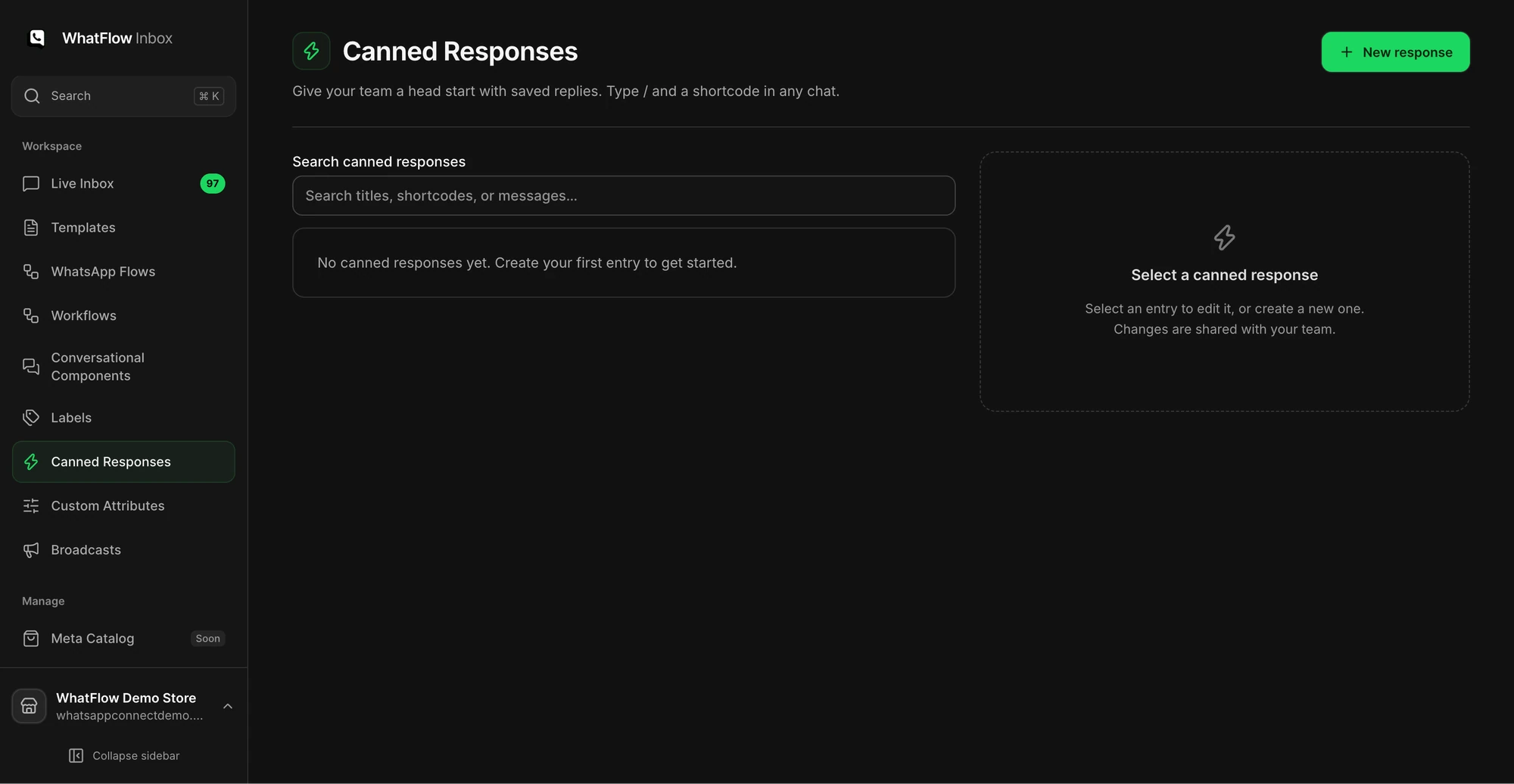
The Canned Responses screen is where a support team manages reusable replies.
When the description changes, update the matching saved replies. For example:
Hi! The laptop sleeve is 38 × 26 × 3 cm inside, so it fits most 15-inch laptops. If yours is in a thick case, could you send me the case's dimensions? I'll double-check for you.
WhatFlow's saved replies live in the shared inbox, so one edit updates the answer for everyone. If your saved replies sound robotic, our guide on writing saved replies that still sound human helps. And any question that still comes up after the rewrite is a candidate for a product FAQ.
Free plan available
Run WhatsApp for your Shopify store with WhatFlow
Templates, COD confirmation, Shopify Flow automations and a shared team inbox with no seat fees. Every feature is included on every plan, including Free.
How many pre-purchase questions you got about the theme you fixed
Whether new reviews still mention the same surprise
Return reasons for that product
Fewer questions about laptop fit after you added the measurements is a good sign. It isn't proof on its own, since sales volume, season and traffic sources all change too. Write down the date you changed the copy so you can compare fairly. Then move on to the next product. A product page that answers real questions is also what Google says it wants: content written to help people, not to repeat keywords. For a wider pass over each page, run it against our product-page trust checklist.
Frequently asked questions
How do I use customer reviews to write better product descriptions?
Read 30 to 50 reviews for the product, tag what customers mention repeatedly (fit, size, use, surprises), verify each theme against your real specs, and rewrite the description to answer those points directly.
Can I copy text from customer reviews into my product description?
Don't paste review text into your own description as if you wrote it. Use reviews to learn what to explain, then write the copy yourself; if you quote a customer, keep it attributed and in context.
What if reviews say something about my product that isn't true?
Treat it as a sign your page is unclear, not as a fact to publish. Check the real spec and write it plainly, so the next buyer doesn't form the same wrong impression.
Do reviews help product page SEO?
Reviews show you the words shoppers actually use and the questions they need answered, which helps you write copy that matches real searches. Google's guidance rewards content written to help people, not to repeat keywords.