Pre-purchase questions on WhatsApp are buyers telling you exactly why they haven't ordered yet. Answer each one directly, starting with yes or no, then the condition that matters. Confirm the variant or measurement before promising a fit. And once a week, take the questions that keep repeating and put the answer on the product page, right where the doubt starts. That's how chat volume turns into a better store.
I love pre-sale questions. A shopper who messages "will this fit my 2021 MacBook Pro with a case?" has done most of the buying already. They want the product. One thing is in the way. You'll rarely get a clearer signal than that.
For a shopper asking which size or variant fits, use WhatFlow's product picker to share the relevant catalog item from the conversation. With catalog cart follow-up configured, WhatFlow can send back a Shopify checkout link. Check Shopify before treating the WhatsApp cart as a paid order. The catalog-to-checkout walkthrough shows the test sequence.
Why pre-purchase questions matter more than other support
After-sale support is about fixing problems. Pre-sale support is about removing the last doubt before an order. That makes it different in two ways.
First, timing. The shopper is on your page right now, often comparing you with another tab. A reply in ten minutes catches them. A reply tomorrow morning often doesn't.
Second, every question is research. If three people this week asked whether the jacket is waterproof, the page isn't saying it clearly enough. You can answer that question 300 times, or you can fix the page once.
Which questions come up, and where do the answers live?
Most pre-sale questions fall into a handful of buckets. For each, decide where your team gets the true answer:
Anything that changes (stock, delivery estimates) should be checked live, not answered from memory or an old saved reply.
How to answer a pre-purchase question
Lead with the answer, then the condition, then the next step. Some examples:
Yes, it fits laptops up to 35.5 cm wide. With a hard case on, measure the width including the case; if it's over 35.5 cm, the 16-inch sleeve is safer.
Honestly, it's not waterproof. It handles light rain, but I wouldn't wear it in a downpour. If you need fully waterproof, the Storm Shell is the one.
The green is back in stock around 20 November. Want me to message you here when it lands?
A quick note on that third reply: if the restock is more than 24 hours away, the customer service window will have closed, so you'll need their opt-in and an approved template to message first. Our guide to back-in-stock alerts on WhatsApp covers the setup.
The second example is the one people get wrong. If the product isn't right for them, say so and point them at what is. You lose a sale you'd probably have refunded anyway, and you gain a customer who trusts you.
And when you don't know, don't guess:
Good question, I want to check that properly. I'll confirm with the product team and reply by 3pm today.
Then actually reply by 3pm.
Confirm the details before promising a fit
A product link tells you which product they're looking at. It doesn't tell you their phone model, their measurements or whether their laptop has a case. Ask for exactly what you need, once:
To check the fit, can you send me your laptop model or the width in cm?
This feels slower, but it's the step that prevents "it doesn't fit" returns a week later.
Saved replies help here. Write one per common question, and let the team adapt it to the specific customer. WhatFlow's saved replies are inserted with a slash shortcut in any chat. Our guide to saved replies that don't sound robotic has more examples.
Make it easy to ask
A WhatsApp button on the product page is the obvious entry point. Prefill the message with the product name so you know what they're asking about without a back-and-forth. Our guide to adding a WhatsApp button to Shopify covers placement.
Be honest about availability. If nobody is online after 10pm, say so in an away message ("We reply between 9am and 10pm, Gulf time. Leave your question and we'll answer first thing."). A shopper who knows when to expect a reply is far more patient than one left guessing. Our guide to response times for small teams has targets that are realistic.
If the conversation turns into a recommendation, you can send products straight from your catalog in the chat with WhatFlow, so the buyer sees the item and price without leaving WhatsApp.
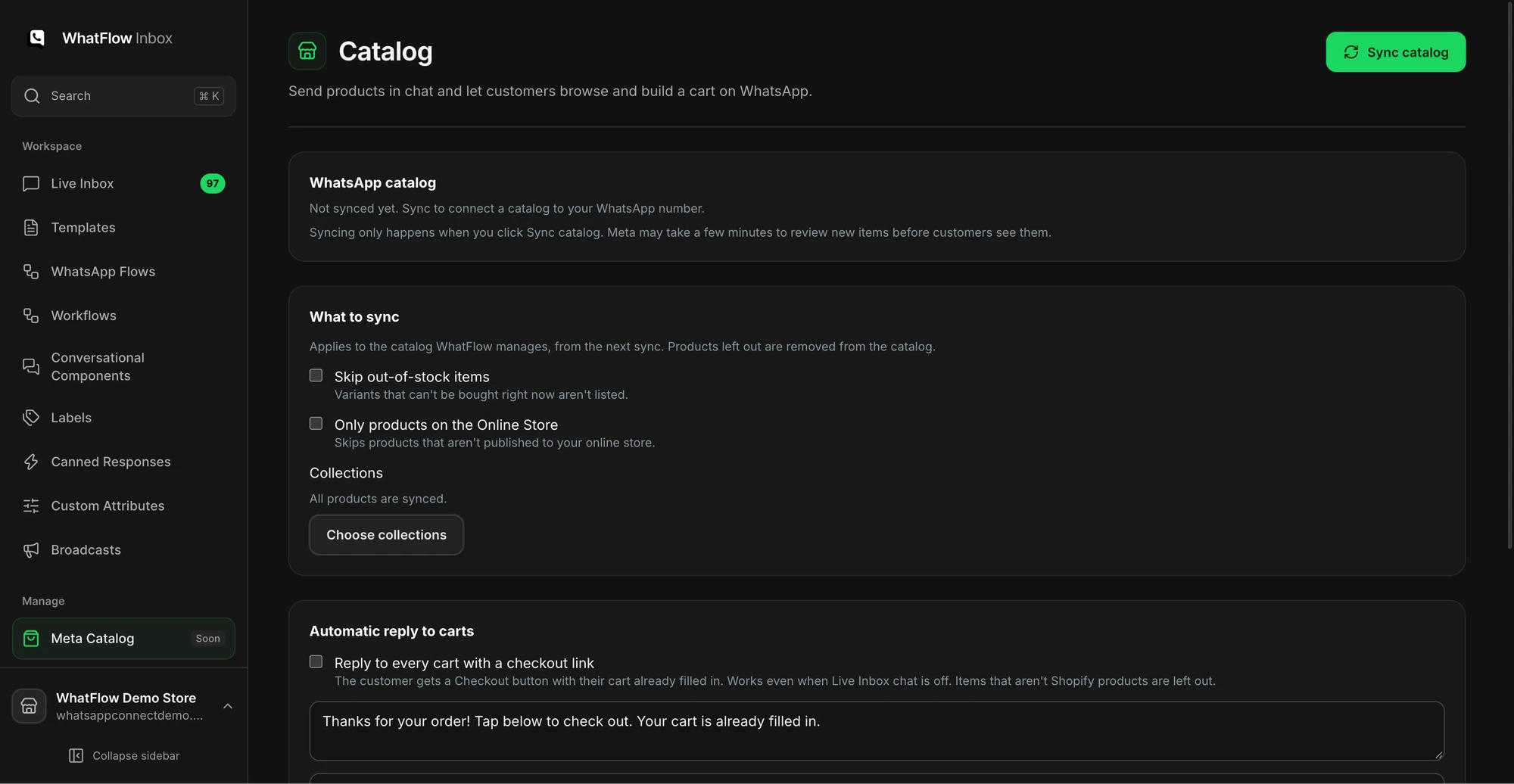
The catalog screen shows sync options and the collection picker before products are synced.
Know who answers the hard ones
Some questions need someone with product knowledge. Decide who that is before the question arrives, and use your inbox's assignment so the chat is clearly theirs. In WhatFlow's team inbox, there are no seat fees on any plan, so adding your product person costs nothing extra. What matters is that someone owns it. We cover handoffs in setting up a shared team inbox.
Turn repeated questions into page fixes
This is the part most stores skip. Once a week, 20 minutes:
Read the last week's pre-sale chats. Real messages, not a summary.
Write down every question that came up more than twice.
For each, find where on the page the doubt starts. Sizing doubts start at the size selector. Delivery doubts start near the price.
Add the answer there. A one-line note beside the selector often beats a long FAQ at the bottom.
Update the matching saved reply so chat and page say the same thing.
Here's a worked example. Say a laptop sleeve gets four "does it fit with a case?" questions in a week. You add a line under the size options: "Using a hard case? Measure the case width. Max 35.5 cm for the 14-inch sleeve." Next week, you count those questions again.
Don't treat more chats as automatically good. Rising volume can mean more interest, or a page getting less clear. Look at:
How many pre-sale questions are still unanswered when the team logs off.
Whether the same question keeps coming back after you fixed the page.
Returns with reasons like "didn't fit" or "not as described".
Fewer repeated questions is a win, even if total chat volume drops. It means the page is doing more of the work.
Free plan available
Run WhatsApp for your Shopify store with WhatFlow
Templates, COD confirmation, Shopify Flow automations and a shared team inbox with no seat fees. Every feature is included on every plan, including Free.
Answer pre-sale questions fast and honestly, ask before you promise a fit, and spend 20 minutes a week moving the repeat answers onto your pages. The chat gets the sale today. The page fix gets the next hundred.
Frequently asked questions
What are pre-purchase questions?
Pre-purchase questions are messages from shoppers who haven't ordered yet, asking about fit, compatibility, materials, stock or delivery. They usually mean the buyer is interested but the product page left one thing unclear.
How fast should I answer pre-sale questions on WhatsApp?
As fast as you realistically can during your stated hours, because the shopper is deciding right now. Outside hours, an away message that says when you'll reply is better than silence.
Should I answer 'yes' if I'm not sure the product will fit?
No. Ask for the measurement or model you need, or say you'll check and when you'll reply. A wrong yes turns into a return and a bad review.
How do I turn WhatsApp questions into better product pages?
Once a week, read recent pre-sale chats, group the repeated questions, and add the answer to the product page where the doubt starts, such as next to the size selector.