The best content ideas for a Shopify store are sitting in your WhatsApp inbox. Every question customers ask you more than a few times a month ("does this run small?", "do you ship to Oman?") is one other shoppers are typing into Google and ChatGPT. Log them for a few weeks, count them, and turn the top ones into product FAQs, collection copy and a few genuinely useful articles.
I've watched merchants pay for keyword tools while ignoring the one dataset their competitors can't buy: their own customers asking, in their own words, what's stopping them from ordering.
This is a practical routine for doing it. If you want the bigger-picture planning side, how to group questions into a content calendar and assign owners, I covered that in building a Shopify content plan from customer questions. This post is the hands-on part: getting the questions out of the inbox.
Why are content ideas from customer questions better than keyword tools?
Keyword tools tell you what people search, roughly, in aggregate. Your WhatsApp inbox tells you:
The exact words your buyers use. Customers in Lahore might say "is COD available", customers in Dubai "can I pay cash on delivery", and customers in São Paulo might ask about "boleto". Same intent, different phrasing.
The doubt behind the question. "Is this original?" usually means "I've been burned by fakes before."
What's missing from your site. If people ask, your page didn't answer it, or answered it somewhere they didn't look.
Questions too niche for keyword tools. "Will the 180cm table fit six chairs with arms?" won't show volume in any tool. It's still exactly what a buyer comparing your table with another store's needs to know.
Google's helpful content guidance leans heavily on first-hand experience, and its 2026 AI features guide says the same about original, non-commodity content. An answer built from a hundred real customer conversations is about as first-hand as content gets.
Step 1: Pick a simple way to log questions
Don't build a system. Pick the lightest thing your team will actually use for four weeks.
Options, from simplest:
A shared spreadsheet with columns: date, question (paraphrased), product or collection, channel, answered by. Team members add a row when they answer something they've answered before.
Saved replies as a tally. If your team uses saved replies, every saved reply is already a recurring question. Write down which ones you reach for most each week.
Inbox filters and Shopify Flow. In WhatFlow, incoming WhatsApp messages can trigger Shopify Flow. A workflow can check message text for keywords like "size", "COD" or "deliver" and act on it, for example tagging the customer so you can count later. I explain the setup in routing incoming WhatsApp messages with Shopify Flow.
Whatever you choose, log the question, paraphrased, not the customer's message. No names, phone numbers or order numbers in the spreadsheet.
Step 2: Tag each question by type
After a week or two, sort your log into a few buckets. The bucket decides where the answer should live.
Question type
Example
Where the answer belongs
Product detail
"Is the white linen dress see-through?"
Product page (description or FAQ)
Choosing between products
"Which serum is better for oily skin?"
Collection buying guide or comparison post
Sizing and fit
"I'm 165cm, which length?"
Size guide, linked from every product
Delivery and payment
"Do you deliver to Sharjah? Is COD available?"
Shipping page + product page snippet
Returns and exchanges
"Can I swap the size?"
Returns page + saved reply
Usage and care
"How do I clean the oak table?"
Care guide (blog post)
Trust
"Are these original?"
About page, product page, reviews
Order status
"Where's my order?"
Not content; fix with order updates
That last row matters. Some repeated questions aren't content problems, they're operations problems. If "where is my order?" is your top question, the fix is proactive shipping updates, not a blog post. I wrote about that in handling shipping delays on WhatsApp.
Step 3: Count and rank
At the end of the month, count. My rough thresholds:
3+ times a month: the answer goes on a public page.
10+ times a month: the answer goes on a public page and somewhere prominent, like near the add-to-cart button.
Once or twice: a saved reply is enough for now.
Then rank by two things: how often it comes up, and how close to the purchase it is. A pre-purchase question about sizing beats a post-purchase question about care, because it's blocking a sale today.
Step 4: Write the answer where it belongs
Now turn the top questions into content. Three patterns cover most of it.
Product page FAQs
Short, specific, on the page where the doubt happens. Say your customers keep asking about the white linen dress:
Is the white linen dress see-through? Slightly, in bright sunlight. Most customers wear a nude slip underneath. The sage and sand colours are fully opaque.
When questions are about choosing between products, the answer belongs below the grid on the collection page. "Which serum for oily skin?" becomes a short "How to choose" section on your serum collection. I walk through the structure in Shopify collection pages that rank.
Blog posts
Only for broader questions that deserve a full answer and that people search independently of your products:
"How to wash linen without shrinking it"
"Can you use vitamin C and retinol together?"
"How much space do you need around a six-seater dining table?"
"How does cash on delivery work for online orders in the UAE?"
Write them from what you've actually learned answering customers, including the mistakes people make. That's the part generic content can't copy.
Step 5: Close the loop in the inbox
This is the step almost everyone skips. Once the answer is on your site, update your saved reply to link to it.
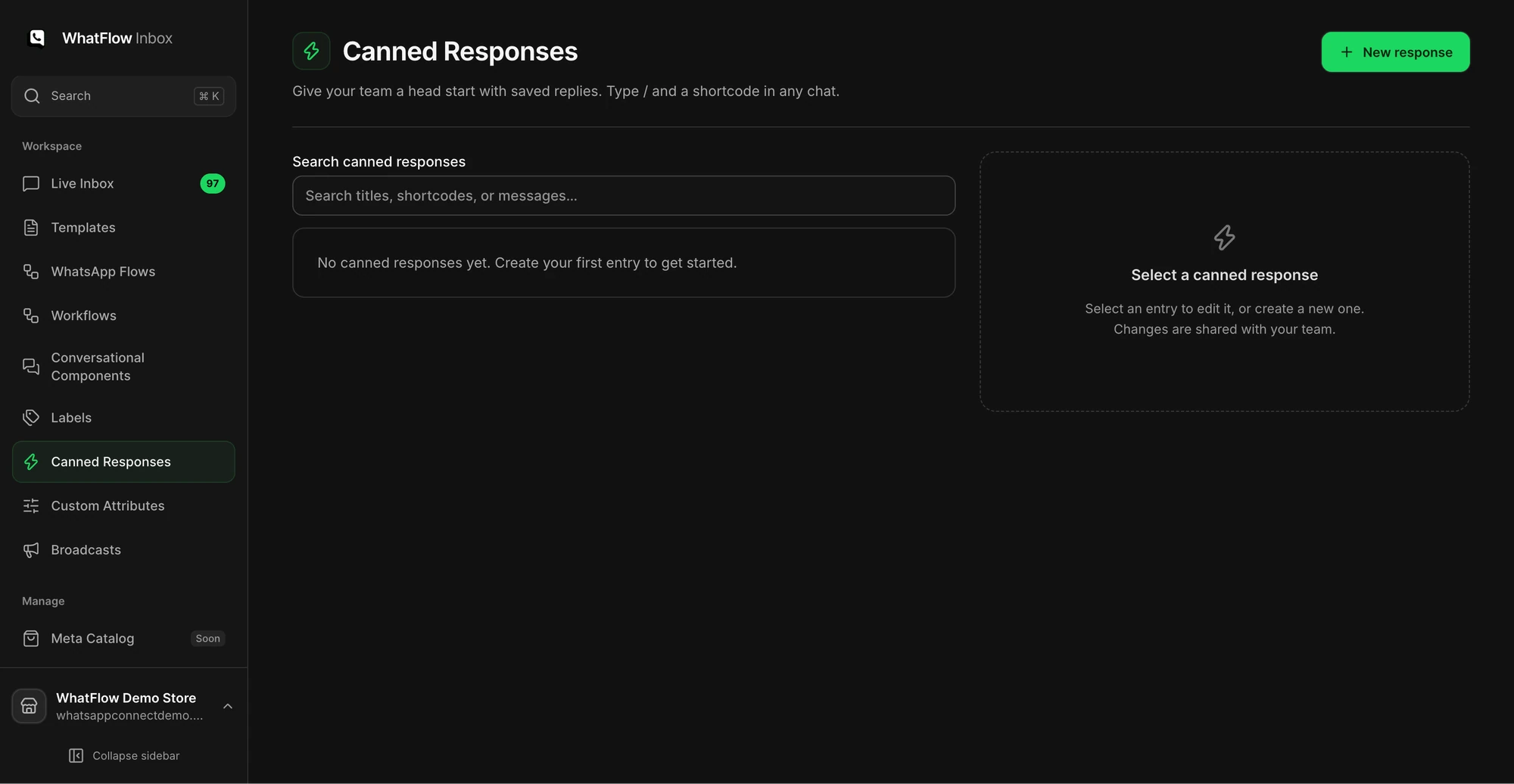
The Canned Responses screen is where a support team manages reusable replies.
Before:
Hi! The white one is a little sheer in strong light, most people wear a slip. Sage and sand are fully opaque 😊
After:
Hi Fatima! The white one is a little sheer in strong light, so most customers wear a nude slip underneath. Sage and sand are fully opaque. There's a photo comparison of all three colours on the product page here: [link]. Happy to help with sizing too.
Now every answer also sends a shopper to a page that converts, and your team's reply is better than before. If your saved replies feel robotic, I've got a guide to writing saved replies that still sound human.
In WhatFlow's shared inbox, saved replies are available to the whole team, so once one person updates the reply, everyone uses the improved version from the next conversation.
Step 6: Repeat monthly, and watch the questions drop
Run this every month. Two things should happen:
The answered questions come up less. If "is the white dress see-through?" drops from twelve a month to three, your page is working.
New questions appear. New products, new markets, a new courier. That's next month's list.
If a question doesn't drop after you've published the answer, the answer is probably in the wrong place. Move it higher on the page, or closer to where the decision happens.
What not to do
A few guardrails:
Don't copy customer messages into public pages without permission. Paraphrase. Customers chose a private channel; respect that. The WhatsApp Business Messaging Policy also sets rules on how businesses use conversation data.
Don't write a blog post for every question. Most answers belong on product, collection or policy pages. A blog full of one-paragraph posts is worse than a product page with a good FAQ.
Don't let AI write the answers from scratch. The value is your first-hand knowledge. Use a tool to tidy grammar if you like, but the facts have to come from you.
Free plan available
Run WhatsApp for your Shopify store with WhatFlow
Templates, COD confirmation, Shopify Flow automations and a shared team inbox with no seat fees. Every feature is included on every plan, including Free.
Set up a spreadsheet or a Flow tag today, log for four weeks, and you'll have a list of 15–30 questions ranked by how much they matter. That's a better content plan than anything a keyword tool will give you, and it's one nobody else in your niche has.
Frequently asked questions
How do I find content ideas from customer questions?
Log every repeated question your team answers on WhatsApp, email or chat for two to four weeks, count how often each comes up, and write the most frequent ones up as product FAQs, collection guides or blog posts. Repeated customer questions are the same questions other shoppers type into Google and ChatGPT.
Can I quote customer WhatsApp messages in a blog post?
Don't quote identifiable messages without the customer's permission. Paraphrase the question, strip names, order numbers and phone numbers, and write the answer in your own words.
How many times should a question come up before I write about it?
A useful rule is three or more times in a month. Below that, a saved reply is usually enough; above it, the answer belongs on a public page.
Should every customer question become a blog post?
No. Most product-specific questions belong on the product page, category questions belong on the collection page, and policy questions belong on your shipping or returns page. Only broader 'how do I choose' or 'how do I use' questions need their own article.