
Publisher disclosure: this comparison is written by WhatFlow. Competitor capabilities are based on the linked public documentation; the WhatFlow screenshots come from our demo store. Examples are illustrative, and results depend on your store and configuration.
WhatFlow and respond.io at a glance
| Consideration | WhatFlow | respond.io |
|---|---|---|
| What the product is built around | Built for Shopify: admin extensions, native Shopify Flow triggers and actions, COD confirmation and a WhatsApp team inbox. | An omnichannel conversation platform for sales and support teams, priced on plan, included users and monthly active contacts. |
| Pricing and billing units | Free plan; paid plans from $4.99/month, priced only by messages sent. Meta fees separate. | Starter $79, Growth $159, Advanced $279 per month billed annually (as of November 2026), plus usage tied to monthly active contacts and extra users. WhatsApp fees separate. |
| Feature access | Every feature on every plan, including broadcasts and automation on Free. | Starter covers team inboxes; broadcasts, workflows, AI agents and API access start on Growth; webhooks and HTTP requests on Advanced. |
| Team access | No seat fees on any plan. | 5 users on Starter, 10 on Growth and Advanced, then a per-user charge; Enterprise advertises unlimited users. |
| Storefront entry point | Free-forever WhatsApp buttons that match your Shopify theme. | Check which website widget your respond.io plan includes. |
| Shopify Flow | Native WhatFlow triggers and actions inside Shopify Flow, on every plan. | Workflows run in respond.io's own builder, starting on Growth. |
| Shopify App Store rating | 5.0 out of 5 from 55 ratings for WhatFlow WhatsApp Business API (November 5, 2026). | Check respond.io's current listings and reviews. |
For a Shopify store, WhatFlow is the simpler and much cheaper choice than respond.io. WhatFlow includes broadcasts, Shopify Flow automation, COD confirmation and a team inbox with no seat fees on every plan, including Free. respond.io is a strong omnichannel platform, but broadcasts and workflows start on its Growth plan at $159/month billed annually, and users and monthly active contacts add to the bill.
A note on positioning, because people often get this wrong: WhatFlow WhatsApp Business API runs on the official Meta Cloud API and is built for enterprise volume as well as small shops. That means inbox assignment and filters, no seat fees at any team size, Shopify Flow automation at scale, COD confirmation, catalog sharing and admin extensions. Our linked-device Chat Automation app is a separate, older entry-level product.
WhatFlow vs respond.io at a glance
WhatFlow | respond.io | |
|---|---|---|
Built for | Shopify stores | Omnichannel sales and support teams |
Entry price | Free, paid from $4.99/month | Starter $79/month (billed annually) |
Broadcasts and workflows | Every plan, including Free | From Growth, $159/month (billed annually) |
Users | No seat fees | 5 or 10 included, then per user |
Pricing unit | Messages sent | Plan + users + monthly active contacts |
Shopify Flow | Native triggers and actions | Its own workflow builder |
Rating | 5.0/5 from 55 ratings (Nov 5, 2026) | n/a |
respond.io figures are from its pricing page as of November 2026.
How much does respond.io cost for a Shopify store?
respond.io's headline prices are annual-billing rates. As of November 2026, it lists Starter at $79/month ($948/year), Growth at $159/month and Advanced at $279/month, each billed annually. Starter gives you team inboxes and five users. Broadcasts and workflow automation, the two things a Shopify store usually wants WhatsApp for, start on Growth.
On top of the plan, respond.io prices on monthly active contacts, meaning the customers you actually message in a month, and charges per user beyond the included count.
Now a typical store. Say you have six people answering WhatsApp, you send 6,000 messages a month (order updates, COD checks, cart reminders and one monthly broadcast), and you talk to around 3,500 different customers.
- respond.io: You need Growth for broadcasts and workflows, so $159/month on annual billing ($1,908 a year), before any extra active-contact usage.
- WhatFlow: 6,000 sends is Plus at $9.99 plus 1,000 × $0.004, so $13.99/month. Six people, sixty people, same price.
Meta's per-message fees apply to both and don't change the gap. Current WhatFlow amounts are on our pricing page, and our WhatsApp API pricing guide explains Meta's side.
There's also a forecasting point. Message-based pricing tracks your Shopify order volume, which you already know. Active-contact pricing tracks how many people you talk to, which can jump during a sale when hundreds of customers reply to one broadcast.
Which fits Shopify workflows better?
respond.io is built to be the main workspace for teams that sell across WhatsApp, Instagram, email and more. That's a different job from running a Shopify store's WhatsApp.
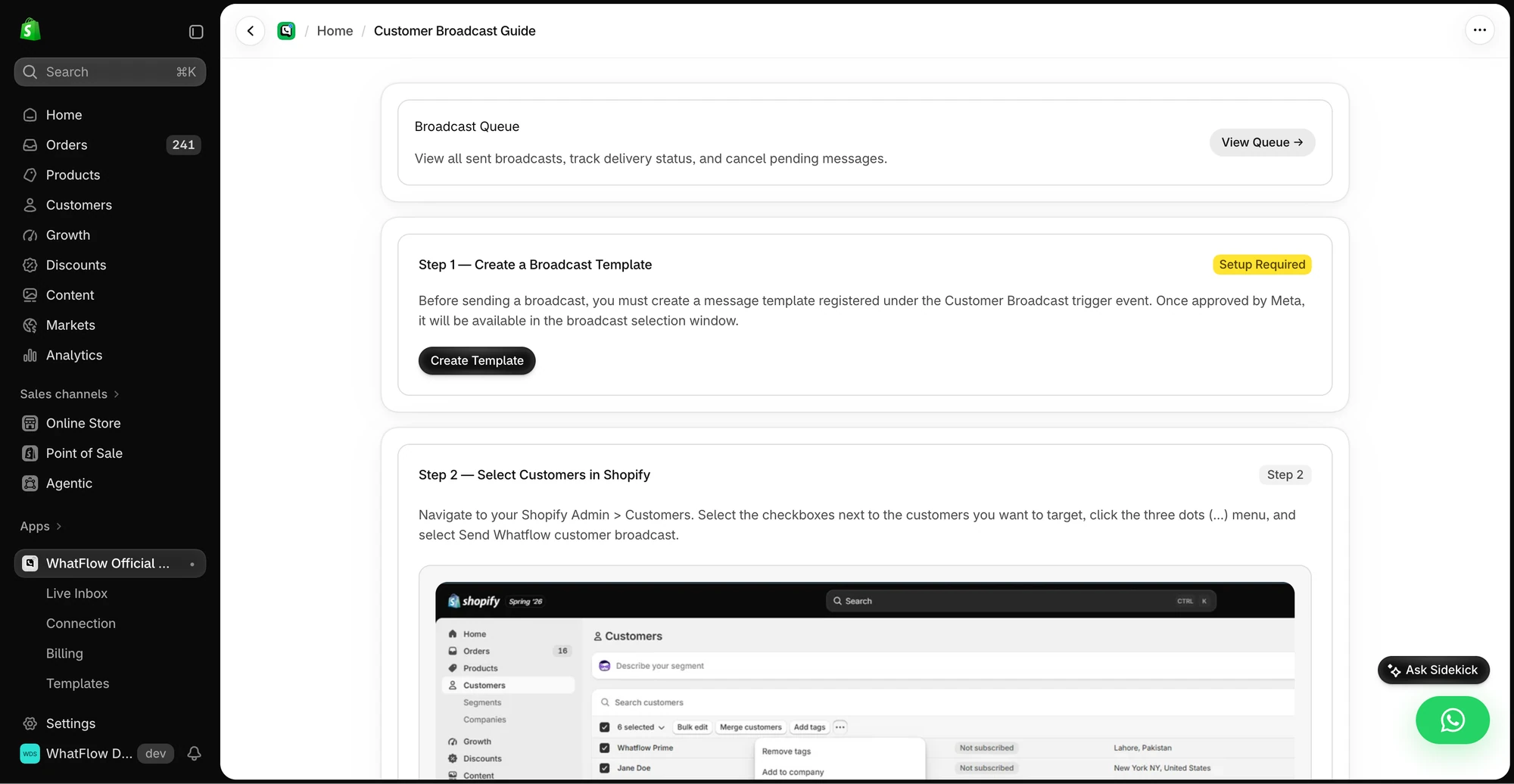
WhatFlow puts WhatsApp inside Shopify. Its triggers and actions live in Shopify Flow, so a fulfilment event can send a shipping template, and a customer's "Confirm" tap on a COD message can tag the order. Shopify Sidekick can draft those workflows for you. No webhooks, no HTTP requests, no Advanced plan.
A broadcast to repeat buyers looks like this:
Hi Omar, the cold brew concentrate you ordered last month is back with a new oat-milk version. Want me to send you the link? Reply STOP to opt out.
On WhatFlow that's on the Free plan. Our broadcast best practices cover how to keep these welcome.
What about the team inbox?
Both have a solid shared inbox. WhatFlow's team inbox has assignment, filters, saved replies and live catalog sharing, with no seat fees. respond.io's inbox is excellent for multichannel teams, but every user beyond the included five or ten is billed.
When testing WhatFlow and respond.io, ask: Can an agent open a matching Shopify order while they reply? In WhatFlow, use Needs reply and Closing soon, claim a conversation, then check Shopify order context and leave a private note. The team inbox walkthrough gives you a repeatable test for two agents, with no per-seat fee.
For a handoff guide that works in either tool, see how to run a shared team inbox.
When respond.io might still make sense
Choose respond.io if your team sells across many channels beyond WhatsApp and needs one workspace for all of them, or if you want AI agents answering chats. respond.io includes AI agents from Growth. WhatFlow has no built-in AI agent, but WhatFlow's MCP connector lets you connect Claude, ChatGPT or Cursor to draft replies a person approves.
The bottom line
For WhatsApp on a Shopify store, WhatFlow does the job for a fraction of the cost. Broadcasts, Shopify Flow automation, COD confirmation and a no-seat-fee inbox are all on the Free plan, and you pay by messages sent rather than by users and active contacts. Start free and upgrade only when your sending grows.
Questions worth asking
Is WhatFlow a good respond.io alternative for Shopify?
Yes. WhatFlow is built for Shopify and includes broadcasts, Shopify Flow automation, COD confirmation and a team inbox on every plan with no seat fees. respond.io is better suited to companies running sales and support across many channels, not just a Shopify store's WhatsApp.
How much does respond.io cost compared with WhatFlow?
As of November 2026, respond.io lists Starter at $79, Growth at $159 and Advanced at $279 per month on annual billing, with users and monthly active contacts affecting the total. Broadcasts and workflows start on Growth. WhatFlow starts free, paid plans start at $4.99/month, and every plan has every feature.
Does WhatFlow charge per inbox seat?
No. WhatFlow's team inbox has no seat fees on any plan. Add as many colleagues as you need without changing your bill.
Are WhatFlow features restricted on the free plan?
No. Every WhatFlow feature is on the Free plan, including broadcasts, templates, COD confirmation and Shopify Flow actions. Paid plans add message allowance, and the theme-matched WhatsApp button is free forever.
What is a monthly active contact on respond.io?
respond.io uses monthly active contacts as one of its pricing units, so the number of customers you talk to in a month affects the bill. WhatFlow prices by messages sent instead, which is easier to forecast from your Shopify order volume.
Sources and methodology
We checked these primary sources on November 5, 2026. Vendor pages describe advertised capabilities, rather than independent performance tests. Confirm current pricing, plan limits and availability with each provider.
- respond.io pricing
respond.io plans, annual-billing prices, included users and plan features, checked November 5, 2026.
- respond.io product overview
respond.io's description of its omnichannel and AI capabilities.
- WhatFlow WhatsApp Business API on the Shopify App Store
WhatFlow plans, included sends, Shopify workflows and the 5.0/5 rating from 55 ratings (checked November 5, 2026).
- WhatsApp Business Platform pricing
Meta's per-message charges, which apply on top of either product's subscription.
- respond.io pricing page
Official respond.io pricing, checked October 27, 2026.