As of November 2026, WhatsApp for Shopify stores in the UAE costs $0.0576 per delivered marketing message and $0.0157 per utility or authentication message on Meta's official WhatsApp Business Platform. The first 1,000 service replies per number each month are free. What matters most locally: bilingual Arabic and English templates, confirming cash-on-delivery orders before dispatch, and timing campaigns around Ramadan, Eid and the Saturday–Sunday weekend.
I run WhatFlow, a WhatsApp app for Shopify, and the UAE is one of the countries where store owners ask us the most detailed cost questions. This guide gives you the real numbers, the setup I'd use, and the rules you should know before you send your first campaign.
How much does WhatsApp cost for a Shopify store in the UAE?
Meta charges per delivered template message, and the price depends on two things: the message category and the country calling code of the person receiving it. So a message to a +971 number is billed at UAE rates, wherever your store is based. Messages that fail to deliver aren't charged.
Here's the UAE rate card, in USD, effective October 1, 2026 and current as of November 2026:
Message type
Typical Shopify use
Meta rate per message (USD)
Marketing template
Eid sale, new collection, win-back offer
$0.0576
Utility template
Order confirmation, COD confirmation, shipping update
Free-form reply inside the 24-hour window, after the first 1,000 a month
$0.0157
A few definitions, because they change the bill. A utility template is a pre-approved message about something the customer already started, like an order. The customer service window is the 24 hours after a customer's last message, when you can reply freely without a template. A service message is one of those free-form replies.
Two changes from October 1, 2026 catch people out. Service replies are free only for the first 1,000 per business phone number per month, then they're charged at the utility rate. And utility templates sent inside an open customer service window are now charged too. They used to be free.
The authentication-international rate won't touch most Shopify stores. Meta only applies it when a business is based in a different country from the recipient and has sent more than 750,000 authentication messages to these markets in a rolling 30 days. A Dubai store sending OTPs to Dubai customers pays the normal $0.0157.
Worked examples
Say you sell perfume from Dubai and ship across the Emirates.
1,000 order confirmations: 1,000 × $0.0157 = $15.70.
A 5,000-recipient Eid campaign: 5,000 × $0.0576 = $288.00, if every message is delivered.
Support replies: if your team sends 2,500 service replies in a month, 1,500 are charged: 1,500 × $0.0157 = $23.55.
One COD order, end to end: a COD confirmation, a shipped update and a delivered update are three utility templates, so about $0.047 per order.
That last number is the one I'd put next to your return-to-origin costs. A failed COD delivery costs you two shipping legs. Five cents to confirm the order first is cheap insurance. For a neighbouring market, see WhatsApp for Shopify in Saudi Arabia.
Utility and authentication messages also get cheaper at higher monthly volume through Meta's volume tiers, counted per market and reset each month. If you're reconciling invoices, our volume tiers guide shows how. And conversations that start from a click-to-WhatsApp ad open a free entry point window that may stay open for up to 7 days once you reply, during which Meta doesn't charge for your messages to that customer.
Meta's charges are separate from your app subscription. WhatFlow passes Meta's rates through with zero markup, and Meta bills them directly. You can see every market's rate and a cost calculator on WhatFlow pricing, and the wider picture is in WhatsApp Business API pricing explained.
Can you pay Meta in dirhams?
Yes. AED is on Meta's list of billing currencies for the WhatsApp Business Platform. The currency is picked when the messaging account is created, and Meta says it can't simply be changed afterwards (there's a currency migration process if you really need to switch). The rates above are Meta's USD list rates; Meta publishes a separate rate card for each billing currency.
My advice: if your Shopify payouts land in AED, choose AED at setup. One less currency conversion to explain to your accountant.
What's different about WhatsApp for Shopify stores in the UAE?
Bilingual Arabic and English templates
If your customer list mixes Arabic and English readers, which is common for UAE stores, don't cram both languages into one message. Create one template per language. Meta's template languages include Arabic (ar) and a UAE variant, Arabic (UAE) (ar_AE). In WhatFlow, templates are language-agnostic: you keep an English and an Arabic version of the same template and send the one that fits the customer.
Here's a COD confirmation in both languages:
Hi Fatima, thanks for your order #1042 (AED 349, cash on delivery). Tap Confirm and we'll dispatch it today, or Cancel if you've changed your mind.
مرحباً فاطمة، شكراً لطلبك رقم #1042 بقيمة 349 درهم، الدفع عند الاستلام. اضغط "تأكيد" وسنشحن طلبك اليوم، أو "إلغاء" إذا غيّرت رأيك.
Buttons: Confirm / Cancel and تأكيد / إلغاء.
Right-to-left text: test it on a real phone
Arabic runs right to left, but your variables usually don't. Order numbers, tracking links, SKUs and English product names are left-to-right, and when they sit in the middle of an Arabic sentence WhatsApp can display them in a surprising order. What I'd do:
Put links and tracking numbers at the end of the message, or on their own line.
Keep English product names short, or use the Arabic product title if your store has one.
Pick one style of digits (Western 0–9 or Arabic-Indic ٠–٩) and stick with it. Shopify order numbers come through in Western digits, so I'd use those everywhere.
Keep Arabic button labels to one or two words.
Send every Arabic template to your own phone before you attach it to an automation.
If cash on delivery is on your checkout, treat a COD order as a promise, not a payment. Shopify marks manual-payment orders like COD as pending until you mark them paid. A WhatsApp confirmation with two buttons gives your warehouse a clear yes or no before a courier gets involved. Say a customer orders AED 349 of oud at 1am and forgets by morning: one unconfirmed order you didn't ship is a return you didn't pay for. WhatFlow's COD verification is built for exactly this. Our COD confirmation message templates include Arabic and English versions.
Ramadan, Eid and the weekend
The UAE federal government works Monday to Thursday plus a Friday half day, with Saturday and Sunday as the weekend, a change that started on January 1, 2022. Sharjah's government is the exception, with a Friday to Sunday weekend. Private-sector schedules vary. For WhatsApp that means Friday afternoon through Sunday is when many people have time to browse, and Friday midday is a poor slot for a promotion.
Ramadan shifts the clock again. It starts with the official moon-sighting announcement, the UAE labour law cuts working hours by two hours a day during the month, and malls stay open late. I'd move campaign sends to the evening after iftar, never at iftar itself, and send fewer messages, not more. Ramadan 2027 is expected to start around February 7 or 8, so submit your Arabic and English Eid templates in January. The full calendar and message examples are in our Ramadan, Eid and Diwali WhatsApp campaign guide.
An Eid delivery cut-off reminder that customers actually appreciate:
Eid Mubarak in advance from Layla Scents! Order by Sunday 7 March for delivery before Eid in Dubai, Sharjah and Abu Dhabi. Other emirates: order by Saturday 6 March.
Adjust the dates once the moon-sighting announcement is close.
UAE data protection and WhatsApp marketing rules
This isn't legal advice, but here's what a Shopify store owner selling to the UAE should know as of November 2026.
Federal Decree-Law No. 45 of 2021 (PDPL). The UAE's federal Personal Data Protection Law has been in force since January 2, 2022. Its default rule is that you can't process someone's personal data without their consent, with limited exceptions. People can ask you to correct their data and to restrict or stop processing it. The law also sets conditions for transferring personal data across borders, which is worth a thought because Shopify, Meta and your other apps are foreign platforms.
Implementing regulations are still pending. A June 2026 Morgan Lewis note reported that the PDPL's implementing regulations had still not been issued, and that the new Federal Authority for Artificial Intelligence and Data, announced on June 14, 2026, is expected to take over that work. Don't read the delay as permission. Consent is in the law itself.
Free zones. The DIFC has its own data protection law (DIFC Law No. 5 of 2020), and ADGM has its own regime. If your company is registered in one of them, check which rules apply to you.
Consumer protection. The government portal's summary of Federal Law No. 15 of 2020 on Consumer Protection says it protects consumer data and restricts suppliers from using it for marketing. Another reason to collect a clear opt-in.
WhatsApp's own rules. The WhatsApp Business Messaging Policy requires opt-in before you message someone, requires you to honour opt-outs, and says you can only start a conversation with an approved template. Outside the 24-hour window, templates are the only option.
In practice: add a WhatsApp opt-in checkbox at checkout in both languages, keep a record of when each customer opted in, and make stopping easy. How to collect WhatsApp opt-ins on Shopify walks through the wording and placement.
Setup checklist for a UAE Shopify store with WhatFlow
WhatFlow WhatsApp Business API runs on Meta's official WhatsApp Cloud API, so everything below happens in Shopify admin with official templates. Every feature is on every plan, including Free.
Connect through Embedded Signup. Install WhatFlow and connect your WhatsApp Business account with Meta's Embedded Signup from Shopify admin. Check that Connections shows your sender as connected.
Use a local number and a clear display name. A +971 number your customers recognise, and a display name that matches your store brand. If you want the verified badge later, read how to get the WhatsApp green tick.
Pick your billing currency. AED or USD, decided once, at account creation.
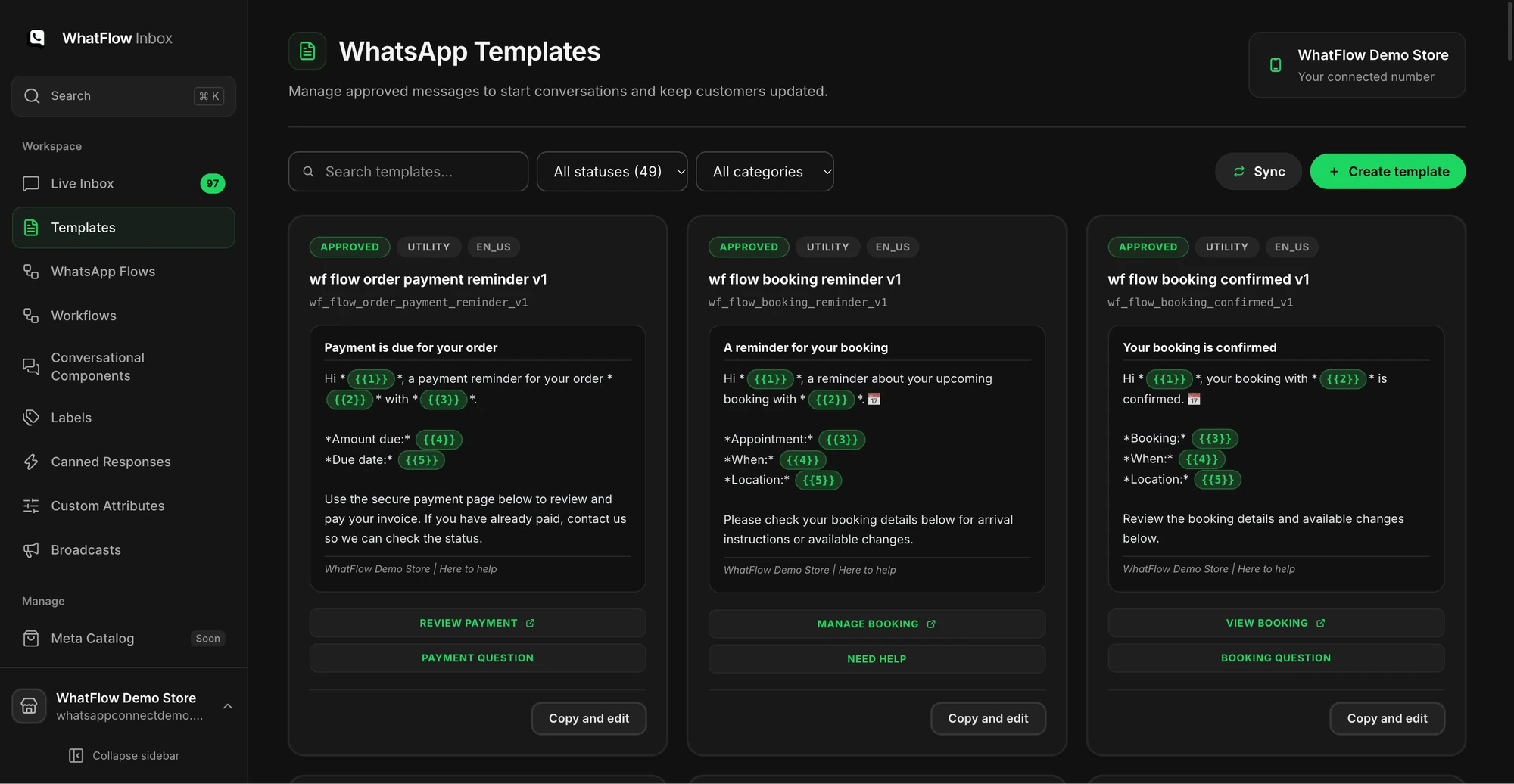
Build templates in both languages. Start from Template Library, write and map variables in Message Editor, then open Templates and check the language, category and approval status before any automation uses one.
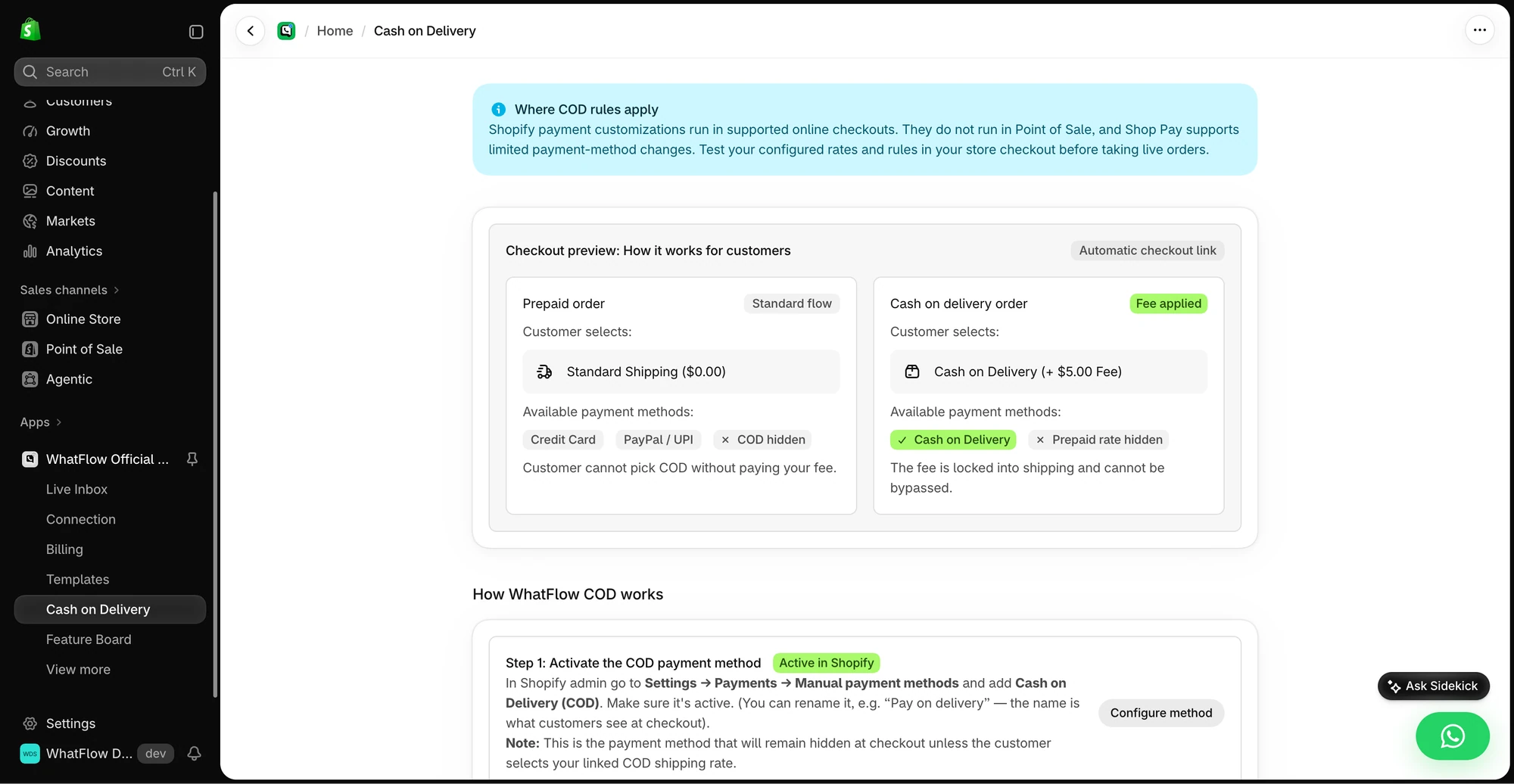
Set up COD. In Cash on Delivery, choose the manual payment method WhatFlow should manage, select COD shipping rates if you use them, and preview eligible and ineligible checkouts. Then attach your approved confirmation template.
Add OTP if you need it. In OTP Verification, choose a placement your store supports and review the order tag added after a successful verification.
Switch on order updates. Shipping-stage messages (label created, carrier pickup, in transit, delivered) in Arabic and English. Starter copy is in our order confirmation message examples.
Route chats by language. In the shared team inbox, assign Arabic conversations to the teammates who write Arabic. There are no seat fees, so adding people doesn't change your bill.
WhatFlow cash-on-delivery rules in a demo store, with a sample Shopify checkout preview
Test the confirmation with a real COD order: tap Confirm, then Cancel on a second order, then ignore a third and check who follows up.
WhatFlow template list in a demo store, filtered by language and approval status
Run WhatsApp for your Shopify store with WhatFlow
Free plan available. Templates, COD confirmation, Shopify Flow automations and a shared team inbox with no seat fees. Every feature is included on every plan, including Free.
If you only do one thing, set up COD confirmation in English and Arabic and run it for a month. It's cheap at UAE utility rates, and it tells you quickly whether your customers answer on WhatsApp. Then plan your Ramadan 2027 templates in January, before the review queue gets busy. Selling to Egypt as well? See WhatsApp for Shopify in Egypt.
Frequently asked questions
How much does a WhatsApp marketing message cost in the UAE?
As of November 2026, Meta charges $0.0576 per delivered marketing template sent to a UAE (+971) number. Utility and authentication templates cost $0.0157 each.
Can a UAE business pay for WhatsApp messages in dirhams?
Yes. AED is one of the billing currencies Meta lists for the WhatsApp Business Platform. You choose the currency when the messaging account is created, and switching later needs Meta's currency migration process.
Are WhatsApp customer service replies free in the UAE?
Only the first 1,000 delivered service messages per business phone number each month are free. From the 1,001st, Meta charges the UAE utility rate of $0.0157 per message, as of November 2026.
Do I need consent to send WhatsApp promotions to UAE customers?
Yes. WhatsApp's Business Messaging Policy requires opt-in before you message someone, and the UAE's Federal Decree-Law No. 45 of 2021 makes consent the default basis for processing personal data.
Should UAE Shopify stores send WhatsApp templates in Arabic or English?
Keep both. Create an English and an Arabic version of each template, send the one matching the customer's language, and test the Arabic version on a phone because right-to-left text can reorder order numbers and links.