As of November 2026, WhatsApp for Shopify stores in Saudi Arabia costs $0.0576 per delivered marketing message and $0.0107 per utility or authentication message on Meta's official WhatsApp Business Platform, with the first 1,000 service replies per number each month free. Three things matter most locally: Arabic templates that read properly right to left, confirming COD orders before dispatch, and consent under the Saudi PDPL.
I'm Safwan, co-founder of WhatFlow, a WhatsApp app for Shopify. Saudi merchants tend to ask me two questions first: "what will this cost me in riyals?" and "am I allowed to send promotions?" This guide answers both, then gives you the setup I'd use.
How much does WhatsApp cost for a Shopify store in Saudi Arabia?
Meta charges per delivered template message. The price depends on the message category and on the country calling code of the recipient, so any message to a +966 number is billed at Saudi rates, even if your company is registered in Dubai or London. Undelivered messages aren't charged.
Saudi Arabia's rate card, in USD, effective October 1, 2026 and current as of November 2026:
Message type
Typical Shopify use
Meta rate per message (USD)
Marketing template
White Friday offer, new drop, back-in-stock promo
$0.0576
Utility template
Order confirmation, COD confirmation, shipping update
OTPs from large senders based outside Saudi Arabia
$0.0598
Service message
Free-form reply in the 24-hour window, after 1,000 free a month
$0.0107
Quick definitions. A utility template is a pre-approved message about a transaction the customer already started, like their order. A marketing template is anything promotional. The customer service window is the 24 hours after a customer messages you, when you can reply with free-form service messages instead of templates.
Since October 1, 2026, two things changed. Service replies are free only for the first 1,000 per business phone number per month, then charged at the utility rate. And utility templates sent inside an open service window are now charged. Old blog posts that say "service is free" are out of date.
Ignore the authentication-international row unless you're very large. Meta applies it only when the sender is based in a different country from the recipient and has sent more than 750,000 authentication messages to these markets in a rolling 30 days. A Riyadh store sending OTPs to Saudi customers pays $0.0107.
Worked examples
Say you sell abayas from Jeddah and ship nationwide.
1,000 order confirmations: 1,000 × $0.0107 = $10.70.
A 5,000-recipient campaign: 5,000 × $0.0576 = $288.00, assuming every message is delivered.
A busy support month: 3,000 service replies means 2,000 charged: 2,000 × $0.0107 = $21.40.
One COD order, start to finish: COD confirmation, shipped and delivered updates are three utility messages, about $0.032 per order.
Notice the gap: a marketing message to Saudi Arabia costs more than five times a utility message. That's why I tell Saudi stores to spend their WhatsApp budget on order messages first and keep campaigns small and well targeted. Budgeting a campaign by cost per order shows how to decide whether a 5,000-person send is worth $288.
Utility and authentication rates fall further at high monthly volume through Meta's volume tiers. And chats that start from a click-to-WhatsApp ad open a free entry point window, which may stay open for up to 7 days after you reply, with no Meta charges for your messages to that customer while it lasts. The free entry window vs the 24-hour window explains the difference.
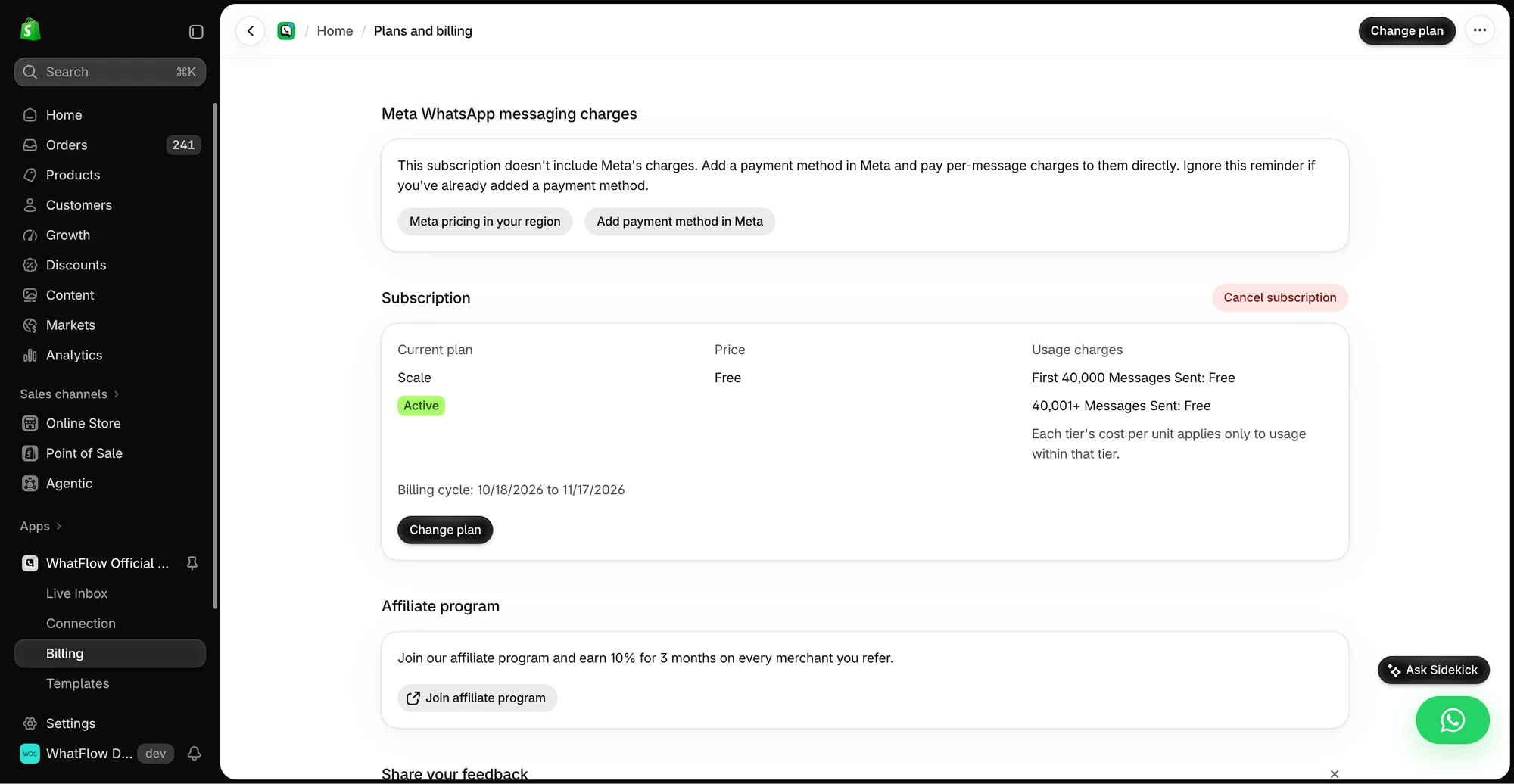
These Meta charges are separate from your WhatFlow plan. WhatFlow passes Meta's rates through with zero markup and Meta bills you directly. The full country table and a calculator are on WhatFlow pricing.
WhatFlow Billing in a demo store, showing Meta messaging charges separately from the app subscription
Can you be billed in Saudi riyals?
Yes. SAR is on Meta's list of WhatsApp billing currencies. You pick the currency when the messaging account is created, and Meta says it can't be changed afterwards except through its currency migration process. The figures in this article are Meta's USD list rates; Meta publishes a separate rate card per currency. If your revenue is in riyals, I'd choose SAR at setup.
What's different about WhatsApp for Shopify stores in Saudi Arabia?
Arabic first, English second
Write your templates in Arabic first, and add English versions for customers who prefer them. Meta supports Arabic (ar) as a template language. In WhatFlow, templates are language-agnostic, so you can keep Arabic and English versions of the same template and send the right one per customer.
A COD confirmation in Arabic:
مرحباً نورة، شكراً لطلبك رقم #2087 بقيمة 420 ريال، الدفع عند الاستلام. اضغط "تأكيد" وسنشحن طلبك اليوم، أو "إلغاء" إذا لم تعد بحاجة إليه.
Buttons: تأكيد / إلغاء.
And the shipping update that follows:
طلبك رقم #2087 في الطريق إليك 🚚
تتبّع الشحنة:
{{tracking link}}
Right-to-left gotchas
Arabic reads right to left; order numbers, links and Latin product names read left to right. Mixed into one sentence, they can appear in an odd order on the customer's phone. My rules:
Put tracking links and long codes on their own line, at the end.
Use one digit style throughout. Shopify sends Western digits, so I'd keep those.
Keep Arabic button labels to one or two words.
Don't paste an English sentence inside an Arabic template. Make a separate English version.
Preview every Arabic template on a real phone before it goes live.
If you offer cash on delivery, a COD order is only a promise. Shopify keeps manual-payment orders like COD as payment pending until you mark them paid. Imagine a customer who orders two abayas at midnight to compare sizes and only wants one: without confirmation you ship both and get one back. With a WhatsApp confirmation, you find out before dispatch, and your team can call or message the people who don't answer. WhatsApp COD confirmation vs calling every customer compares the two approaches. Our COD confirmation message templates have wording you can adapt.
Ramadan, Eid and a Friday–Saturday weekend
Saudi Arabia's weekend is Friday and Saturday, so Thursday evening is the start of the weekend for many customers. I'd avoid sending promotions around Friday prayers and use Thursday evening or Saturday for campaigns, then check your own Shopify orders by hour to confirm. The UAE's weekend differs, which we cover in WhatsApp for Shopify in the UAE.
Ramadan changes the day more than anything else. Shopping and messaging move into the evening, after iftar. Don't send at iftar itself, and send fewer messages during the month, not more. Ramadan 2027 is expected to begin around February 7 or 8, depending on the moon sighting, so draft and submit your Arabic Eid templates in January. Our Ramadan, Eid and Diwali campaign guide has the full calendar.
An Eid cut-off reminder that helps rather than nags:
رمضان كريم من متجر ورد 🌙 لضمان وصول هدايا العيد في الرياض وجدة والدمام، اطلب قبل يوم الأحد 7 مارس.
Saudi data protection and WhatsApp marketing rules
This isn't legal advice. It's what a Shopify store owner should know about selling to Saudi customers as of November 2026.
The Personal Data Protection Law (PDPL). Issued by Royal Decree No. M/19 in September 2021 and amended in March 2023, the PDPL came into force on September 14, 2023. The one-year grace period ended on September 14, 2024, and it has been fully enforceable since. The regulator is the Saudi Data and Artificial Intelligence Authority (SDAIA).
Consent is the default (Article 5). Personal data can't be processed without the person's consent except in the cases the law lists, and people can withdraw consent at any time.
Advertising needs prior consent (Article 25). You can't use someone's personal means of communication to send advertising unless they consented first and you give them a clear way to stop receiving it.
Marketing use (Article 26). Non-sensitive personal data can be used for marketing if you collected it directly from the person and they consented.
Transfers abroad (Article 29). Sending personal data outside the Kingdom is allowed only for listed purposes and under conditions. Your Shopify store, Meta and most apps are foreign platforms, so this applies to you.
The current Implementing Regulations add detail. According to Clyde & Co, Article 28 requires consent before sending promotional material to someone with no prior interaction with you, and the sender has to identify themselves, offer an unsubscribe option and keep records.
Changes in progress. SDAIA ran a public consultation on draft amendments to the Implementing Regulations from October 6 to November 5, 2026. The draft would make you keep evidence of consent and, when someone withdraws, stop the underlying processing and destroy data generated from it. It isn't adopted yet; if approved, it takes effect 60 days after publication in the Official Gazette.
WhatsApp's own rules. The WhatsApp Business Messaging Policy requires opt-in before you message people, requires you to honour opt-outs, and lets you start conversations only with approved templates.
Setup checklist for a Saudi Shopify store with WhatFlow
WhatFlow WhatsApp Business API is built on Meta's official WhatsApp Cloud API. It's rated 4.9/5 from 72 ratings on the Shopify App Store (as of November 18, 2026), and every feature is on every plan, including Free.
Connect with Embedded Signup. Install WhatFlow and connect your WhatsApp Business account through Meta's Embedded Signup from Shopify admin. Check Connections shows your sender as connected.
Use a +966 number and your store name. Customers trust a local number, and a display name that matches your brand. For the verified badge, see the WhatsApp green tick guide.
Choose SAR or USD billing when the account is created.
Write Arabic and English templates. Start in Template Library, map variables in Message Editor, then check language, category and approval status in Templates before attaching any automation.
Configure COD. In Cash on Delivery, pick the manual payment method WhatFlow should manage, select COD shipping rates if you use them, and preview eligible checkouts. Attach your approved Arabic confirmation template.
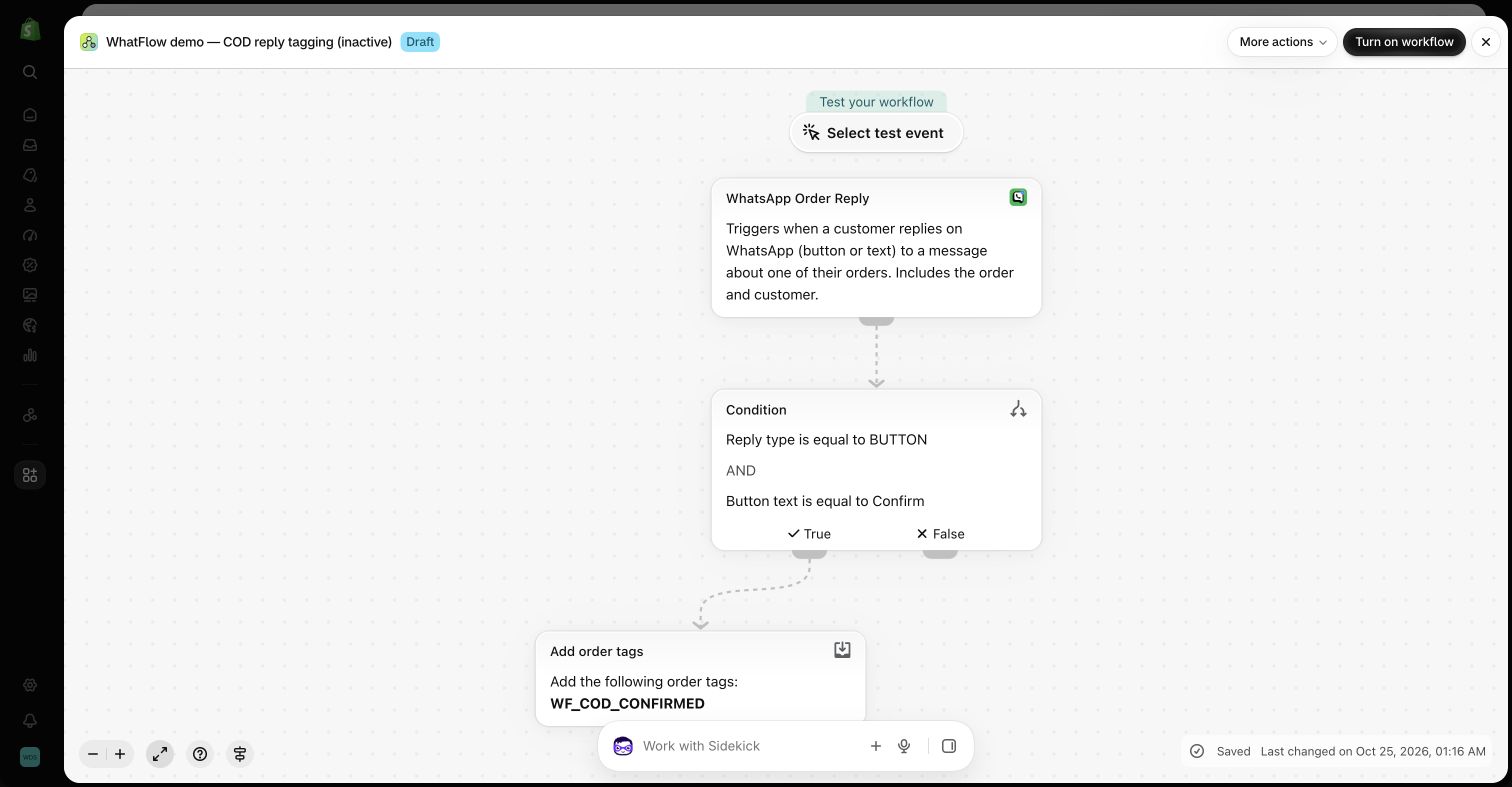
Tag orders from replies. Confirm and Cancel buttons can tag or cancel orders through Shopify Flow, so your warehouse only sees confirmed orders.
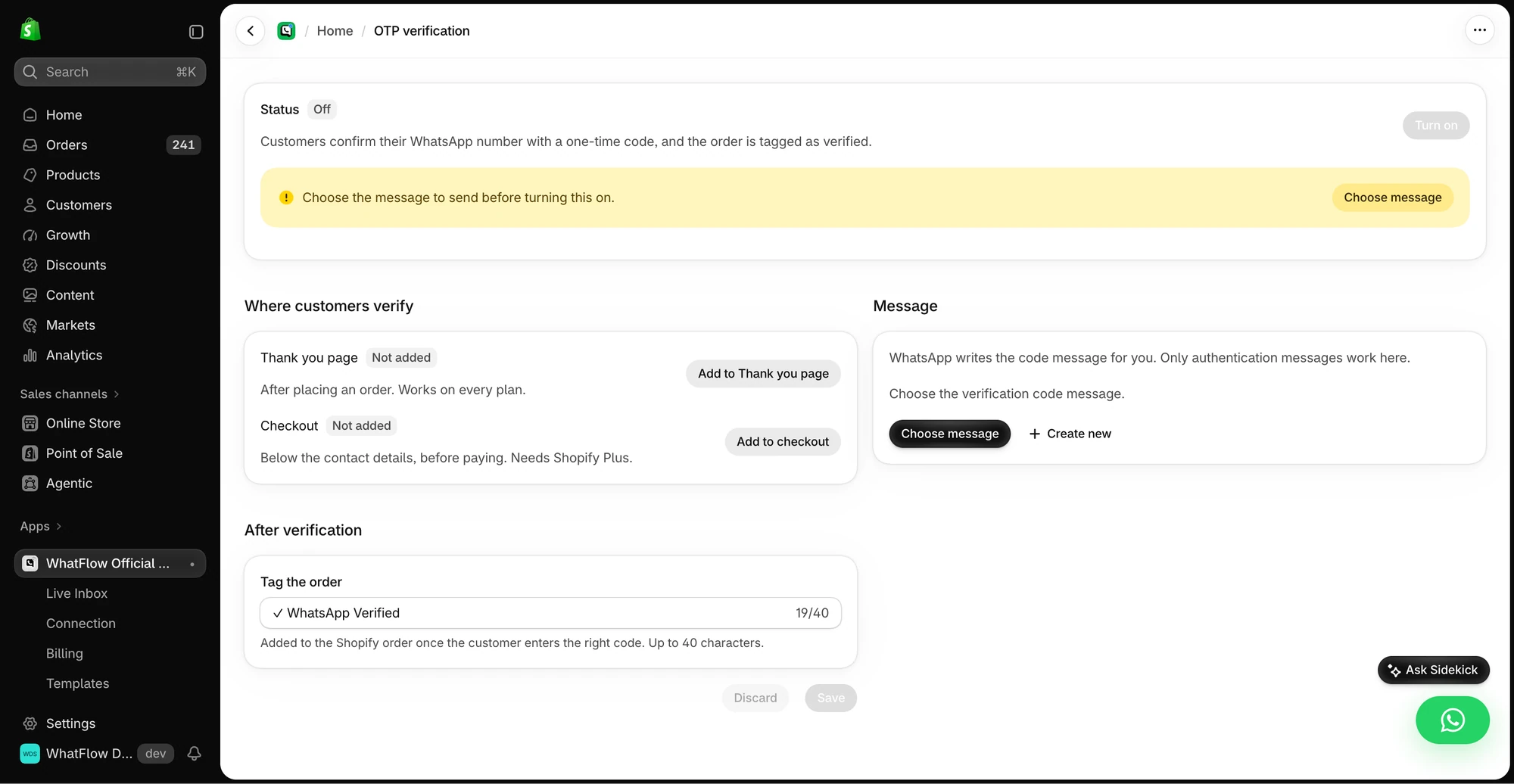
Add OTP verification where your store supports it, and review the order tag WhatFlow adds after a successful code.
Turn on shipping updates. Label created, carrier pickup, in transit, delivered, in both languages. Starter copy is in our order confirmation message examples.
Staff the inbox. Use assignment and filters in the shared team inbox to route Arabic chats to Arabic-speaking teammates. No seat fees, so a team of 20 costs the same in seats as a team of 2.
WhatFlow OTP placement options and the Shopify order tag, in a demo store
An inactive demo Shopify Flow workflow that tags the order based on the customer's WhatsApp reply
Run WhatsApp for your Shopify store with WhatFlow
Free plan available. Templates, COD confirmation, Shopify Flow automations and a shared team inbox with no seat fees. Every feature is included on every plan, including Free.
Turn on Arabic COD confirmation and shipping updates first. At $0.0107 a message they're the cheapest messages you'll send to Saudi customers, and the most useful. Get your opt-in wording and records in order before the first campaign, then plan Ramadan 2027 in January. Selling to Egypt too? See WhatsApp for Shopify in Egypt.
Frequently asked questions
How much does WhatsApp Business API cost per message in Saudi Arabia?
As of November 2026, Meta charges $0.0576 per delivered marketing template to a Saudi (+966) number and $0.0107 per utility or authentication template. Service replies cost $0.0107 after the first 1,000 free per number each month.
Can I pay for WhatsApp messages in Saudi riyals?
Yes. SAR is one of Meta's billing currencies for the WhatsApp Business Platform. The currency is chosen when the messaging account is created and can't be changed casually afterwards.
Does the Saudi PDPL require consent for WhatsApp marketing?
Yes. Article 25 of Saudi Arabia's Personal Data Protection Law says you need the recipient's prior consent to send advertising through their personal means of communication, plus a clear way for them to stop receiving it.
Is the Saudi PDPL being enforced?
Yes. The law came into force on September 14, 2023 and became fully enforceable on September 14, 2024 when the grace period ended. SDAIA consulted on draft amendments to its Implementing Regulations in October and November 2026, but they hadn't been adopted as of November 23, 2026.
What is the cheapest way to confirm COD orders in Saudi Arabia?
A WhatsApp utility template with Confirm and Cancel buttons costs $0.0107 per delivered message to a Saudi number as of November 2026, which is far cheaper than a failed COD delivery.