
Set checkout payment rules, verify a buyer’s number and record their response before dispatch.
Choose where cash on delivery is available
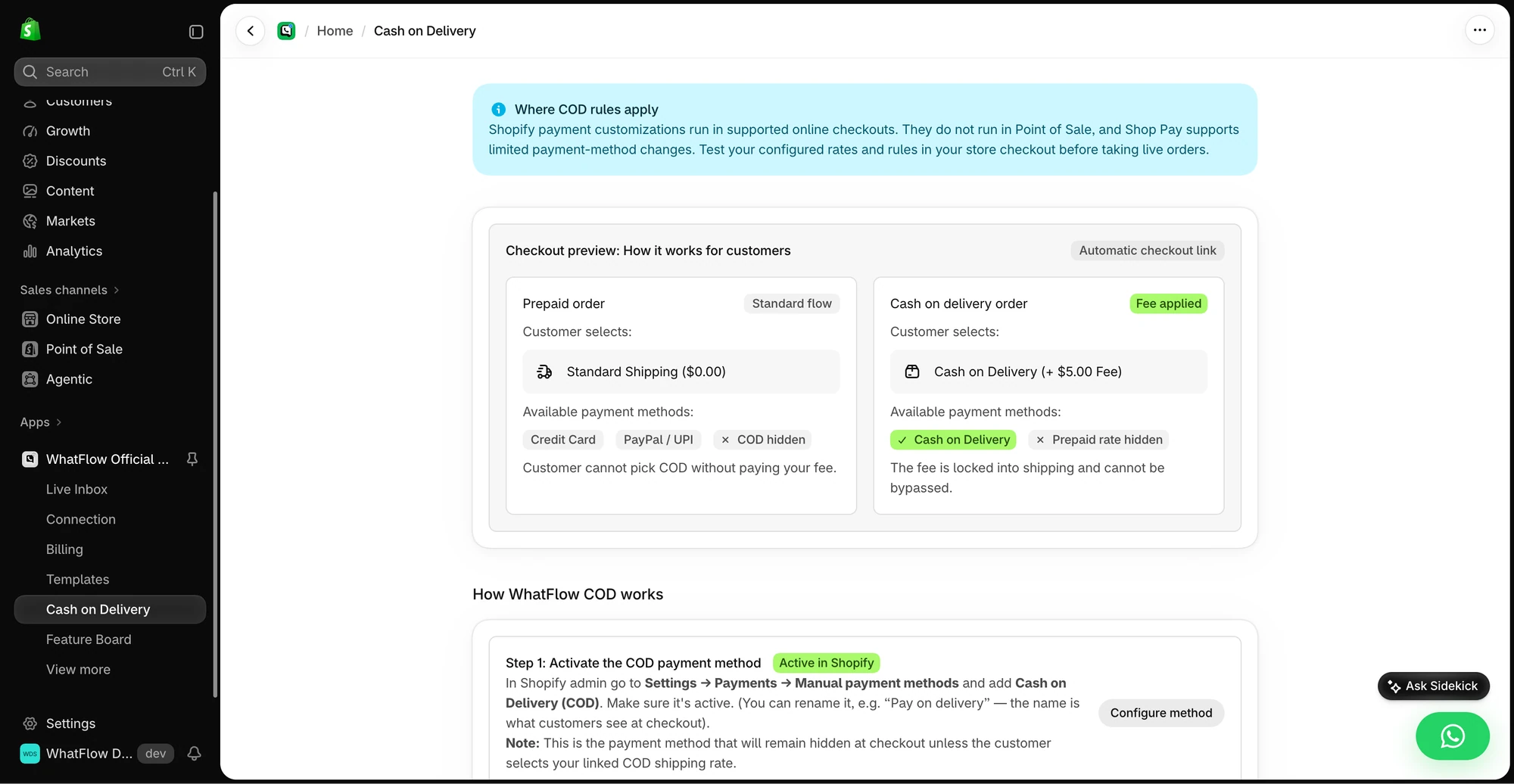
Open Cash on Delivery. Check the manual payment method WhatFlow should manage. If your store uses a separate COD shipping rate or limits payment by shipping option, select the rates and preview eligible and ineligible checkouts. Use the checkout itself to confirm what buyers can select. The exact checkout surfaces depend on your Shopify setup.
Ask for a dispatch decision
Use an approved order confirmation template with clear confirm and cancel choices. On a test order, click confirm from a phone and check that the right Shopify order receives the expected update. Test cancel, no answer and a customer with two open orders. Decide who reviews unclear replies before automating cancellation or release to fulfillment.
Decide where to verify the phone number
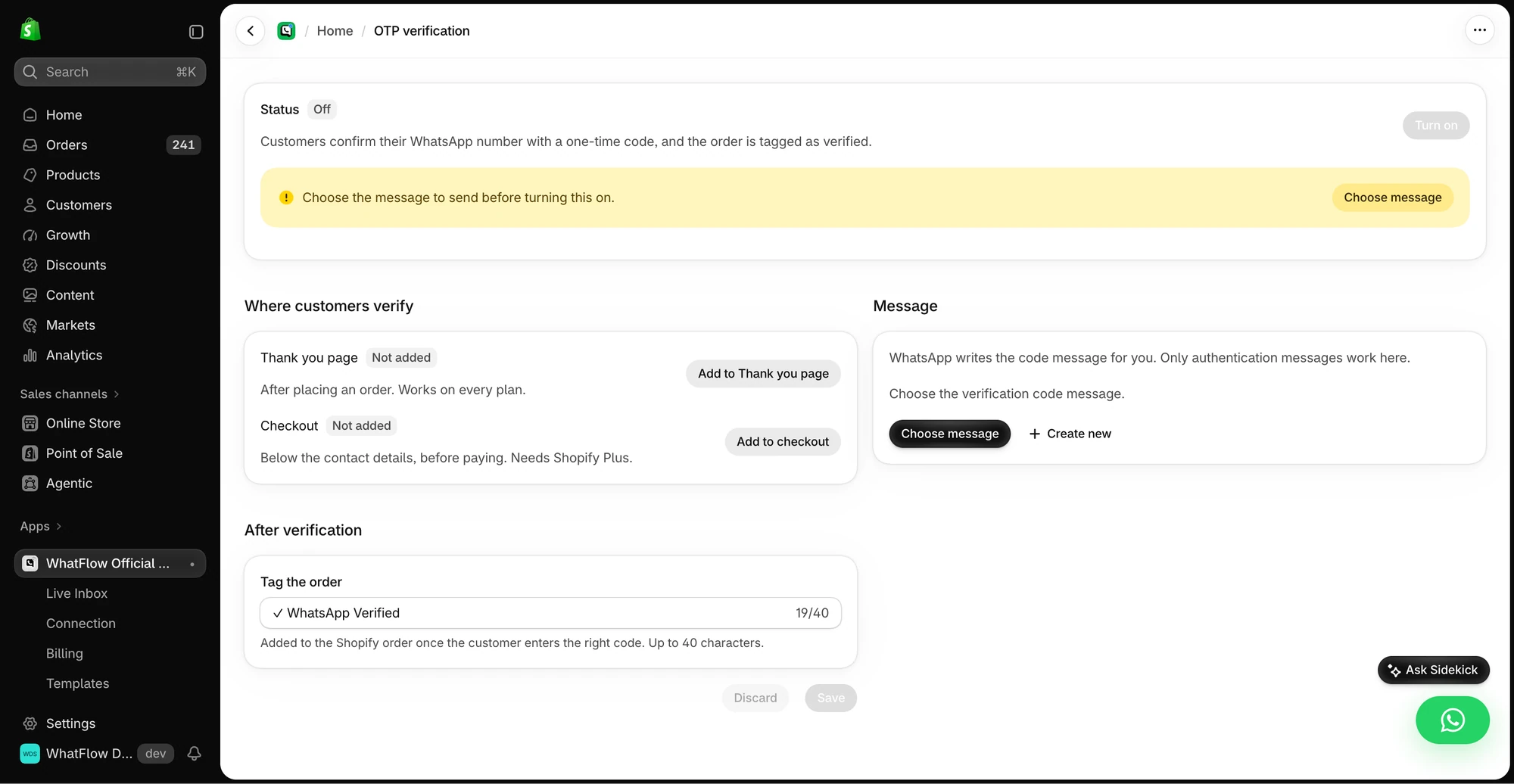
Open OTP Verification and check the available placement options. Choose a placement your store supports and review the Shopify order tag used for a successful verification. Test a correct code, a wrong code and an abandoned attempt. A verified phone number shows the shopper had access to the number during the test. Your team still needs a dispatch rule.
See the button-to-order workflow for a Flow example.
GET ACTIONABLE ECOMMERCE & WHATSAPP PLAYBOOKS.
Join 10,000+ merchants worldwide receiving our weekly breakdown on abandoned cart recovery, team inbox workflows, and WhatsApp conversion tactics.