WhatsApp for Shopify stores in South Africa: costs, rules and setup (2026)
What WhatsApp costs a Shopify store in South Africa, what POPIA section 69 means for your campaigns, and a setup checklist for templates and order updates.
Messaging customers in South Africa on the official WhatsApp Business Platform costs $0.0379 per delivered marketing template and $0.0095 per delivered utility or authentication template, as of November 2026. Three things matter most locally: POPIA section 69 limits who you can market to, Meta doesn't bill in rand, and WhatsApp templates only support English, Afrikaans and Zulu among South Africa's languages.
I'll go through each of those, show what a month of order updates and one campaign actually costs, and finish with the setup I'd use for a South African Shopify store on WhatFlow.
How much does WhatsApp cost for a Shopify store in South Africa?
Meta charges per delivered template message, priced by category and by the recipient's country code. Per-message pricing replaced conversation pricing on July 1, 2025, and the rules changed again on October 1, 2026. These are Meta's USD list rates for South African numbers, from Meta's WhatsApp pricing page:
First 1,000 per number per month free, then $0.0095
A utility template is a message about something the customer already started, like an order or a delivery. A marketing template is anything promotional. Meta can recategorise a template it thinks is marketing in disguise, so keep promos out of your order updates.
Two October 2026 changes catch people out. Service replies are no longer free without limit: each business phone number gets 1,000 free delivered service messages a month, then pays the utility rate. And utility templates sent while a customer service window is open are now charged too. Meta also gives volume discounts on utility and authentication at higher monthly volumes; the volume tier reconciliation guide explains how to check your bill against them.
Worked example: 1,000 order confirmations
Say you send an order confirmation template for every order, and you have 1,000 orders a month.
1,000 utility templates × $0.0095 = $9.50 a month in Meta charges.
That's before any volume discount. It's the same whether the customer chatted with you before ordering or not, because utility is now charged inside the window as well.
Worked example: a 5,000-recipient campaign
Now say you send a summer sale template to 5,000 opted-in customers.
If all 5,000 are delivered: 5,000 × $0.0379 = $189.50.
Meta doesn't charge for messages that aren't delivered, so if 4,700 arrive, you pay 4,700 × $0.0379 = $178.13.
Add your app plan on top. Those 6,000 messages fit WhatFlow's Essential plan ($19 a month for 10,000 messages); the full plan list is on the WhatFlow pricing page. Every feature is on every plan, including Free, so the plan only changes your allowance.
There's one cheaper route for campaigns: when a customer starts a chat from a click-to-WhatsApp ad and you reply within 24 hours, Meta opens a free entry point window that can last up to 7 days, with no charges for template or service messages to that customer while it's open. The free entry window guide covers how it differs from the normal window.
Paying Meta from South Africa
Meta lists 16 billing currencies for the WhatsApp Business Platform, and the rand isn't one of them. Most South African stores pay in USD, so your monthly Meta bill moves with the exchange rate and your card may add a foreign transaction fee. The currency is picked when the Meta messaging account is created, so decide before you connect rather than after. If you want the whole pricing model in one place, read WhatsApp Business API pricing explained. UK stores can bill in pounds, as our WhatsApp for Shopify in the UK guide explains.
Local habits that change your WhatsApp setup
Languages: plan for English first, then Afrikaans and Zulu
South Africa has 12 official languages, including South African Sign Language, according to the South African Government. Meta's template language list covers English, Afrikaans (af) and Zulu (zu). There's no template code for Xhosa, Setswana, Sesotho, Sepedi, Tsonga, Venda, Swati or Ndebele.
So here's what I'd do. Write every template in English. Add Afrikaans or Zulu versions only where you actually have customers who prefer them, and keep the same template name and variables across versions. Inside the 24-hour customer service window, your team can reply free-form in whatever language the customer writes in, which covers the languages templates can't. The guide to WhatsApp template languages for order updates explains how to pick which version each customer gets.
An English order confirmation might read:
Hi Thandi, thanks for your order #2291 (R1,450). We'll send your tracking link as soon as it ships. Questions? Just reply here.
And the Afrikaans version of the same template:
Hallo Thandi, dankie vir jou bestelling #2291 (R1,450). Ons stuur jou opsporingskakel sodra dit versend word. Vrae? Antwoord sommer hier.
Payment and delivery
Most of the payment decisions happen in Shopify checkout, not in the chat. If you offer cash on delivery or pay on collection, a WhatsApp confirmation before dispatch saves you sending parcels to people who've changed their minds; the COD and OTP setup doc walks through it. Our COD confirmation message templates have wording you can adapt.
For delivery, the questions I hear from merchants are the predictable ones: when will it arrive, and where do I collect it. If you ship to pickup points, say which one in the template. Send one reliable shipping update rather than five noisy ones. Our shipping confirmation message examples show how to word each stage.
What does POPIA mean for WhatsApp marketing?
The Protection of Personal Information Act 4 of 2013 (POPIA) has applied to direct marketing since 1 July 2020, when sections 55 to 109 (section 69 among them) came into force, according to the government's POPIA listing. For WhatsApp, the section that matters is section 69, on direct marketing by electronic communication. This isn't legal advice, but here's how I read the gazetted text.
Section 69(1): direct marketing by "any form of electronic communication" is prohibited unless the person has consented or is your existing customer.
Section 69(2): you can ask a non-customer for consent only once, and only if they haven't already refused.
Section 69(3): for existing customers, you can market without fresh consent only if all of these hold:
you got their contact details in the context of a sale;
you're marketing your own similar products or services;
they had a free, easy chance to object when you collected the details, and on every marketing message since.
Section 69(4): every marketing message must identify the sender and give contact details where the person can ask you to stop.
The Information Regulator's direct marketing guidance note (December 2024) adds detail. Consent requests should follow the prescribed Form 4 or something substantially similar. Its list of electronic channels names SMS, email, push notifications and direct messaging on Instagram or LinkedIn, and it says the list isn't exhaustive. WhatsApp isn't named, but I'd treat it the same way. The note also says silence can't count as consent, and you must keep a database of people who've objected.
Meta's WhatsApp Business Messaging Policy is stricter than the existing-customer route. You can only contact people who gave you their number and opted in to receive messages from you, and you must respect every opt-out request, on or off WhatsApp. Outside the 24-hour window you can only start a conversation with an approved template.
In practice that means one rule for a South African store: collect a clear WhatsApp opt-in at checkout or in a chat, and end every marketing template with your store name and a way out.
Summer sale: 20% off all linen until Sunday. Shop here: [link]. From Karoo Linen Co. Reply STOP and we won't send offers again.
Setup checklist: WhatsApp for a South African Shopify store with WhatFlow
WhatFlow WhatsApp Business API runs on the official Meta WhatsApp Cloud API, and it's built for growing teams as well as one-person shops: a shared team inbox with no seat fees, native Shopify Flow triggers and actions, and a 5.0/5 rating from 85 ratings on the Shopify App Store (checked November 24, 2026). Here's the order I'd set it up in.
Connect through Embedded Signup. Install the app, open Connections and start the WhatsApp setup. Meta's Embedded Signup runs inside Shopify admin; choose the business portfolio and WhatsApp account you mean to use. If your number already runs in the WhatsApp Business app, read what changes when you move to the API first.
Check the number and display name. In Connections, confirm the number and display name customers will see. If the name is pending, message your number from another phone to see what actually shows.
Sort Meta billing. Add a payment method where Meta directs you, and pick the billing currency knowingly. Meta's charges are billed by Meta, with no WhatFlow markup.
Create templates in English, then Afrikaans or Zulu. Start from Template Library, edit in Message Editor, and check status and language in Templates. The template guide walks through approval.
Switch on order updates. Send an order confirmation, then pick one or two shipping stages in Shipping Journey that your courier reliably reports. Starter copy is in our order confirmation message examples.
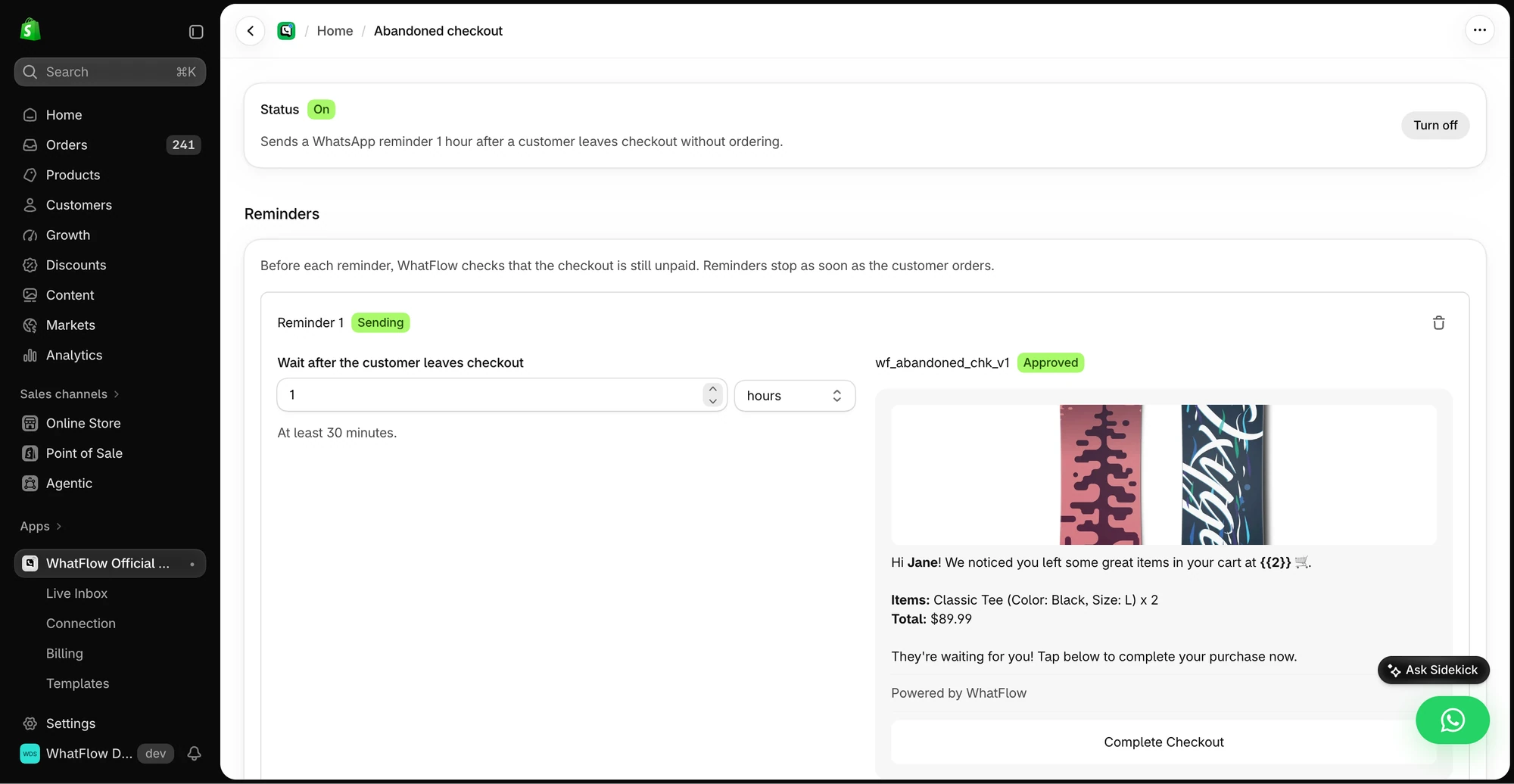
Set up abandoned checkout reminders. Choose an approved template and a delay in Abandoned Checkout, then test with a real checkout on your phone.
Share your catalog. In Inbox, open Catalog, sync a small test collection and send a product to yourself before your team uses it.
Turn on COD confirmation if you offer it, and confirm the opt-out and blocklist settings before your first campaign.
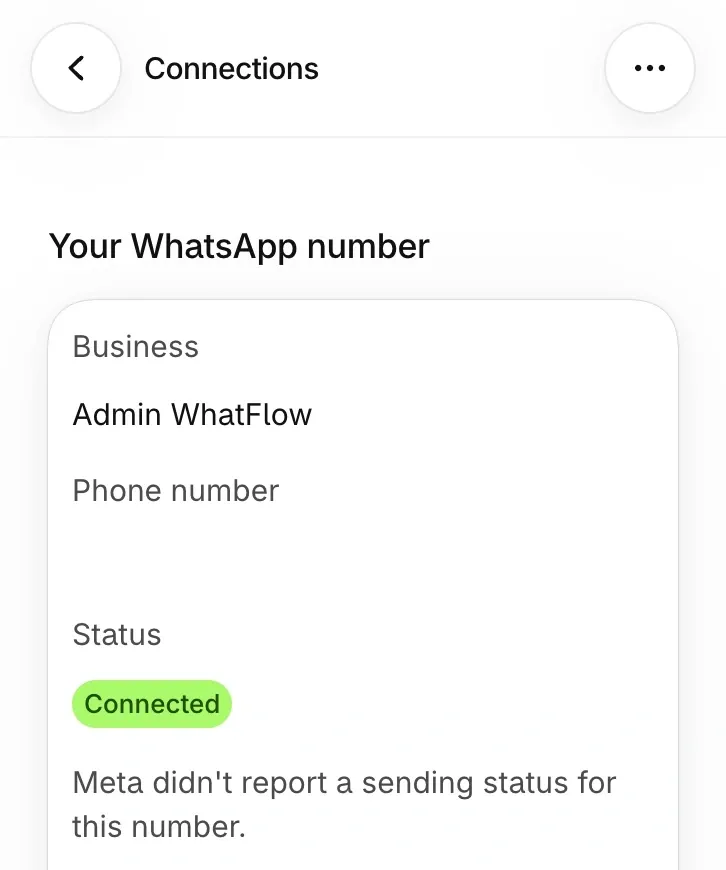
Demo store Connections screen. The sender number is obscured and nothing was sent.
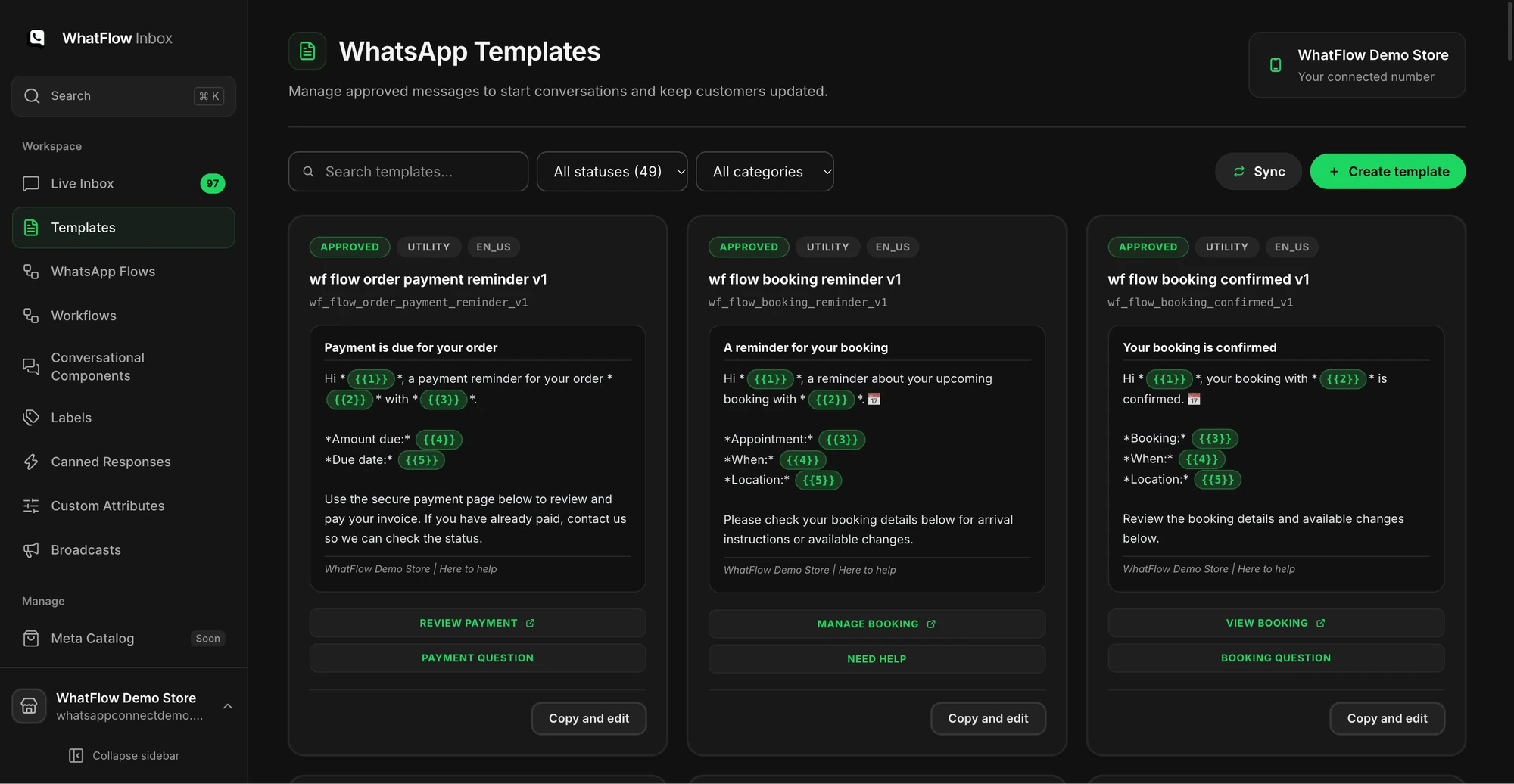
Demo store template list with language and status filters, useful for keeping English, Afrikaans and Zulu versions together.
Abandoned checkout reminder settings in a WhatFlow demo store, with sample data.
Once a few people on your team are answering chats, the team inbox lets you assign conversations and filter by agent, and adding staff doesn't add seat fees.
Run WhatsApp for your Shopify store with WhatFlow
Free plan available. Templates, COD confirmation, Shopify Flow automations and a shared team inbox with no seat fees. Every feature is included on every plan, including Free.
If you only do one thing, get the opt-in right, because both POPIA and WhatsApp's policy hang off it. Then connect your number, approve an English order confirmation and send it to yourself. The Afrikaans and Zulu versions, the catalog and the campaigns can follow once the basics run cleanly.
Frequently asked questions
How much does a WhatsApp marketing message cost in South Africa?
As of November 2026, Meta charges $0.0379 per delivered marketing template to a South African number, and $0.0095 per delivered utility or authentication template. Meta bills these charges itself, separately from your Shopify app subscription.
Can I pay Meta for WhatsApp messages in rand?
Not as of November 2026. ZAR isn't one of the 16 billing currencies Meta lists for the WhatsApp Business Platform, so South African stores usually pay in USD or another listed currency, and their bank handles the conversion.
Does POPIA allow WhatsApp marketing to existing customers without consent?
Section 69(3) allows electronic direct marketing to existing customers if you got their details during a sale, you only market your own similar products, and they could object when you collected the number and in every message since. WhatsApp's own policy still requires opt-in before you send business-initiated messages, so get permission anyway.
Which South African languages can I use for WhatsApp templates?
Meta's template language list includes English, Afrikaans and Zulu. Other official languages, such as Xhosa, Setswana or Sesotho, aren't on the list, but you can reply in any language inside the 24-hour customer service window.
Do order confirmations on WhatsApp cost money in South Africa?
Yes. An order confirmation is normally a utility template at $0.0095 per delivered message as of November 2026, and since October 1, 2026 utility templates are charged even inside an open customer service window.
Per-message pricing, the 1,000 free service messages per number from October 1, 2026, charged utility messages in the service window, the up-to-7-day free entry point window and the 16 billing currencies (ZAR not among them).
Template language codes, including English, Afrikaans (af) and Zulu (zu), with no codes for Xhosa, Setswana, Sesotho, Sepedi, Tsonga, Venda, Swati or Ndebele.
The wording of section 69 on direct marketing by unsolicited electronic communications, including the one-time consent request and the existing-customer conditions.
Form 4 consent requests, examples of electronic channels including direct messaging, the database of objections and the point that silence isn't consent.