WhatsApp for fashion brands does three jobs well: it answers "which size should I get?" before the order, it tells opted-in fans about drops and restocks, and it makes exchanges feel easy after delivery. Get the sizing chat right and you prevent avoidable returns. Get drops right and you sell out without spamming the people who'll buy next season too.
Fashion is one of the chattiest categories on WhatsApp. Customers send screenshots from Instagram, ask about fabric weight, want to know if the beige looks pink in real life, and need to know whether it'll arrive before Eid or a wedding. Each of those questions is a sale waiting to happen, or a return waiting to happen if you answer badly.
What do fashion customers actually ask on WhatsApp?
If you run a clothing store, your inbox probably looks something like this:
"I'm 5'4 and usually a medium, which size?"
"Is this see-through?"
"Is the colour the same as the photo?"
"Will it come before the 14th?"
"Do you have this in XL? When will it be back?"
"Can I exchange if it doesn't fit?"
"Is cash on delivery available?"
Notice that almost none of these are about price. They're about risk. The job of your WhatsApp replies is to remove that risk with specifics.
Before the sale: how do you answer sizing questions over chat?
"It runs true to size" is the most common reply and the least useful one. Answer with measurements and a comparison the customer can check against something they already own.
A saved reply that works:
Hi Zara! This dress is cut slightly relaxed. Size M measures 98cm across the chest and 104cm long. If you lay a dress you love flat and measure it armpit to armpit, you can compare directly. Most customers your height size down if they want a closer fit. Want me to check a specific measurement for you?
Build a small library of these per product type (dresses, denim, kurtas, outerwear) and keep them in your inbox as saved replies. The team then edits two words and sends, instead of hunting through the size chart every time. Our guide to saved replies that don't sound robotic shows how to keep them human.
For colour questions, send a real photo in daylight. A quick phone shot by the window beats any studio image for answering "is it really olive?".
Here's the olive in natural light, next to a white tee for reference. It's a warm olive, a bit more brown than the website photo.
Then watch for patterns. If ten people ask whether the linen shirt is see-through, add one line to the product page. Same for variant-specific fit: if the cropped version runs small but the regular doesn't, say so on the page and in your reviews, as covered in keeping review context clear across variants.
Share the product, not a wall of links
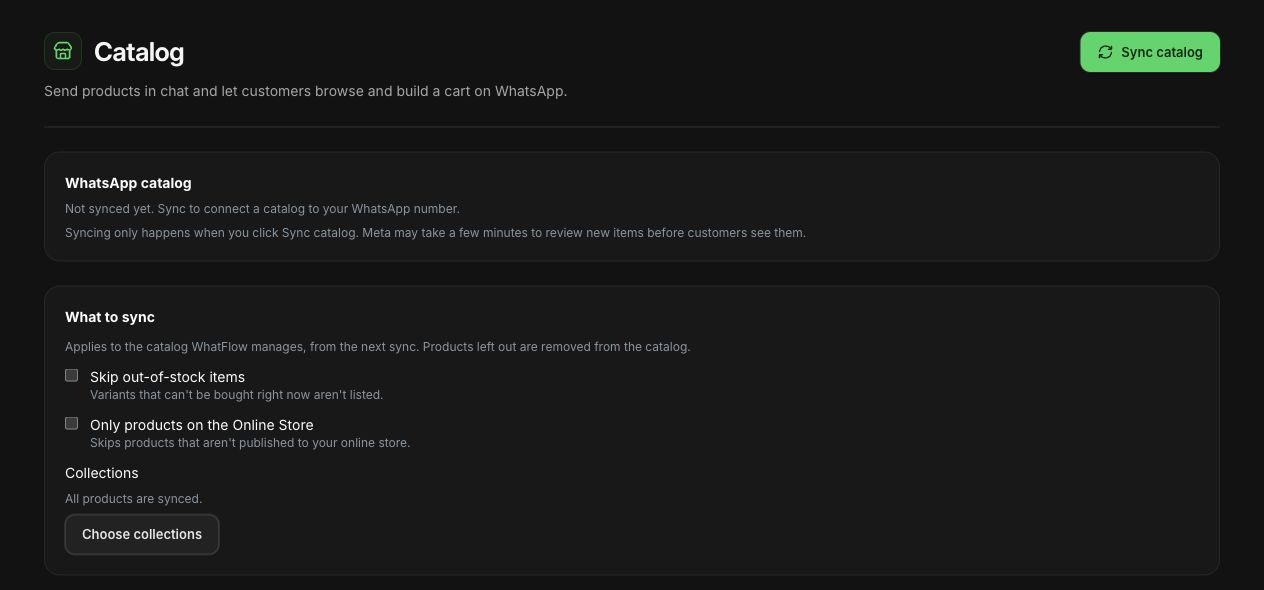
When you recommend something, share it from your catalog so the customer sees the image and price inside the chat. WhatFlow's live catalog sharing pulls from your Meta product catalog, and you control which products sync.
For a shopper asking which size or variant fits, use WhatFlow's product picker to share the relevant catalog item from the conversation. With catalog cart follow-up configured, WhatFlow can send back a Shopify checkout link. Check Shopify before treating the WhatsApp cart as a paid order. The catalog-to-checkout walkthrough shows the test sequence.
WhatFlow catalog settings in a demo store: manual sync and product scope.
If you haven't set up a catalog yet, this guide to WhatsApp catalog sharing covers it. The customer still checks out on your Shopify store; WhatsApp is where they decide.
Drops and restocks: how to announce them without burning your list
Drops are where fashion brands are most tempted to over-send. Here's the approach I'd recommend:
Build a drop-specific opt-in. A "Notify me on WhatsApp" button on the coming-soon page, with clear wording about what they'll get. Meta's Business Messaging Policy requires opt-in before you message people, and a specific opt-in is far better than a vague one.
Send a teaser 24 to 48 hours before, only to that list. Photos, drop time, price range.
Send the launch message at drop time, with a direct link to the collection.
Stop there. No "last chance!!" messages three hours later unless something genuinely changed.
Example launch template (marketing category):
The Monsoon Edit is live 🌧️ 14 pieces, mostly linen and cotton voile, sizes XS to XXL. You asked to hear first, so here's your link before we post it anywhere else: {{1}}
Restocks are where WhatsApp shines, because the customer asked about one specific item in one specific size. That's a message they actually want. See back-in-stock alerts on WhatsApp for the setup, and launching a product on WhatsApp for building a waitlist.
The pitfall here is real: if lots of people block or report your messages, your phone number's quality rating can drop, and that affects how many people you can message. Meta explains how this works in its messaging limits documentation. Fewer, wanted messages protect the channel for next season.
After the order: confirmations, COD and delivery
Fashion stores in COD-heavy markets lose real money on fake or impulse orders that get refused at the door. A COD confirmation is a WhatsApp message sent right after a cash-on-delivery order asking the customer to confirm before you ship.
Hi Hira, thanks for your order #4821: 1 x Noor Kurta (M, Ivory), total 6,450 PKR, cash on delivery. Please confirm so we can dispatch today.
[Confirm order] [Change size] [Cancel]
In WhatFlow, those reply buttons can trigger Shopify Flow to tag or cancel the order automatically. The "Change size" reply lands in your inbox so a person can fix it before dispatch. The full setup is in turning WhatsApp order replies into Shopify actions.
Then send shipping updates through templates, and you're done until delivery.
Returns and exchanges: make them a conversation
Most fashion returns are exchanges in disguise. The customer liked the piece; it didn't fit. If your process makes exchanging as easy as messaging you, you keep the sale.
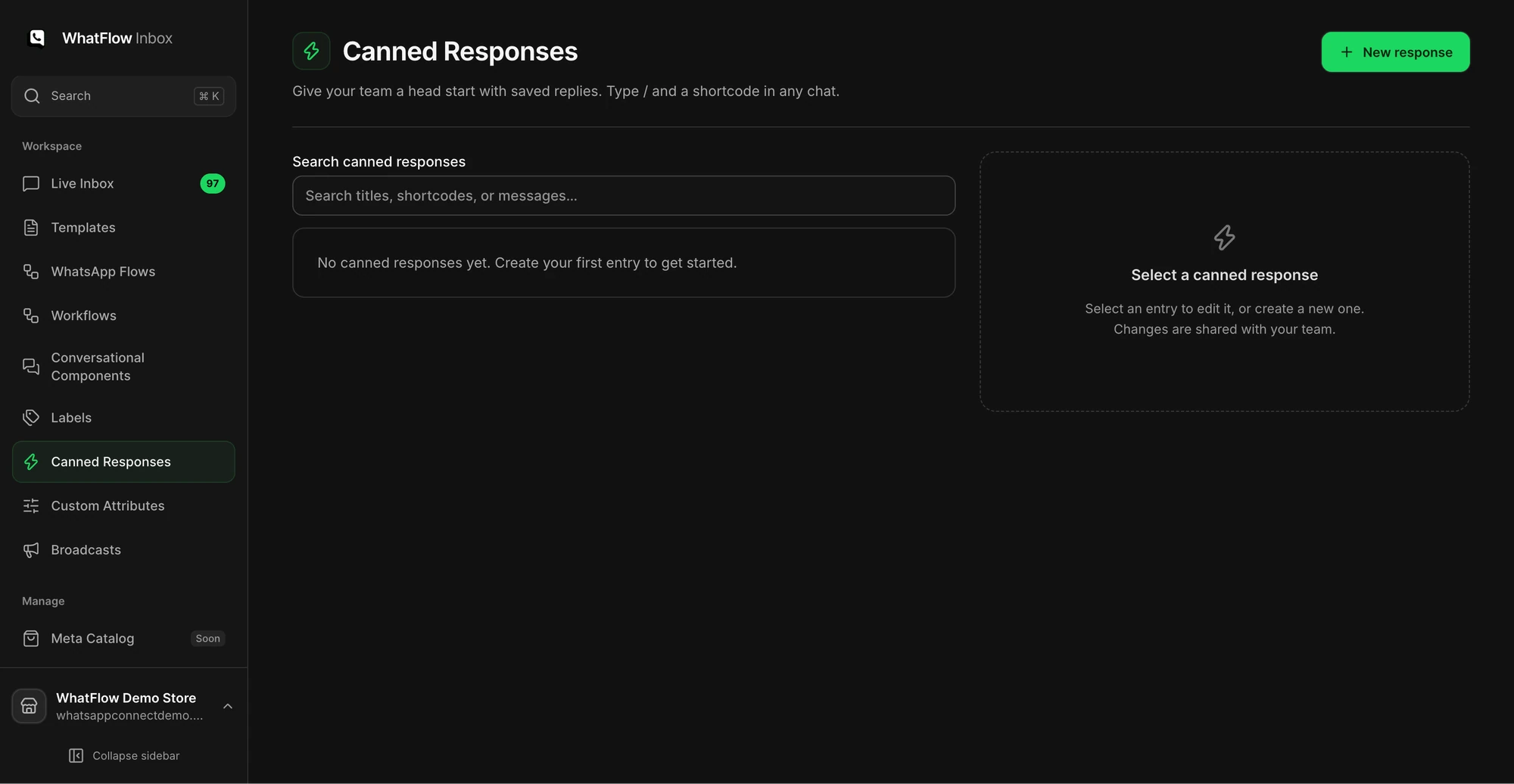
The Canned Responses screen is where a support team manages reusable replies.
Sorry the M was too snug! Happy to swap it for an L. Reply with your order number and a photo of the item with tags on, and we'll send pickup details. The L is in stock now, so I can hold one for you for 48 hours.
Ask for the order reference first, then photos for damage claims, then explain the next step. Our full guide to handling returns and exchanges on WhatsApp covers the process, and WhatFlow doesn't generate return labels or process refunds itself, so you'll still handle those in Shopify or your returns app.
WhatsApp for fashion brands: which features matter most?
Stage
What helps
WhatFlow feature
Discovery
Fast sizing and colour answers
Team inbox, saved replies, media messages
Recommendation
Showing the exact piece
Live catalog sharing
Drop day
Messaging opted-in fans at once
Templates and campaigns
Order
Confirming COD before dispatch
COD confirmation with reply buttons and Flow
Delivery
Proactive updates
Order and shipping update templates
Post-purchase
Exchanges and reviews
Inbox, review-request workflows
Everything in that table is included on every WhatFlow plan, including Free. During a drop, your whole team can answer in the same inbox without paying per seat.
Two fashion-specific pitfalls
Guessing sizes. "I think the M will be fine" creates returns. If you don't know, measure the garment or say "I'll check and come back in 10 minutes". The customer will wait.
Treating every customer as a drop customer. Someone who bought school uniforms from you once doesn't want your festive couture launch. Segment by what people asked for. Our guide to segmenting WhatsApp campaigns around customer needs goes deeper.
Free plan available
Run WhatsApp for your Shopify store with WhatFlow
Templates, COD confirmation, Shopify Flow automations and a shared team inbox with no seat fees. Every feature is included on every plan, including Free.
Write a measurement-based sizing reply for each of your 10 best sellers, shoot one daylight photo of each colourway, and save both in your inbox. That's an afternoon of work, and it'll answer most of next month's fashion questions on WhatsApp before your customer has time to open another tab.
Frequently asked questions
How do fashion brands use WhatsApp?
Mostly for three things: answering size and fit questions before purchase, announcing drops and restocks to customers who opted in, and handling order confirmations and exchanges after purchase. The pre-purchase sizing chat is usually where WhatsApp earns its keep.
Should I send a WhatsApp broadcast for every new collection?
No. Send drops to the customers who asked for them, and keep the rest of your list for things they signed up for. Too many marketing messages lead to blocks, which can hurt your number's quality rating.
Can WhatsApp reduce returns for clothing?
It can reduce avoidable ones. If customers can ask about fit and get an answer based on real measurements before buying, fewer orders come back for 'wrong size'. It won't eliminate change-of-mind returns.
Can customers buy clothes directly inside WhatsApp with WhatFlow?
Customers can browse products you share from your catalog in the chat, but they pay on your Shopify checkout through a product or checkout link, or choose COD if you offer it.