
Publisher disclosure: this comparison is written by WhatFlow. Competitor capabilities are based on the linked public documentation; the WhatFlow screenshots come from our demo store. Examples are illustrative, and results depend on your store and configuration.
WhatsApp with WhatFlow and WhatsApp Channels at a glance
| Consideration | WhatsApp with WhatFlow | WhatsApp Channels |
|---|---|---|
| Best-fit experience | Private, two-way conversations with each customer: order updates, COD confirmation, delivery questions, cart recovery and opted-in broadcasts. | A one-way broadcast feed in WhatsApp's Updates tab for followers: launches, drops, behind-the-scenes posts and polls. |
| Costs to include | WhatFlow plan (Free, then from $4.99/month) plus Meta's per-message charge for templates. No seat fees. | Channels sit outside the Business Platform's template billing; the main cost is the time to create content. |
| Shopify workflow | Templates mapped to Shopify orders, Shopify Flow triggers and actions, COD tagging and a shared inbox. | No order link. Posts go to every follower, so they can't carry anything about a specific customer. |
| Starting point | Free plan with every feature and a free-forever theme-matched WhatsApp button. | Open a Channel for public news, and never post order or customer details there. |
| Privacy | One private thread per customer, visible only to your team. | Admin's number and followers' numbers are hidden from each other; all posts are public to followers. |
Shopify stores should run customer conversations on the WhatsApp Business Platform and treat WhatsApp Channels as an optional broadcast feed. They're different tools. The Platform (the official Business API) gives you a private, two-way thread with each customer, with templates, buttons and your catalog. Channels are a one-way feed for followers. WhatFlow runs the Platform side for you on Shopify, with Flow automation and a no-seat-fee team inbox.
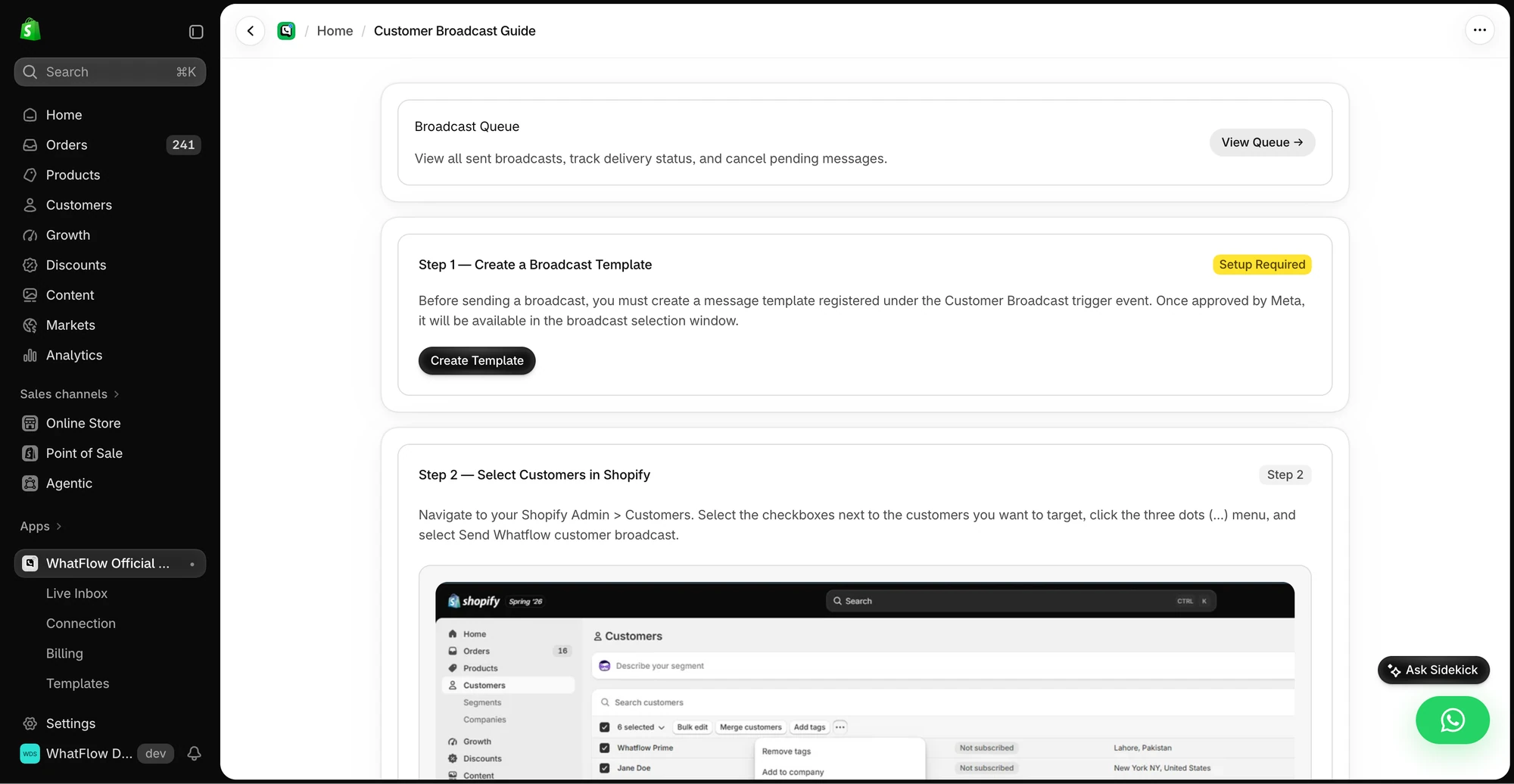
One practical check: Can you explain which recipients failed and retry only the ones worth retrying? In WhatFlow, test a Shopify customer or segment send, then try scheduling a separate Inbox broadcast from a spreadsheet or existing conversations. The campaign walkthrough shows the test send, reply handoff and recipient report.
Business Platform vs Channels at a glance
WhatsApp Business Platform (via WhatFlow) | WhatsApp Channels | |
|---|---|---|
Direction | Two-way, private | One-way broadcast |
Audience | Each customer individually; broadcasts to opted-in lists | All followers |
Where it appears | The customer's Chats | The Updates tab |
Order details | Yes, safely | Never |
Shopify link | Flow triggers and actions, COD tagging, shared inbox | None |
Cost | WhatFlow plan + Meta per-message charges | Your time |
Why does the Business Platform carry the weight?
Because almost everything a Shopify store needs from WhatsApp is private and two-way. WhatsApp's own Channels announcement calls Channels a one-way broadcast tool for admins. That's useful for news. It can't confirm an order, answer "where's my parcel?" or recover a cart.
On the Platform, WhatFlow sends something like this to one customer:
Hi Kiran, your order #3307 (Handloom Saree, maroon) shipped today with Delhivery. Track it: {{tracking_link}} [Track] [Talk to us]
She taps Talk to us and asks about blouse stitching. Your team answers in the same private thread, from a shared inbox with assignment and saved replies. That's what the Platform is for: one thread per customer, under your business name and logo, linked to Shopify.
What the Platform gives you through WhatFlow:
- Order messages from templates mapped to Shopify fields
- COD confirmation with buttons that tag or cancel the order through Shopify Flow
- Abandoned checkout recovery and review requests
- Broadcasts to opted-in, segmented customers (best practices)
- Live catalog sharing in chats
- A team inbox with no seat fees
Where do Channels fit?
Channels are a nice, low-effort extra for brands with a following: new-collection previews, restock announcements, polls on the next colour, behind-the-scenes clips. Followers' numbers stay hidden from you, and yours from them, so it's a light-touch way to stay visible. Our guide to WhatsApp Channels for brands covers what to post.
One rule: never post anything about a specific customer or order in a Channel. Everyone following sees it.
How do the costs compare?
Channels sit outside the Platform's template billing, so their main cost is your time. The Platform is billed by Meta per delivered message by category and country (Meta's pricing docs), with WhatFlow's app fee on top.
As of November 2026, WhatFlow plans are Free ($0, 100 messages a month), Starter ($4.99, 2,000), Plus ($9.99, 5,000), Growth ($29, 20,000), Scale ($49.99, 40,000) and Ultimate ($99, 75,000), with every feature on every plan. Say you send 3,000 order updates and one small opted-in broadcast a month: Plus at $9.99 on the app side, whole team included. Current amounts are on the pricing page, and Meta's side is explained in WhatsApp Business API pricing.
How to use both
- Install WhatFlow and connect your number on the official Meta Cloud API through Embedded Signup.
- Move order confirmations, COD confirmations and shipping updates onto the Platform.
- Collect opt-in at checkout before sending broadcasts (WhatsApp Business policy, opt-in guide).
- Open a Channel for public news if you have a following, and link it from your store.
- Keep customer details out of every Channel post.
The bottom line
Channels are a megaphone. The Business Platform is the conversation. For a Shopify store, run the conversation with WhatFlow (official Meta Cloud API, Free plan, every feature, no seat fees, rated 5.0/5 from 55 ratings on the Shopify App Store as of November 5, 2026), and add a Channel if you have news worth broadcasting. New to the API? Start with what the WhatsApp Business API is.
Questions worth asking
What's the difference between the WhatsApp Business Platform and WhatsApp Channels?
The WhatsApp Business Platform (the Business API) runs private two-way conversations between a business and each customer, including templates, buttons and automation. WhatsApp Channels are a one-way broadcast tool where admins post updates to followers in the Updates tab. Shopify stores need the Platform for orders, and can add a Channel for public news.
Can I send order updates through a WhatsApp Channel?
No. A Channel post goes to every follower, so it can't carry a customer's order, address or tracking details. Order updates belong in a private WhatsApp Business Platform conversation, which WhatFlow sends from Shopify.
Does the free WhatFlow plan restrict features?
No. WhatFlow includes every feature on every plan, including Free. Plans differ only by message allowance and rates, and the team inbox has no seat fees.
Are WhatsApp Platform charges included in WhatFlow's price?
No. WhatFlow's plan is the app fee. Meta charges separately per delivered message by category and country; check Meta's pricing page for current rules.
Sources and methodology
We checked these primary sources on November 5, 2026. Vendor pages describe advertised capabilities, rather than independent performance tests. Confirm current pricing, plan limits and availability with each provider.
- WhatFlow WhatsApp Business API on the Shopify App Store
WhatFlow's listing, plans and Shopify integrations; rated 5.0/5 from 55 ratings as of November 5, 2026.
- WhatsApp Business Platform pricing
Meta's per-message charges for the WhatsApp Business Platform by category and recipient country.
- WhatsApp Channels explained
WhatsApp's help-centre article about Channels on the WhatsApp Business app.
- WhatsApp's introduction to Channels
Describes Channels as a one-way broadcast tool for admins and explains that admins' and followers' phone numbers aren't shown to each other.
- WhatsApp Business Messaging Policy
Opt-in, opt-out and template rules for business-initiated WhatsApp messages on the Platform.