
Publisher disclosure: this comparison is written by WhatFlow. Competitor capabilities are based on the linked public documentation; the WhatFlow screenshots come from our demo store. Examples are illustrative, and results depend on your store and configuration.
WhatFlow and TimelinesAI at a glance
| Consideration | WhatFlow | TimelinesAI |
|---|---|---|
| What the product is built around | Built for Shopify: admin extensions, native Shopify Flow triggers and actions, COD confirmation and order updates. | Connects WhatsApp to sales CRMs such as HubSpot, Pipedrive, Zoho, monday.com, Salesforce and Close, with a shared inbox and Workflow Builder. |
| Pricing and billing units | Free plan; paid plans from $4.99/month based on sends. Meta fees separate. | Starter $35 and Pro $49 per connecting seat per month, or $28 and $39 billed yearly, as of November 2026. |
| Feature access | Every feature on every plan, including Free. | Starter lists CRM integrations, shared inbox and Workflow Builder; Pro adds team statistics, contact export and hidden phone numbers. Some Enterprise items are marked coming soon. |
| Team access | No seat fees. Add your whole team to the inbox. | A seat is needed for each user connecting a WhatsApp account; shared-inbox access is listed for all team members. |
| Storefront entry point | Theme-matched WhatsApp buttons, free forever. | Not a storefront tool; it focuses on CRM sync. |
| Automation allowance | Plans differ only by message sends; Shopify Flow automation is on every plan. | Starter includes 50 automation credits per seat and 1,000 Workflow Builder transactions a month; Pro includes 500 credits per seat and 2,000 transactions. |
If you run a Shopify store, WhatFlow is the better pick than TimelinesAI. WhatFlow is built around Shopify orders: native Shopify Flow triggers and actions, COD confirmation, abandoned checkout messages and a team inbox with no seat fees, all on the Free plan. TimelinesAI is a solid tool for syncing WhatsApp chats into a sales CRM, priced per connected seat. It's a different job.
WhatFlow vs TimelinesAI at a glance
- Centre of gravity: WhatFlow centres on the Shopify order. TimelinesAI centres on the CRM deal (HubSpot, Pipedrive, Zoho, monday.com, Salesforce, Close).
- Pricing unit: WhatFlow charges by messages sent. TimelinesAI charges per user who connects a WhatsApp account.
- Starting price: WhatFlow $0, paid from $4.99 a month. TimelinesAI $35 per seat a month on Starter, or $28 billed yearly (as of November 2026).
- Feature gates: none in WhatFlow. TimelinesAI keeps team statistics, contact export and hidden phone numbers for Pro.
- Connection: WhatFlow uses the official Meta WhatsApp Cloud API through Meta Embedded Signup in your Shopify admin. TimelinesAI lists QR code, official API and coexistence connections.
- Rating: WhatFlow WhatsApp Business API is rated 5.0/5 from 55 ratings on the Shopify App Store (checked November 5, 2026).
- Enterprise-ready, not just for small shops: WhatFlow WhatsApp Business API runs on the official Meta Cloud API, with inbox assignment and filters, Shopify Flow automation at scale and no seat fees at any team size, so a 50-person team pays the same in seats as a two-person shop.
How much does TimelinesAI cost compared with WhatFlow?
TimelinesAI defines a seat as a user connecting a WhatsApp account, and it lists shared-inbox access for all team members. So the number that matters is how many WhatsApp accounts your team connects. Here's a worked example using both companies' published prices as of November 2026. Meta's WhatsApp delivery fees sit outside both.
Say your store has three people who each connect their own WhatsApp account (sales, support and wholesale) and you send around 5,000 messages a month.
WhatFlow | TimelinesAI | |
|---|---|---|
Plan | Plus | Starter (3 seats) |
Monthly price | $9.99 | 3 × $35 = $105 |
Billed yearly | $119.88 a year | 3 × $28 × 12 = $1,008 a year |
Step up for reporting features | Already included | Pro: 3 × $49 = $147/month |
Automation allowance | Not metered separately | 50 automation credits per seat, 1,000 Workflow Builder transactions |
WhatFlow's plans only change the number of sends: Starter $4.99 for 2,000, Plus $9.99 for 5,000, Growth $29 for 20,000, Scale $49.99 for 40,000. Everything else is identical, down to the Free plan. See our pricing page for overage rates, and our WhatsApp Business API pricing guide for how Meta's per-message charges work.
Which one fits your Shopify workflow better?
Here's the question I'd ask: when a customer messages you, what do you need to look at? For a Shopify store, it's almost always the order. Where is it, was it paid, can I change the address?
WhatFlow is built for that. Its Shopify Flow triggers fire on incoming messages and order replies, and its actions send templates, text, media or video. Say you sell phone accessories in Pakistan and most orders are cash on delivery. Right after checkout, WhatFlow sends:
Hi Bilal, please confirm your order #5590: 2 × USB-C fast charger, PKR 3,200, cash on delivery to Lahore. [Confirm] [Cancel]
A Confirm reply tags the order in Shopify through Flow, and a Cancel can cancel it before it ships. Our walkthrough of COD confirmation with Shopify Flow shows each step.
TimelinesAI's strength is pushing chats into a CRM so a salesperson sees the WhatsApp history on a deal. That's useful for B2B pipelines. But a CRM deal isn't a Shopify order, and if the order is your real record, you'll want WhatsApp to act on Shopify directly. I've laid out that trade-off in Shopify-native WhatsApp vs an external dashboard.
Team inbox: seats vs no seats
WhatFlow's shared team inbox comes with assignment, filters and saved replies, and adding a person costs nothing. Your warehouse lead can see the "where's my order?" queue, your weekend helper can pick up chats, and nobody shares a phone.
When testing WhatFlow and TimelinesAI, ask: How do you prioritize chats before their service window closes? In WhatFlow, use Needs reply and Closing soon, claim a conversation, then check Shopify order context and leave a private note. The team inbox walkthrough gives you a repeatable test for two agents, with no per-seat fee.
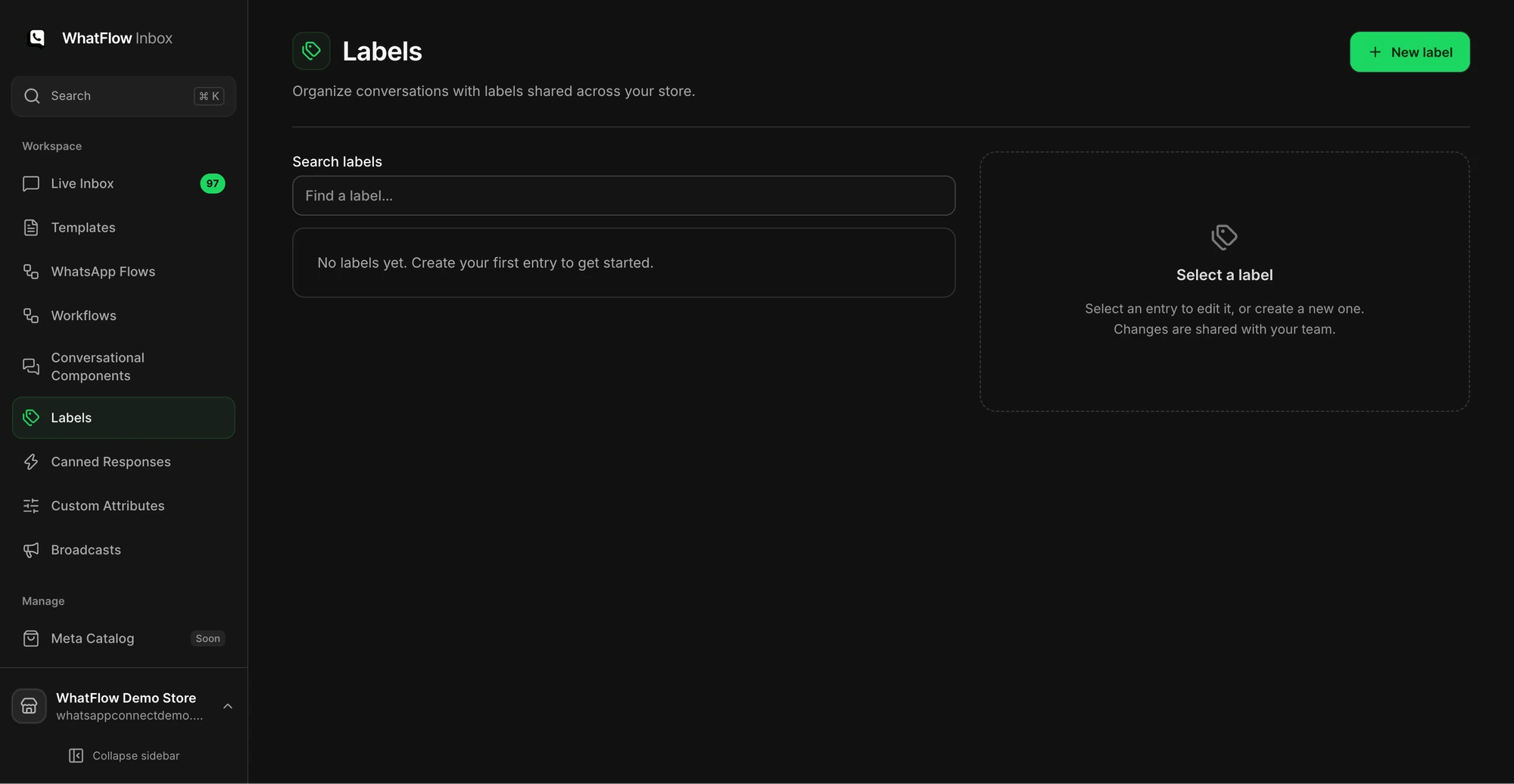
TimelinesAI also offers a shared inbox, and you don't pay for every inbox helper, only for users who connect a WhatsApp account. That's fairer than a pure per-user model. The difference is that WhatFlow never asks you to count seats at all. If you're setting up shared ownership for the first time, our guide to a shared team inbox for small Shopify businesses covers assignment rules that stop double replies.
WhatFlow has no built-in AI bot, but both tools connect to AI assistants: TimelinesAI lists an MCP connection, and WhatFlow's MCP connector lets Claude, ChatGPT or Cursor read Live Inbox chats, look up Shopify orders and draft replies, with a draft mode so a person approves each one. If AI assistants are central to your plans, compare what each connection can do. Native Shopify segment sync is coming soon to WhatFlow.
When TimelinesAI might still make sense
Pick TimelinesAI only if your business runs on a sales CRM like Pipedrive or HubSpot, several reps work deals from their own WhatsApp accounts, and getting those chats into the CRM is the main goal. A wholesale-heavy brand might fit that. If you also handle wholesale and B2B enquiries on WhatsApp alongside retail orders, you can still run the retail side in WhatFlow.
The bottom line
For a Shopify store, WhatFlow does the WhatsApp job that matters most: confirming orders, sending updates, recovering checkouts and giving your team one inbox, all tied into Shopify Flow. It starts free with every feature, costs $4.99 a month on its first paid plan and never charges per seat. Install it, connect your number with Meta Embedded Signup and send your first order confirmation today.
Questions worth asking
Is WhatFlow a good TimelinesAI alternative for Shopify?
Yes, if your WhatsApp work starts from Shopify orders. WhatFlow ships native Shopify Flow triggers and actions, COD confirmation and a no-seat-fee team inbox on every plan, including Free. TimelinesAI is a stronger fit when a sales CRM such as Pipedrive or HubSpot is your main record.
How much does TimelinesAI cost compared with WhatFlow?
As of November 2026, TimelinesAI charges $35 per connecting seat a month on Starter and $49 on Pro, or $28 and $39 billed yearly. Three people each connecting a WhatsApp account on Starter is $105 a month. WhatFlow starts free and paid plans start at $4.99 a month, with no seat fees and Meta's WhatsApp charges billed separately.
Does WhatFlow charge per inbox seat?
No. WhatFlow's team inbox has no seat fees, so adding a colleague never changes your bill. Plans only differ by how many messages you send.
Are WhatFlow features restricted on the free plan?
No. Every WhatFlow feature is on the Free plan, including templates, broadcasts, Shopify Flow and the team inbox. Paid plans only add message allowance, and theme-matched WhatsApp buttons are free forever.
Sources and methodology
We checked these primary sources on November 5, 2026. Vendor pages describe advertised capabilities, rather than independent performance tests. Confirm current pricing, plan limits and availability with each provider.
- TimelinesAI pricing
Per-seat prices, seat definition, CRM integrations, connection options and automation allowances. Checked November 5, 2026.
- WhatFlow WhatsApp Business API on the Shopify App Store
WhatFlow plan prices, included sends, 5.0/5 rating from 55 ratings and Shopify features. Checked November 5, 2026.
- WhatsApp Business Platform pricing
Meta's per-message charges, which apply separately from any app subscription.