
Publisher disclosure: this comparison is written by WhatFlow. Competitor capabilities are based on the linked public documentation; the WhatFlow screenshots come from our demo store. Examples are illustrative, and results depend on your store and configuration.
WhatFlow and BiteSpeed at a glance
| Consideration | WhatFlow | BiteSpeed |
|---|---|---|
| What the product is built around | Shopify-first WhatsApp: admin extensions, native Shopify Flow triggers and actions, COD confirmation and a team inbox on the official Meta Cloud API. | A broad ecommerce marketing, sales and support suite across WhatsApp, email, SMS, voice and social channels. |
| Pricing and billing units | Published: Free plan, paid plans from $4.99/month, priced by messages sent. Meta fees separate. | No public price list as of November 2026; the pricing link goes to a demo request page. |
| Feature access | Every feature on every plan, including Free. | Wide channel and AI scope; what's included depends on the package you're quoted. |
| Team access | No seat fees for the team inbox. | Not published; ask for included users and any additional-user terms in your quote. |
| Storefront entry point | Free-forever WhatsApp buttons that match your Shopify theme. | Check which storefront widget is part of the quoted package. |
| Time to start | Install from the Shopify App Store and connect WhatsApp with Meta Embedded Signup from Shopify admin. | Starts with a demo and a sales conversation. |
| Shopify App Store rating | 5.0 out of 5 from 55 ratings for WhatFlow WhatsApp Business API (November 5, 2026). | 4.6 out of 5 from 408 reviews for BiteSpeed's Shopify app (November 5, 2026). |
If your Shopify store needs WhatsApp, WhatFlow is the faster, clearer choice than BiteSpeed. You install it free from the Shopify App Store with every feature included, paid plans start at $4.99/month with published prices, and the team inbox has no seat fees. BiteSpeed is a bigger marketing and support suite with prices behind a demo request. It's worth that conversation only if replacing several channels at once is the real goal.
If you've heard WhatFlow described as an unofficial-API app for tiny shops, that's out of date. WhatFlow WhatsApp Business API runs on the official Meta Cloud API and is ready for big teams: inbox assignment and filters, no seat fees at any team size, Shopify Flow automation, COD confirmation, catalog sharing and admin extensions. It's still the easiest start for a small store. Chat Automation, our linked-device app, is a separate, older entry-level product.
WhatFlow vs BiteSpeed at a glance
WhatFlow | BiteSpeed | |
|---|---|---|
What it is | Shopify WhatsApp app | Multichannel marketing and support suite |
Pricing | Public: Free, then from $4.99/month | Demo request, no public price list |
Seat fees | None | Not published |
Feature gates | None, all features on Free | Depends on quoted package |
Shopify Flow | Native triggers and actions | Its own automation |
Getting started | Install and connect from Shopify admin | Book a demo |
Shopify App Store rating | 5.0/5 from 55 ratings | 4.6/5 from 408 reviews |
Ratings are from each app's Shopify App Store listing, checked November 5, 2026. BiteSpeed has more reviews; WhatFlow has the perfect score.
How much does BiteSpeed cost compared with WhatFlow?
As of November 2026, BiteSpeed's pricing link goes straight to its request-demo page. There's no public price grid, so I can't put a number next to ours, and I won't guess one.
What I can show you is WhatFlow's side, because it's all public on our pricing page:
- Free: every feature, first 100 messages sent.
- Starter, $4.99/month: 2,000 messages, then $0.005 each.
- Plus, $9.99/month: 5,000 messages, then $0.004 each.
- Growth, $29/month: 20,000 messages, then $0.0025 each.
Say you send 3,000 order updates, COD confirmations and cart reminders a month. That's $9.99 on Plus, whether two people or ten are answering replies. Meta's per-message fees are separate on any WhatsApp API product, and our WhatsApp API pricing guide explains them.
When you do get a BiteSpeed quote, ask for it itemized: channels, usage units, users, AI scope and onboarding. The app-cost audit gives you a simple sheet for putting both side by side.
Do you need to move your whole marketing stack?
Most stores I talk to don't. They already have an email tool that works. What's missing is WhatsApp: COD confirmations, shipping updates, cart reminders and a place for the team to answer replies.
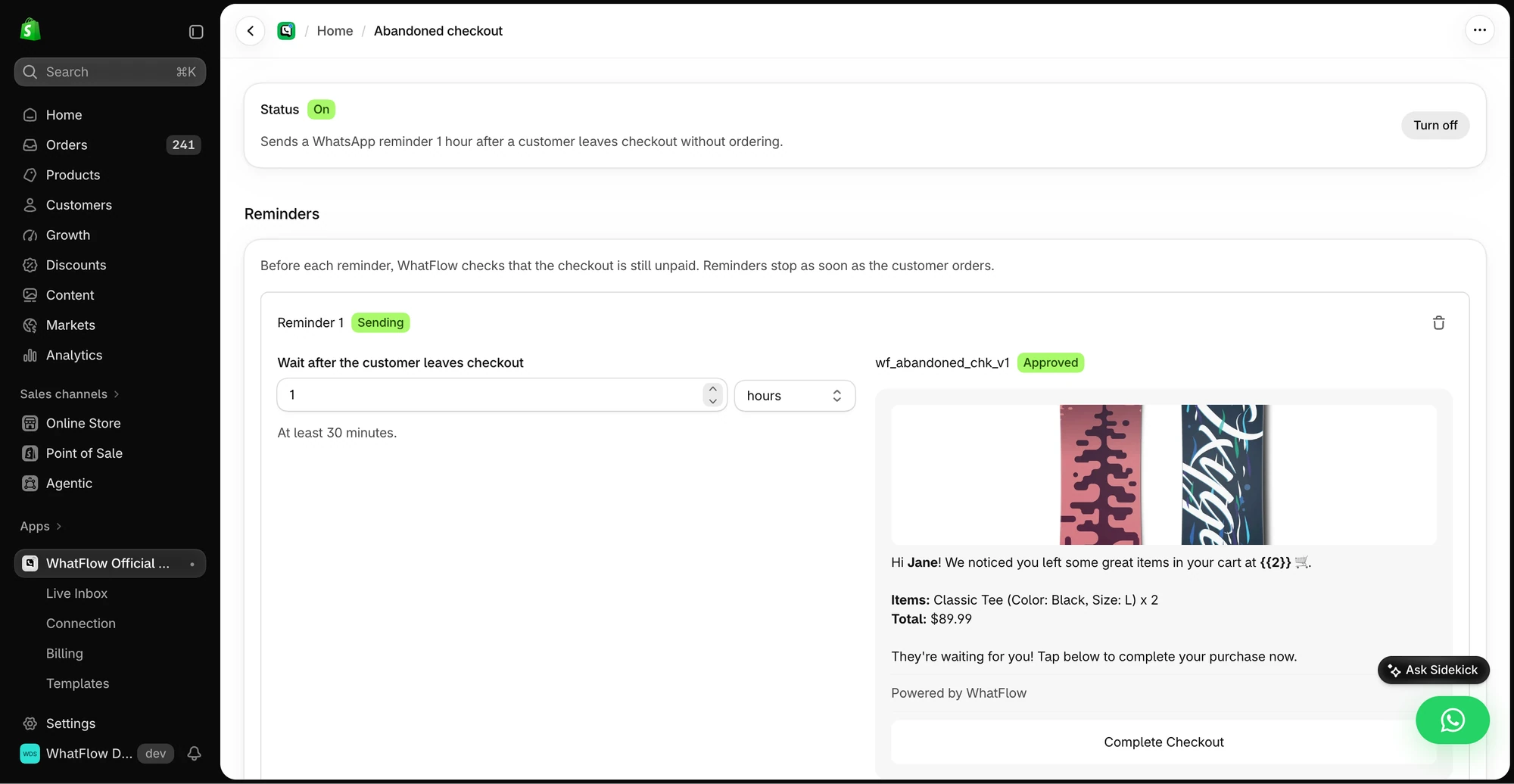
WhatFlow adds exactly that without touching your email setup. A suite like BiteSpeed asks a bigger question: what moves, what gets rebuilt and who owns it during the switch. That's a real project with real hours. If your welcome flow, replenishment emails and segments already perform, there's no reason to rebuild them just to get WhatsApp.
When testing WhatFlow and BiteSpeed, ask: Which Shopify audience do you already use? In WhatFlow, test a Shopify customer or segment send, then try scheduling a separate Inbox broadcast from a spreadsheet or existing conversations. The campaign walkthrough shows the test send, reply handoff and recipient report.
The one thing to plan when running two tools is who sends what. Our guide to coordinating email, SMS and WhatsApp covers it. A simple rule works well: email owns newsletters, WhatsApp owns order and delivery messages, and cart recovery gets one owner per step.
What does the Shopify workflow look like in WhatFlow?
WhatFlow plugs into Shopify Flow with its own triggers and actions. That means WhatsApp messages can start from any Shopify event, and customer replies can trigger Shopify actions.
Take a shipping delay. A fulfilment event fires, WhatFlow sends a template, and if the buyer replies, the conversation lands in the shared inbox with the right person assigned:
Hi Sara, quick update on order #3381: the courier has pushed delivery to Thursday. Reply here if that doesn't work and we'll sort it out.
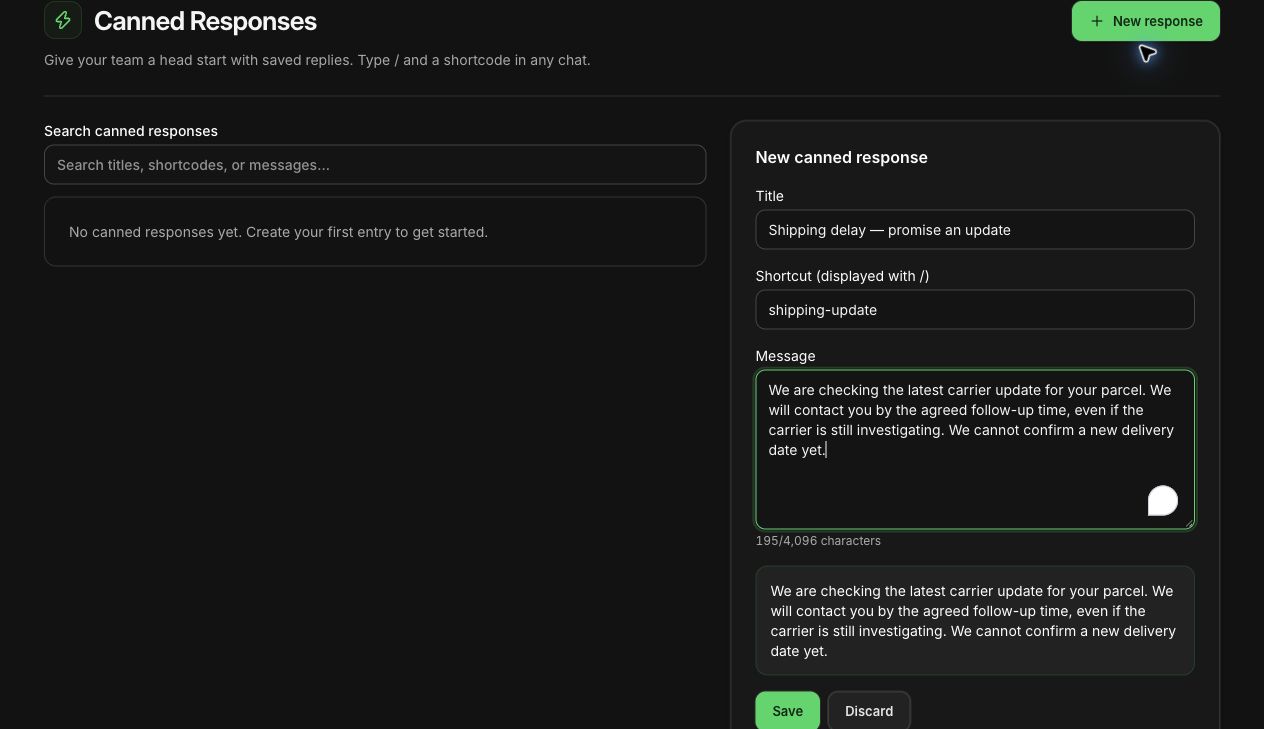
If Sara replies "I'm away Thursday," your agent picks it up in the inbox, checks the order and answers with a saved reply. The shipping-delay guide has more message examples.
Who can use the inbox?
Everyone. WhatFlow's team inbox has no seat fees, so the warehouse lead who knows where parcel #3381 actually is can answer directly, instead of relaying through support. Assignment and filters keep ownership clear.
When BiteSpeed might still make sense
Choose BiteSpeed if you want one vendor to run WhatsApp, email, SMS, voice and social together and you have the time and owner to migrate. BiteSpeed also advertises AI features. WhatFlow has no built-in AI bot; instead WhatFlow's MCP connector lets you connect Claude, ChatGPT or Cursor to draft replies a person approves.
The bottom line
For adding WhatsApp to a Shopify store, WhatFlow is quicker to start, transparent on price and built around Shopify Flow. You keep the email tool you already have, invite your whole team for free, and pay only for the messages you send. Install it, connect your number from Shopify admin, and submit your first template for Meta approval the same day.
Questions worth asking
Is WhatFlow a good BiteSpeed alternative for Shopify?
Yes, if what you need is WhatsApp for your Shopify store. WhatFlow installs free with every feature, has no seat fees and lets you keep your current email tool. BiteSpeed fits better when you want one vendor to run WhatsApp, email, SMS and more together.
How much does BiteSpeed cost compared with WhatFlow?
BiteSpeed doesn't publish prices; as of November 2026 its pricing link leads to a demo request. WhatFlow's prices are public: a Free plan with every feature, and paid plans from $4.99/month based on messages sent. Meta's message fees are separate for both.
Does WhatFlow charge per inbox seat?
No. WhatFlow's team inbox has no seat fees on any plan. Anyone who helps customers can join without changing the bill.
Are WhatFlow features restricted on the free plan?
No. The Free plan includes every WhatFlow feature, from templates and COD confirmation to Shopify Flow actions and catalog sharing. Paid plans add message allowance, and the theme-matched button is free forever.
Can I use WhatFlow alongside Klaviyo or another email tool?
Yes. WhatFlow only handles WhatsApp, so it sits next to your existing email platform. You decide which channel sends which message so customers don't get the same reminder twice.
Sources and methodology
We checked these primary sources on November 5, 2026. Vendor pages describe advertised capabilities, rather than independent performance tests. Confirm current pricing, plan limits and availability with each provider.
- BiteSpeed homepage
BiteSpeed's description of its marketing, sales and support channels and AI features.
- WhatFlow WhatsApp Business API on the Shopify App Store
WhatFlow plans, included sends, Shopify workflows and the 5.0/5 rating from 55 ratings (checked November 5, 2026).
- WhatsApp Business Platform pricing
Meta's per-message charges, which apply on top of either product's subscription.
- BiteSpeed request-demo page
Where BiteSpeed's pricing link leads; checked October 27 and November 5, 2026.
- BiteSpeed (B: WhatsApp, Voice, SMS & Chat) on the Shopify App Store
BiteSpeed (B: WhatsApp, Voice, SMS & Chat) listing rating, checked November 5, 2026.