
Publisher disclosure: this comparison is written by WhatFlow. Competitor capabilities are based on the linked public documentation; the WhatFlow screenshots come from our demo store. Examples are illustrative, and results depend on your store and configuration.
WhatFlow and Seat-based team upgrades at a glance
| Consideration | WhatFlow | Seat-based team upgrades |
|---|---|---|
| Best-fit experience | Add support, warehouse and seasonal staff to the inbox whenever they're needed. No seat fees, no plan upgrade. | Each extra person needs a seat or a bigger plan. Some bundles include several users, and you pay more once you go past the bundle. |
| Costs to include | Your message plan plus Meta's WhatsApp fees. Seat cost stays at $0 whether you have 2 or 20 people. | Plan price plus extra-user charges. The bill rises with headcount even when message volume stays flat. |
| Shopify workflow | Order templates, COD confirmation, Shopify Flow triggers and actions, and admin extensions alongside the inbox. | Varies by vendor. Shopify integration is sometimes reserved for higher tiers. |
| Starting point | Free plan with every feature, plus theme-matched WhatsApp buttons that are free forever. | Usually a paid starter tier with a capped number of users. |
If your Shopify team is growing, pick a WhatsApp inbox with no seat fees. With WhatFlow, your founder, support lead, warehouse colleague and Black Friday temp all share one WhatsApp inbox for the same price as one person. Every feature stays on every plan, including Free. You choose a plan by how many messages you send, never by how many people help.
Per-seat tools flip that around. Every new helper becomes a budgeting decision.
At a glance
WhatFlow | Seat-based WhatsApp tools | |
|---|---|---|
Cost of adding a person | $0 | A seat, or a bigger plan |
What drives the bill | Messages sent | Messages and headcount |
Seasonal helpers | Add them for the sale, no charge | Pay for the seat, or leave them out |
Features by plan | All features on every plan | Often tiered |
How a store's team actually grows
Say you sell handmade ceramics. Year one, you answer every WhatsApp yourself. Year two, you hire a support person. Then your packer starts answering "has it shipped?" because she's the one who knows. In November you add a temp for the holiday rush.
That's four people touching customer chats, but only one or two are full-time. Under per-seat pricing you either pay for all four every month or you leave the packer out and she relays answers through the support person. That second option is how customers end up waiting three hours for a one-word answer.
With no seat fees, you just add her.
One practical check: Can a second agent tell who owns the conversation without asking? In WhatFlow, use Needs reply and Closing soon, claim a conversation, then check Shopify order context and leave a private note. The team inbox walkthrough gives you a repeatable test for two agents, with no per-seat fee.
What does a growing team cost on each model?
Let's keep message volume fixed at 5,000 sends a month and change only headcount.
WhatFlow (as of November 2026): Plus is $9.99/month with 5,000 sends included (Shopify App Store listing). Team of 3, 6 or 10: still $9.99. Meta's fees are separate and the same on any app.
A published seat-based example: Gallabox's pricing page (checked November 5, 2026) lists Basic at $150/month billed quarterly with a hard cap of 3 users, and Essential at $331/month billed quarterly with 6 users included and $18 per extra user per month after that. So:
Team size | WhatFlow Plus | Gallabox (quarterly billing) |
|---|---|---|
3 people | $9.99 | $150 (Basic) |
6 people | $9.99 | $331 (Essential) |
10 people | $9.99 | $331 + 4 × $18 = $403 (Essential) |
Gallabox includes things WhatFlow doesn't, such as built-in AI agents, so this isn't a like-for-like feature list. (WhatFlow's route to AI is different: WhatFlow's MCP connector lets the Claude, ChatGPT or Cursor subscription you already have draft replies for a person to approve.) It shows how headcount moves the bill on a seat model and doesn't on ours. Our full write-up is in WhatFlow vs Gallabox, and the general maths is in no-seat-fee inbox vs per-seat pricing.
Keep ownership clear as more people join
No seat fees doesn't mean no structure. When the team grows, decide three things up front:
- Who owns a chat. Assign it. Use inbox filters so everyone sees their own queue.
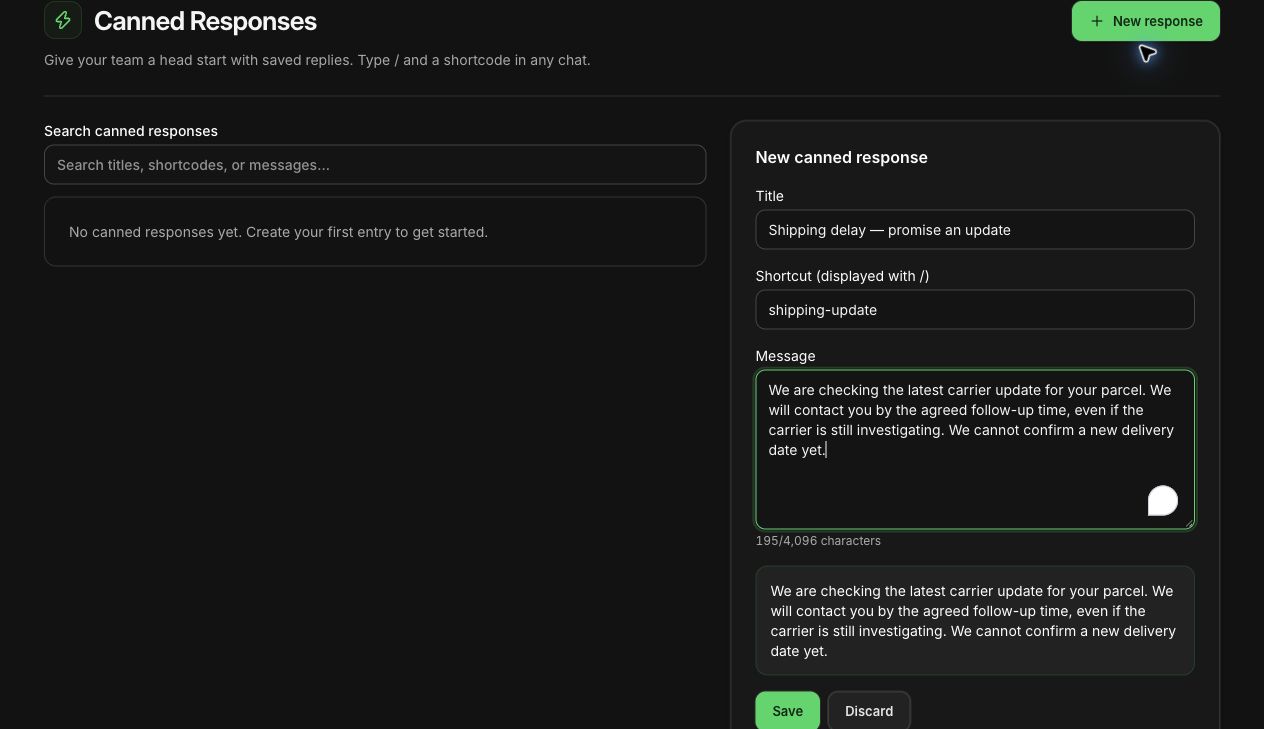
- What gets a saved reply. Shipping times, returns policy, sizing. Write them once.
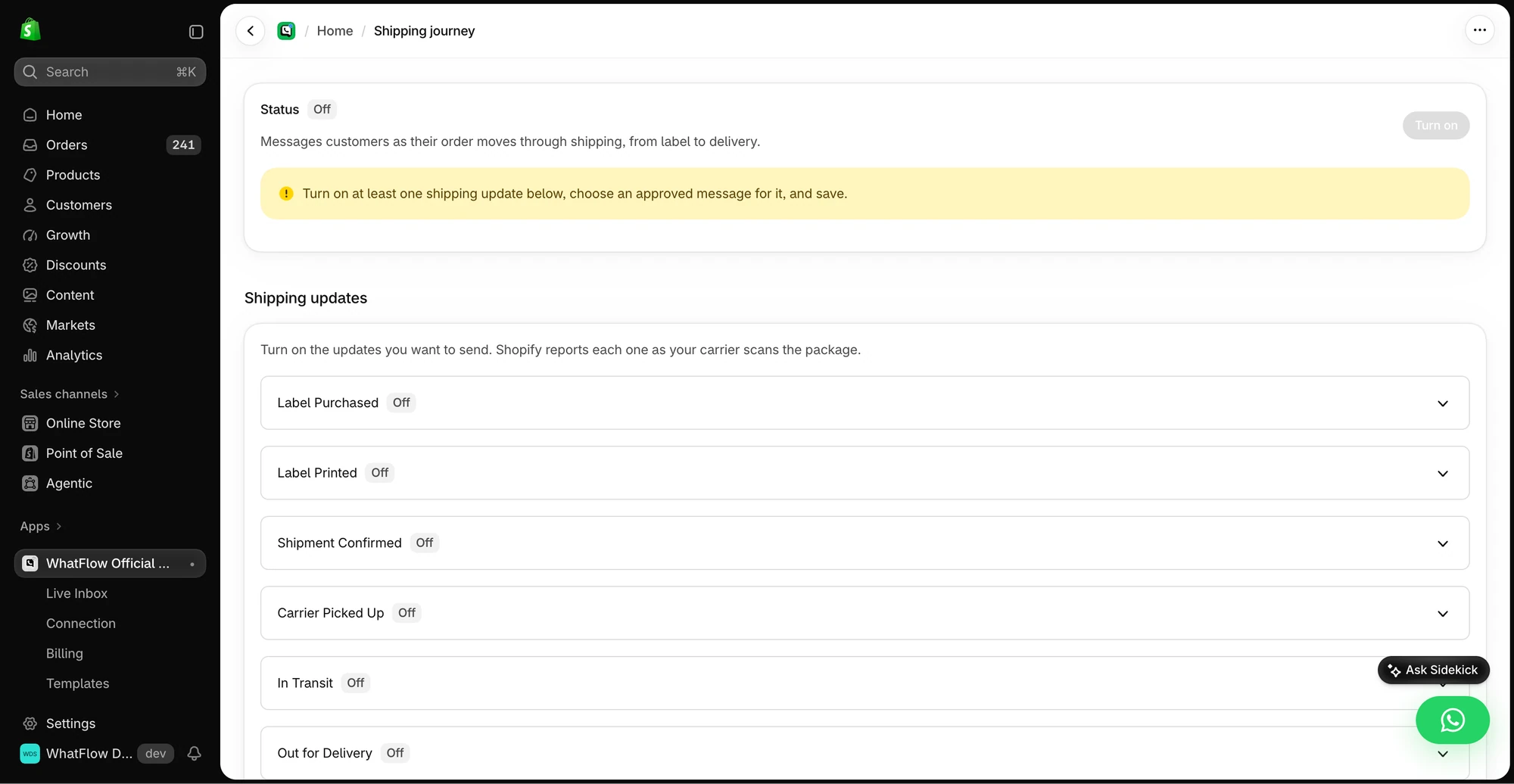
- What routes automatically. With WhatFlow's Shopify Flow triggers, a reply like "cancel" on a COD confirmation can tag the order without anyone touching it.
Saved reply, "shipping delay": Hi {{name}}, thanks for your patience. Your order is packed and waiting for courier pickup, which is running a day behind this week. You'll get tracking on WhatsApp as soon as it moves.
For more on structure, see setting up a shared team inbox without losing ownership and hiring your first support person. If you're planning for peak season, the Black Friday WhatsApp playbook covers staffing too.
WhatFlow's WhatsApp Business API app runs on the official Meta WhatsApp Cloud API and is rated 5.0 out of 5 from 55 ratings on the Shopify App Store (checked November 5, 2026).
Will it still hold up at 20 people?
Yes. A common assumption is that a Shopify app with a free plan must be a lightweight, unofficial tool you'll outgrow. WhatFlow's WhatsApp Business API app runs on the official Meta WhatsApp Cloud API, connected through Meta's Embedded Signup, and it's built for teams: assignment and filters in the inbox, no seat fees at 2 people or 20, Shopify Flow automation for routing and order actions at volume, COD confirmation, live catalog sharing and Shopify admin extensions. When volume grows, you move up a message plan (Ultimate is $99/month with 75,000 sends included, as of November 2026). You never re-platform because you hired.
When seat-based pricing might still make sense
Pick a seat-based platform only if you specifically need what it bundles with those seats, such as AI agents, advanced role hierarchies or multi-department governance, and your team size is stable. If the extras matter less than letting the right person answer, seats are a tax on growth.
The bottom line
Your team will change shape every season. Your WhatsApp bill shouldn't. WhatFlow charges for messages, not people, keeps every feature on every plan, and lets anyone who knows the answer help the customer. Install it before your next hire.
Questions worth asking
Which WhatsApp inbox for Shopify has no seat fees?
WhatFlow's WhatsApp Business API app has no seat fees on any plan. You can add as many teammates to the shared inbox as you need, and you only pay for your message plan and Meta's fees.
How do I plan WhatsApp access for seasonal staff?
List who will answer during your busiest month, including part-timers, and give each one inbox access before the sale starts. With WhatFlow there's no per-person cost, so you can include everyone who knows the orders.
Does the free WhatFlow plan restrict features?
No. Every WhatFlow feature, including the team inbox, is on every plan, including Free. Plans differ only by message allowance and rate.
Are Meta's WhatsApp charges included in WhatFlow's price?
No. Meta charges separately for delivered template messages by category and country. Since October 1, 2026, Meta's free customer service replies are capped at the first 1,000 per number per month.
Sources and methodology
We checked these primary sources on November 5, 2026. Vendor pages describe advertised capabilities, rather than independent performance tests. Confirm current pricing, plan limits and availability with each provider.
- WhatFlow plans and Shopify integrations
WhatFlow WhatsApp Business API listing: plan prices, included sends and a 5.0 rating from 55 reviews, checked November 5, 2026.
- WhatsApp Business Platform pricing
Meta's per-message pricing, which varies by template category and recipient country and is charged separately from app fees.
- Gallabox pricing
Published users per plan and extra-user prices used in the worked seat example, checked November 5, 2026.