A good cross-sell recommends a product that helps the customer use what they're already buying: the right refill, the adapter they'll need, a care kit for the leather bag. Build a compatibility map so every recommendation is correct, say clearly whether the extra item is required or optional, and show it at the moment the customer would actually want it. If you can't explain why it belongs, skip it.
The cross-sells I hate are the lazy ones. "Customers also bought" showing a random scented candle next to a phone charger. It doesn't hurt much, but it doesn't help, and it teaches shoppers to ignore that whole section of your page. The good ones feel like a shop assistant saying "you'll need batteries for that".
What makes a cross-sell helpful instead of pushy?
One test: would a knowledgeable friend recommend it? Run each candidate through these questions.
Does it relate to this exact product? Not the category. This product, this version.
Does the customer need it, or is it nice to have? Both are fine, but you have to say which.
Is now the right moment? A refill is useless at checkout if the starter pack includes two months' supply.
Is it in stock and in the right variant? A recommendation that opens to "sold out" is worse than none.
If you can't answer yes to the first and clearly to the second, leave it off.
For a shopper asking which size or variant fits, use WhatFlow's product picker to share the relevant catalog item from the conversation. With catalog cart follow-up configured, WhatFlow can send back a Shopify checkout link. Check Shopify before treating the WhatsApp cart as a paid order. The catalog-to-checkout walkthrough shows the test sequence.
Build a compatibility map first
Before you touch any recommendation app, make a simple sheet. One row per product version, with what it works with.
This looks boring. It's the most valuable part of the whole process. Similar product names are where wrong recommendations come from. "Refill pack" doesn't fit every dispenser you've ever sold, and the customer who buys the wrong one ends up as a return and a one-star review.
Give the sheet an owner who updates it whenever a new version launches. Then use it to configure your recommendations. Shopify's free Search & Discovery app lets you hand-pick up to 10 complementary products per product and display them with a Complementary products block in your theme (Shopify Help Center). Hand-picked beats automatic for anything where compatibility matters.
Say whether it's required or optional
This is where trust is won or lost. If the customer needs something else to use the product, tell them before they buy:
Heads up: this lamp uses an E27 bulb, which isn't included. Add a warm-white LED bulb for $4.
If it's optional, say what it adds, plainly:
Optional: our leather care kit keeps the finish looking new. The tote is fine without it.
What you must never do is hide a required component until after the order, or make an optional extra sound required. Both lead to the same angry WhatsApp message a week later. If people keep asking "does this come with…?", answer it in a product FAQ next to the add-to-cart button.
Pick the right moment
Different products belong at different points in the journey.
Product page or cart: anything required to use the product (bulbs, adapters, batteries), and close companions the buyer would want from day one.
Order confirmation: nothing salesy. Customers want to know the order went through. Leave it alone.
After delivery and some use: refills, replacement parts, care products, a second colour of something they clearly liked.
That last moment is where WhatsApp shines, because the timing can follow the product. Say a starter pack lasts about six weeks. A message at week five is useful:
Hi Fatima, your lavender refill should be running low around now. Your dispenser is the Gen 2, so this is the right one: [Refill pack B]. Reply if you'd like it delivered with your next order.
Two WhatsApp rules apply. Only message customers who opted in, and outside the 24-hour customer service window (the day after a customer last messaged you) use a Meta-approved template (WhatsApp Business Messaging Policy). A cross-sell offer is a marketing template.
Recommend inside the conversation
Some of the best cross-sells happen when a customer is already talking to you. Someone asks whether a sleeve fits their laptop. You answer, then:
Yes, the 14-inch sleeve fits with room to spare. If you carry the charger too, the sleeve with the front pocket takes it; the plain one doesn't.
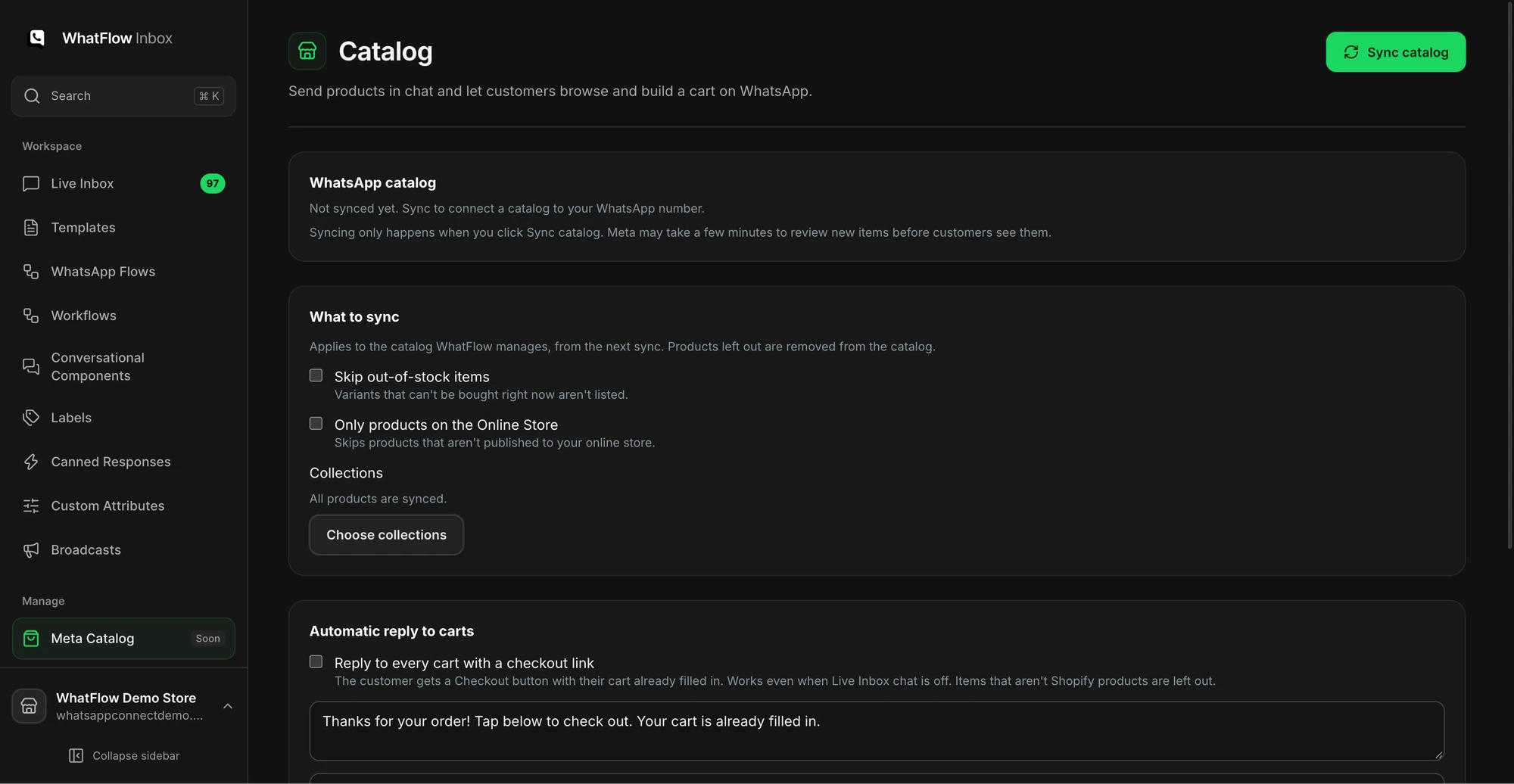
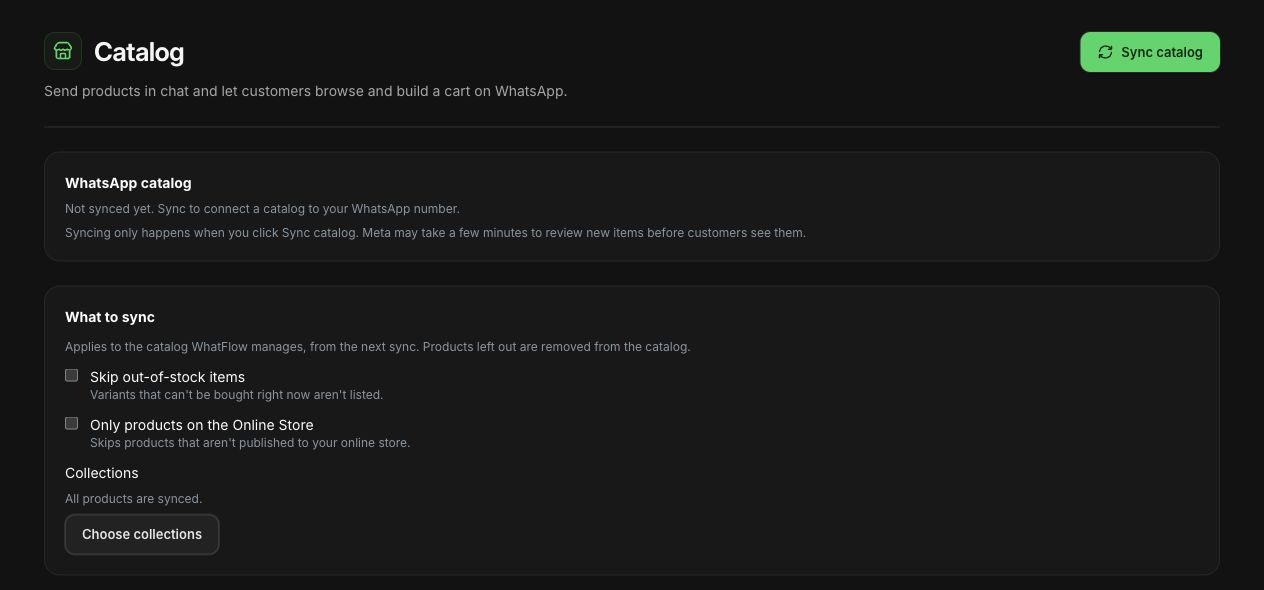
You're not pushing. You're answering a question they hadn't asked yet. With WhatFlow, your team can share the product straight from your synced catalog in the chat, so the customer sees the item, price and image without leaving WhatsApp. You can control what syncs, like skipping out-of-stock items, so you don't recommend something they can't buy.
The catalog screen shows sync options and the collection picker before products are synced.
WhatFlow catalog sync settings in the demo store. Not yet synced.
A higher average order value looks like success. Check what's underneath it:
Returns on the recommended item. Wrong-version returns mean your map is off.
Questions like "does this fit mine?" If they spike, the recommendation text isn't clear.
Margin, if the cross-sell carries a bundle discount.
A cross-sell that adds $8 to the basket and $15 in return shipping isn't a win. If you're sending cross-sells as campaigns, segment by what customers actually bought rather than sending the same accessory to everyone.
Free plan available
Run WhatsApp for your Shopify store with WhatFlow
Templates, COD confirmation, Shopify Flow automations and a shared team inbox with no seat fees. Every feature is included on every plan, including Free.
Pick your three best-selling products. Build the compatibility map for just those. Write one sentence per recommendation that says what it's for and whether it's required. That's an afternoon's work, and it'll do more than any "frequently bought together" widget running on autopilot.
Frequently asked questions
What is a cross-sell in ecommerce?
A cross-sell is a recommendation for a different product that goes with what the customer is buying, like a refill for a dispenser or a case for a phone. An upsell, by contrast, suggests a more expensive version of the same product.
How do I add complementary products in Shopify?
Use Shopify's free Search & Discovery app. Under Product recommendations you can pick up to 10 complementary products for each product, then add the Complementary products block to your product template in the theme editor.
When is the best time to cross-sell?
On the product page or in the cart if the extra item is needed to use the product, and after delivery if it's something they'll want once they've used it, like a refill or care kit.
Can I send cross-sell offers on WhatsApp?
Yes, to customers who opted in to marketing messages. Outside the 24-hour customer service window you'll need a Meta-approved marketing template. Inside an open conversation, you can recommend products directly in your reply.