
Publisher disclosure: this comparison is written by WhatFlow. Competitor capabilities are based on the linked public documentation; the WhatFlow screenshots come from our demo store. Examples are illustrative, and results depend on your store and configuration.
WhatFlow and Infobip at a glance
| Consideration | WhatFlow | Infobip |
|---|---|---|
| What the product is built around | Shopify. Order events, mapped templates, COD confirmation, Shopify Flow, admin extensions and a team inbox, ready after install. | Enterprise communications infrastructure. WhatsApp sits alongside SMS, other channels and a developer-focused API, Cloud API and SDKs. |
| Pricing and billing units | Free plan; paid plans from $4.99/month (as of November 2026), published on the Shopify App Store. Meta fees separate. | No rates on the WhatsApp Business page; costs depend on volume and category, with details on Infobip's pricing page. Add build and integration costs. |
| Feature access | All features on every plan, including Free. Plans differ only by message allowance. | Campaigns, notifications, OTP, chatbot or live-agent support, WhatsApp Flows, in-chat payments, calls and SMS failover. |
| Team access | Shared team inbox with assignment and filters. No seat fees at any team size. | Live-agent support is available; agent and user terms depend on the products in your contract. |
| Storefront entry point | Free-forever WhatsApp buttons that match your Shopify theme. | Click-to-WhatsApp entry points are supported; a Shopify storefront button would be your own build. |
For a Shopify store, WhatFlow is the better WhatsApp choice than Infobip. WhatFlow is a ready-made Shopify app on the official Meta WhatsApp Cloud API: order templates, COD confirmation, native Shopify Flow and a team inbox with no seat fees, all on the Free plan and ready the day you install it. Infobip is enterprise communications infrastructure. It's powerful, but you build your Shopify workflow on top of it.
If your goal is WhatsApp for your Shopify store, you want the app, not the infrastructure.
At a glance
WhatFlow | Infobip | |
|---|---|---|
What it is | Shopify WhatsApp app | Enterprise communications platform |
WhatsApp connection | Official Meta Cloud API | Official API (Meta Premier Partner) |
Shopify | Built in: events, Flow, admin extensions | Not mentioned on its WhatsApp page |
Setup | Install from the Shopify App Store | API integration and configuration |
Pricing | Published: Free, then from $4.99/month | Pricing page / quote |
Team inbox | Included, no seat fees | Live-agent products, terms per contract |
Infrastructure vs a ready-made app
Infobip's WhatsApp Business page describes a strong enterprise offering: Meta Premier Partner status, campaigns, notifications, one-time passcodes, chatbots and live agents, WhatsApp Flows, in-chat payments, calls, and SMS failover. It promotes a developer-friendly API, Cloud API and SDKs.
Read that list as a Shopify merchant and notice what's missing: the Shopify part. To send "your order has shipped" through Infobip, someone has to take the Shopify fulfillment event, look up the customer, fill a template, call the API, store the status and give your team somewhere to answer the reply. That's a project.
In WhatFlow, it's a setting:
Hi {{first_name}}, order {{order_number}} is on its way. Track it here: {{tracking_url}}. Questions? Just reply to this message.
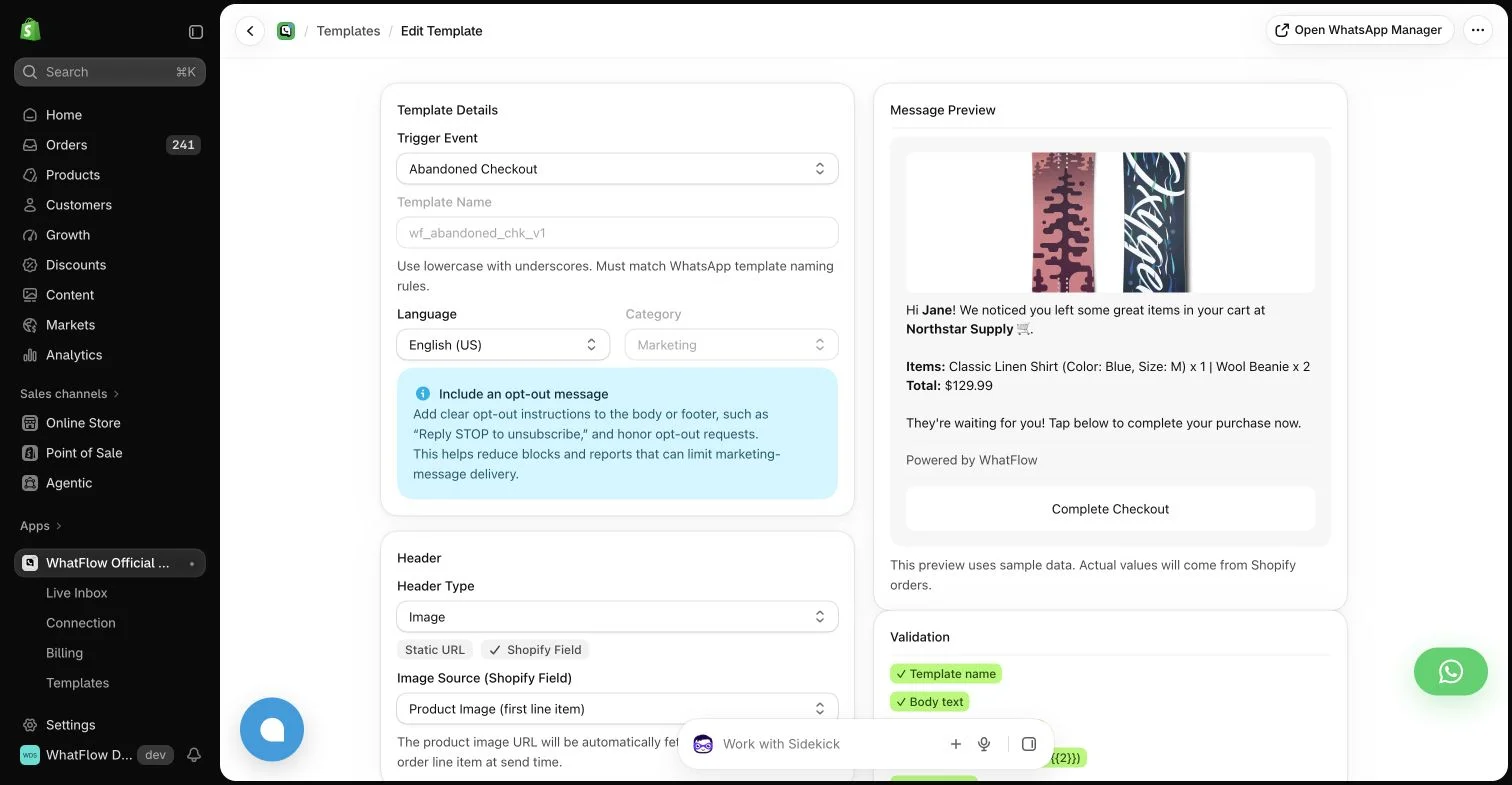
We cover the build-or-buy decision in more detail in Shopify WhatsApp app vs a custom Cloud API build.
What does each option cost?
WhatFlow publishes its pricing on the Shopify App Store. As of November 2026: Free (every feature, 100 sends), Starter $4.99/month (2,000 sends), Plus $9.99 (5,000), Growth $29 (20,000), Scale $49.99 (40,000), Ultimate $99 (75,000). No seat fees, no feature tiers. A store sending 5,000 messages a month pays $9.99.
Infobip's WhatsApp page doesn't list rates; it says costs depend on volume and message category and links to a pricing page. Whatever the per-message number, your real Infobip cost includes building and maintaining the Shopify integration and the interface your team uses. Meta's per-message fees apply on both sides (Meta pricing); our WhatsApp Business API pricing guide explains them. Current WhatFlow amounts are on the pricing page.
Shopify workflows, ready to switch on
Everything Shopify merchants usually ask a developer to build, WhatFlow ships as standard:
When testing WhatFlow and Infobip, ask: Which actions can you run inside Shopify Flow? WhatFlow has separate Shopify Flow blocks, API-triggered Inbox Workflows and in-chat WhatsApp forms. Try the catalog cart workflow if you need to connect a buyer reply with a Shopify action.
- Order confirmation, shipping and abandoned checkout templates from Shopify events.
- COD confirmation with buttons that tag or cancel orders via Shopify Flow.
- Native Flow triggers (incoming message, order reply) and actions (template, text, media).
- Shopify Sidekick can draft those workflows.
- Live catalog sharing, saved replies, and free-forever theme-matched buttons.
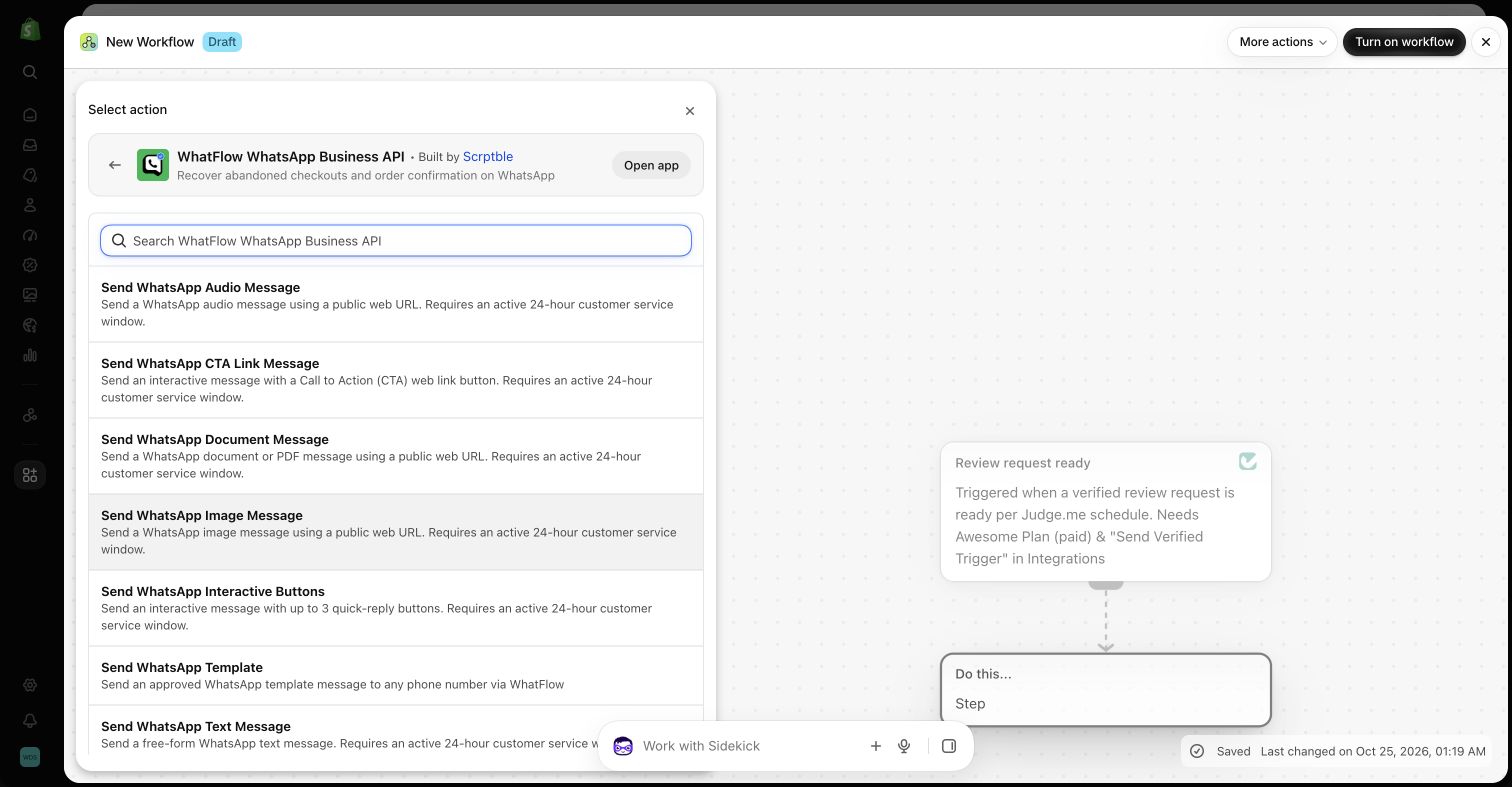
New to this? Start with the WhatFlow and Shopify Flow automation guide.
Enterprise-ready, without the enterprise project
WhatFlow often gets filed under "small-store tool". That undersells it. WhatFlow's WhatsApp Business API app runs on the official Meta WhatsApp Cloud API, the same platform Infobip connects to, and it's built for teams at scale: shared inbox with assignment and filters, no seat fees at any team size, Shopify Flow automation for high order volumes, COD, catalog and Shopify admin extensions. It's rated 5.0 out of 5 from 55 ratings on the Shopify App Store (checked November 5, 2026).
When Infobip might still make sense
Pick Infobip only if you specifically need enterprise multichannel infrastructure: SMS failover, OTP at scale, WhatsApp calling or payments in many markets, and an engineering team to build and run it across systems beyond Shopify. For a Shopify store's order messages and customer chats, that's more than you need.
The bottom line
Infobip gives developers the pieces. WhatFlow gives Shopify merchants the finished app: official Meta Cloud API, order automation, COD, Shopify Flow and a no-seat-fee team inbox, free to start. Install it and have your first order message live today. Comparing other providers too? See WhatFlow vs Gupshup and WhatFlow vs Twilio.
Questions worth asking
Is WhatFlow a good Infobip alternative for Shopify?
Yes, for Shopify stores. WhatFlow runs on the official Meta Cloud API and gives you order templates, COD confirmation, Shopify Flow and a no-seat-fee team inbox without a development project. Infobip fits enterprises building multichannel communications on its APIs.
How does Infobip pricing compare with WhatFlow?
WhatFlow publishes its plans: Free, then from $4.99/month as of November 2026, with no seat fees. Infobip's WhatsApp page lists no rates and points to its pricing page; your total also includes the cost of building the Shopify integration and staff interface.
Does WhatFlow charge per inbox seat?
No. WhatFlow's team inbox has no seat fees at any team size. You pay only for your message plan and Meta's fees.
Are WhatFlow features restricted on the free plan?
No. All plans have the same features. Message allowances and rates differ, Meta's delivery charges are separate, and theme-matched WhatsApp buttons are free forever.
Sources and methodology
We checked these primary sources on November 5, 2026. Vendor pages describe advertised capabilities, rather than independent performance tests. Confirm current pricing, plan limits and availability with each provider.
- Infobip: official product and commercial information
Infobip's WhatsApp Business page: Meta Premier Partner status, use cases, features, failover and developer APIs, checked November 5, 2026. No rates listed and no Shopify mention.
- WhatFlow plans and Shopify integrations
WhatFlow WhatsApp Business API listing: plan prices, included sends, features and a 5.0 rating from 55 reviews, checked November 5, 2026.
- WhatsApp Business Platform pricing
Meta's per-message pricing, which varies by template category and recipient country and is charged separately from app fees.