
Publisher disclosure: this comparison is written by WhatFlow. Competitor capabilities are based on the linked public documentation; the WhatFlow screenshots come from our demo store. Examples are illustrative, and results depend on your store and configuration.
WhatFlow and Chaty at a glance
| Consideration | WhatFlow | Chaty |
|---|---|---|
| What the product is built around | The full WhatsApp journey on Shopify: button, team inbox, templates, automation and Shopify Flow. | A storefront contact widget that shows many channels (WhatsApp, Messenger, SMS, email, phone, Telegram and more) and sends shoppers to them. |
| Pricing and billing units | Button free forever. Messaging plans: Free, then from $4.99/month by message allowance. Meta fees separate. | As of November 2026: Free (500 visitors/month), Basic $15, Pro $39, Growth $79 (up to 150,000 visitors), with larger plans for more traffic. |
| Feature access | Every feature on every plan, including Free. | Paid plans add targeting, scheduling, agents pop-up and merge tags; Basic, Pro and Growth share the same feature list and differ by visitor limit. |
| Team access | Shared team inbox with no seat fees. | The listing doesn't describe a shared inbox; chats open in each channel's own app. |
| Storefront entry point | Free-forever WhatsApp buttons matched to your Shopify theme. | Multi-channel widget with configurable colors, position, icons, triggers and attention effects. |
| WhatsApp automation | Templates, cart recovery, COD confirmation, shipping updates and Shopify Flow triggers and actions. | Not described on the listing. |
WhatFlow is the better pick if your Shopify customers want to talk on WhatsApp. Its theme-matched WhatsApp button is free forever, and the same app gives you a shared inbox with no seat fees, templates, cart recovery, COD confirmation and Shopify Flow. Chaty is a well-rated contact widget that lists a dozen channels and is priced by monthly visitors. It opens the door. WhatFlow also runs the conversation behind it.
WhatFlow vs Chaty at a glance
WhatFlow | Chaty | |
|---|---|---|
What it is | WhatsApp button + team inbox + automation | Multi-channel contact widget |
Button price | Free forever | Free to 500 visitors/month, then $15 to $79+ |
Team inbox | Yes, no seat fees | Not described |
WhatsApp templates and automation | Yes, every plan | Not described |
Shopify Flow | Native triggers and actions | Not listed |
Channels | WhatsApp, Messenger, SMS, email, phone, Telegram, Viber and more |
Chaty prices from its Shopify App Store listing, as of November 5, 2026.
How much does Chaty cost compared with WhatFlow?
Chaty's plans are based on visitors: Free covers 500 visitors a month, Basic is $15 (10,000 visitors), Pro is $39 (50,000) and Growth is $79 (150,000), with bigger plans above that. Basic, Pro and Growth share the same features, so you're paying for traffic.
Say your store gets 30,000 visitors a month. On Chaty you'd need Pro at $39 a month, or $390 a year, just for the widget. Conversations still land in each channel's own app.
WhatFlow's theme-matched WhatsApp button is free forever. If you then want to send messages (order confirmations, shipping updates, cart recovery), WhatFlow's messaging plans are Free ($0, 100 messages), Starter ($4.99, 2,000), Plus ($9.99, 5,000) and up to Ultimate ($99, 75,000), as of November 2026. Every plan has every feature. Meta's WhatsApp charges are billed separately and depend on message category and the customer's country. Current amounts are on our pricing page.
So for that 30,000-visitor store, the WhatFlow button costs $0 and the Starter plan at $4.99 covers 2,000 automated messages plus a shared inbox for the whole team.
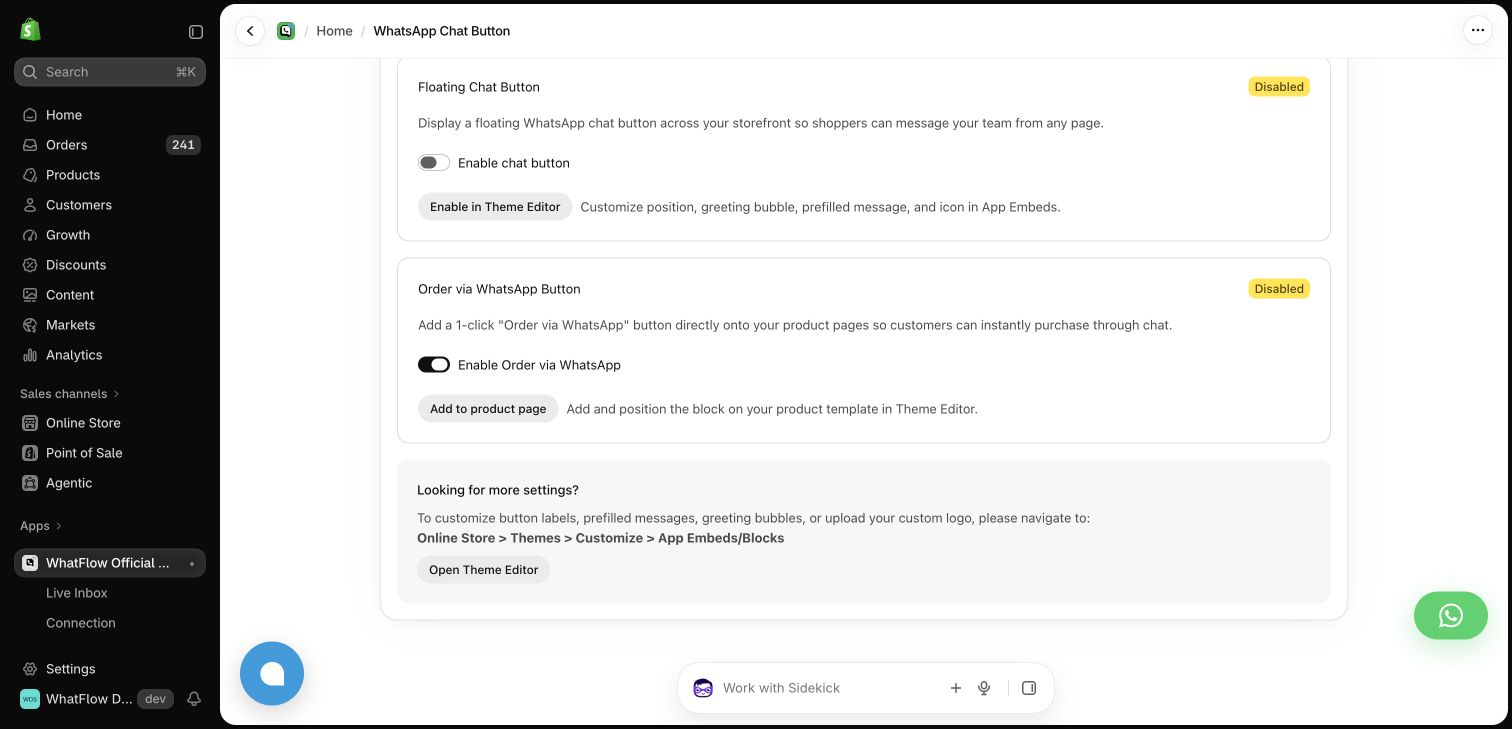
Why does it matter what happens after the tap?
A contact widget's job ends when the shopper picks a channel. Then the real work starts. Say a customer taps WhatsApp at 10pm and asks:
Hi, is the 6-seater oak table available in walnut? And can you deliver to Sharjah before the 20th?
With Chaty, that message arrives in whatever WhatsApp account the button points to, often the founder's phone. With WhatFlow, it lands in a shared inbox where any teammate can pick it up, share the walnut variant straight from your live catalog and reply with a saved delivery answer. No seat fees, so the evening shift can join too. The catalog sharing guide shows how that looks.

Do more channels on the widget help?
Usually not. Every icon is a promise that someone is watching that channel. Take a widget offering WhatsApp, email, Messenger and phone, with a team that really only answers WhatsApp. The shopper who picks email waits two days. The one who calls hits voicemail. One well-placed WhatsApp button your team actually answers beats five icons. The theme-matched button vs floating widget comparison and the mobile layout guide go deeper on placement.
What can WhatFlow automate that a widget can't?
Because WhatFlow runs on the official Meta Cloud API and connects to Shopify Flow, the button is just the first step:
When testing WhatFlow and Chaty, ask: Where does the shopper go after tapping the button? In WhatFlow, the storefront button can lead into a shared inbox with Shopify order context and catalog sharing. Try the product recommendation workflow after testing the click itself.
- COD confirmation with Confirm/Cancel buttons that tag or cancel the order
- Abandoned checkout recovery with the checkout link
- Order and shipping updates from Shopify fields
- Review requests linking to your review app's form
- Broadcasts to opted-in customers
When Chaty might still make sense
Choose Chaty if you staff several channels (say WhatsApp, Instagram and phone) and want one tidy widget pointing to all of them, with targeting and scheduling controls. It's well liked, with 4.9/5 from 331 reviews as of November 2026. Just remember the conversations still need a home.
The bottom line
For a Shopify store where customers use WhatsApp, WhatFlow does the button and everything after it: free-forever theme-matched buttons, a no-seat-fee inbox, every feature on every plan and native Shopify Flow, rated 5.0/5 from 55 ratings on the Shopify App Store (as of November 5, 2026). See how to add a WhatsApp chat button to Shopify and get it live today.
Questions worth asking
Is WhatFlow a good Chaty alternative for Shopify?
Yes, if WhatsApp is your main channel. WhatFlow's theme-matched WhatsApp button is free forever and comes with a no-seat-fee team inbox and Shopify automation in the same app. Chaty is a contact widget, so you'd still need a separate tool to manage the conversations.
How much does Chaty cost compared with WhatFlow?
As of November 2026, Chaty is free up to 500 visitors a month, then $15, $39 or $79 a month for up to 10,000, 50,000 or 150,000 visitors. WhatFlow's WhatsApp button is free forever, and its messaging plans start free with paid plans from $4.99 a month.
Does WhatFlow charge per inbox seat?
No. WhatFlow's team inbox has no seat fees, so everyone who answers WhatsApp can work from it.
Are WhatFlow features restricted on the free plan?
No. All WhatFlow features, including the inbox, templates, COD confirmation and Shopify Flow, are on the Free plan. Paid plans only add message allowance.
Sources and methodology
We checked these primary sources on November 5, 2026. Vendor pages describe advertised capabilities, rather than independent performance tests. Confirm current pricing, plan limits and availability with each provider.
- Chaty on the Shopify App Store
Chaty's plans, visitor limits, supported channels and widget features, checked November 5, 2026.
- WhatFlow WhatsApp Business API on the Shopify App Store
WhatFlow's listing, plans and Shopify integrations; rated 5.0/5 from 55 ratings as of November 5, 2026.
- WhatsApp Business Platform pricing
Meta's per-message charges for business-initiated WhatsApp templates.
- WhatFlow pricing
Current WhatFlow plan prices, message allowances and overage rates.