The WhatsApp marketing metrics that matter for a Shopify store are delivery rate, read rate, reply rate, click rate, opt-outs and blocks, cost per message and revenue per delivered message. Read them per campaign and per segment. Then treat attributed revenue with suspicion, because WhatsApp messages often go to customers who were going to buy anyway.
Most WhatsApp dashboards lead with one big revenue number. It's the least reliable figure on the screen. Here's what each metric actually tells you and how I'd use them together.
WhatsApp marketing metrics, stage by stage
Every broadcast or automated template moves through the same stages:
Sent → Delivered → Read → Replied or Clicked → Ordered
And at every stage, some people leave by opting out or blocking. Each metric below measures one of those transitions.
Whether the offer or content pulled people to the store
Opt-out rate
STOP replies and opt-out taps ÷ delivered
The cost of the send in goodwill
Cost per delivered message
Meta charges ÷ delivered
What the send cost you
Revenue per delivered message
Attributed revenue ÷ delivered
Value, with heavy caveats
Always use delivered as the base after the first row. Meta only charges for delivered template messages (per its pricing page, as of November 2026), and nobody can read what never arrived.
Delivery rate: is the list and the number healthy?
A drop in delivery rate is usually one of four things:
Numbers that aren't on WhatsApp or are formatted wrong (missing country code is the classic).
You've hit your messaging limit, the cap on unique customers you can start conversations with in a rolling 24 hours. Meta's messaging limits doc explains the tiers.
The per-user marketing cap: WhatsApp may limit marketing messages to people who rarely read them. These fail with error 131049, per Meta's per-user limits page.
US numbers in a marketing send. Meta's docs say WhatsApp doesn't currently deliver marketing templates to US phone numbers.
Read rate tells you whether the first line and the timing worked. Two caveats. Customers can switch off read receipts, so some reads never show up. And a notification preview can deliver your whole message without anyone opening the chat. So read rate undercounts. Use it to compare campaign A to campaign B, not as an exact count.
It still matters for one specific reason: Meta's template quality rating uses read rates and customer feedback. A template nobody reads can lose quality and eventually be paused.
Reply rate: the WhatsApp-specific metric most stores ignore
This is where WhatsApp differs from email. A reply means a conversation, and a conversation is where you answer the sizing question, suggest the right shade, or confirm delivery to a specific area. Replies also open a 24-hour customer service window in which your team can respond freely.
I'd argue reply rate is the best early signal of a good campaign, especially for considered purchases. If you add quick reply buttons ("Show me options", "Ask a question"), count taps as replies.
Reply rate also has a cost: someone has to answer. Track median first response time on campaign days. A broadcast that gets 200 replies and leaves them unanswered for six hours does damage. WhatFlow's team inbox has no seat fees, so you can put everyone on replies during a big send without paying per agent, which matters more the bigger your team and list get. Assignment and filters keep a 20-person reply rush from turning into double answers.
Click rate: did they go to the store?
Count unique clicks per delivered message. Add UTM parameters to every link so Shopify's analytics can see the session:
Keep the campaign name consistent with what's in your sending tool so you can match them later.
Opt-outs and blocks: the cost line
Every send costs some goodwill. Measure it:
Opt-out rate: STOP replies, "stop messaging me" in plain words, and opt-out button taps, divided by delivered.
Quality signals: template quality and phone number quality in WhatsApp Manager after each campaign.
Angry replies: count them. "Who is this?" means your opt-in wording failed.
You won't see individual blocks as a tidy number in most tools, but quality changes reflect them. The WhatsApp Business Messaging Policy says user blocks and reports can limit how many messages a business sends, which is why this line matters as much as revenue.
Revenue per message, and why attribution lies
Revenue per delivered message is the number everyone wants. It's also the easiest to inflate.
The problem: if you send a broadcast to people who bought in the last 30 days, many of them were going to buy again this week anyway. A "last click within 7 days" model credits WhatsApp with all of it.
Here's a hypothetical to make it concrete. Say you send a restock message to 1,000 past buyers and see $4,000 in orders from that group within 5 days. Looks like $4 per message. But if you'd held back 200 similar customers who got nothing, and they spent at a rate that would mean $3,000 for 1,000 people, the message's real effect is closer to $1,000, or $1 per message. Those are invented numbers; the method is the point.
Three ways to get closer to the truth:
Holdout groups. Randomly hold back 10 to 20% of a segment. Compare orders per customer. That's the incremental effect.
Unique codes per campaign. Not perfect (codes leak), but cleaner than session attribution.
Fixed attribution windows. Pick one (say 3 days for promos, 7 for launches) before you send, and don't change it after seeing the results.
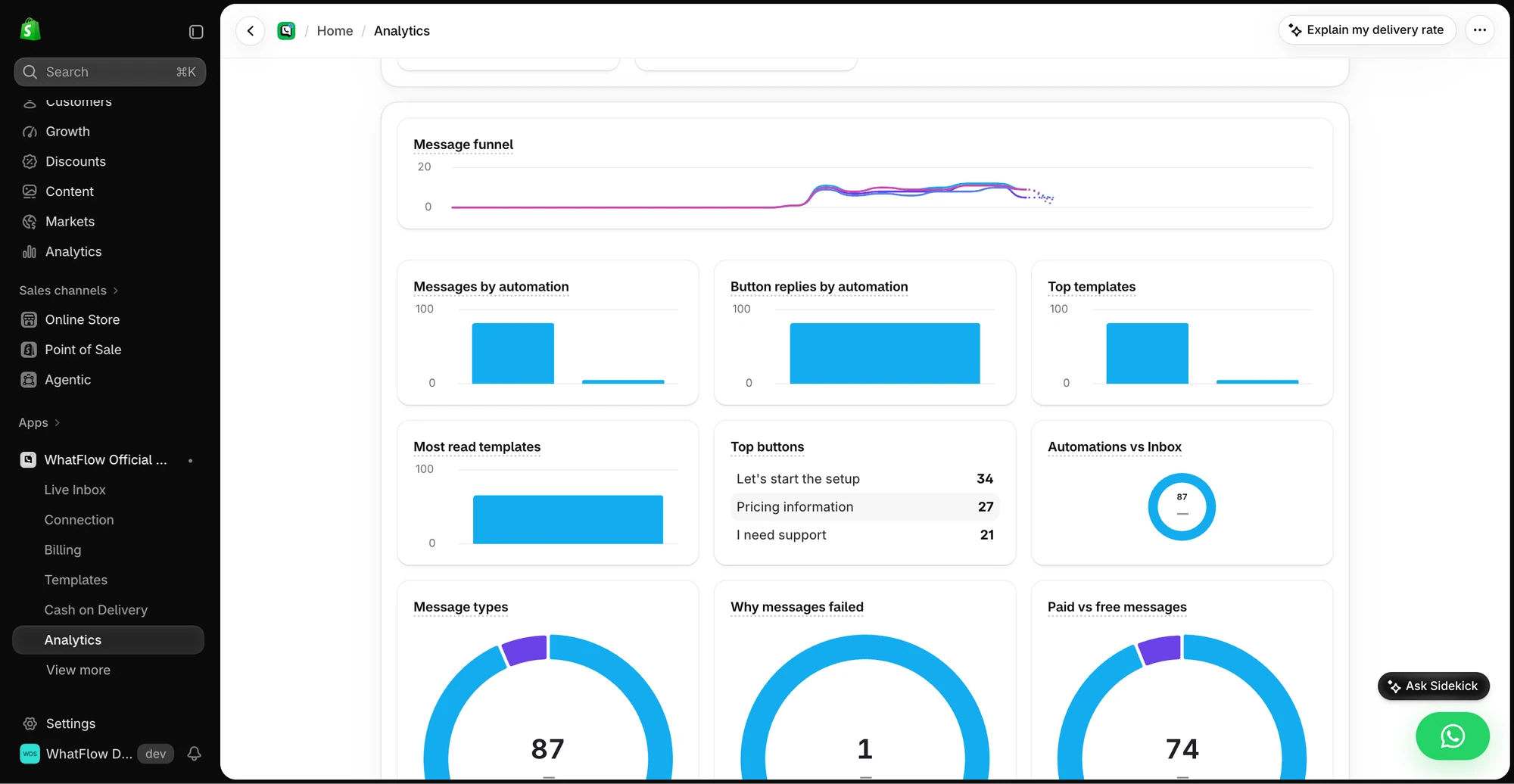
The Analytics view shows message and button reply breakdowns for the demo store. The numbers are demo activity, not a performance benchmark.
Automations need their own metrics
Broadcasts aren't the only WhatsApp marketing you send. Automated flows run every day and deserve their own row, with a metric that matches their job:
Abandoned checkout messages: recovered checkouts ÷ checkouts messaged, within a fixed window (say 48 hours). Compare against a holdout if you can, since some people come back on their own.
COD confirmation: confirmed orders ÷ COD orders messaged, plus the share cancelled by the customer. A cancellation before dispatch is a win compared with a refused parcel.
Replenishment reminders: reorders within 14 days of the reminder ÷ reminders delivered.
These are the numbers that tell you if an automation is earning its place. If you build them with WhatFlow's Shopify Flow actions, Flow's run history shows when each workflow fired, which makes matching messages to orders much easier.
Use WhatFlow's recipient report to separate attempted, delivered, read and failed messages. Export the results before you change the audience, and investigate a failure before retrying it. If you want to measure purchases, compare against Shopify orders using the tracking you set up for that send; delivery or read status alone can't tell you what sold. See the campaign measurement walkthrough.
Cost per outcome, not cost per message
Once you have revenue and cost, the useful number is cost per useful outcome: per order, per confirmed COD order, per recovered checkout. Meta's charges vary by template category and country, and WhatFlow's app fee is separate. The post on budgeting WhatsApp by cost per outcome shows the arithmetic.
A weekly WhatsApp scorecard
Keep one row per campaign or automation:
Segment and size
Delivered, read, replied, clicked (rates)
Opt-outs (count and rate)
Errors by code
Orders and revenue within your window, holdout comparison if you ran one
Meta cost
One sentence: what you'd change next time
That last column matters most. A scorecard nobody acts on is just a spreadsheet. If you want a ready-made rhythm for reviewing this, the small-store metrics routine fits it well.
Free plan available
Run WhatsApp for your Shopify store with WhatFlow
Templates, COD confirmation, Shopify Flow automations and a shared team inbox with no seat fees. Every feature is included on every plan, including Free.
If you only have five minutes after a send: delivered, replies, opt-outs, and orders against a holdout. Delivery tells you if it arrived, replies tell you if it mattered, opt-outs tell you what it cost, and the holdout tells you whether the revenue was really yours.
Frequently asked questions
What WhatsApp marketing metrics should a Shopify store track?
Track delivery rate, read rate, reply rate, click rate, opt-out and block signals, cost per send and revenue per delivered message. Look at them per campaign and per segment, not as one monthly average.
Is WhatsApp read rate reliable?
Only partly. Customers can turn off read receipts, so some people read your message without it showing as read. Use read rate to compare campaigns against each other, not as an exact count.
How do I attribute Shopify sales to a WhatsApp campaign?
Use UTM parameters on links or a unique discount code per campaign, and agree on an attribution window before you send. Remember that some buyers would have bought anyway, so a holdout group gives the most honest answer.
What does a failed WhatsApp message usually mean?
It can mean the number isn't on WhatsApp, a template issue, a messaging limit, or a per-user marketing cap (error 131049). Check the error code before assuming the customer blocked you.