To test social proof on a Shopify product page, change one review element at a time (placement, format or which reviews show first), decide the outcome and time period before you look at any numbers, and compare comparable visitors. Keep every version truthful. Then report raw counts alongside rates, and say so plainly when the result is inconclusive. For most small stores, it will be, and that's still useful.
"Reviews boost conversion" is the kind of claim that gets repeated without anyone checking it in their own store. Maybe they do for you. Maybe your reviews are already easy to find and moving them does nothing. The only way to know is to test, and to be honest about what a test with a few hundred visitors can and can't tell you.
Start with a question, not a hunch
"Make the page more trustworthy" isn't testable. A good test question names one change and one group of shoppers:
Does putting a star rating right under the product title increase add-to-carts on mobile?
Does showing photo reviews first reduce "how big is it really?" questions?
Does sorting reviews by "most helpful" instead of "newest" change anything?
Each of these changes one thing. If you move the reviews, rewrite the description and change the price in the same week, you'll learn nothing about any of them.
Before you test placement, make sure the basics work. If the star rating doesn't link anywhere, or the review widget sits under a cookie banner on mobile, fix that first; that's a bug, not an experiment. Our product-page trust checklist and mobile layout test catch most of those.
Write a test card before you change anything
A test card is a short note you write before the test starts. It stops you from deciding what "success" means after you've seen the results. Mine looks like this:
Change: Move the star rating from below the description to directly under the product title.
Pages: Top 5 products by traffic.
Main measure: Sessions that added to cart, mobile only.
Supporting measures: Completed checkouts, taps on the rating, pre-sale questions about quality.
Period: 3 weeks, from Monday 9 Nov.
Stop if: Widget fails to load, add-to-cart gets covered on mobile.
Nothing else changes: Same price, same offer, same review content.
Ten minutes of writing. It turns a vague "let's see what happens" into something you can actually learn from.
Pick your outcome before you look
Completed purchases are the outcome you care about most, but for a small store they're rare, so differences are hard to read. Add-to-cart rate is more frequent and closer to the change. Shopify's conversion rate breakdown shows sessions, sessions with add-to-cart, sessions that reached checkout and sessions that completed checkout (Shopify Help Center).
Always note the denominator. "Review taps up 40%" means nothing if traffic was up 40%.
Split test if you can, before-and-after if you must
A proper split (half your visitors see version A, half see version B, at the same time) is the best option, because both groups face the same promotions, weather and ad campaigns. If you use a split-testing app, check that it doesn't slow the page or break the review widget for one group.
If you can't split, a before-and-after comparison is still worth doing, as long as you're honest about what else changed. Write it all down: promotions, new ad campaigns, stock-outs, holidays, influencer posts. A Ramadan week compared with a normal week isn't a fair test of anything.
Why small stores need to be careful with the numbers
Here's a hypothetical. You run a split for three weeks:
Version
Sessions
Added to cart
Orders
A: rating under description
1,200
96 (8.0%)
24
B: rating under title
1,180
106 (9.0%)
30
Version B looks better. But the difference is ten add-to-carts and six orders. That's well within the range of normal week-to-week wobble for a store this size. If you'd stopped after the first week, you might have seen the opposite.
So what do you write? Something like: "B had slightly more add-to-carts and orders. The difference is small enough to be chance. No harm seen. Keeping B because it's easier to find on mobile, and moving on." That's a perfectly good result. What you shouldn't write is "Moving reviews increased conversion by 25%."
No placeholder reviews. No "sample" testimonials to fill an empty widget in the test version. No hiding the 3-star reviews in one version to see if it helps. In the US, the FTC's Consumer Reviews and Testimonials rule bans fake reviews and the suppression of negative ones (FTC). If you need a clear stance on what you publish and hide, write a review moderation policy first.
What you can test is presentation: where reviews sit, which widget format you use, whether photos show first, how reviews are sorted.
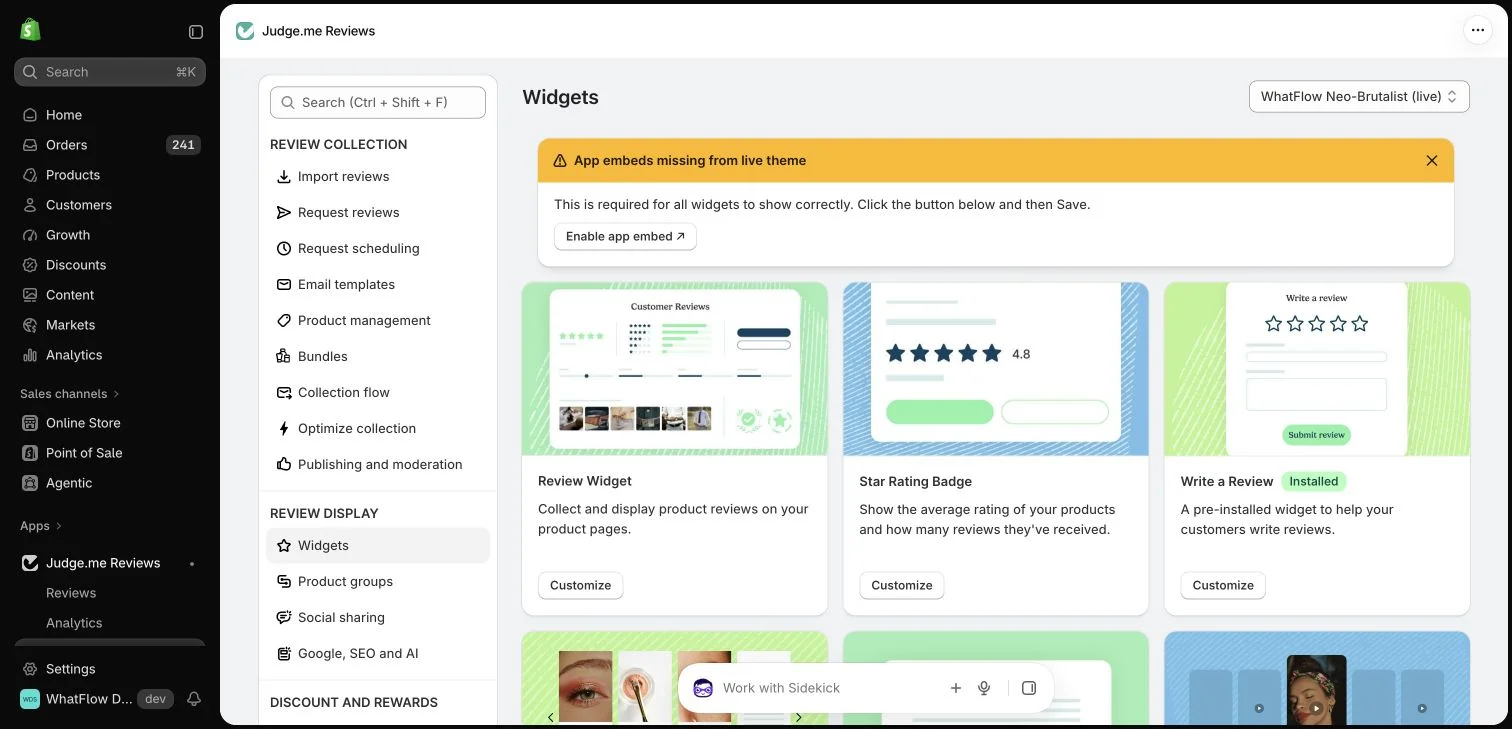
Judge.me widget settings in the WhatFlow demo store.
Read the questions, not just the numbers
When the numbers are too small to be decisive, customer questions fill the gap. If you're testing photo reviews first and "how big is it?" questions in your WhatsApp inbox drop off, that's real evidence the photos are answering something. If people still ask about fit despite the reviews, the reviews aren't covering it, and the next test should probably be about better photos or a size note.
With WhatFlow, pre-sale questions from your product pages land in one shared inbox, so they're easy to read in a batch at the end of each week. Treat them as clues, not proof. More on this in using pre-purchase questions to improve product pages.
Write down the result
Whatever happens, record it in a few lines: what changed, the dates, the counts, what else was going on, and what you decided. An inconclusive result is still worth writing down. It stops someone running the same test again next quarter.
Free plan available
Run WhatsApp for your Shopify store with WhatFlow
Templates, COD confirmation, Shopify Flow automations and a shared team inbox with no seat fees. Every feature is included on every plan, including Free.
If you're not sure where to start, test making photo reviews easier to find. They tend to answer the questions a written review can't, like scale, colour and fit. If you don't have many yet, start with collecting photo and video reviews.
Frequently asked questions
What is social proof on a product page?
Social proof is evidence that other people bought and liked the product, such as star ratings, written reviews, customer photos and Q&A. It helps a shopper judge whether the product will work for them.
How long should I run a product page test?
At least two full weeks so you cover weekday and weekend behaviour, and longer if you only get a few orders a day. Stopping as soon as one version looks ahead is the most common mistake.
Can I test reviews on a small Shopify store?
Yes, but be realistic. With a few hundred visitors a week you can spot big problems and learn from customer questions, but small differences in conversion rate will usually be noise.
Can I add sample or placeholder reviews while testing?
No. Every version of the page must show genuine reviews. The FTC's Consumer Reviews and Testimonials rule bans fake reviews and testimonials in the US.